Background Eraser PC
AZ Mobile Software
Download Background Eraser on PC With GameLoop Emulator
Background Eraser sa PC
Ang Background Eraser, na nagmumula sa developer na AZ Mobile Software, ay tumatakbo sa Android systerm sa nakaraan.
Ngayon, maaari mong laruin ang Background Eraser sa PC gamit ang GameLoop nang maayos.
I-download ito sa GameLoop library o mga resulta ng paghahanap. Hindi na tumitingin sa baterya o nakakadismaya na mga tawag sa maling oras.
I-enjoy lang ang Background Eraser PC sa malaking screen nang libre!
Background Eraser Panimula
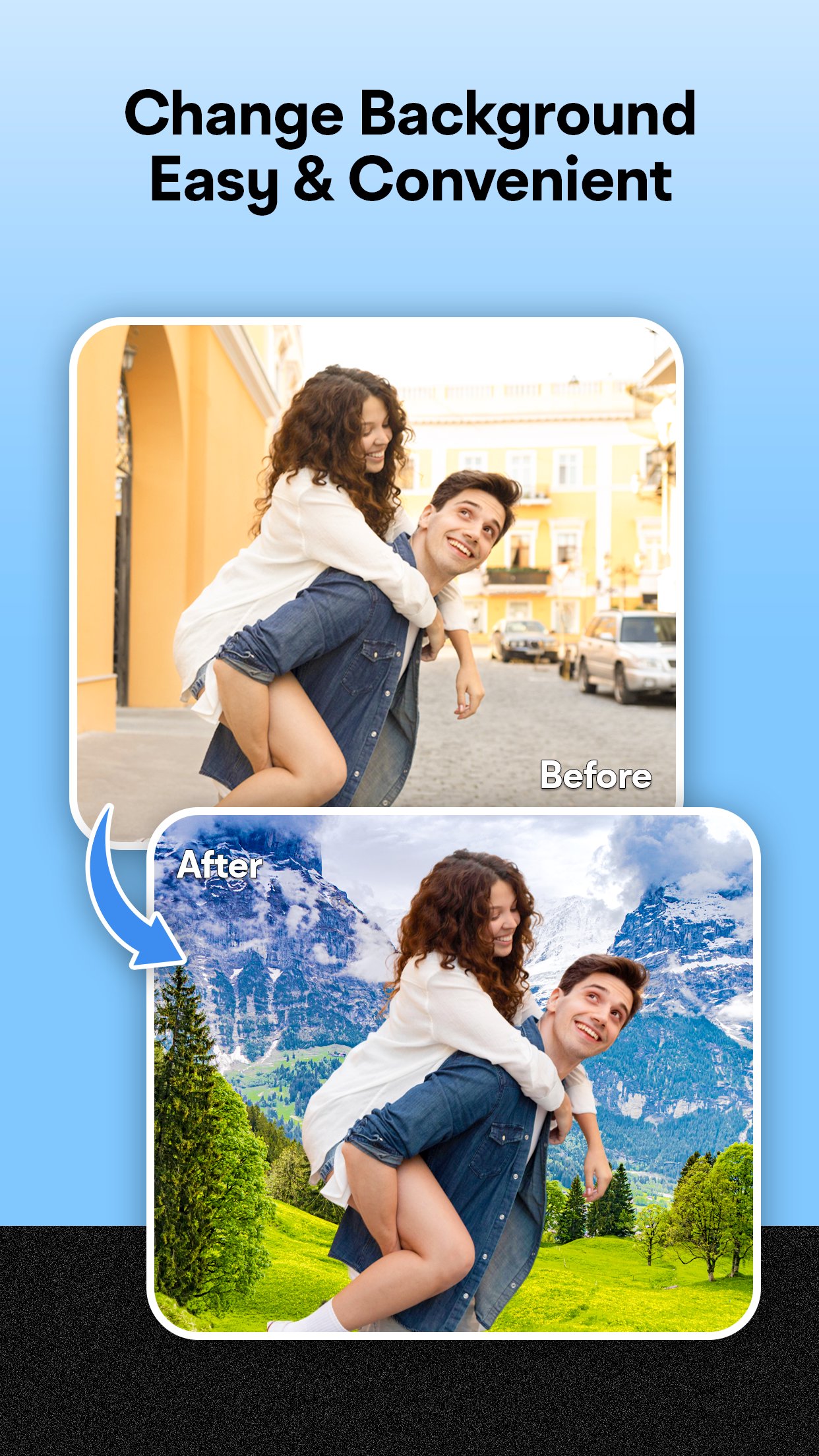
Background Eraser - Magic Eraser & Transparent Background helps you easily remove background from photos and create transparent images for your designs, social media, and more.
With Background Eraser, you can quickly erase background, make photos transparent, or replace background with any color or image. It's perfect for creating stickers, profile pictures, product images, and more.
✨ Key Features:
✅ Auto Remove Background (Magic Eraser)
Quickly remove background from photos with one tap. Works great for people, products, animals, and other objects.
✅ Manual Eraser & Repair
Use simple tools to precisely erase or restore parts of your image when needed.
✅ Background Changer
After erasing the background, you can:
Keep a transparent background (PNG)
Apply a white background
Add solid colors (red, blue, green, etc.)
Use your own background images
✅ Photo Editing Tools
Adjust brightness, contrast, exposure, sharpness, and more
Apply filters and effects to enhance your photos
Crop & resize images to fit your needs
✅ Save & Share
Save images as PNG (transparent background) or JPG
Share your creations on Instagram, WhatsApp, Facebook, and other platforms
Why use Background Eraser?
Helps you remove background easily
Offers magic eraser and manual editing tools
Lets you change background or create transparent images
Provides basic photo editor tools
Supports high-quality export for professional results
Disclaimer:
All copyrights belong to their respective owners.
If you believe any content in our app violates copyrights, please contact us and we will take action.
Privacy Policy: https://maxlabs-company-limited.github.io/Privacy-Policy
Contact: maxlabs.ltd@gmail.com
Preview

Tags
PhotographyInformation
Developer
AZ Mobile Software
Latest Version
3.5.3
Last Updated
2026-09-22
Category
Photography
Available on
Google Play
Show More
How to play Background Eraser with GameLoop on PC
1. Download GameLoop from the official website, then run the exe file to install GameLoop
2. Open GameLoop and search for “Background Eraser” , find Background Eraser in the search results and click “Install”
3. Enjoy playing Background Eraser on GameLoop
Minimum requirements
OS
Windows 8.1 64-bit or Windows 10 64-bit
GPU
GTX 1050
CPU
i3-8300
Memory
8GB RAM
Storage
1GB available space
Recommended requirements
OS
Windows 8.1 64-bit or Windows 10 64-bit
GPU
GTX 1050
CPU
i3-9320
Memory
16GB RAM
Storage
1GB available space