
Baby Photo Frames PC
RamkumarApps
Download Baby Photo Frames on PC With GameLoop Emulator
Baby Photo Frames sa PC
Ang Baby Photo Frames, na nagmumula sa developer na RamkumarApps, ay tumatakbo sa Android systerm sa nakaraan.
Ngayon, maaari mong laruin ang Baby Photo Frames sa PC gamit ang GameLoop nang maayos.
I-download ito sa GameLoop library o mga resulta ng paghahanap. Hindi na tumitingin sa baterya o nakakadismaya na mga tawag sa maling oras.
I-enjoy lang ang Baby Photo Frames PC sa malaking screen nang libre!
Baby Photo Frames Panimula
Baby Photo Frames App: Cherish Every Moment with Your Little One!
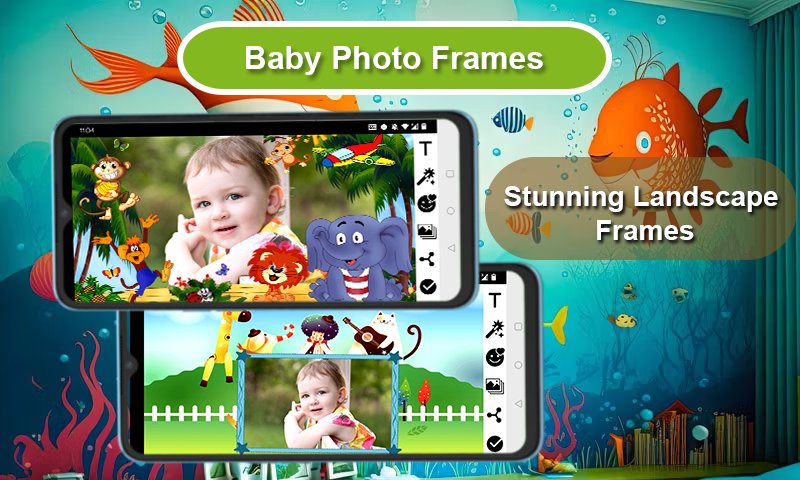
📸👶Capture the precious moments of your baby’s life with our comprehensive Baby Photo Frames app! Whether it’s a newborn, an infant, or a toddler, our app offers a variety of beautiful and cute frames to make every photo memorable. With a wide range of Baby Photo Frames, Toddler Photo Frames, and Baby Picture Frames, you can transform any photo into a cherished memory.
Our app includes a versatile Baby Photo Editor that allows you to add special effects, text, and much more to your photos. With Cute Baby Frames, Baby Memory Frames, and Baby Shower Photo Frames, you can enhance every special occasion. The app also features Newborn Photo Frames, Infant Photo Frames, and Toddler Picture Frames, making it perfect for every stage of your child's growth.
Key Features:
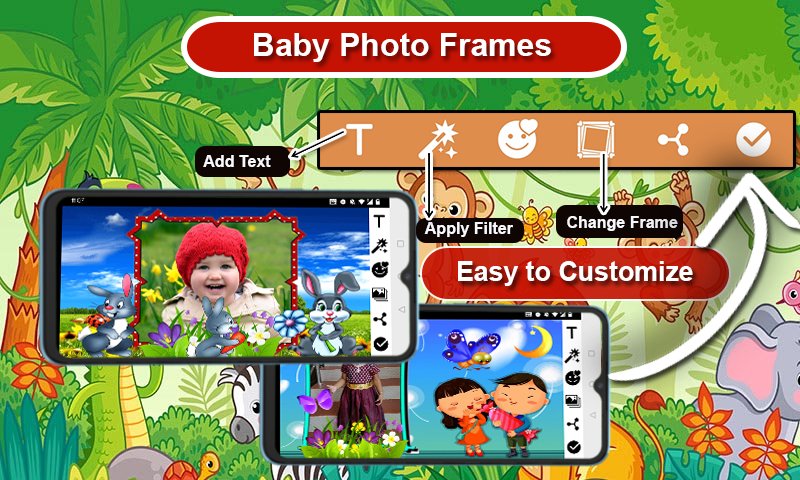
✔ Select and Capture: Choose a photo from your gallery or capture a new one with your camera phone in real-time. 📸
✔ Add Text: Personalize your frames with text! You can change the size, color, and font of the text at any time. 🖋️
✔ Edit and Adjust: Rotate, scale, zoom in, zoom out, or drag the photo to fit the frame exactly how you like. 🔄
✔ Wide Variety of Frames: Choose from more than 50 HD quality beautiful and colorful photo frames in both portrait and landscape formats. 🎨
✔ Device Compatibility: Our Baby photo editing app supports all screen resolutions of mobile and tablet devices, ensuring a smooth experience on any device. 📱
✔ Save and Share: Save your edited images and share them instantly via social networks. 📤
✔ Easy to Use: Baby Photo Frames is designed for simplicity and ease of use, making it perfect for everyone. 👶
✔ Free Download: Enjoy all these amazing features for free! Our Baby Photo Editor is completely free to download. 🎉
Download our Baby Photo Frames app today and start creating adorable memories with Baby Photo Frames, Toddler Photo Frames, Baby Picture Editor, and more. Make every photo a special moment to cherish and share with friends and family! 🌟
Preview
Tags
PhotographyInformation
Developer
RamkumarApps
Latest Version
3.1
Last Updated
2025-12-31
Category
Photography
Available on
Google Play
Show More
How to play Baby Photo Frames with GameLoop on PC
1. Download GameLoop from the official website, then run the exe file to install GameLoop
2. Open GameLoop and search for “Baby Photo Frames” , find Baby Photo Frames in the search results and click “Install”
3. Enjoy playing Baby Photo Frames on GameLoop
Minimum requirements
OS
Windows 8.1 64-bit or Windows 10 64-bit
GPU
GTX 1050
CPU
i3-8300
Memory
8GB RAM
Storage
1GB available space
Recommended requirements
OS
Windows 8.1 64-bit or Windows 10 64-bit
GPU
GTX 1050
CPU
i3-9320
Memory
16GB RAM
Storage
1GB available space