ArtiVerse: AI Photo Editor PC
DataFinder Services
Download ArtiVerse: AI Photo Editor on PC With GameLoop Emulator
ArtiVerse: AI Photo Editor sa PC
Ang ArtiVerse: AI Photo Editor, na nagmumula sa developer na DataFinder Services, ay tumatakbo sa Android systerm sa nakaraan.
Ngayon, maaari mong laruin ang ArtiVerse: AI Photo Editor sa PC gamit ang GameLoop nang maayos.
I-download ito sa GameLoop library o mga resulta ng paghahanap. Hindi na tumitingin sa baterya o nakakadismaya na mga tawag sa maling oras.
I-enjoy lang ang ArtiVerse: AI Photo Editor PC sa malaking screen nang libre!
ArtiVerse: AI Photo Editor Panimula
Are you looking for a professional photo editor?
Do you want to download an ai photo enhancer?
Are you searching for an ai drawing and picture art generator app?
Look no further than ArtiVerse: AI Photo Editor!! It is an ai picture enhancer app that lets you enhance photo quality, create avatars from photos, make sketch photos, and compress photos size!
Brief Introduction to the ArtiVerse: AI Photo Editor
First of all, we warmly welcome all users of Android devices to the picture enhancer and professional photo editor app that lets you enhance, stylize, and animate your images with simple clicks.
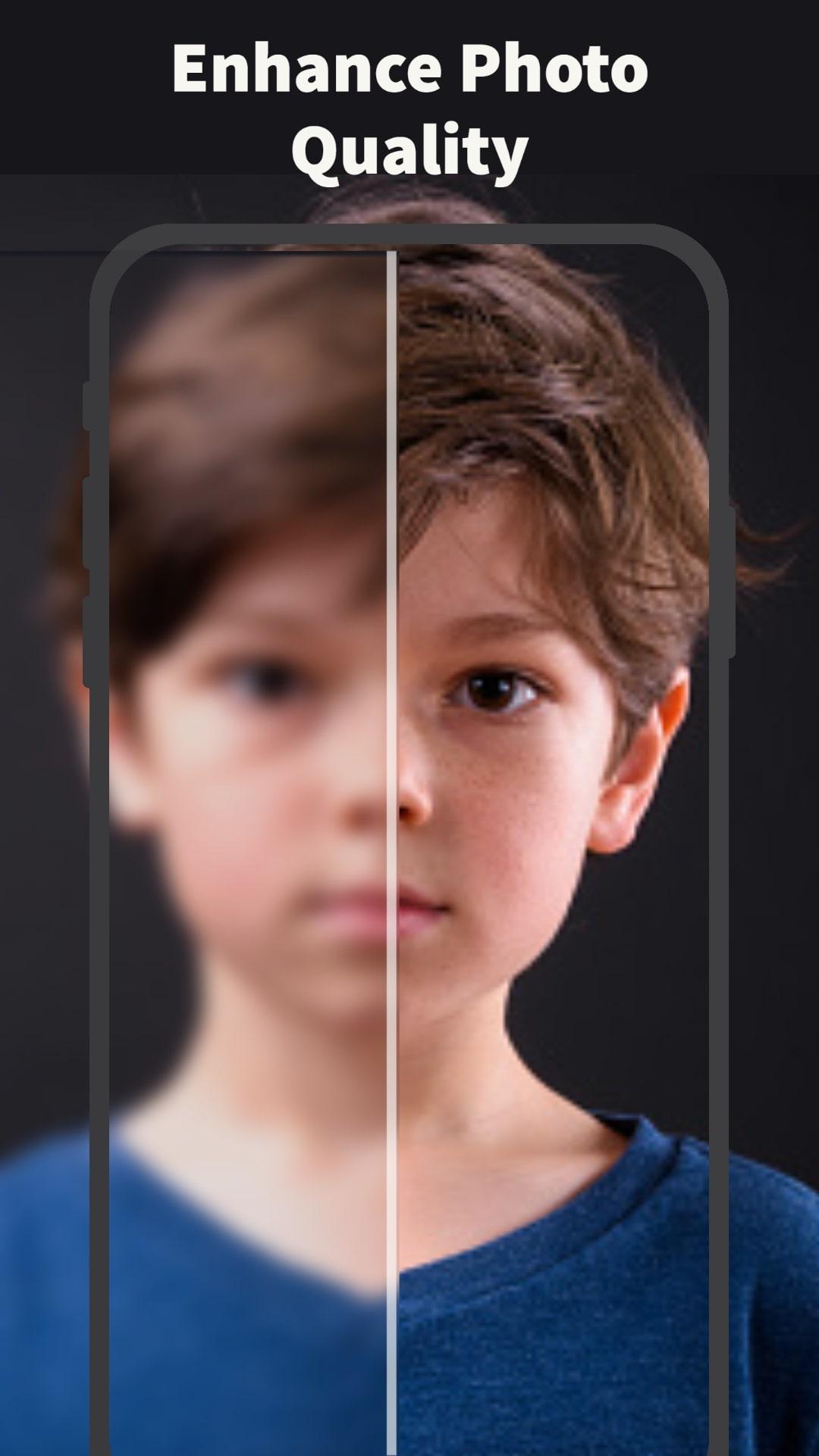
ArtiVerse: AI Photo Editor uses a powerful AI to unblur, restore, enhance, and fix group photos or any photo you want in a single click. Covert your low-quality photos into high-quality images with face beauty like magic. Use the picture art editor feature to create sketches from your pictures and create a cartoon from your images with the help of advanced ai drawing technology.
✪ An ai picture enhancer with different ai photo editor features
✪ A picture art editor to convert your pictures to sketches in seconds
✪ Give color intensity to your photos to remove the bad lightning
✪ Selfie editor that can be used for quality photo enhance
✪ Fix group photos with the face enhancer and picture enhancer features
✪ Enjoy it as a professional photo editor with features of picture art editor, photo enhance, and an ai drawing!
Download ArtiVerse: AI Photo Editor now and convert your real photos to ai drawing with this tool. Share your photo sketches with your friends and family members and let them be amazed by their quality!
Key Features of the ArtiVerse: AI Photo Editor
✪ Turn your low-quality photos to HD quality in this ai picture enhancer
✪ A free ai photo editor that makes your photos clear and compresses them
✪ Convert your photos to avatars with the help of a picture art editor
✪ Repair old and scratched photos with this professional photo editor
✪ Enhance your selfies, and portraits, and fix group photos with the ai photo enhancer
✪ Compress and reduce photo size with no quality loss in this picture enhancer tool
✪ Enlarge, Upscale, and enhance photos by turning them into 4k resolution photos
✪ Repair blurry and broken images, fix group photos, and fulfill missing pixels automatically
✪ Restore your family photos and portrait pictures and make them look better
Extra Features of the ArtiVerse: AI Photo Editor
✪ Turn your photos into pro-quality content
✪ Restore broken and repair old photos
✪ The ai drawing lets you sketch yourself with AI
✪ While picture art editor lets you convert photos to cartoons and avatars!
So, what are you waiting for? Download ArtiVerse: AI Photo Editor now and enhance your selfies, and portraits, and fix group photos to share them with your family and friends to make them amazed by their quality!
Preview
Tags
PhotographyInformation
Developer
DataFinder Services
Latest Version
2.1
Last Updated
2023-05-01
Category
Photography
Available on
Google Play
Show More
How to play ArtiVerse: AI Photo Editor with GameLoop on PC
1. Download GameLoop from the official website, then run the exe file to install GameLoop
2. Open GameLoop and search for “ArtiVerse: AI Photo Editor” , find ArtiVerse: AI Photo Editor in the search results and click “Install”
3. Enjoy playing ArtiVerse: AI Photo Editor on GameLoop
Minimum requirements
OS
Windows 8.1 64-bit or Windows 10 64-bit
GPU
GTX 1050
CPU
i3-8300
Memory
8GB RAM
Storage
1GB available space
Recommended requirements
OS
Windows 8.1 64-bit or Windows 10 64-bit
GPU
GTX 1050
CPU
i3-9320
Memory
16GB RAM
Storage
1GB available space