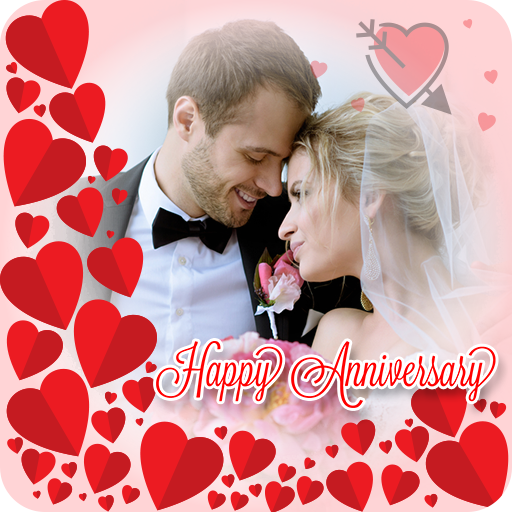
Anniversary Photo Frames App PC
MexPro Inc.
Download Anniversary Photo Frames App on PC With GameLoop Emulator
Anniversary Photo Frames App sa PC
Ang Anniversary Photo Frames App, na nagmumula sa developer na MexPro Inc., ay tumatakbo sa Android systerm sa nakaraan.
Ngayon, maaari mong laruin ang Anniversary Photo Frames App sa PC gamit ang GameLoop nang maayos.
I-download ito sa GameLoop library o mga resulta ng paghahanap. Hindi na tumitingin sa baterya o nakakadismaya na mga tawag sa maling oras.
I-enjoy lang ang Anniversary Photo Frames App PC sa malaking screen nang libre!
Anniversary Photo Frames App Panimula
Celebrate your special day with the Anniversary Photo Frame app – your all-in-one photo editor, photo collage maker, and anniversary card maker . Whether it’s your 1st or 50th anniversary, create lasting memories with personalized anniversary photo frames, anniversary wishes, dual photo collages and romantic anniversary cards.
🎁 Top Features of Anniversary Photo Frame Editor App:
Elegant anniversary photo frame templates
Romantic photo collage & scrapbook maker
Stylish photo frame anniversary & marriage designs
Dual photo frame support for couples
Create and share anniversary card free
Add text, stickers, and overlays to photo editor anniversary cards
Save & share your anniversary frames in HD on social media
🎉 Celebrate anniversaries with our wide range of wedding anniversary photo frames – from ‘happy wedding anniversary photo on cake’, ‘love-themed anniversary congratulations’ to ‘save the date designs’
💖Use our built-in wedding frame photo editor to add creative touches to your anniversary photos. Choose from dozens of marriage photo frames and edit with built-in frames photo editor. Apply filters, stickers, and effects to make every memory picture-perfect.
📸 Whether you’re designing a romantic memory, a greeting anniversary card, or a digital invite, the anniversary photo editor lets you customize your photos easily. The app supports photo collage, dual photo, and frames photo editor tools to ensure every frame is unique and memorable.
💍 Highlighted Categories
💖 Happy Anniversary Photo Frame
📸 Wedding Frame Photo Editor
💑 Marriage Anniversary Photo Frames
💌 Anniversary Card Greeting Maker
🖼️ Wedding Anniversary Collage
❤️ Love Anniversary Photo Frame
💌 Turn your pictures into beautiful greetings using our free anniversary greeting card templates. You can even create ‘save the date’ anniversary cards with custom anniversary wishes and personalized messages.
🎨 Make personalized cards with:
Romantic Card Anniversary Greeting layouts
Greeting Anniversary Card templates
Free Anniversary Card options and styles
Easy-to-edit Wedding anniversary photo editor overlays
Custom text, stickers & effects
💡 Why Users Love Our App:
🌟 easy-to-use photo editor anniversary tools
🌟 HD anniversary photo templates
🌟 elegant anniversary frames for every couple
🌟 Trendy happy anniversary photo frame designs
🌟 Unique anniversary apps experience with creative tools
From heartfelt cards to romantic collages, this app is all you need to design personalized greetings for your spouse, friends, or family. With high-resolution photo frames anniversary options, every creation becomes a timeless memory.
🎊 Make anniversaries unforgettable with:
💖 Stunning wedding anniversary photo frame themes
💍 Happy Marriage Anniversary Photo Frame
💌 Anniversary Greeting free messages
📸 Capture love beautifully with personalized anniversary frames
Whether you’re crafting a love message or adding flair to your anniversary photo, you’ll find everything in one app. Surprise your loved ones with a personalized anniversary photo frame and make their day truly special.
✨ Download the Anniversary Photo frame Editor app now and create timeless memories!
Preview


Tags
PhotographyInformation
Developer
MexPro Inc.
Latest Version
7.13
Last Updated
2025-09-22
Category
Photography
Available on
Google Play
Show More
How to play Anniversary Photo Frames App with GameLoop on PC
1. Download GameLoop from the official website, then run the exe file to install GameLoop
2. Open GameLoop and search for “Anniversary Photo Frames App” , find Anniversary Photo Frames App in the search results and click “Install”
3. Enjoy playing Anniversary Photo Frames App on GameLoop
Minimum requirements
OS
Windows 8.1 64-bit or Windows 10 64-bit
GPU
GTX 1050
CPU
i3-8300
Memory
8GB RAM
Storage
1GB available space
Recommended requirements
OS
Windows 8.1 64-bit or Windows 10 64-bit
GPU
GTX 1050
CPU
i3-9320
Memory
16GB RAM
Storage
1GB available space