
Sesame Search & Shortcuts PC
Sesame crew
Download Sesame Search & Shortcuts on PC With GameLoop Emulator
Sesame Search & Shortcuts sa PC
Ang Sesame Search & Shortcuts, na nagmumula sa developer na Sesame crew, ay tumatakbo sa Android systerm sa nakaraan.
Ngayon, maaari mong laruin ang Sesame Search & Shortcuts sa PC gamit ang GameLoop nang maayos.
I-download ito sa GameLoop library o mga resulta ng paghahanap. Hindi na tumitingin sa baterya o nakakadismaya na mga tawag sa maling oras.
I-enjoy lang ang Sesame Search & Shortcuts PC sa malaking screen nang libre!
Sesame Search & Shortcuts Panimula
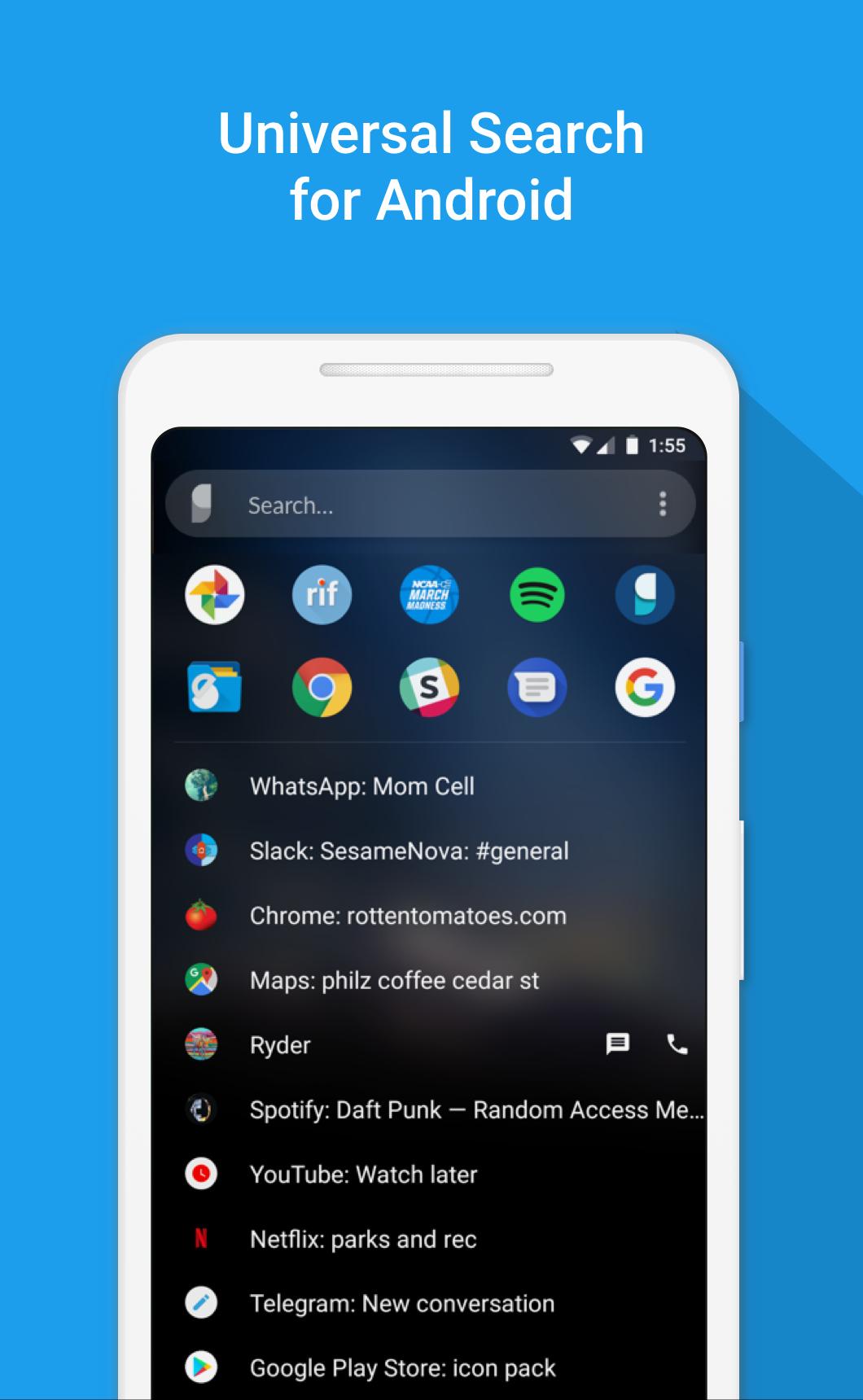
Sesame is a powerful universal search on Android. It integrates with your launcher, learns from you, and makes hundreds of personal shortcuts. With Sesame universal search, everything is 1 or 2 taps away!
"Sesame will change how you use your phone" - Android Unfiltered
"A must have app" - TechRadar
See our Nova Launcher partnership: https://help.teslacoilapps.com/sesame
Features
• 100+ shortcuts added to your device
• Fully customizable search UI
• Learns from you
• Search with dozens of apps using Google Autosuggestions
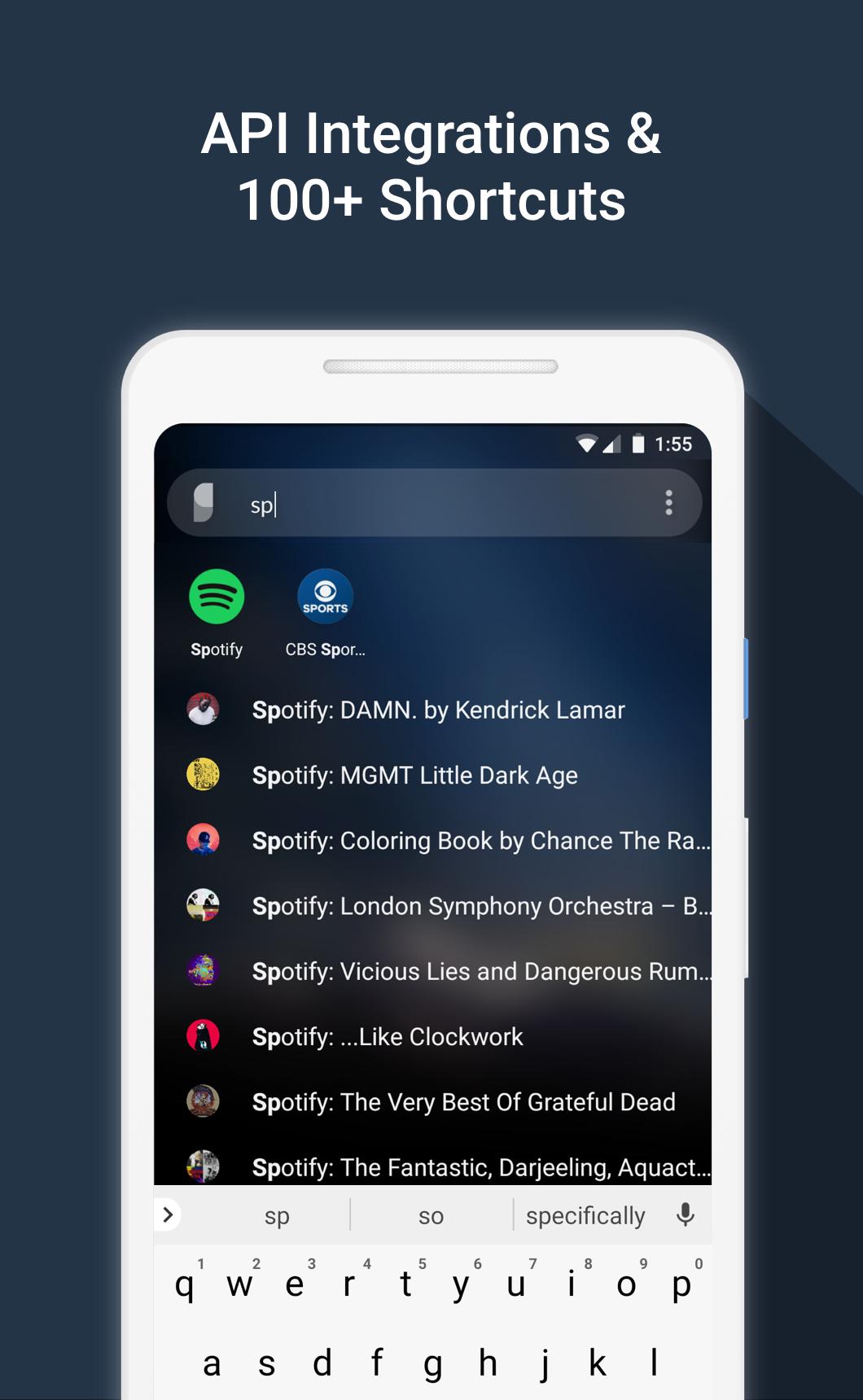
• Fast Search that's designed to work in 1 or 2 taps. It matches the first letters of words. Typing “S” “B” will bring “Spotify: The Beatles” to the top. Since it learns from you, next time just “S” will do
• API integrations to Spotify, YouTube, Calendar, Maps, Slack, Reddit, Telegram and more
• Detects wallpaper colors and styles itself
• Search device files
• Powerful tools to make your own shortcuts
• Works with all launchers and has a special partnership with Nova & Hyperion Launchers
• We don't store or sell your data
• Unlimited free trial. Only pay if you decide it's worth it!
We Believe...
• Swiping, tapping, and waiting for screens to load is slow
• A universal search UI can fix this problem
• Android was always meant to be an open system
• The raw data to build the most powerful universal search is there, but no one has stitched it together into a smooth experience
• Respecting user data = long term success. Your data stays on your device. We don’t store it. We don't sell it. (see exceptions for bug fixing below)
• We make money by making a good product. Sesame is a 100% voluntary purchase
• In user centered development: www.reddit.com/r/sesame
List of Shortcuts
Preloaded shortcuts
• Contacts with one touch to call, text, or email
• Device files
• WhatsApp conversations (not group ones though)
• Settings (19 useful ones)
• Google Shortcuts (My flights, etc.)
• Yelp (42 common searches)
• Quick Search options for apps (control this in Preferences)
Android 7.1 app shortcuts
• Backported all the way to 5.0 devices
• NOTE: we can only access the "Dynamic" 7.1 shortcuts if you have Nova Launcher
Create your own shortcuts for hundreds of apps
Supports widget/launcher shortcuts
API integrations:
• Spotify: All albums, artists, and playlists in your Library
• Slack: your teams and channels
• Tasker: all your tasks. This let’s you build complex actions in Tasker and quick launch them easily.
• Reddit: your subreddits. Works for all Reddit apps.
• Telegram: you conversations
• YouTube: subscriptions, channels, watch later
• Calendar: upcoming events
• Maps: your places and saved maps
Access dozens of search engines!
• Search options and Google Autosuggestions appear as you type
• Tap an icon to launch your search
• This works for dozens of apps like Maps, Spotify, Netflix, Evernote, Chrome, DuckDuckGo and more
• Recent searches are saved as shortcuts for 21 days
• You can control all of this in Sesame Settings
Unlimited Trial + Reminder Message
• Sesame has a full featured unlimited trial
• After 14 days, if you are using the app but haven’t paid, you’ll see a brief message each time you use a shortcut
Data Usage
• Sesame needs data to make it's shortcuts, but none of this data leaves your device. We do not collect or sell your data
• Crash Reporting (Beta only): If you are a Beta tester, Sesame will collect crash data when an error occurs. We only use this to fix bugs. You can opt out of crash reporting in Sesame Settings > Debug data
Sesame Universal Search is made by Steve Blackwell and Phil Wall. We hope you like it. Let us know if there’s anything we can do to improve it :)
Email phil@sesame.ninja
Preview
Tags
PersonalizationInformation
Developer
Sesame crew
Latest Version
3.7.0
Last Updated
2022-06-03
Category
Personalization
Available on
Google Play
Show More
How to play Sesame Search & Shortcuts with GameLoop on PC
1. Download GameLoop from the official website, then run the exe file to install GameLoop
2. Open GameLoop and search for “Sesame Search & Shortcuts” , find Sesame Search & Shortcuts in the search results and click “Install”
3. Enjoy playing Sesame Search & Shortcuts on GameLoop
Minimum requirements
OS
Windows 8.1 64-bit or Windows 10 64-bit
GPU
GTX 1050
CPU
i3-8300
Memory
8GB RAM
Storage
1GB available space
Recommended requirements
OS
Windows 8.1 64-bit or Windows 10 64-bit
GPU
GTX 1050
CPU
i3-9320
Memory
16GB RAM
Storage
1GB available space