Panda Kawaii-Cheetah keyboard PC
Emoji Cute Keyboard Themes
Download Panda Kawaii-Cheetah keyboard on PC With GameLoop Emulator
Panda Kawaii-Cheetah keyboard sa PC
Ang Panda Kawaii-Cheetah keyboard, na nagmumula sa developer na Emoji Cute Keyboard Themes, ay tumatakbo sa Android systerm sa nakaraan.
Ngayon, maaari mong laruin ang Panda Kawaii-Cheetah keyboard sa PC gamit ang GameLoop nang maayos.
I-download ito sa GameLoop library o mga resulta ng paghahanap. Hindi na tumitingin sa baterya o nakakadismaya na mga tawag sa maling oras.
I-enjoy lang ang Panda Kawaii-Cheetah keyboard PC sa malaking screen nang libre!
Panda Kawaii-Cheetah keyboard Panimula
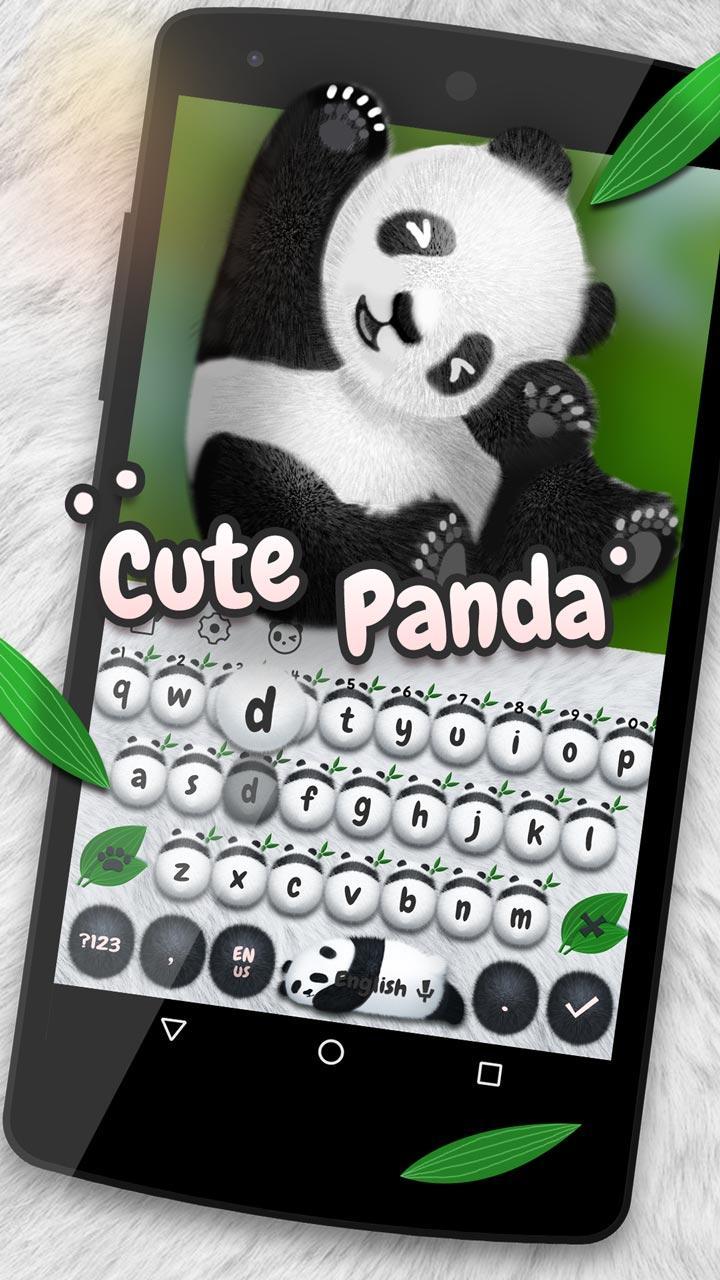
Do you like panda or cute ? Do you want a cute panda keyboard to personalize your typing? Come and download this cute panda keyboard!
This cute panda keyboard involves panda and cute . It can present features of panda, cute and kawaii as well. This cute panda keyboard uses baby as its background. Involving baby in its background image makes it distinctive. If you are a baby, panda or cute lover, then this cute panda keyboard is your choice! It’s compatible with HUAWEI Mate 9, Samsung Galaxy S8, OPPO, VIVO, and all other Android phones.
Features of cute panda :
△1 cute panda incorporates features of panda and cute into cute panda keyboard.
△2 This cute panda has baby as cute panda keyboard background. baby cute panda makes the keyboard even more unique and distinctive.
△3 cute panda keyboard applies black and white keys, which stylize cute panda keyboard and highlight its features of panda and cute .
How to download cute panda :
To download cute panda keyboard, you need to download the Cheetah Keyboard app (the previous Panda Keyboard) and install this cute panda keyboard. You can then enjoy using this cute panda keyboard smoothly.
Features of this cute panda keyboard:
☆1 Cloud prediction: This keyboard can provide accurate next word prediction to make your typing faster.
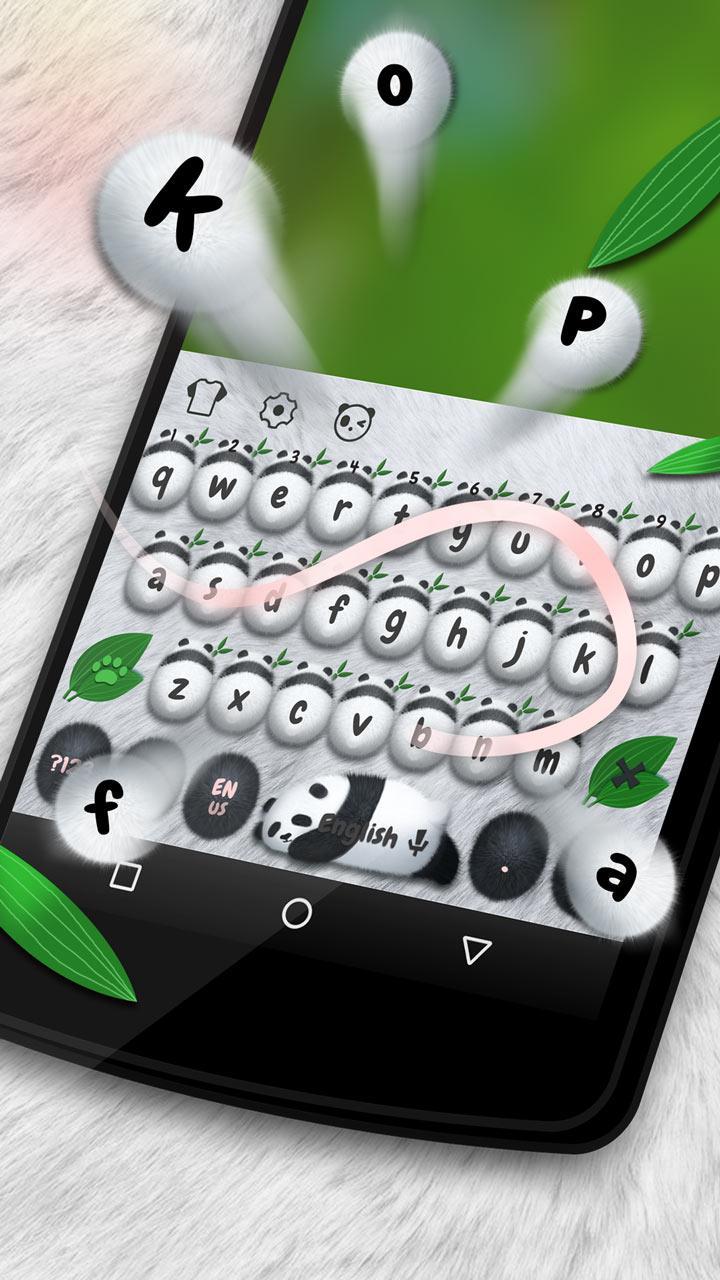
☆2 Gesture/Swype input: No need to press keys one by one. You can type simply by sliding over keys to get what you want to input. This function will save you much time and effort!
☆3 GIFs: cute panda keyboard is equipped with various GIFs. Share them with your friends during text chat to make your chatting more lively and interesting.
☆4 Emojis available: cute panda keyboard provides various emojis for you to type out your opinions and feelings vividly during text chat. Sharing emojis with friends will add much more fun to chatting as well.
☆5 Number row: cute panda keyboard provides a separate number row, so you can input numbers faster and more conveniently without switching to the numeric keypad.
☆6 Adjustable keyboard: cute panda keyboard can adjust its height to suit your needs. It can help you effectively avoid input errors caused by a cramped keypad and improve the accuracy of your typing.
Come and download this cute panda keyboard to have a more intelligent and personalized typing experience. If you like it, remember to rate us 5 stars. Your support is highly appreciated.
Preview
Information
Developer
Emoji Cute Keyboard Themes
Latest Version
10001007
Last Updated
2018-05-25
Category
Personalization
Available on
Google Play
Show More
How to play Panda Kawaii-Cheetah keyboard with GameLoop on PC
1. Download GameLoop from the official website, then run the exe file to install GameLoop
2. Open GameLoop and search for “Panda Kawaii-Cheetah keyboard” , find Panda Kawaii-Cheetah keyboard in the search results and click “Install”
3. Enjoy playing Panda Kawaii-Cheetah keyboard on GameLoop
Minimum requirements
OS
Windows 8.1 64-bit or Windows 10 64-bit
GPU
GTX 1050
CPU
i3-8300
Memory
8GB RAM
Storage
1GB available space
Recommended requirements
OS
Windows 8.1 64-bit or Windows 10 64-bit
GPU
GTX 1050
CPU
i3-9320
Memory
16GB RAM
Storage
1GB available space