One-Handed Mode PC
XDA
Download One-Handed Mode on PC With GameLoop Emulator
One-Handed Mode sa PC
Ang One-Handed Mode, na nagmumula sa developer na XDA, ay tumatakbo sa Android systerm sa nakaraan.
Ngayon, maaari mong laruin ang One-Handed Mode sa PC gamit ang GameLoop nang maayos.
I-download ito sa GameLoop library o mga resulta ng paghahanap. Hindi na tumitingin sa baterya o nakakadismaya na mga tawag sa maling oras.
I-enjoy lang ang One-Handed Mode PC sa malaking screen nang libre!
One-Handed Mode Panimula
One-Handed Mode by XDA-Developers is the first and only app that replicates the iOS Reachability feature without requiring root access or a custom ROM.
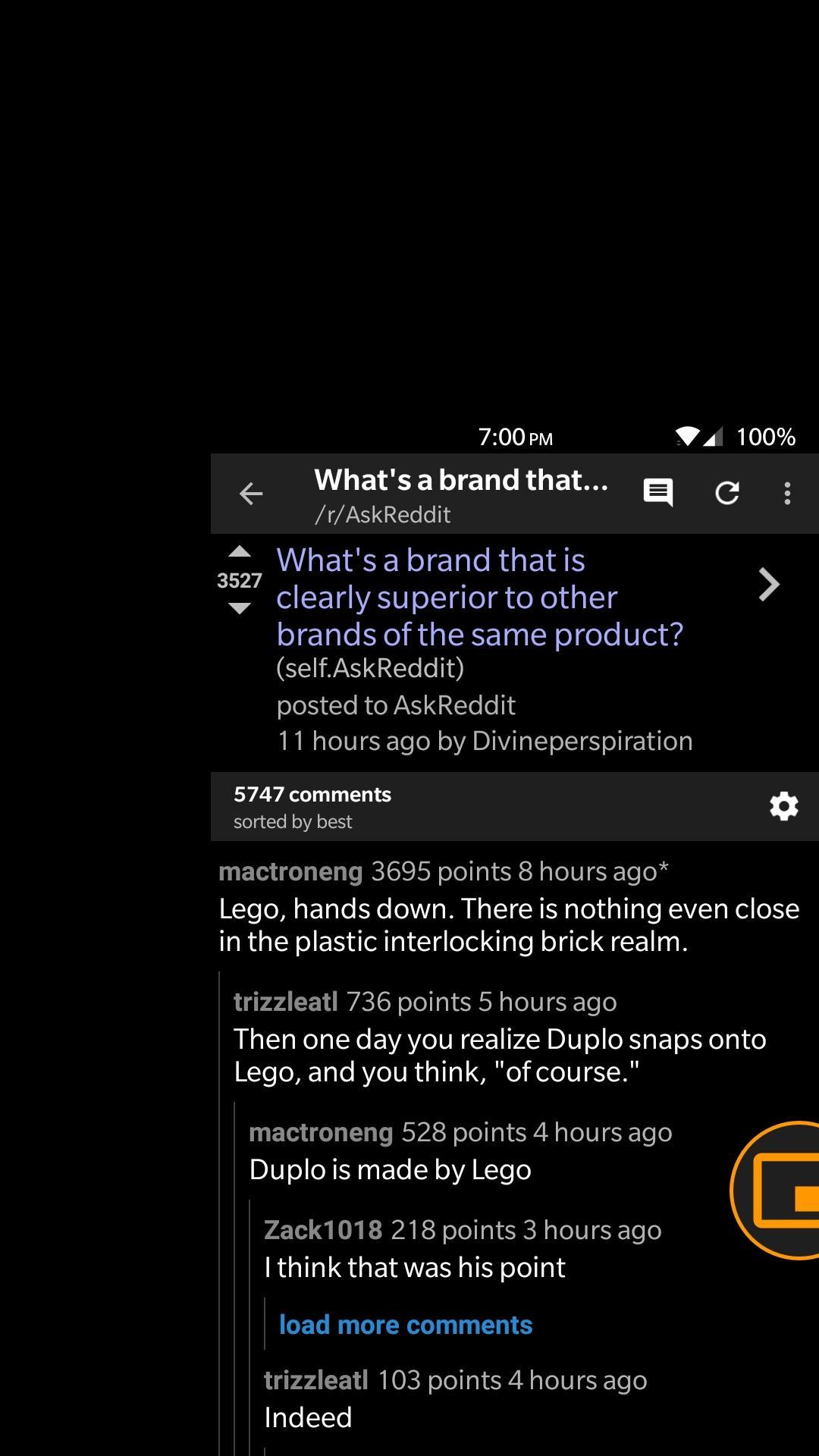
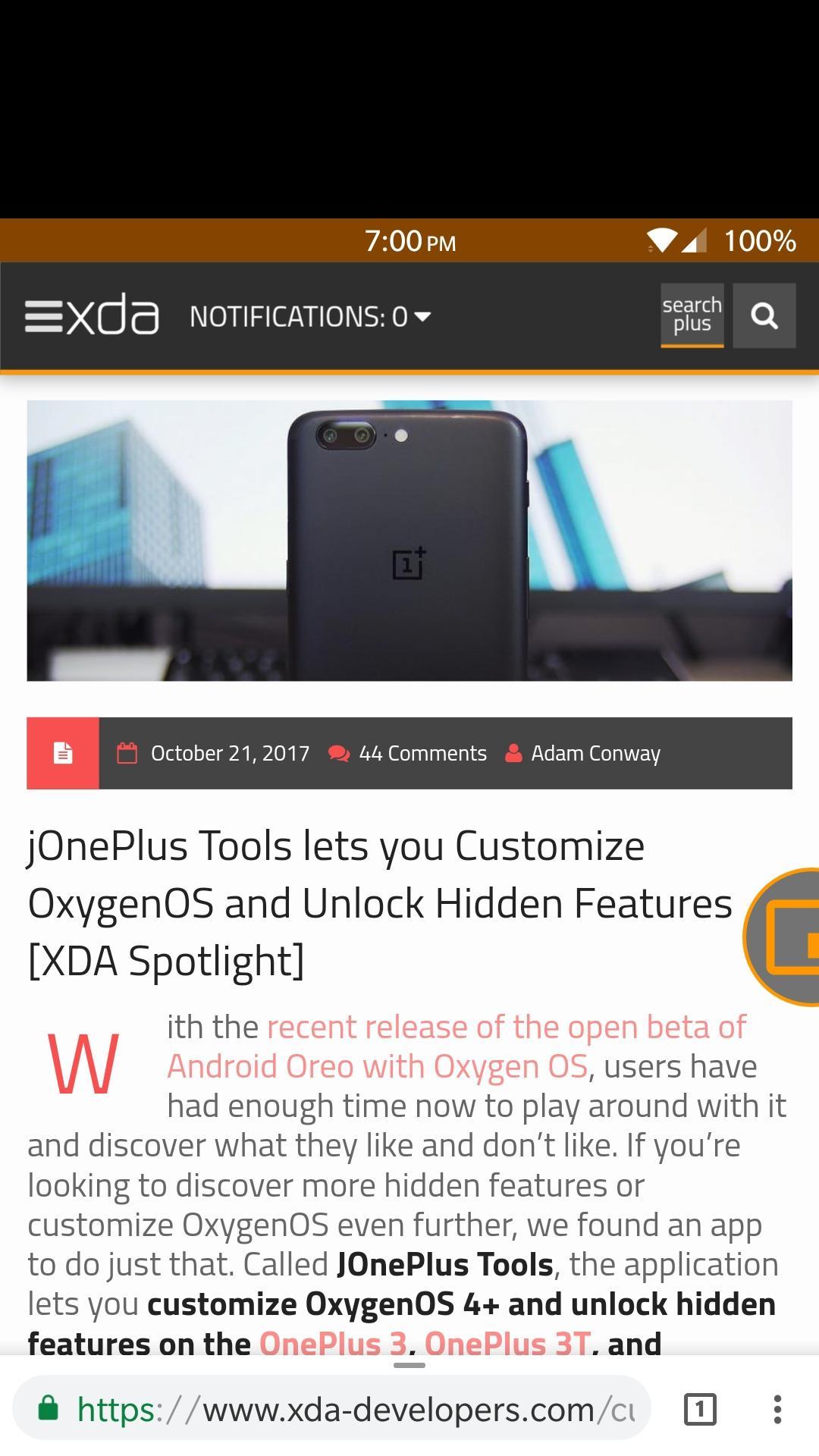
One-Handed Mode lets you reach your status bar and action bar of any app without having to stretch your hand. It does this by moving the entire screen down to a smaller window.
This app uses a floating, movable bubble that toggles One-Handed Mode whenever it is pressed. There are also other ways to toggle One-Handed Mode if you dislike the bubble.
Features
- Toggle One-Handed Mode through a Launcher Shortcut
- Toggle One-Handed Mode through a Quick Settings Tile
- Toggle One-Handed Mode through an intent
- Integration with Custom Navigation Bar app to add a navigation bar button to toggle One-Handed Mode
- Emergency reset button to safeguard your device
- Start service on boot
- Automatically adjust DPI to better fit screen contents
- Customize One-Handed Mode window, support for left-handed window
- Drag to dismiss bubble
- Disables One-Handed Mode on lock screen, when pressing home button, or when in landscape mode
Warning!
Many applications are not fully compatible with One-Handed Mode, and will show a large blank space between the status bar and the window. This happens because those applications are not built for a variable screen size, and is a limitation of Android itself and not our app. We recommend that you do not customize the One-Handed Mode window so you can avoid this problem for the most part.
Preview
Information
Developer
XDA
Latest Version
27
Last Updated
2017-11-26
Category
Personalization
Available on
Google Play
Show More
How to play One-Handed Mode with GameLoop on PC
1. Download GameLoop from the official website, then run the exe file to install GameLoop
2. Open GameLoop and search for “One-Handed Mode” , find One-Handed Mode in the search results and click “Install”
3. Enjoy playing One-Handed Mode on GameLoop
Minimum requirements
OS
Windows 8.1 64-bit or Windows 10 64-bit
GPU
GTX 1050
CPU
i3-8300
Memory
8GB RAM
Storage
1GB available space
Recommended requirements
OS
Windows 8.1 64-bit or Windows 10 64-bit
GPU
GTX 1050
CPU
i3-9320
Memory
16GB RAM
Storage
1GB available space