Music Widgets for Car Devices PC
Lst Apps
Download Music Widgets for Car Devices on PC With GameLoop Emulator
Music Widgets for Car Devices sa PC
Ang Music Widgets for Car Devices, na nagmumula sa developer na Lst Apps, ay tumatakbo sa Android systerm sa nakaraan.
Ngayon, maaari mong laruin ang Music Widgets for Car Devices sa PC gamit ang GameLoop nang maayos.
I-download ito sa GameLoop library o mga resulta ng paghahanap. Hindi na tumitingin sa baterya o nakakadismaya na mga tawag sa maling oras.
I-enjoy lang ang Music Widgets for Car Devices PC sa malaking screen nang libre!
Music Widgets for Car Devices Panimula
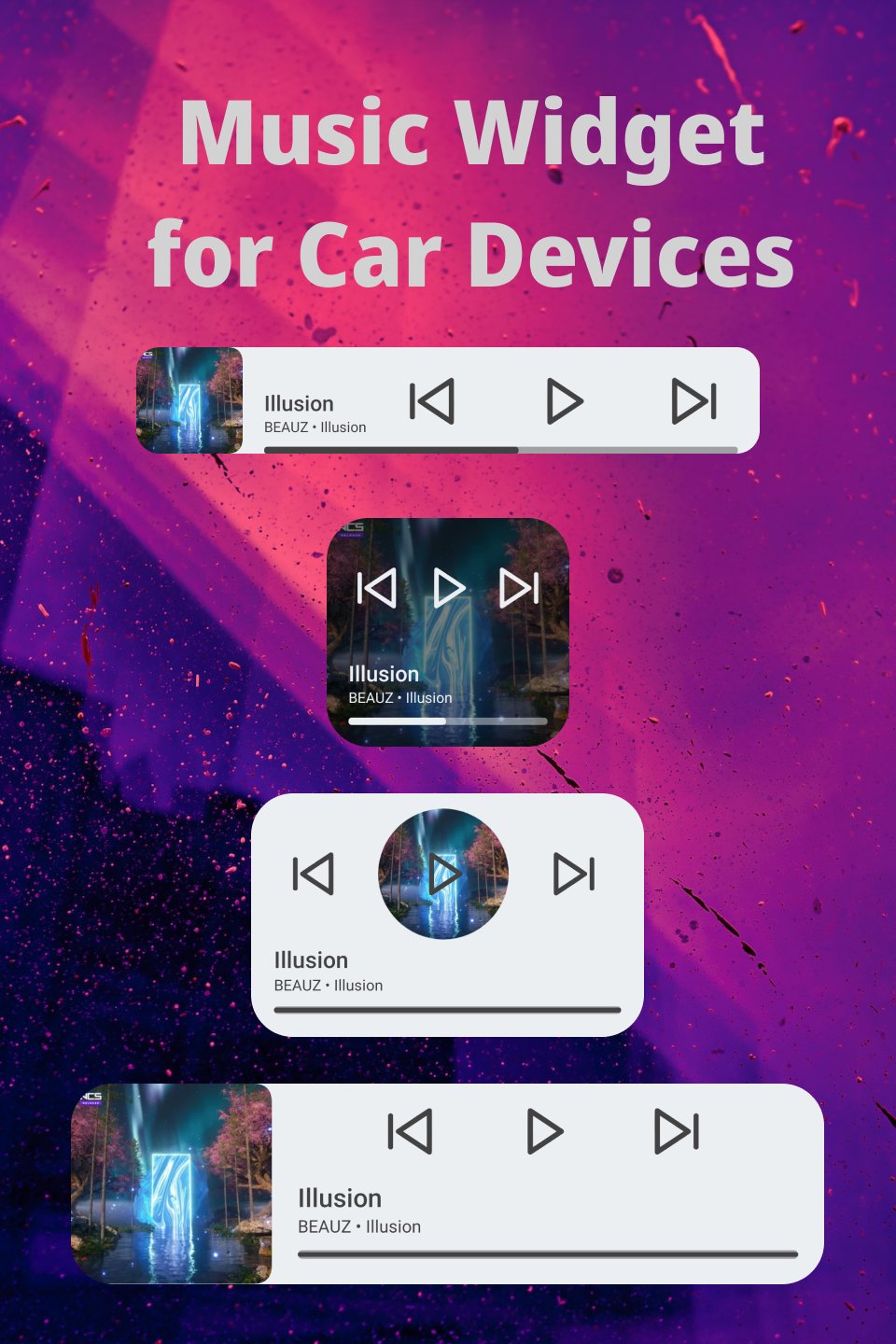
Music widgets for Android car head devices. Compatible with the most popular music players.
⚡ Widgets designed with large icons for easy use on car devices ⚡
Widget Features
✅ Widgets with progress bar
✅ You can set a default player
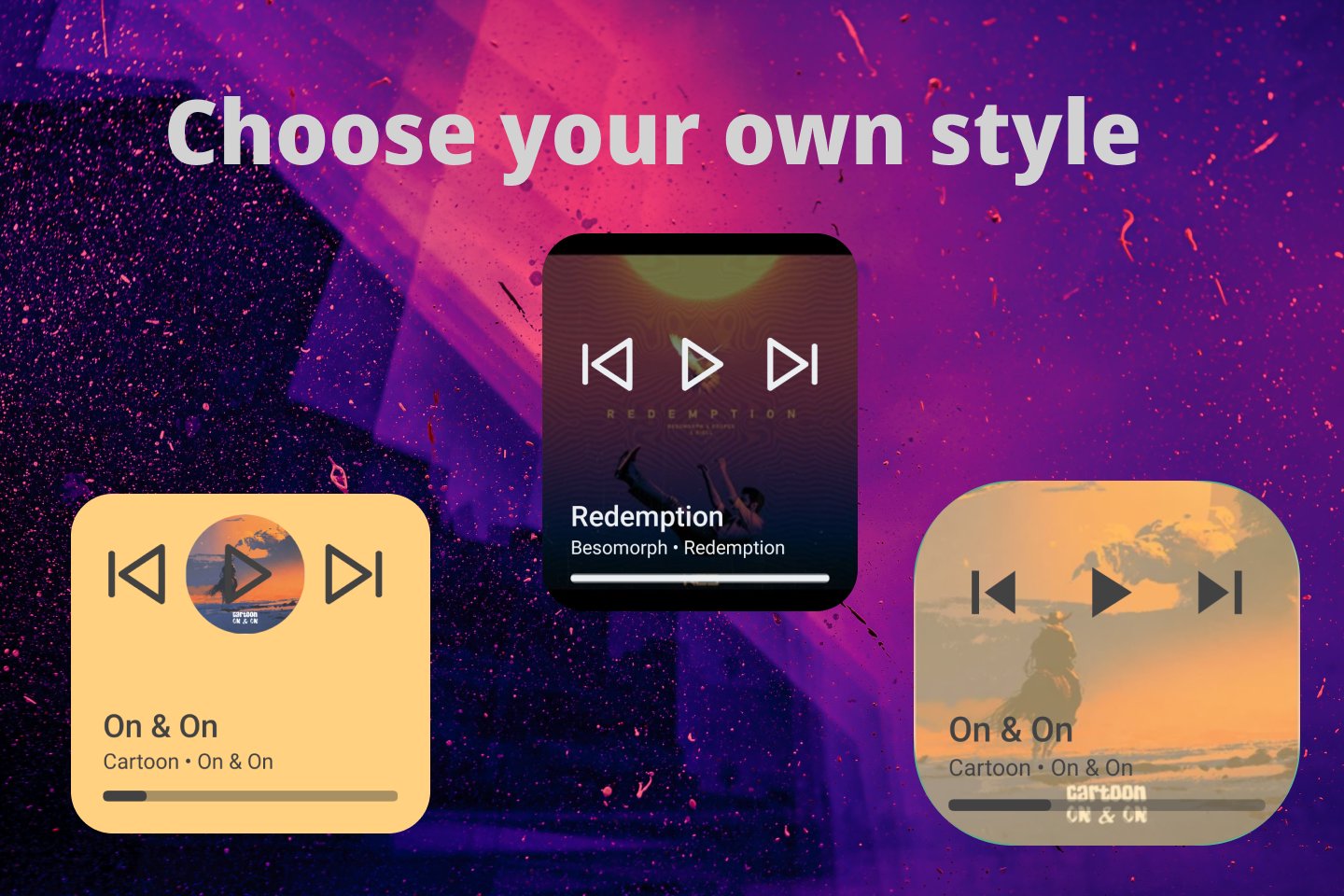
✅ Choose background color and transparency
✅ Personalize titles color
✅ Personalize media controls color
✅ Choose control set icons
✅ Resizeable
⚡ You can choose between four widget design fully customizables ⚡
You can try every widget for a trial time, after this you can re enable the trial time or make a purchase.
𝗦𝘂𝗽𝗽𝗼𝗿𝘁𝗲𝗱 𝗺𝘂𝘀𝗶𝗰 𝘀𝘁𝗿𝗲𝗮𝗺𝗶𝗻𝗴 𝗽𝗹𝗮𝘆𝗲𝗿𝘀:
👍 👍 Now Music Widget support almost anything music player! 👍👍
👍 Spotify: Music and Podcasts
👍 YouTube Music
👍 Amazon Music
👍Apple Music
👍 Deezer
👍 Tidal
👍 Spotify Lite
👍 Musixmatch
👍 Pandora - Music & Podcasts
👍 SoundCloud: Play Music & Songs
👍 Gaana Hindi Song Music App
👍 JioSaavn - Music & Podcasts
👍 Hungama Music - Stream
Other music players supported:
👍 Samsung Music
👍 Mi Music (Xiaomi player)
👍 Sony Music
👍 Oppo Music
👍 Huawei Music
👍 Lg Music
👍 iHeart Radio, Music
👍 BlackPlayer
👍 Poweramp
👍 Musicolet
👍 Muzio Player
👍 Vmons Player
👍 Retro Music Player
👍 Audify Player
👍 Pulsar Music
👍 Pi Music Player
👍 Phonograph
👍 Eon
👍 Oto Music
👍 eSound
👍 Tune In
👍 Yandex Music
👍 Oppo Music
👍 Vivo I Music
👍 Nugs Net
👍 Nightwave Plaza
👍 Neutron Player
👍 Resso Music
👍 Sirin Audiobook
👍 Stellio
👍 Plexamp
👍 Audiomack
👍 Aimp
👍 Bandcamp
👍 DI:FM
👍 iBroadcast
👍 Nyx Music
👍 BlackPlayer
👍 Oppo Music
👍 HiBy Music
✌ Privacy matters!
This app does not collect data of any kind. No usage statistics, no user tracking, no ad profiles.
Preview
Tags
PersonalizationInformation
Developer
Lst Apps
Latest Version
1.0.3
Last Updated
2022-10-04
Category
Personalization
Available on
Google Play
Show More
How to play Music Widgets for Car Devices with GameLoop on PC
1. Download GameLoop from the official website, then run the exe file to install GameLoop
2. Open GameLoop and search for “Music Widgets for Car Devices” , find Music Widgets for Car Devices in the search results and click “Install”
3. Enjoy playing Music Widgets for Car Devices on GameLoop
Minimum requirements
OS
Windows 8.1 64-bit or Windows 10 64-bit
GPU
GTX 1050
CPU
i3-8300
Memory
8GB RAM
Storage
1GB available space
Recommended requirements
OS
Windows 8.1 64-bit or Windows 10 64-bit
GPU
GTX 1050
CPU
i3-9320
Memory
16GB RAM
Storage
1GB available space