
Font Resize: Change Font Size PC
Native Fonts
Download Font Resize: Change Font Size on PC With GameLoop Emulator
Font Resize: Change Font Size sa PC
Ang Font Resize: Change Font Size, na nagmumula sa developer na Native Fonts, ay tumatakbo sa Android systerm sa nakaraan.
Ngayon, maaari mong laruin ang Font Resize: Change Font Size sa PC gamit ang GameLoop nang maayos.
I-download ito sa GameLoop library o mga resulta ng paghahanap. Hindi na tumitingin sa baterya o nakakadismaya na mga tawag sa maling oras.
I-enjoy lang ang Font Resize: Change Font Size PC sa malaking screen nang libre!
Font Resize: Change Font Size Panimula
The default font size of Android devices is too large for some people and too small for some other people. So, what about having a font resizer application to easily change font size and apply big fonts or small fonts to make sure the texts are easily readable for you?
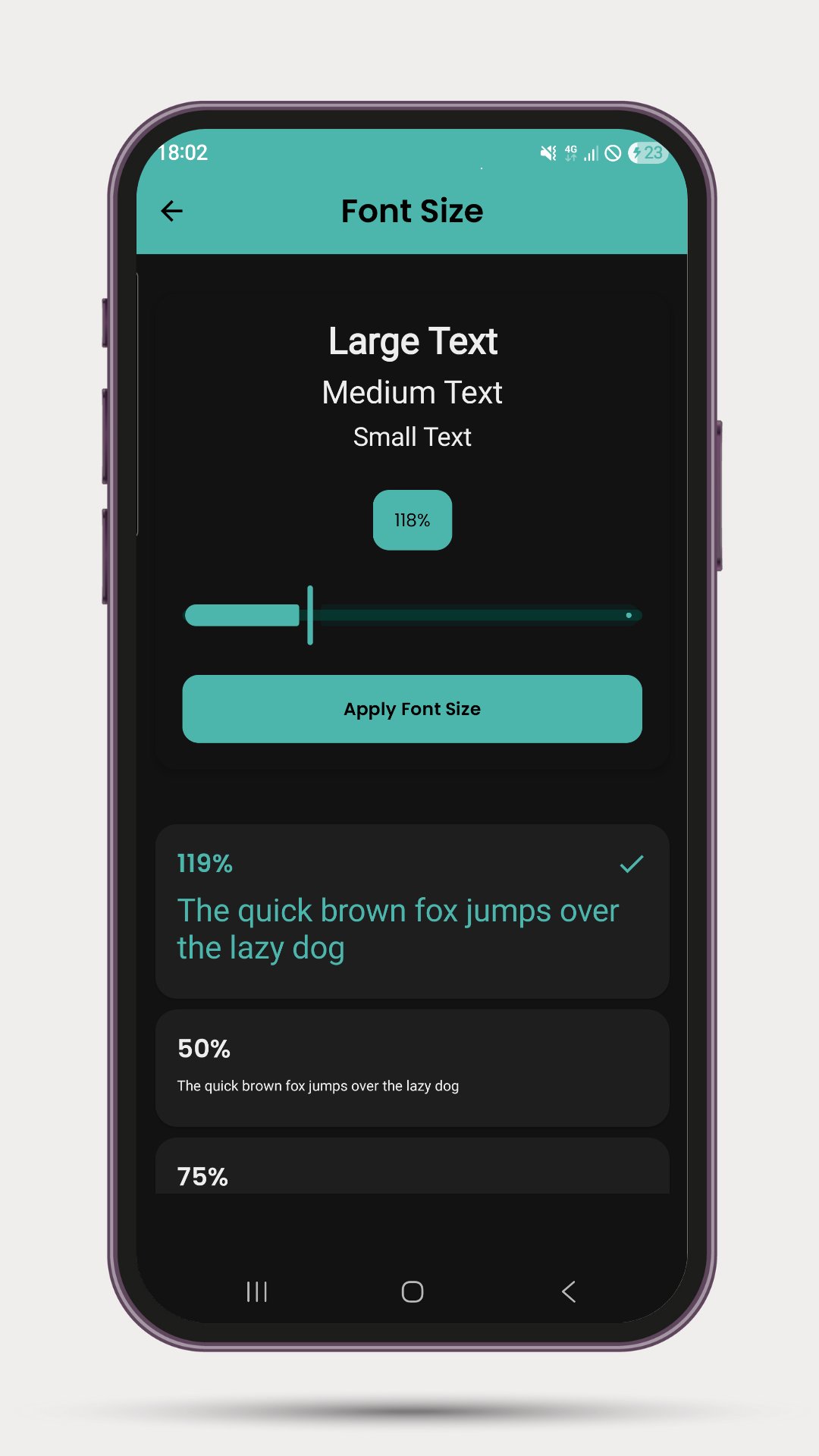
Font Resizer, the free app to change font size, comes with a clean and neat design and the interface is so user-friendly that you’ll get the whole idea after applying different font sizes for your Android device. The font size varies from 0.75x to 3.0x and can be easily toggled by a single touch.
Font Resizer main features at a glance:
• Easily change system font size from 50% to 300%
• See a preview before applying the font size
• Change system fonts with a single click on your desired size
• Its completely free with no in-app purchase items.
** NEW FEATURE SCREEN ANNOUNCE **
Use your screen to show messages in large size. This comes with different styles and beautiful animations.
:: Cool background
:: Font style - Neon, Digital, Electric, LED, monospace
:: Marquee, Typewriter, Pulsate, Wave
:: Slide in/out, Zoom in/out, Bounce, Flip, Explode
:: Multi-color, Glitch, Neon, Shadow movement
:: Swipe to change, Tap burst, shuffle, speech reveal
:: Matrix rain, curtain unveil, Flip clock, fireworks
Get the Font Resizer, the free change font size app, on your Android device, browse through available font sizes, apply from small to big font sizes, and enjoy the perfect font size while reading with your phone or tablet.
The font resizing requires WRITE_SETTINGS permission in order to change the font size. The screen announce option does not require any permission.
※ Note: If the font size doesn't change after applying the new size, you might need to restart your device.
Preview
Tags
PersonalizationInformation
Developer
Native Fonts
Latest Version
2.0.1
Last Updated
2025-07-12
Category
Personalization
Available on
Google Play
Show More
How to play Font Resize: Change Font Size with GameLoop on PC
1. Download GameLoop from the official website, then run the exe file to install GameLoop
2. Open GameLoop and search for “Font Resize: Change Font Size” , find Font Resize: Change Font Size in the search results and click “Install”
3. Enjoy playing Font Resize: Change Font Size on GameLoop
Minimum requirements
OS
Windows 8.1 64-bit or Windows 10 64-bit
GPU
GTX 1050
CPU
i3-8300
Memory
8GB RAM
Storage
1GB available space
Recommended requirements
OS
Windows 8.1 64-bit or Windows 10 64-bit
GPU
GTX 1050
CPU
i3-9320
Memory
16GB RAM
Storage
1GB available space