Computer Launcher-Light Theme PC
Lab Of Launchers
Download Computer Launcher-Light Theme on PC With GameLoop Emulator
Computer Launcher-Light Theme sa PC
Ang Computer Launcher-Light Theme, na nagmumula sa developer na Lab Of Launchers, ay tumatakbo sa Android systerm sa nakaraan.
Ngayon, maaari mong laruin ang Computer Launcher-Light Theme sa PC gamit ang GameLoop nang maayos.
I-download ito sa GameLoop library o mga resulta ng paghahanap. Hindi na tumitingin sa baterya o nakakadismaya na mga tawag sa maling oras.
I-enjoy lang ang Computer Launcher-Light Theme PC sa malaking screen nang libre!
Computer Launcher-Light Theme Panimula
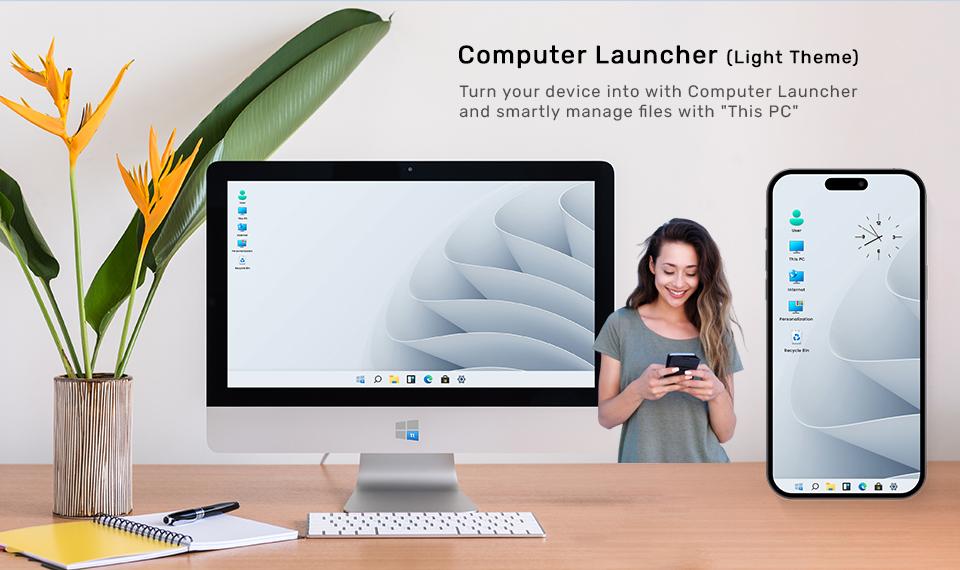
Turn your device into beautiful Win 11 PC with Computer Launcher and smartly manage files with "This PC"
This version is for anyone who likes Light themes
Original Win Style Computer Launcher with more functionalities & features that will boost your daily routine and make you look stylish and will save your time and effort to find apps contacts and more.
Computer Launcher - Light Theme replaces default home launcher with a computer style - Win Styled desktop which you can customize as much as you want, manage all your personal files, storage like you do in your PC.
Get win style File Manager where you can search and explore all your apps , contacts , google search , google maps and more
Top Features :
- Start Menu like Computer
- win 10 tile look
- Create shortcuts on desktop
- Create contacts on desktop
- Place apps on desktop
- Drag and Drop
- Most used apps list
- Easy access and search to the Apps
- Get details of all of your drives, SD Card, Storage, audio and video files and pictures in PC style
- Computer Launcher Taskbar exact look
- Get notify when a notification comes by using Computer Launcher Notifier with number counter
- Place Widgets on desktop , resize , drag drop
- Add home page
- Drag and drop for all actions
- Clock Widget on desktop and taskbar
- Weather Widget
- News Widget
- RAM info widget and Ram Clean
- Rename desktop folders
- Live Premium Wallpapers and Themes
- Weather, Calendar and Photos tiles Added
- Unlimited Themes
- Lock Screen Feature
- Hide App Feature
- Multi Color Support for Desktop , Start Menu and Task bar
- Themes and Icon Pack
- Change applications in Taskbar
Thank you for your support.
Note: we are taking app accessibility permission to enable screenshots service. This permission can not read or access any data. So it is safe app.
Preview
Tags
PersonalizationInformation
Developer
Lab Of Launchers
Latest Version
1.8
Last Updated
2023-08-28
Category
Personalization
Available on
Google Play
Show More
How to play Computer Launcher-Light Theme with GameLoop on PC
1. Download GameLoop from the official website, then run the exe file to install GameLoop
2. Open GameLoop and search for “Computer Launcher-Light Theme” , find Computer Launcher-Light Theme in the search results and click “Install”
3. Enjoy playing Computer Launcher-Light Theme on GameLoop
Minimum requirements
OS
Windows 8.1 64-bit or Windows 10 64-bit
GPU
GTX 1050
CPU
i3-8300
Memory
8GB RAM
Storage
1GB available space
Recommended requirements
OS
Windows 8.1 64-bit or Windows 10 64-bit
GPU
GTX 1050
CPU
i3-9320
Memory
16GB RAM
Storage
1GB available space