
Dialer Theme & Call Screen PC
AZ Mobile Software
Download Dialer Theme & Call Screen on PC With GameLoop Emulator
Dialer Theme & Call Screen sa PC
Ang Dialer Theme & Call Screen, na nagmumula sa developer na AZ Mobile Software, ay tumatakbo sa Android systerm sa nakaraan.
Ngayon, maaari mong laruin ang Dialer Theme & Call Screen sa PC gamit ang GameLoop nang maayos.
I-download ito sa GameLoop library o mga resulta ng paghahanap. Hindi na tumitingin sa baterya o nakakadismaya na mga tawag sa maling oras.
I-enjoy lang ang Dialer Theme & Call Screen PC sa malaking screen nang libre!
Dialer Theme & Call Screen Panimula
💟 Color Call Screen & Dialer
🌈 Make every call feel more personal with Color Dialer. Explore colorful dialer themes, stylish call screen themes, custom call buttons, contact backgrounds, and LED flash alerts in one easy-to-use phone dialer. Refresh the look of your dial pad, incoming calls, contacts, and call history with designs that match your style.
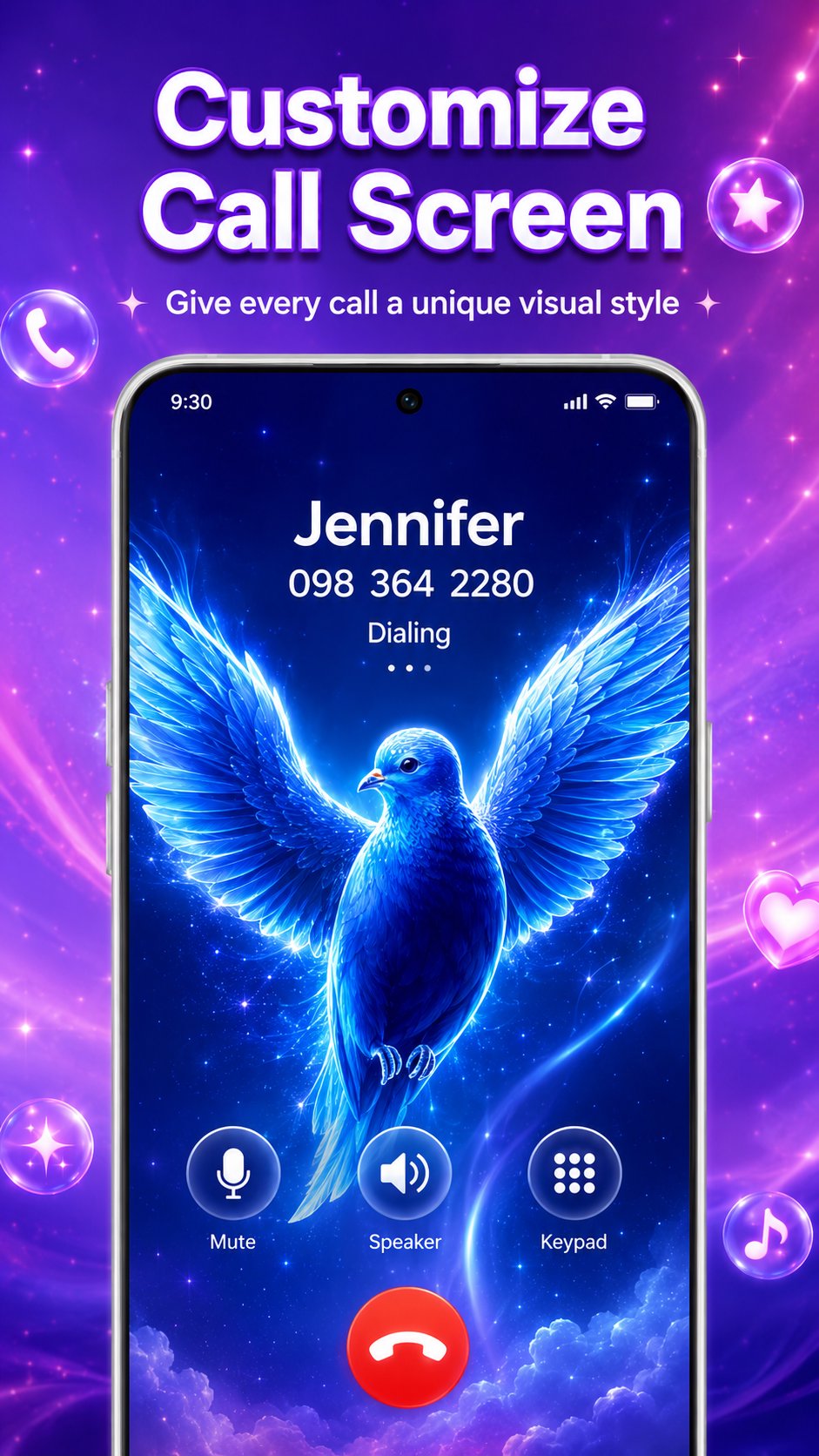
✨ Call Screen Themes
Replace the default calling interface with a colorful call theme. Choose a color call screen from neon, fantasy, anime-inspired, glowing, and other visual styles to give incoming calls a fresh new look. Each call screen theme can include a matching background and answer or decline buttons for a more coordinated experience.
👤 Customize Individual Contacts
Create a unique design for selected contacts. Set a different background image and button style for family, friends, or other saved numbers. This makes important callers easier to recognize while giving each contact a more personal appearance.
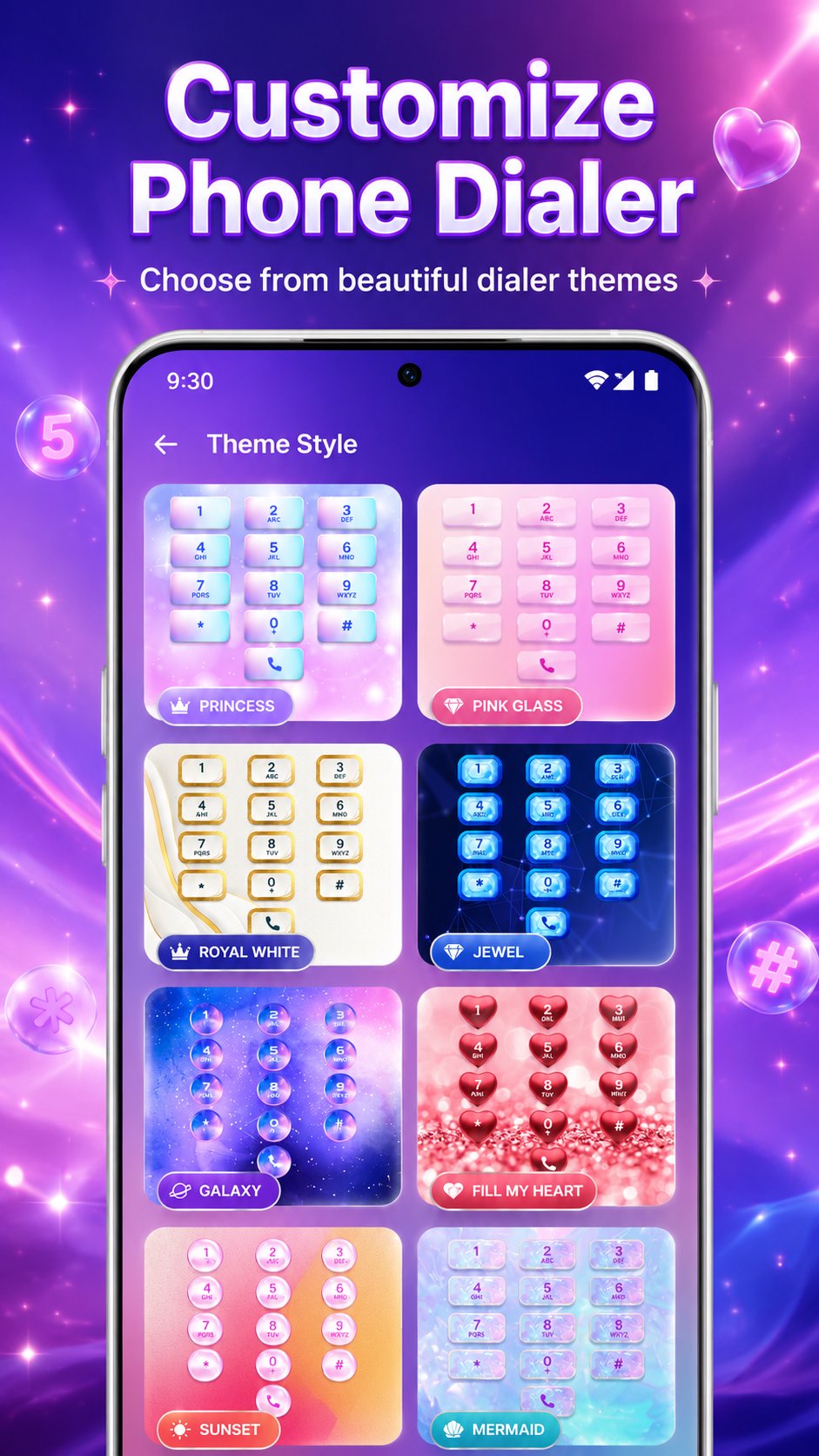
🌸 Dialer Themes
Transform your phone dialer with a collection of dialer themes. Customize the dial pad, number buttons, background, and contact list with coordinated designs. Choose bright, dark, scenic, neon, or colorful layouts to create a color dialer that feels more expressive and enjoyable to use.
Call Button Themes
Personalize the way you answer or decline calls with distinctive call button themes. Match the buttons with your selected call theme to create a consistent visual style for every incoming call.
📞 Personalize Contacts and Call History
Give your phone directory and recent calls a new look with picture, solid color, or gradient backgrounds. Adjust the appearance of contact pages and call history while keeping names, numbers, call times, and durations clear and easy to read.
🔦 LED Flash for Incoming Calls
Turn on the LED flash alert for an additional visual notification when a call arrives. This feature can be helpful in noisy places or when your phone is set to silent, depending on device support and permission settings.
⚡ Key Features
• Color dialer with customizable dialer themes
• Call screen themes for incoming calls
• Unique themes for selected contacts
• Call button themes for answer and decline actions
• Custom dial pad, contact list, and call history
• Picture, color, and gradient background options
• LED flash alerts for incoming calls
Color Dialer helps you personalize your calling experience without making it complicated. Choose your favorite dialer theme, apply a matching call screen design, customize selected contacts, and give your phone a style that feels like your own.
Feature availability may vary by device model, Android version, permissions, and system settings.
Privacy Policy: https://www.maxlabs.hk/privacy-policy
Contact Us: android-support@maxlabs.hk
Preview
Tags
PersonalizationInformation
Developer
AZ Mobile Software
Latest Version
2.9.9
Last Updated
2026-09-29
Category
Personalization
Available on
Google Play
Show More
How to play Dialer Theme & Call Screen with GameLoop on PC
1. Download GameLoop from the official website, then run the exe file to install GameLoop
2. Open GameLoop and search for “Dialer Theme & Call Screen” , find Dialer Theme & Call Screen in the search results and click “Install”
3. Enjoy playing Dialer Theme & Call Screen on GameLoop
Minimum requirements
OS
Windows 8.1 64-bit or Windows 10 64-bit
GPU
GTX 1050
CPU
i3-8300
Memory
8GB RAM
Storage
1GB available space
Recommended requirements
OS
Windows 8.1 64-bit or Windows 10 64-bit
GPU
GTX 1050
CPU
i3-9320
Memory
16GB RAM
Storage
1GB available space