
TV Miramar PC
DigitÁfrica
Download TV Miramar on PC With GameLoop Emulator
TV Miramar sa PC
Ang TV Miramar, na nagmumula sa developer na DigitÁfrica, ay tumatakbo sa Android systerm sa nakaraan.
Ngayon, maaari mong laruin ang TV Miramar sa PC gamit ang GameLoop nang maayos.
I-download ito sa GameLoop library o mga resulta ng paghahanap. Hindi na tumitingin sa baterya o nakakadismaya na mga tawag sa maling oras.
I-enjoy lang ang TV Miramar PC sa malaking screen nang libre!
TV Miramar Panimula
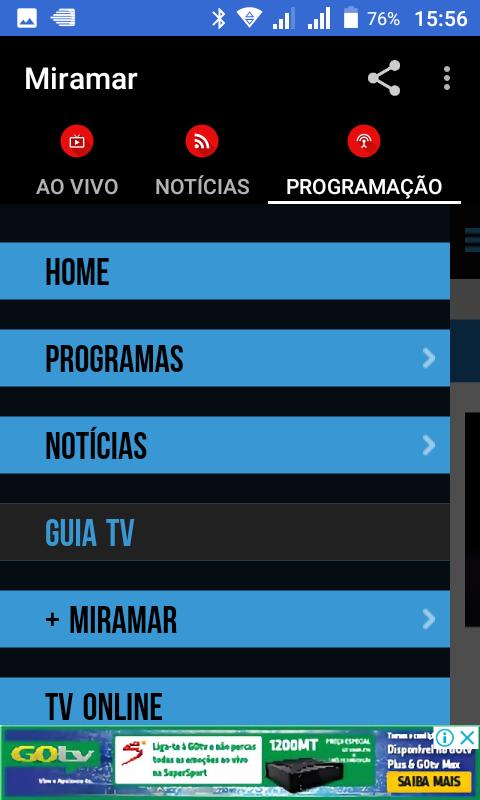
fan application for fans!
The TV Miramar, established since 1998, is a general programming channel with coverage throughout the Mozambique Satellite in open signal and also through cable channels. It operates 24 hours of daily programming, with a generalist programming, for all viewers profiles. Record Group is a member of the TV.
It is the most watched television in open signal in Mozambique according to audience studies provided by the market.
Among the major awards won by Miramar stand out titles: African Journalism CNN, National Journalism Prize, Best Branded Television Mozambique, Best Musical Program Mozambique, Mozambique Superbrand, among others.
⚫MISSÃO
Its mission and provide entertainment and information, contributing to enhancement and preservation of the family, offering acting journalism and diversified programs with quality, seriousness and wisdom through broadcast television, made possible by qualified and committed to the company's bottom line and advertisers interested to alignment with business.
⚫ BRAND VALUES
The Miramar a First TV, follows as core values of your brand, the better spirit to serve the public, vision, creativity, initiative, integrity, justice, solidarity, communication, cooperation, complementarity, competence, discipline, responsibility, perseverance, ensure everyday confidence in the independence, impartiality, honesty and organization as well as putting the audience in the center of all activities. All this and indispensable for us to be as we are.
⚫ COMMUNICATION
Dynamics, Miramar goes beyond communication between your TV and your radio, heavily in digital communication: social networks, websites, newsletter, and also invests in other media as a way to reach new audiences and also target their products. alternative medias, print, outdoor, events are some of the actions produced with campaigns "Inhouse" and others carried out by agencies and national and international producers, has been increasingly consolidated in the domestic and regional market as a First TV.
⚫ PRODUCTS AND FUTURE DEVELOPMENTS
The Miramar is always innovating constantly creating new formats, focusing on interactive initiatives that the approach of your audience. entertainment programs for all public youth to adult, class A, B, C, D, and E. Journalism, variety, sports, debates complete their regular program schedule.
Preview

Tags
News-&Information
Developer
DigitÁfrica
Latest Version
1.3
Last Updated
2018-07-12
Category
News-magazines
Available on
Google Play
Show More
How to play TV Miramar with GameLoop on PC
1. Download GameLoop from the official website, then run the exe file to install GameLoop
2. Open GameLoop and search for “TV Miramar” , find TV Miramar in the search results and click “Install”
3. Enjoy playing TV Miramar on GameLoop
Minimum requirements
OS
Windows 8.1 64-bit or Windows 10 64-bit
GPU
GTX 1050
CPU
i3-8300
Memory
8GB RAM
Storage
1GB available space
Recommended requirements
OS
Windows 8.1 64-bit or Windows 10 64-bit
GPU
GTX 1050
CPU
i3-9320
Memory
16GB RAM
Storage
1GB available space