
Video to Mp3 - Ringtone Maker PC
Hayan Apps
Download Video to Mp3 - Ringtone Maker on PC With GameLoop Emulator
Video to Mp3 - Ringtone Maker sa PC
Ang Video to Mp3 - Ringtone Maker, na nagmumula sa developer na Hayan Apps, ay tumatakbo sa Android systerm sa nakaraan.
Ngayon, maaari mong laruin ang Video to Mp3 - Ringtone Maker sa PC gamit ang GameLoop nang maayos.
I-download ito sa GameLoop library o mga resulta ng paghahanap. Hindi na tumitingin sa baterya o nakakadismaya na mga tawag sa maling oras.
I-enjoy lang ang Video to Mp3 - Ringtone Maker PC sa malaking screen nang libre!
Video to Mp3 - Ringtone Maker Panimula
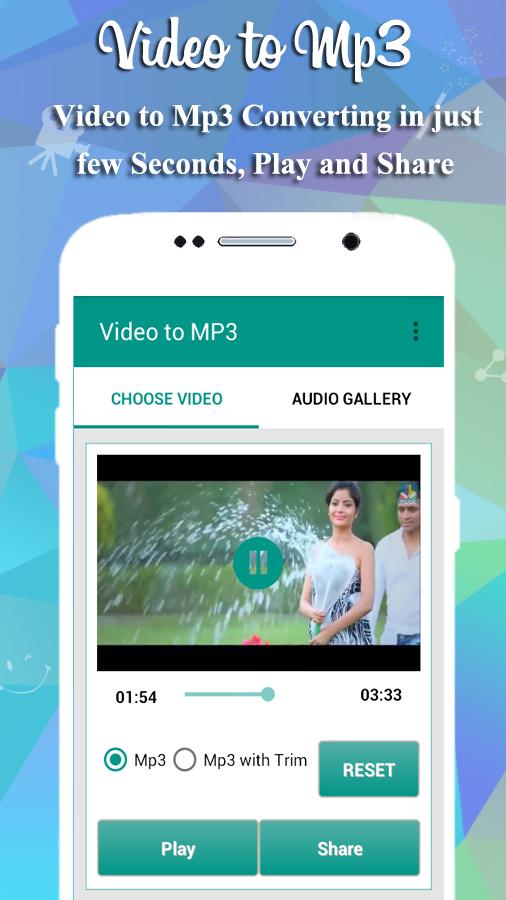
Video to MP3 app is fast and easy to convert any Video into MP3 by just few clicks. Now you can also Make Ringtone quickly using MP3 Cutter functions.
** This application is NOT Youtube MP3 converter. You can convert ONLY videos that are in your device.
Easy to Convert Video to Mp3:
1) Choose Video that you want to convert in Mp3 from Phone Gallery..
2) Choose only Video to Mp3 or Video to Mp3 with Trim (RingtoneMaker)
3) Press Start Converting Button.
4) Play mp3 in Apps Audioplayer and also share this file.
DONE!!!
Easy to use MP3 Cutter:
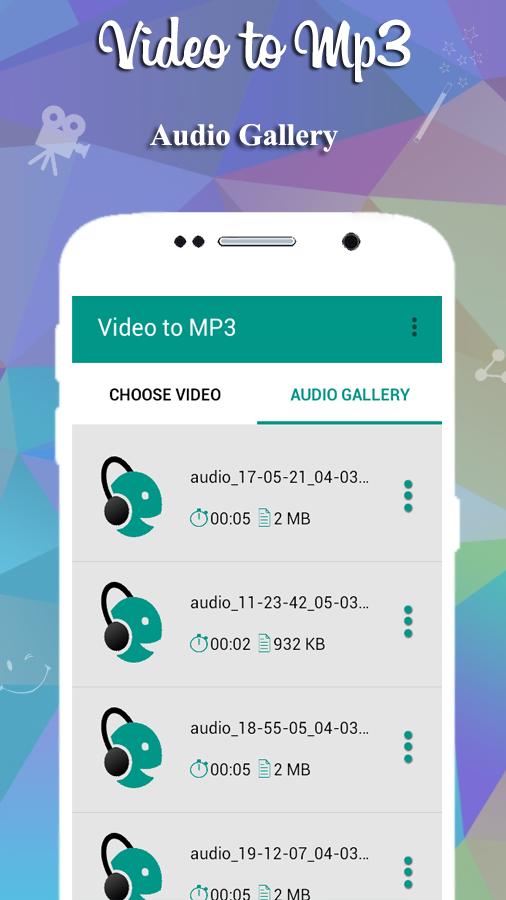
1. Click on Audio Gallery button.
2. Choose MP3 file from list of your video to mp3 converter files.
3. Select Create Ringtone tab.
DONE!!
Advance Features :
✔ Convert any Video files to MP3 files in seconds with use of MP3 Converter.
✔ It supports almost video formats to convert in mp3 like MP4, AVI, FLV, MKV etc..
✔ Direct use video in gallery or file manager to share video to mp3.
✔ Most Important Feature was processing time is from 2 to 3 seconds Output.Only app on the app store at all is one of the Feature.
✔ Video to MP3 Converter provides an elegant and easy to use interface that allows you to choose path when you want to save Mp3 file.
✔ Make Ringtone using MP3 Cutter.
✔ Play, Share, Trim, Set as Ringtone by MP3 Converter.
✔ Save your mp3 files in Customized Destination Folder
✔ Video to MP3 app is very fast and easy to use with user friendly UI and Latest Material Design.
✔ Always free.
✔ Play and share and also Make Ringtone your converted files.
Have fun to convert Video to MP3 and MP3 Cutter make your Favorite Ringtone from video album and Share with your friends in social media apps directly.
Need Help?
Feel free to mail us at: hayanapps@gmail.com
Preview
Tags
Music-&Information
Developer
Hayan Apps
Latest Version
1.1.9
Last Updated
2021-03-25
Category
Music-audio
Available on
Google Play
Show More
How to play Video to Mp3 - Ringtone Maker with GameLoop on PC
1. Download GameLoop from the official website, then run the exe file to install GameLoop
2. Open GameLoop and search for “Video to Mp3 - Ringtone Maker” , find Video to Mp3 - Ringtone Maker in the search results and click “Install”
3. Enjoy playing Video to Mp3 - Ringtone Maker on GameLoop
Minimum requirements
OS
Windows 8.1 64-bit or Windows 10 64-bit
GPU
GTX 1050
CPU
i3-8300
Memory
8GB RAM
Storage
1GB available space
Recommended requirements
OS
Windows 8.1 64-bit or Windows 10 64-bit
GPU
GTX 1050
CPU
i3-9320
Memory
16GB RAM
Storage
1GB available space