
Music Lab Plus: EQ & Editor PC
Chamela Aluthgedara
Download Music Lab Plus: EQ & Editor on PC With GameLoop Emulator
Music Lab Plus: EQ & Editor sa PC
Ang Music Lab Plus: EQ & Editor, na nagmumula sa developer na Chamela Aluthgedara, ay tumatakbo sa Android systerm sa nakaraan.
Ngayon, maaari mong laruin ang Music Lab Plus: EQ & Editor sa PC gamit ang GameLoop nang maayos.
I-download ito sa GameLoop library o mga resulta ng paghahanap. Hindi na tumitingin sa baterya o nakakadismaya na mga tawag sa maling oras.
I-enjoy lang ang Music Lab Plus: EQ & Editor PC sa malaking screen nang libre!
Music Lab Plus: EQ & Editor Panimula
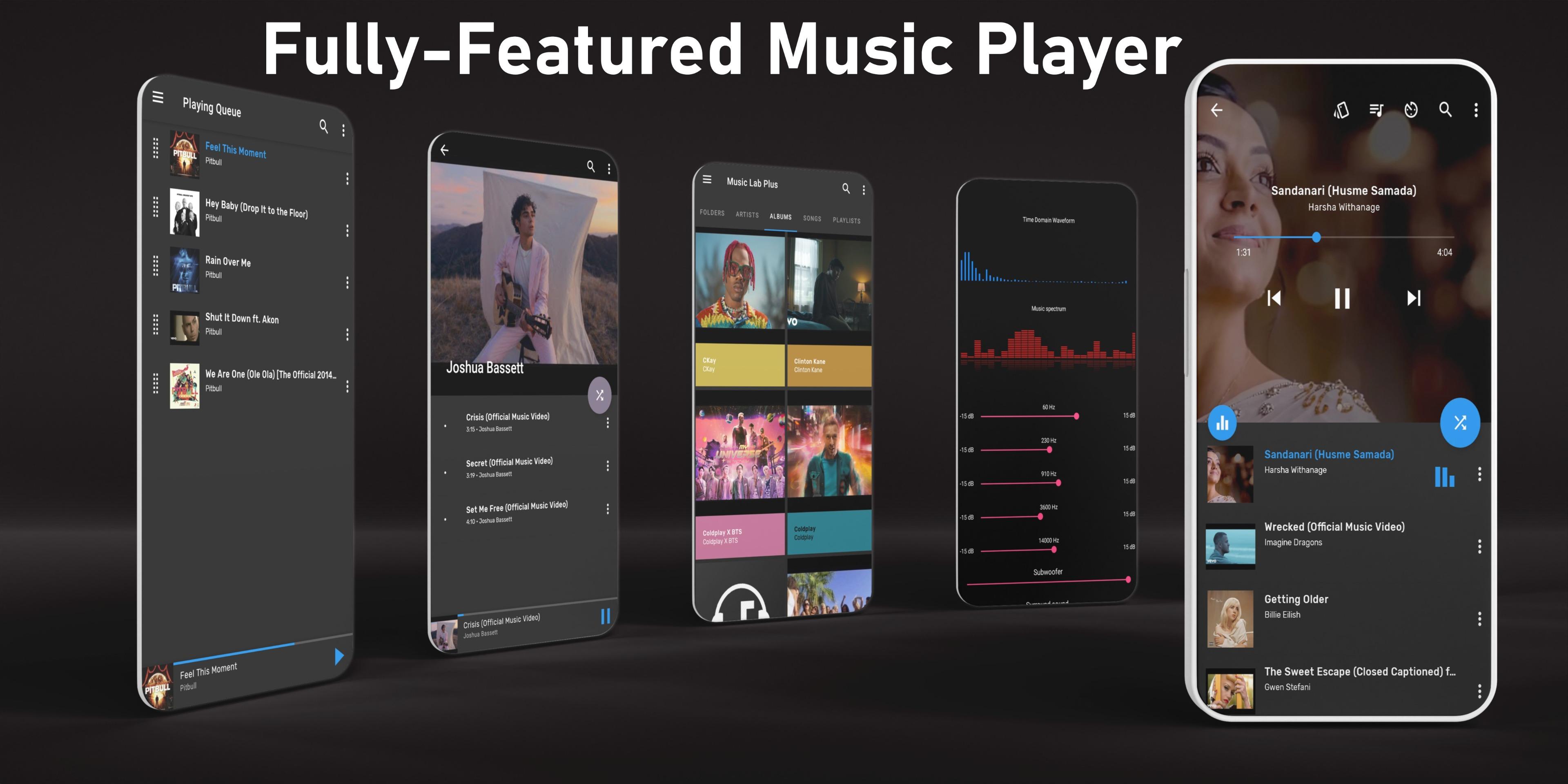
Music Lab Plus is the ultimate **music player** that combines a powerful **10‑band equalizer**, advanced **audio editor**, **audio trimmer**, and **tag editor** in one clean, intuitive app. Navigate your songs by folders, albums, or artists—find any track in seconds!
🎚️ 10‑Band Equalizer & Visualizers
* Customize sound with bass boost, reverb, and surround effects
* Choose from 5+ presets (Classic, Dance, Folk…) or create your own
* Real‑time waveform and spectrum visualizers for a pro listening experience
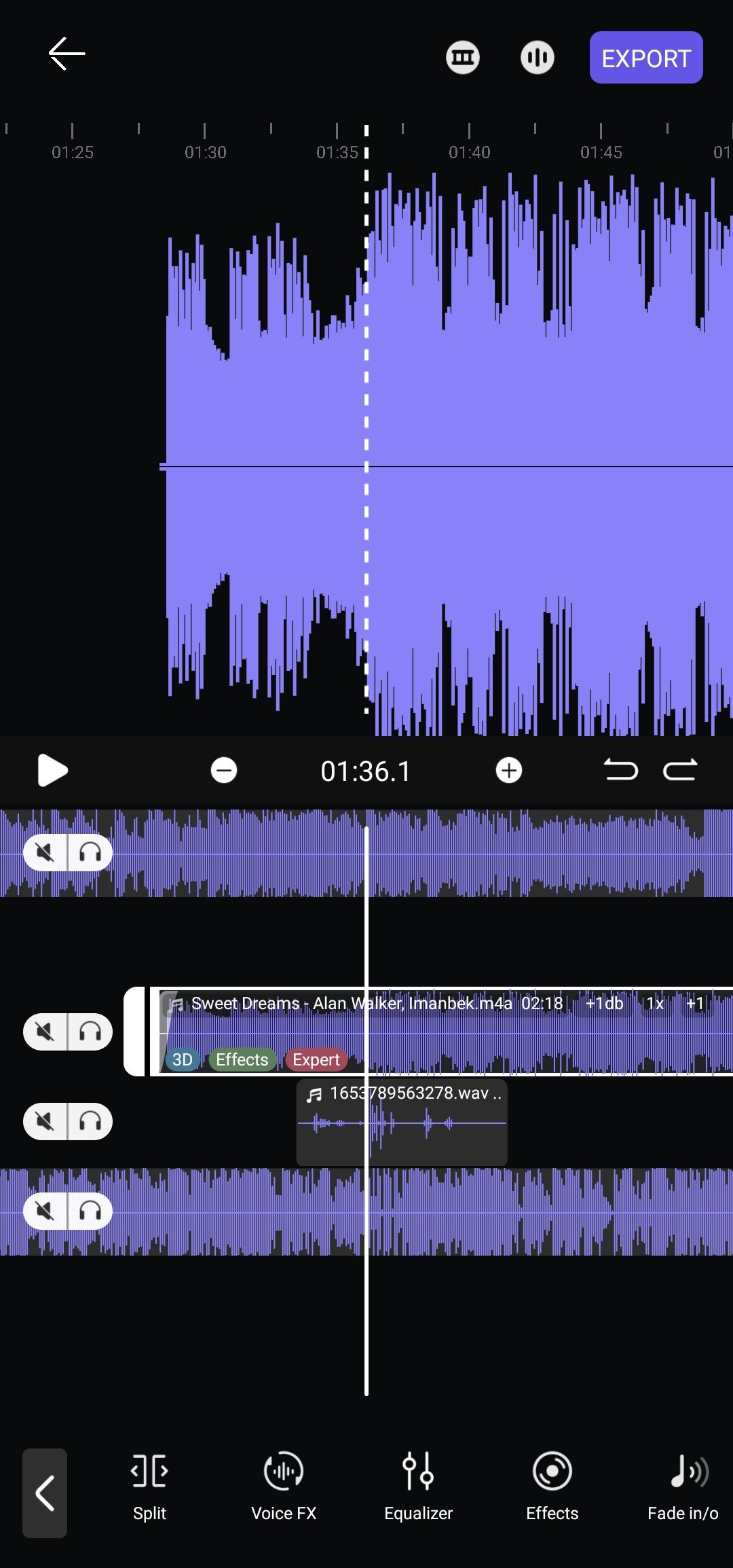
✂️ Advanced Audio Editor & Trimmer
* Record or import audio, preview waveforms, then cut, copy, delete segments
* Adjust volume, pitch, and tempo for any track
* Apply fade‑in/out, voice‑changer (Chipmunk → Monster), and specialty effects
🔊 Separate & Extract Tracks
* Isolate vocals, drums, bass, guitar, piano, strings, brass, and more
* Export individual stems for remixing, karaoke, or practice
🌌 Space Render (Spatial Audio)
* Position sound in 3D space, set circular movement, radius, and angle
* Experience immersive audio with fixed or dynamic rendering
🎨 Personalize Your UI
* 8 customizable “Now Playing” screens—pick your style
* Choose light, dark, or custom color themes
* Gesture controls for easy track switching
🎵 Smart Playlists & Metadata Editor
* Auto‑generated AI playlists: Last Added, Recently Played, Favorites
* Manual playlist creation and reorder queue
* Edit tags: title, artist, album, cover art—keep your library tidy
📂 Browse & Play
* Supports MP3, WAV, FLAC, AAC and all popular formats
* Browse by songs, albums, artists, playlists, or folders
* Quick SEARCH finds any local audio in seconds
⏰ Sleep Timer & Background Playback
* Schedule auto‑stop with Sleep Timer
* Control playback from notifications, lock screen, or headset
🎤 Lyrics Finder & Format Conversion
* Fetch synced lyrics online
* Convert audio between MP3, WAV, and FLAC
Why Music Lab Plus?
• All‑in‑one music toolkit—play, edit, convert, and customize
• Lightweight, low‑battery usage, stable performance
• Regular updates, responsive support, and no intrusive ads
Download Music Lab Plus now and transform how you play, edit, and experience audio on Android!
Preview
Tags
Music-&Information
Developer
Chamela Aluthgedara
Latest Version
7.1.0
Last Updated
2025-08-08
Category
Music-audio
Available on
Google Play
Show More
How to play Music Lab Plus: EQ & Editor with GameLoop on PC
1. Download GameLoop from the official website, then run the exe file to install GameLoop
2. Open GameLoop and search for “Music Lab Plus: EQ & Editor” , find Music Lab Plus: EQ & Editor in the search results and click “Install”
3. Enjoy playing Music Lab Plus: EQ & Editor on GameLoop
Minimum requirements
OS
Windows 8.1 64-bit or Windows 10 64-bit
GPU
GTX 1050
CPU
i3-8300
Memory
8GB RAM
Storage
1GB available space
Recommended requirements
OS
Windows 8.1 64-bit or Windows 10 64-bit
GPU
GTX 1050
CPU
i3-9320
Memory
16GB RAM
Storage
1GB available space