
Melody Engineer Lite PC
GyokovSolutions
Download Melody Engineer Lite on PC With GameLoop Emulator
Melody Engineer Lite sa PC
Ang Melody Engineer Lite, na nagmumula sa developer na GyokovSolutions, ay tumatakbo sa Android systerm sa nakaraan.
Ngayon, maaari mong laruin ang Melody Engineer Lite sa PC gamit ang GameLoop nang maayos.
I-download ito sa GameLoop library o mga resulta ng paghahanap. Hindi na tumitingin sa baterya o nakakadismaya na mga tawag sa maling oras.
I-enjoy lang ang Melody Engineer Lite PC sa malaking screen nang libre!
Melody Engineer Lite Panimula
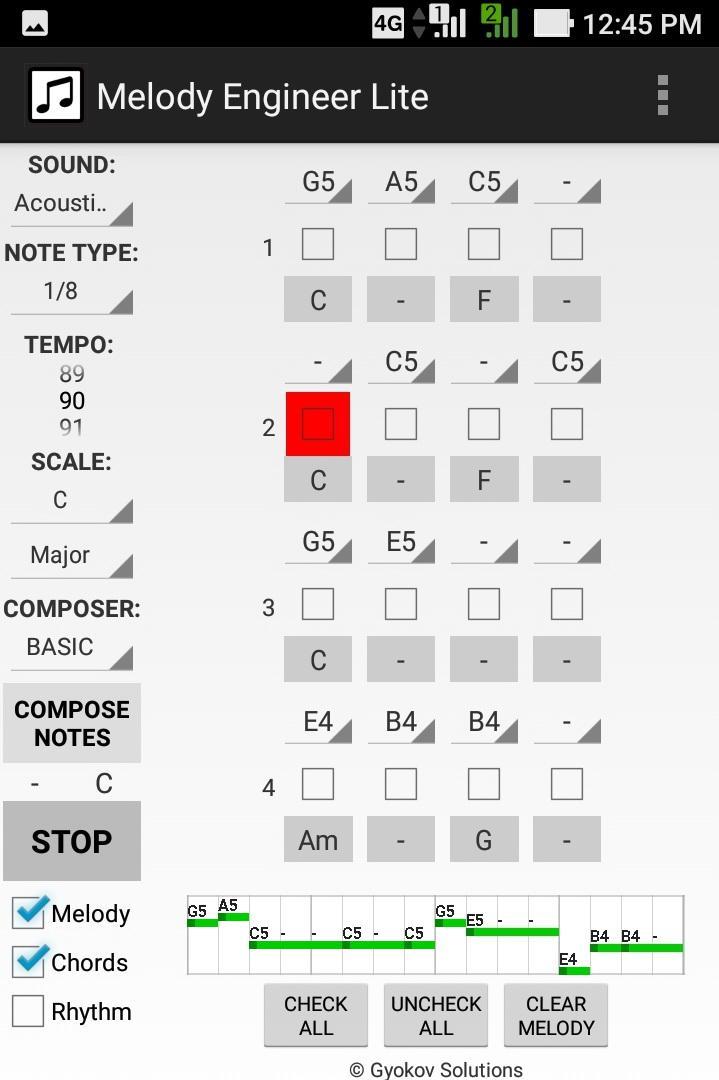
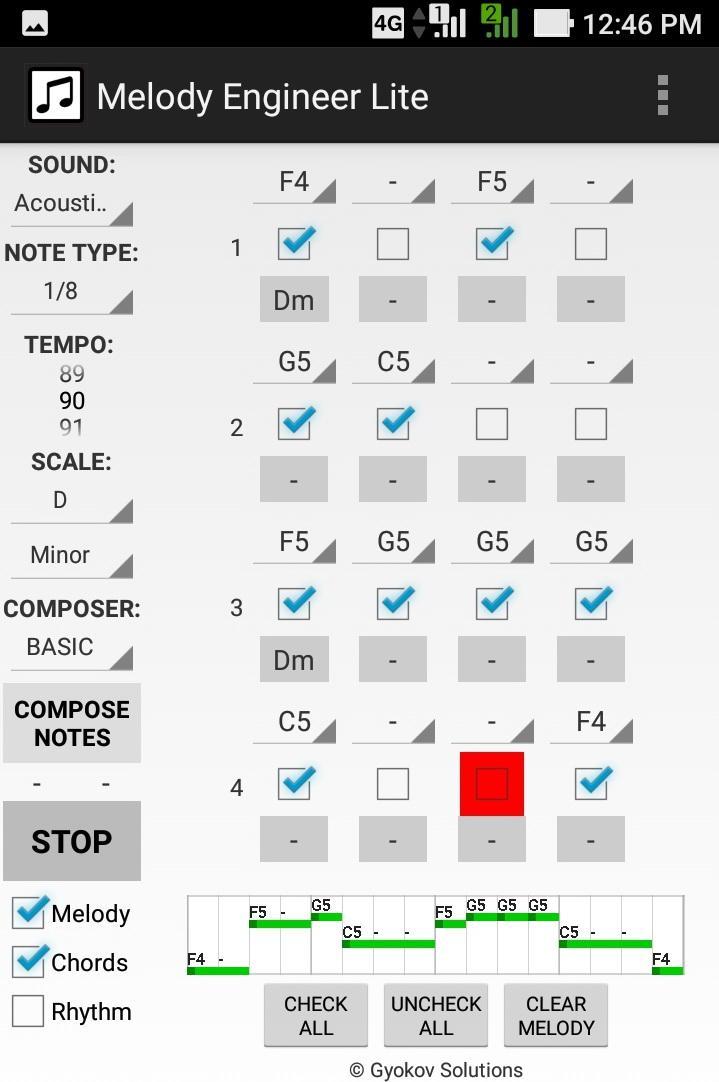
Melody Engineer is a melody auto-composition app. It helps composing melodies and accompanying harmony. Think of the app as calculator for music composition. No matter if you are a professional musician or just music enthusiast it will help you to compose music.
Video demo - https://youtu.be/Jt58aeH4Czc
There are two methods for composition:
- manual - you select notes and chords
- automatic - using the AUTO COMPOSER that chooses "right" notes and chords for you.
You can adjust the AUTO COMPOSER settings in app settings.
Melody Engineer Lite features:
- auto compose new melody and harmony
- auto compose new melody over existing harmony
- auto compose melody with predefined rhythm over existing harmony
- auto compose selected notes from existing melody
- manually change notes in melody
- manually change chords in harmony
- midi out option
Get full version with many additional features: http://play.google.com/store/apps/details?id=com.gyokovsolutions.melodyengineer
- save melody and harmony as midi and text file
- change number of notes up to 64
- harmonize melody - auto compose new harmony chords over existing melody
- AUTO MODE - when this mode is active then composed melody is repeatedly played and auto composed every 4 cycles and the good melodies can be saved while listening
- open saved melody
- many more scales
- AUTO COMPOSER advanced method
- ARTIFICIAL INTELLIGENCE COMPOSER
- option to auto compose chords in auto mode
- control melody range
- transpose melody up and down
- expand and shrink melody
- additional chords - dominant, major 7th, minor 7th, diminished, augmented
The app manual - https://gyokovsolutions.com/manual-melody-engineer
See demo of auto composing feature of Melody Engineer - https://www.youtube.com/watch?v=C6y2VNgFpCE
App privacy policy - https://sites.google.com/view/gyokovsolutions/melody-engineer-lite-privacy-policy
Preview
Tags
Music-&Information
Developer
GyokovSolutions
Latest Version
9.1
Last Updated
2024-08-10
Category
Music-audio
Available on
Google Play
Show More
How to play Melody Engineer Lite with GameLoop on PC
1. Download GameLoop from the official website, then run the exe file to install GameLoop
2. Open GameLoop and search for “Melody Engineer Lite” , find Melody Engineer Lite in the search results and click “Install”
3. Enjoy playing Melody Engineer Lite on GameLoop
Minimum requirements
OS
Windows 8.1 64-bit or Windows 10 64-bit
GPU
GTX 1050
CPU
i3-8300
Memory
8GB RAM
Storage
1GB available space
Recommended requirements
OS
Windows 8.1 64-bit or Windows 10 64-bit
GPU
GTX 1050
CPU
i3-9320
Memory
16GB RAM
Storage
1GB available space