CarAV remote PC
Panasonic Automotive Systems Co., Ltd.
Download CarAV remote on PC With GameLoop Emulator
CarAV remote sa PC
Ang CarAV remote, na nagmumula sa developer na Panasonic Automotive Systems Co., Ltd., ay tumatakbo sa Android systerm sa nakaraan.
Ngayon, maaari mong laruin ang CarAV remote sa PC gamit ang GameLoop nang maayos.
I-download ito sa GameLoop library o mga resulta ng paghahanap. Hindi na tumitingin sa baterya o nakakadismaya na mga tawag sa maling oras.
I-enjoy lang ang CarAV remote PC sa malaking screen nang libre!
CarAV remote Panimula
■Product description
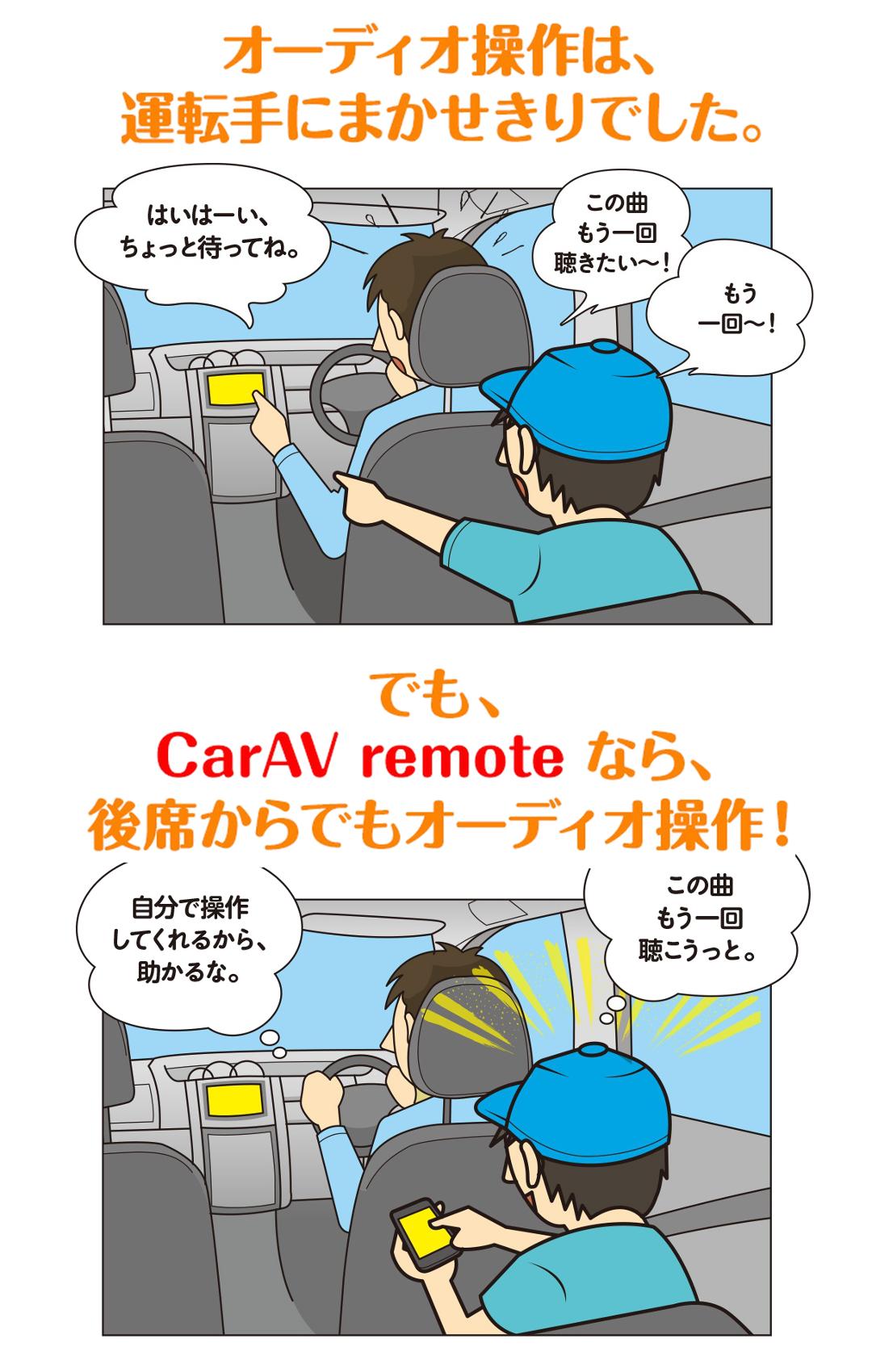
If only the driver can operate the AV, it may be difficult to concentrate on driving,
Depending on the road conditions, we may not be able to accommodate your passenger's wishes...
If you use "CarAV remote," a passenger can use the navigation's AV functions from the front passenger seat or back seat.
Not only can passengers control the AV functions as they like, but also
Drivers can concentrate on driving and drive with peace of mind!
■Compatible navigation information and introduction of CarAV remote functions
https://panasonic.jp/car/navi/caravremote/
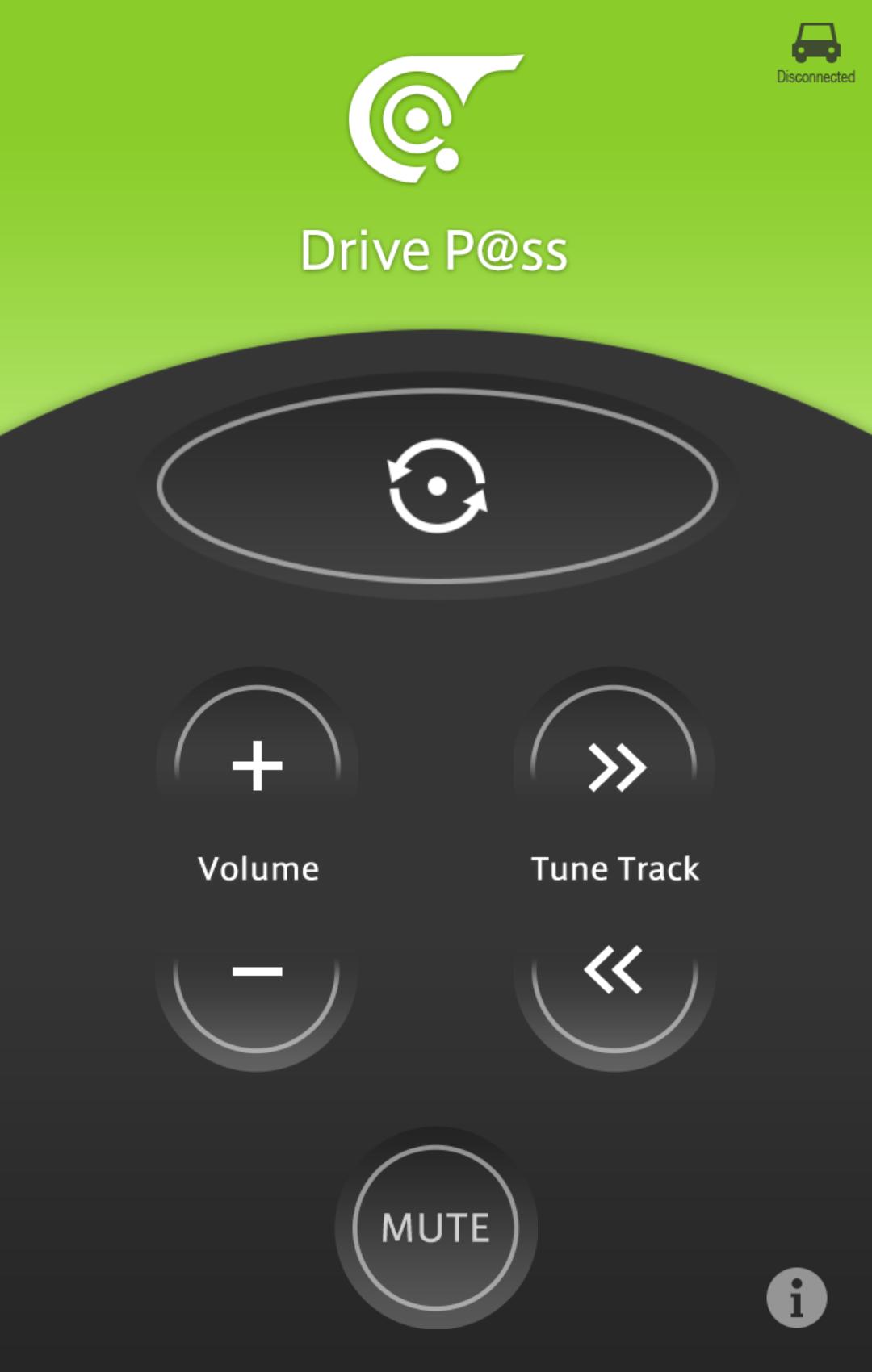
■Main functions
・Change AV source
・Volume up/down
・Track up/down
·mute
■Update history
▼Version 1.1.0 (released on October 24, 2023)
- Compatible with Android 13.
▼Version 1.0.10 (released on August 9, 2022)
-Improved some screen configurations.
▼Version 1.0.9 (released on July 9, 2021)
・Fixed minor bugs.
▼Version 1.0.8 (released December 25, 2019)
- Compatible with Android 10.
▼Version 1.0.7 (released October 26, 2018)
-Improved the help screen for connecting to navigation.
▼Version 1.0.6 (released June 30, 2017)
・Fixed minor bugs.
▼Version 1.0.5 (released March 30, 2017)
・Fixed minor bugs.
▼Version 1.0.3 (released October 5, 2016)
-Improved the help screen for connecting to navigation.
▼Version 1.0.2 (released on September 30, 2015)
Improved the help screen for connecting with navigation.
▼Version 1.0.1 (released on July 15, 2015)
Compatible with Android 5.0.
▼Version 1.0.0 (released October 20, 2014)
"CarAV remote" first release.
■Contact us
Please check the support page below for information on how to use this app and any problems you may have.
https://car.jpn.faq.panasonic.com/category/show/403
If the above does not resolve your issue, please contact us using the contact form below.
[Click here for the inquiry form]
https://car.jpn.faq.panasonic.com/helpdesk?bsid_ais-car=86b3ed023e1ef55ce342fb2782dbae44&category_id=407
Even if you use "Send email to developer", we will not be able to respond directly. Please note.
For any inquiries regarding the app, please use the inquiry form above.
Preview
Tags
Music-&Information
Developer
Panasonic Automotive Systems Co., Ltd.
Latest Version
1.1.0
Last Updated
2023-10-17
Category
Music-audio
Available on
Google Play
Show More
How to play CarAV remote with GameLoop on PC
1. Download GameLoop from the official website, then run the exe file to install GameLoop
2. Open GameLoop and search for “CarAV remote” , find CarAV remote in the search results and click “Install”
3. Enjoy playing CarAV remote on GameLoop
Minimum requirements
OS
Windows 8.1 64-bit or Windows 10 64-bit
GPU
GTX 1050
CPU
i3-8300
Memory
8GB RAM
Storage
1GB available space
Recommended requirements
OS
Windows 8.1 64-bit or Windows 10 64-bit
GPU
GTX 1050
CPU
i3-9320
Memory
16GB RAM
Storage
1GB available space