
Lifesaver Mobile PC
Resuscitation Council (UK) Trading
Download Lifesaver Mobile on PC With GameLoop Emulator
Lifesaver Mobile sa PC
Ang Lifesaver Mobile, na nagmumula sa developer na Resuscitation Council (UK) Trading, ay tumatakbo sa Android systerm sa nakaraan.
Ngayon, maaari mong laruin ang Lifesaver Mobile sa PC gamit ang GameLoop nang maayos.
I-download ito sa GameLoop library o mga resulta ng paghahanap. Hindi na tumitingin sa baterya o nakakadismaya na mga tawag sa maling oras.
I-enjoy lang ang Lifesaver Mobile PC sa malaking screen nang libre!
Lifesaver Mobile Panimula
Learn how to perform cardiopulmonary resuscitation (CPR) anywhere, anytime, for free.
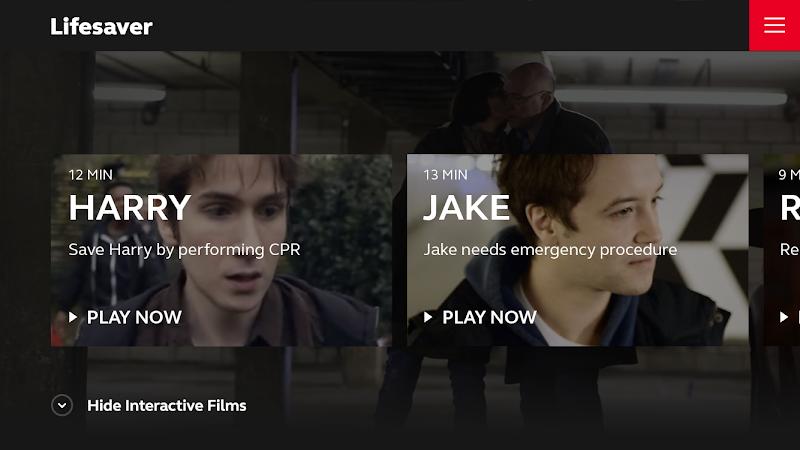
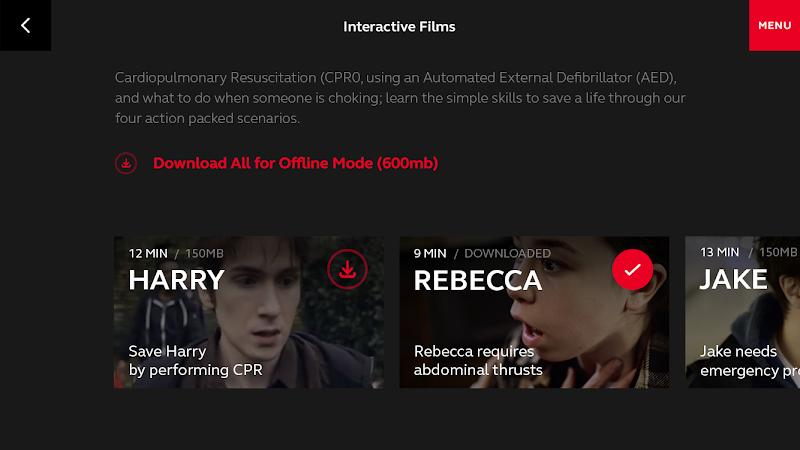
Lifesaver is a cutting-edge way to learn life-saving skills through four action-packed scenarios. It throws you into the heart of the action as you make the crucial decisions and learn the essential skills needed to save a life.
Features:
- Easy user interface
- 4 films with clear visual and audio interactions
- Real-life stories shared by rescuers and survivors
- 6 real stories shared by witnesses
- Common questions answered by first aid experts
- Real-time feedback for your accuracy, speed and answers
- Built-in technology to detect speed and depth of CPR
- Emergency information and medical FAQs
Lifesaver is developed by UNIT9, with funding from the Resuscitation Council (UK).
NOTE: the Lifesaver Mobile app abides exclusively by the UK resuscitation guidelines.
NOTE: Lifesaver is a web and mobile-based interactive application for training purposes only and completion of the modules does not constitute a certificate of competence as further training is recommended.
NOTE: To register to become a GoodSam cardiac responder, complete the Lifesaver training on the Lifesaver website using a laptop/desktop.
Lifesaver website > https://life-saver.org.uk
Resuscitation Council (UK) website > http://www.resus.org.uk
UNIT9 website > http://www.unit9.com
To register to become a GoodSam Cardiac Responder, please use the Lifesaver website - http://lifesaver.org.uk - on a desktop/laptop computer.
Preview
Tags
MedicalInformation
Developer
Resuscitation Council (UK) Trading
Latest Version
2.0.1
Last Updated
2023-11-02
Category
Medical
Available on
Google Play
Show More
How to play Lifesaver Mobile with GameLoop on PC
1. Download GameLoop from the official website, then run the exe file to install GameLoop
2. Open GameLoop and search for “Lifesaver Mobile” , find Lifesaver Mobile in the search results and click “Install”
3. Enjoy playing Lifesaver Mobile on GameLoop
Minimum requirements
OS
Windows 8.1 64-bit or Windows 10 64-bit
GPU
GTX 1050
CPU
i3-8300
Memory
8GB RAM
Storage
1GB available space
Recommended requirements
OS
Windows 8.1 64-bit or Windows 10 64-bit
GPU
GTX 1050
CPU
i3-9320
Memory
16GB RAM
Storage
1GB available space