RPAS WILCO: Drone Flight Plans PC
Artificial Intelligence Mastermind Robotics Inc.
Download RPAS WILCO: Drone Flight Plans on PC With GameLoop Emulator
RPAS WILCO: Drone Flight Plans sa PC
Ang RPAS WILCO: Drone Flight Plans, na nagmumula sa developer na Artificial Intelligence Mastermind Robotics Inc., ay tumatakbo sa Android systerm sa nakaraan.
Ngayon, maaari mong laruin ang RPAS WILCO: Drone Flight Plans sa PC gamit ang GameLoop nang maayos.
I-download ito sa GameLoop library o mga resulta ng paghahanap. Hindi na tumitingin sa baterya o nakakadismaya na mga tawag sa maling oras.
I-enjoy lang ang RPAS WILCO: Drone Flight Plans PC sa malaking screen nang libre!
RPAS WILCO: Drone Flight Plans Panimula
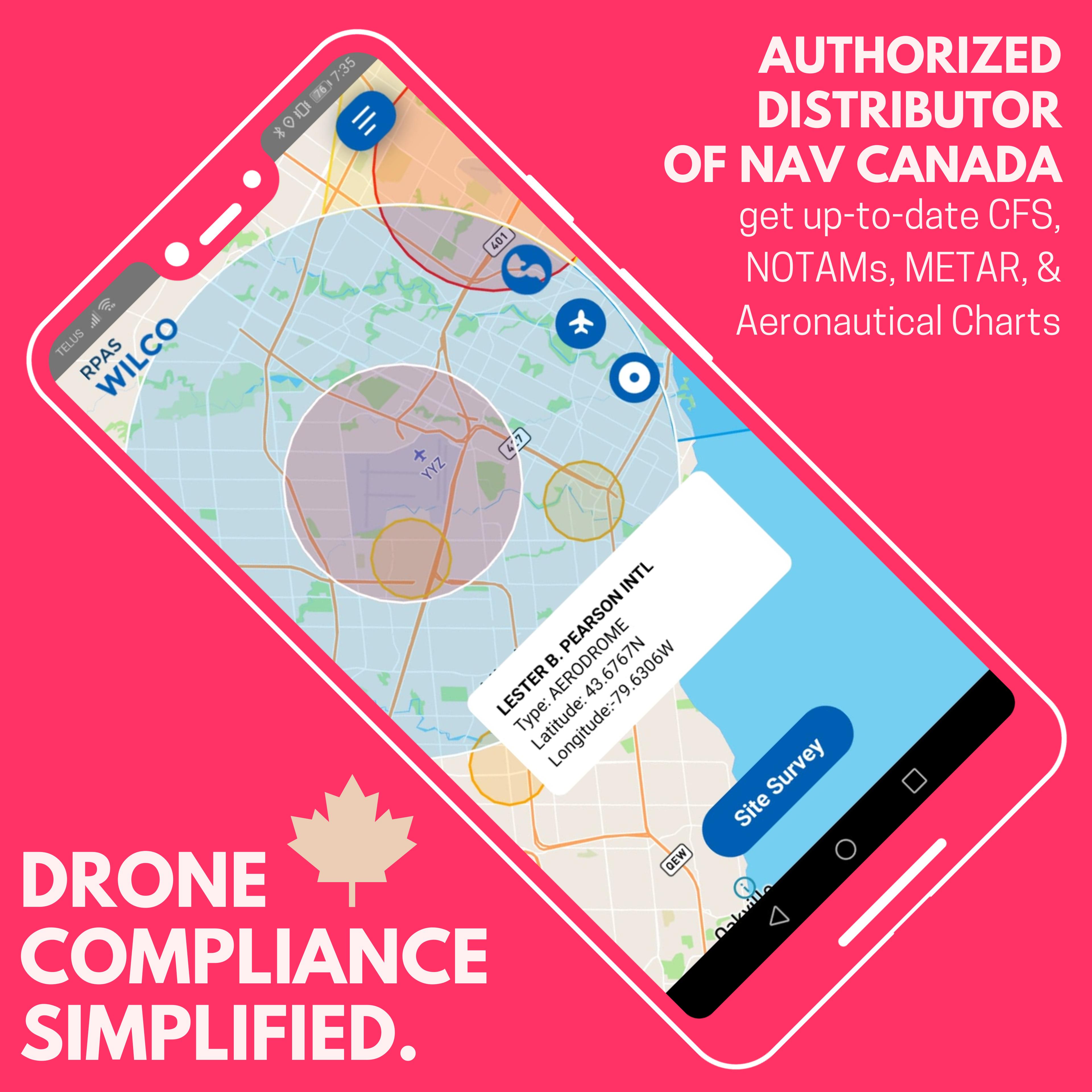
RPAS WILCO is the ultimate app for fast, reliable, and compliant drone site surveys, ready in under a minute! Created to help drone pilots meet Canadian Aviation Regulations Part IX, RPAS WILCO simplifies and accelerates pre-flight surveys, saving you hours on each flight.
With RPAS WILCO, you get:
• Airspace Class Information
• Location-Specific NOTAMs
• Canada Flight Supplement (CFS)
• Aeronautical Charts
As an official NAV CANADA distributor, we provide the most accurate, up-to-date CFS, CWAS, and VNC charts available.
Key Features:
• Automated Site Surveys – rapid, compliant, and accurate
• Flight Scheduler – organize flights and plan ahead
• Smart Checklists – complete pre-flight tasks effortlessly
• Integrated Flight Logs – keep all records in one place
• RPAS Inventory Management – track your equipment with ease
• & more!
For team leaders, RPAS WILCO for Enterprise offers advanced management tools to streamline your organization’s drone operations.
Start for FREE today and experience effortless compliance and safer flights!
Preview

Tags
Maps-&Information
Developer
Artificial Intelligence Mastermind Robotics Inc.
Latest Version
3.0.2
Last Updated
2025-06-17
Category
Maps-navigation
Available on
Google Play
Show More
How to play RPAS WILCO: Drone Flight Plans with GameLoop on PC
1. Download GameLoop from the official website, then run the exe file to install GameLoop
2. Open GameLoop and search for “RPAS WILCO: Drone Flight Plans” , find RPAS WILCO: Drone Flight Plans in the search results and click “Install”
3. Enjoy playing RPAS WILCO: Drone Flight Plans on GameLoop
Minimum requirements
OS
Windows 8.1 64-bit or Windows 10 64-bit
GPU
GTX 1050
CPU
i3-8300
Memory
8GB RAM
Storage
1GB available space
Recommended requirements
OS
Windows 8.1 64-bit or Windows 10 64-bit
GPU
GTX 1050
CPU
i3-9320
Memory
16GB RAM
Storage
1GB available space