
Mgrs & Utm Map PC
DakikTech
Download Mgrs & Utm Map on PC With GameLoop Emulator
Mgrs & Utm Map sa PC
Ang Mgrs & Utm Map, na nagmumula sa developer na DakikTech, ay tumatakbo sa Android systerm sa nakaraan.
Ngayon, maaari mong laruin ang Mgrs & Utm Map sa PC gamit ang GameLoop nang maayos.
I-download ito sa GameLoop library o mga resulta ng paghahanap. Hindi na tumitingin sa baterya o nakakadismaya na mga tawag sa maling oras.
I-enjoy lang ang Mgrs & Utm Map PC sa malaking screen nang libre!
Mgrs & Utm Map Panimula
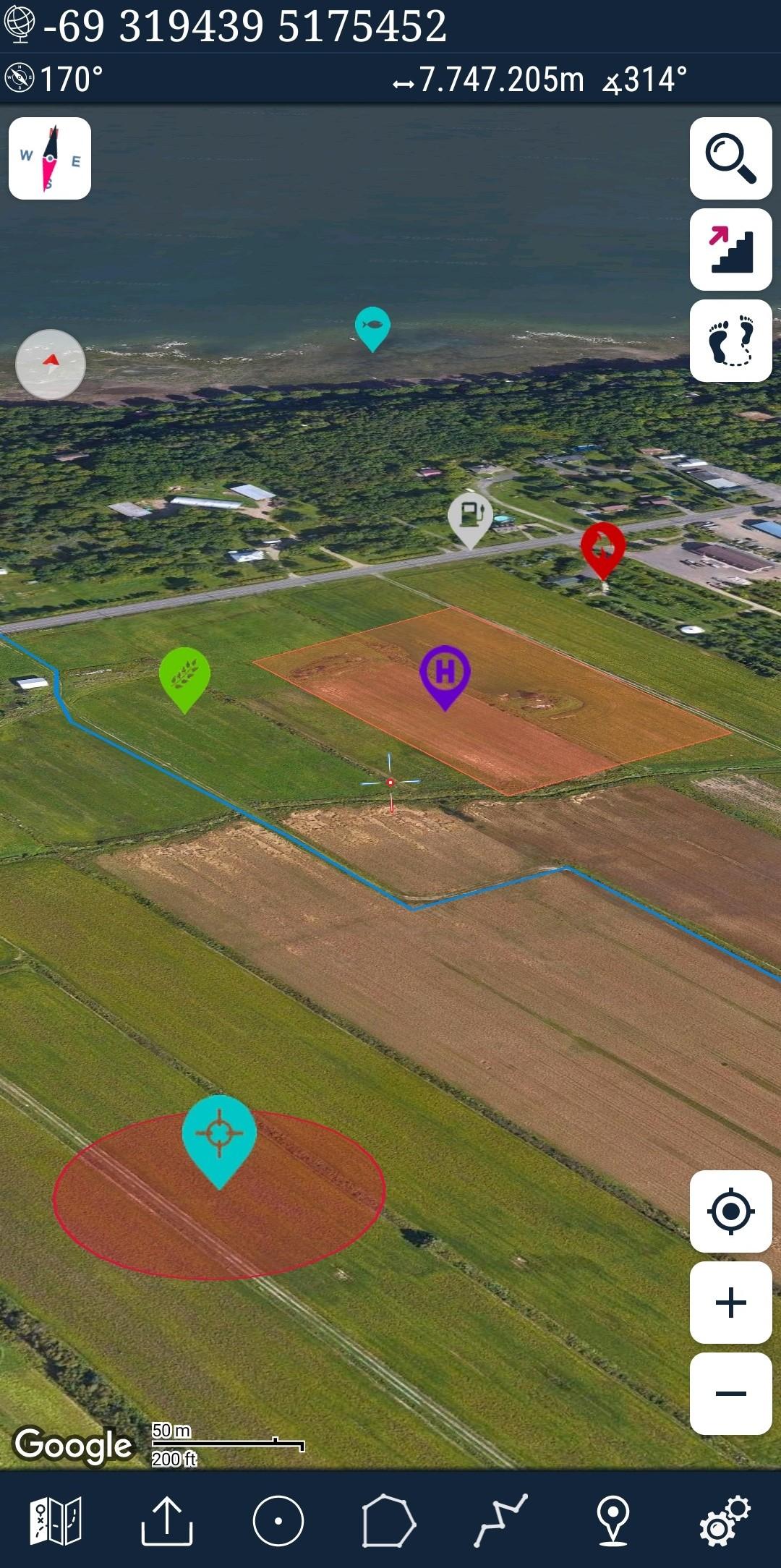
This application is GPS and coordinate systems helper especially for military personnel.
It is also a complete helper for mountaineering, trekking and hiking, cross running, scouting, hunting, fishing, geocaching, off-road navigation and all other outdoor activities and sports.
With satellite navigation systems such as GPS, GALILEO and GLONASS (GNSS) supported by your device and your sensors, you can see your most accurate position on different map layers.
Features:
* Easy and Faster
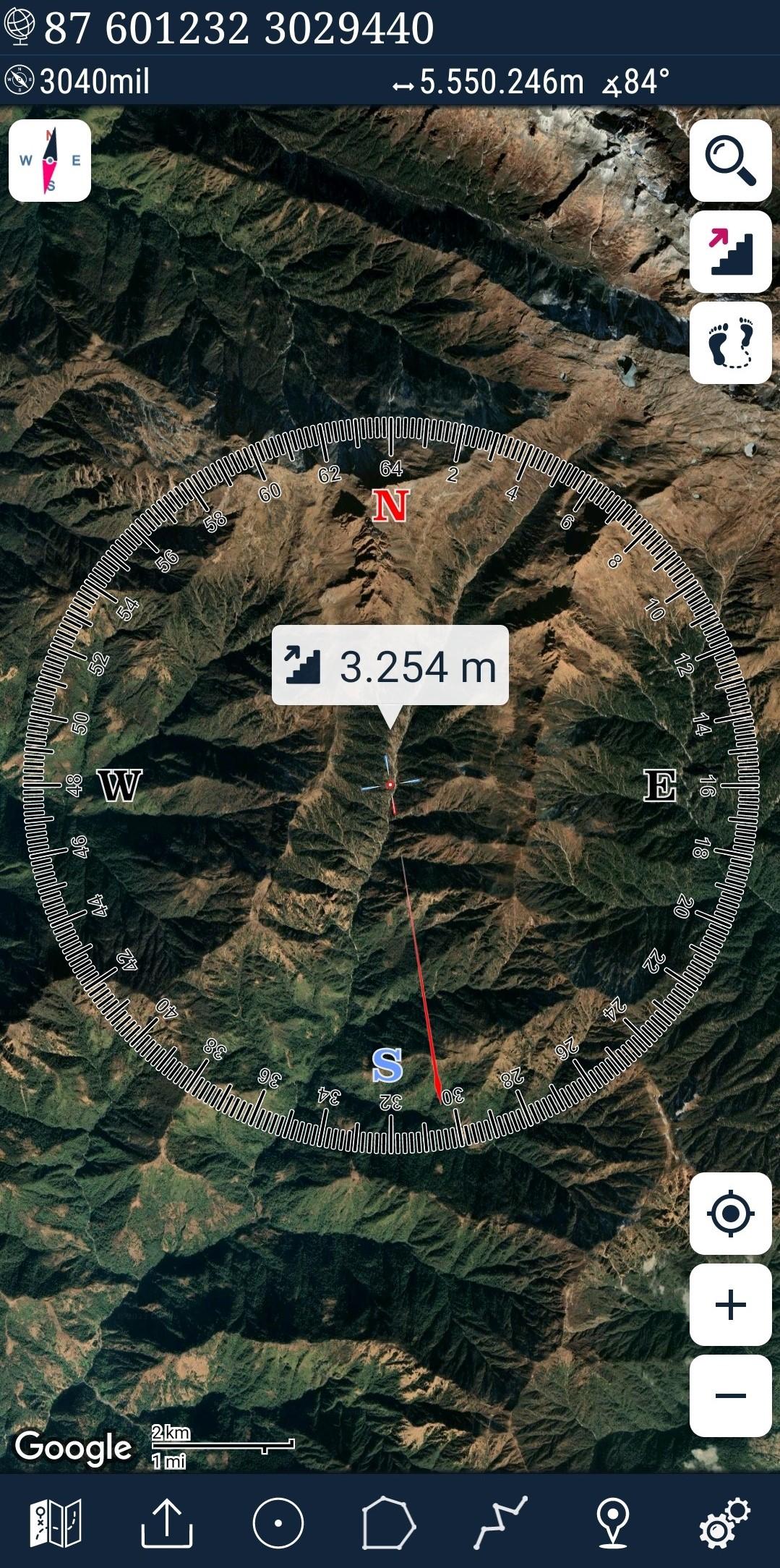
* Compass.
=> Compass on map (on the map that shows your direction)
=> Compass only (shows physical directions)
=> Angular units for compass (degrees ,NATO mil, Soviet Mil, Grad)
* Follow Mode
=> The center of the map follows your location while on the move.
* You can add and removing markers.
* Distance measure. (You can add custom route and calculate total distance)
* Area measure.(You can select an area on the map and calculate the area in square meters)
* You can see the altitude of your location.
* You can find the location according to Degree/Minute/Second , MGRS, UTM or Latitude/Longitude formats.
* Location (Coordinate) format options.
=> MGRS / U.S. National Grid (USNG) (WGS84/NAD83)
=> D°M'S" (WGS84)
=> Latitude/Longitude (WGS84)
=> UTM (WGS84/NAD83)
=> SK42(Gauss Kruger)
* Map type options (Road,Terrain,Satellite,Night Mode,Hybrid)
* You can share location coordinate.
* Distance unit options. (meter and feet).
* KML viewer. (Export and import KML layers).
* GPS track recorder.
Preview
Tags
Maps-&Information
Developer
DakikTech
Latest Version
7.3.6
Last Updated
2025-04-09
Category
Maps-navigation
Available on
Google Play
Show More
How to play Mgrs & Utm Map with GameLoop on PC
1. Download GameLoop from the official website, then run the exe file to install GameLoop
2. Open GameLoop and search for “Mgrs & Utm Map” , find Mgrs & Utm Map in the search results and click “Install”
3. Enjoy playing Mgrs & Utm Map on GameLoop
Minimum requirements
OS
Windows 8.1 64-bit or Windows 10 64-bit
GPU
GTX 1050
CPU
i3-8300
Memory
8GB RAM
Storage
1GB available space
Recommended requirements
OS
Windows 8.1 64-bit or Windows 10 64-bit
GPU
GTX 1050
CPU
i3-9320
Memory
16GB RAM
Storage
1GB available space