
CommuteTracker by RideAmigos PC
RideAmigos
Download CommuteTracker by RideAmigos on PC With GameLoop Emulator
CommuteTracker by RideAmigos sa PC
Ang CommuteTracker by RideAmigos, na nagmumula sa developer na RideAmigos, ay tumatakbo sa Android systerm sa nakaraan.
Ngayon, maaari mong laruin ang CommuteTracker by RideAmigos sa PC gamit ang GameLoop nang maayos.
I-download ito sa GameLoop library o mga resulta ng paghahanap. Hindi na tumitingin sa baterya o nakakadismaya na mga tawag sa maling oras.
I-enjoy lang ang CommuteTracker by RideAmigos PC sa malaking screen nang libre!
CommuteTracker by RideAmigos Panimula
CommuteTracker by RideAmigos is the easy and fun way to connect to commuter programs and incentives from your employer or region!
Discover: Learn about commuter incentives, rewards programs, challenges and commute options available through your employer or regional network.
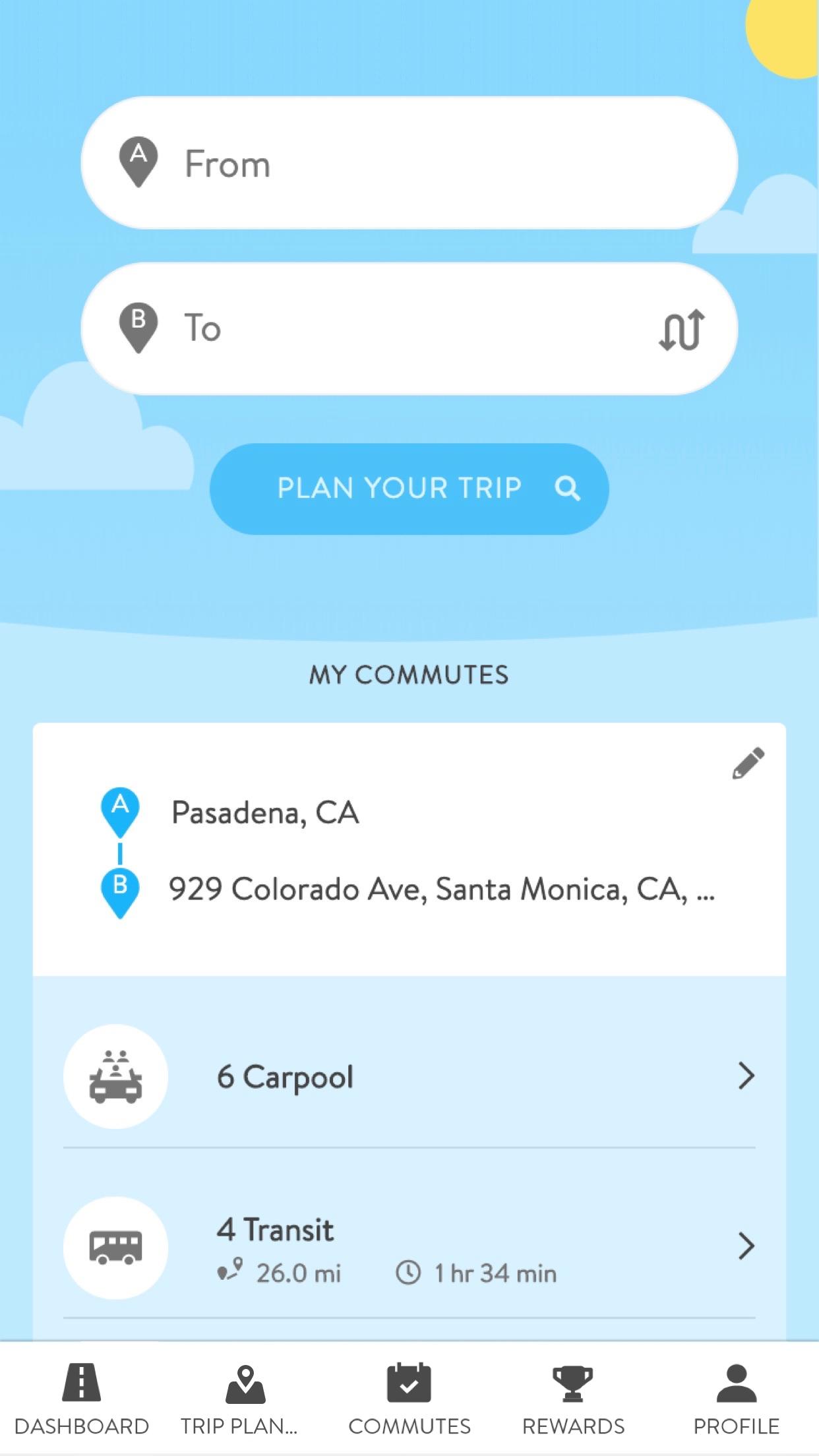
Plan: Once you have discovered a commute option, use Commute Tracker Trip Planning to map your carpool, walking, bicycle, transit, or other route.
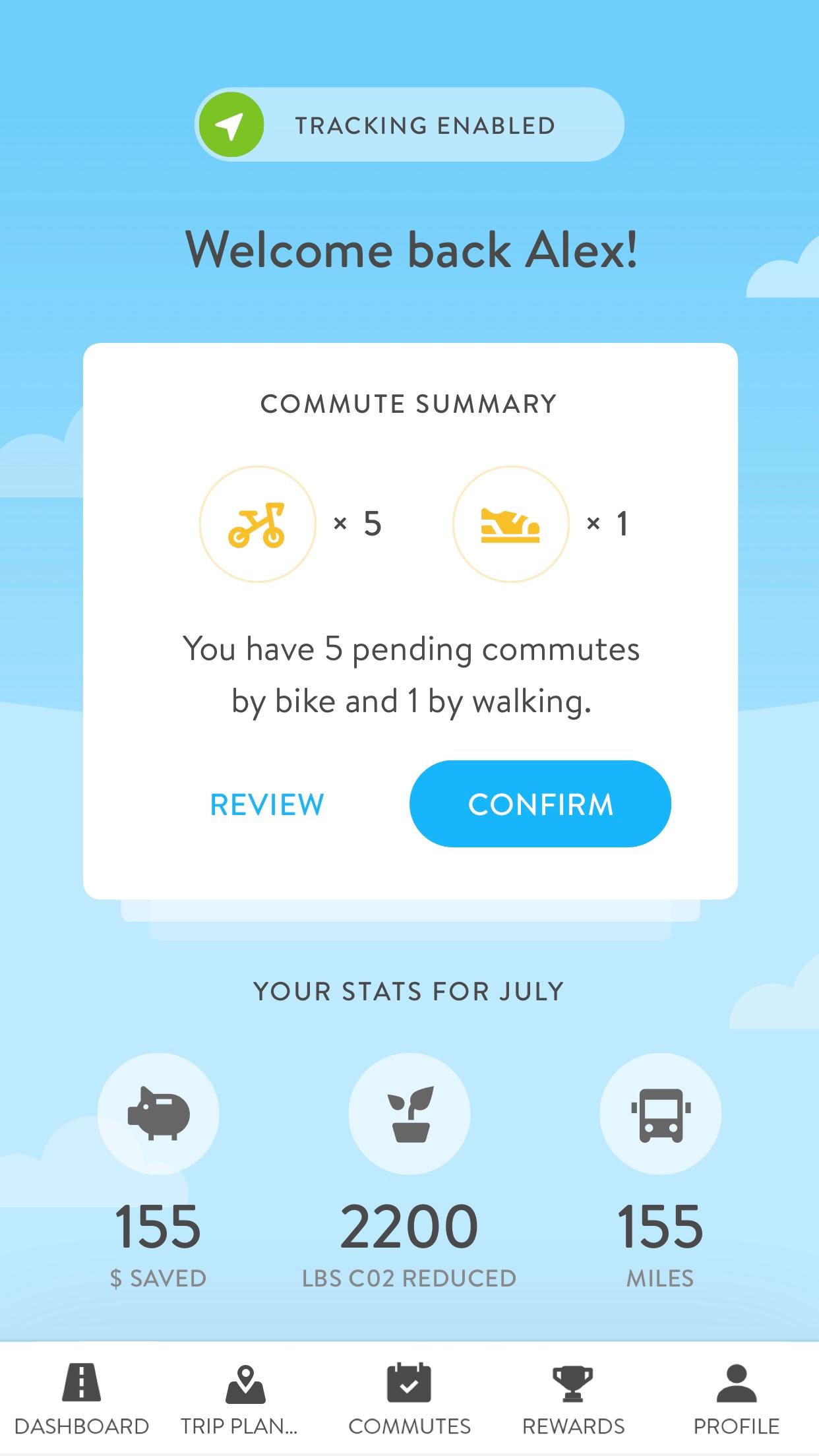
Track: Your commutes between home and work are automatically detected or predicted using your mobile device’s built in location services and your usual schedule.
Confirm: Confirm or manage trips to keep your history up-to-date.
Earn: See the positive impact you’re making with your commute. Participate in challenges, earn commuter incentives, and redeem points for rewards and benefits like emergency rides home.
To get started, just install the app. Follow the simple steps to connect to the participating commuter program from your employer or region and tell us about your typical commute habits.
Then you’ll be ready to start tracking and confirming trips and earning rewards!
With CommuteTracker, all you need to do is join an available network, tell us a little bit about your typical commute and turn on your device’s location services. We’ll detect or predict your trips automatically! To participate and earn rewards and recognition in commuter programs and challenges, simply open the app, and confirm the trips. With each alternative commute, you’ll see savings, positive impact, and progress toward great rewards.
Note: To use this app, you’ll need a free Connect PIN from a participating commuter program powered by RideAmigos. If you are not sure how to get a Connect PIN, contact RideAmigos to find out if there is a commuter program in your area: appsupport@rideamigos.com”
Preview
Tags
Maps-&Information
Developer
RideAmigos
Latest Version
v2.6.0-b514
Last Updated
2023-11-08
Category
Maps-navigation
Available on
Google Play
Show More
How to play CommuteTracker by RideAmigos with GameLoop on PC
1. Download GameLoop from the official website, then run the exe file to install GameLoop
2. Open GameLoop and search for “CommuteTracker by RideAmigos” , find CommuteTracker by RideAmigos in the search results and click “Install”
3. Enjoy playing CommuteTracker by RideAmigos on GameLoop
Minimum requirements
OS
Windows 8.1 64-bit or Windows 10 64-bit
GPU
GTX 1050
CPU
i3-8300
Memory
8GB RAM
Storage
1GB available space
Recommended requirements
OS
Windows 8.1 64-bit or Windows 10 64-bit
GPU
GTX 1050
CPU
i3-9320
Memory
16GB RAM
Storage
1GB available space