Titan GPS PC
Certified Tracking Solutions Inc.
Download Titan GPS on PC With GameLoop Emulator
Titan GPS sa PC
Ang Titan GPS, na nagmumula sa developer na Certified Tracking Solutions Inc., ay tumatakbo sa Android systerm sa nakaraan.
Ngayon, maaari mong laruin ang Titan GPS sa PC gamit ang GameLoop nang maayos.
I-download ito sa GameLoop library o mga resulta ng paghahanap. Hindi na tumitingin sa baterya o nakakadismaya na mga tawag sa maling oras.
I-enjoy lang ang Titan GPS PC sa malaking screen nang libre!
Titan GPS Panimula
Titan Tracking’s mapping dashboard interface is part of a “World Class” end to end GPS fleet management solution. The power behind Titan Tracking’s web based and mobile Smartphone dashboards is how they are cross compatible with the entire line of Titan’s industry leading GPS tracking hardware. Titan Tracking offers multiple series of hardware to connect to your App, ranging from Consumer Vehicle Connectivity to enterprise level Fleet Management. Below are just some of the GPS series offered by Titan and utilized with this Titan GPS mobile dashboard App.
Consumer Vehicle Messaging & GPS Tracking:
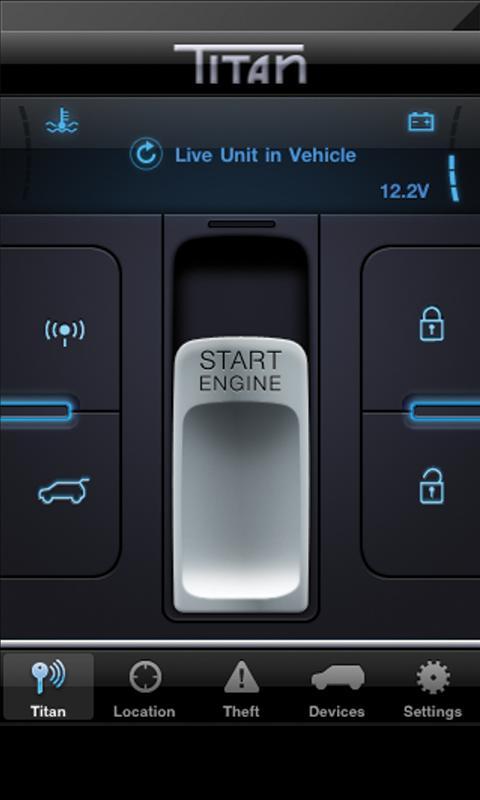
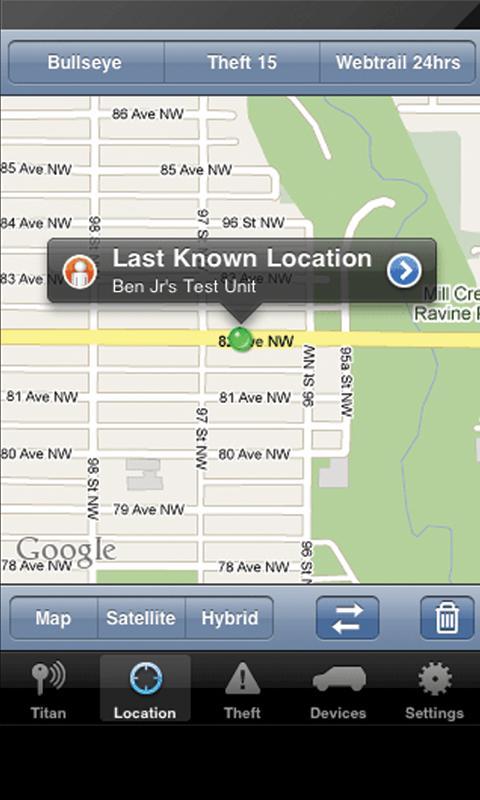
Use your Smartphone to start your remote car starter or to unlock your doors. Even instantly locate your vehicle via the Google Maps.
Advanced Fleet Replay GPS Tracking:
This series includes some of the most comprehensive fleet management product lines available on the market today and is perfect for fleet managers looking to see their fleet updating live on the map. See every turn, every stop, the location of idling and excessive speeding.
DealerSecure™ Lease Series:
The DealerSecure™ series by Titan is an excellent program for automotive dealers in need of tracking or even disabling a vehicle that is over due on their lease payments.
Self Powered “SP” GPS Tracking Series:
This truly remarkable series of hardware runs off of 4 AA “off the self batteries” and is excellent for remotely monitoring asset ranging from a boat or personal watercraft to a piece of construction equipment or even cargo containers.
Preview
Tags
LifestyleInformation
Developer
Certified Tracking Solutions Inc.
Latest Version
5.0.7.4
Last Updated
2023-04-13
Category
Lifestyle
Available on
Google Play
Show More
How to play Titan GPS with GameLoop on PC
1. Download GameLoop from the official website, then run the exe file to install GameLoop
2. Open GameLoop and search for “Titan GPS” , find Titan GPS in the search results and click “Install”
3. Enjoy playing Titan GPS on GameLoop
Minimum requirements
OS
Windows 8.1 64-bit or Windows 10 64-bit
GPU
GTX 1050
CPU
i3-8300
Memory
8GB RAM
Storage
1GB available space
Recommended requirements
OS
Windows 8.1 64-bit or Windows 10 64-bit
GPU
GTX 1050
CPU
i3-9320
Memory
16GB RAM
Storage
1GB available space