
Rademacher PC
Rademacher Geräte-Elektronik GmbH
Download Rademacher on PC With GameLoop Emulator
Rademacher sa PC
Ang Rademacher, na nagmumula sa developer na Rademacher Geräte-Elektronik GmbH, ay tumatakbo sa Android systerm sa nakaraan.
Ngayon, maaari mong laruin ang Rademacher sa PC gamit ang GameLoop nang maayos.
I-download ito sa GameLoop library o mga resulta ng paghahanap. Hindi na tumitingin sa baterya o nakakadismaya na mga tawag sa maling oras.
I-enjoy lang ang Rademacher PC sa malaking screen nang libre!
Rademacher Panimula
With the Rademacher App, your integrated DuoFern devices can be conveniently controlled via smartphone or tablet - from home or on the move.
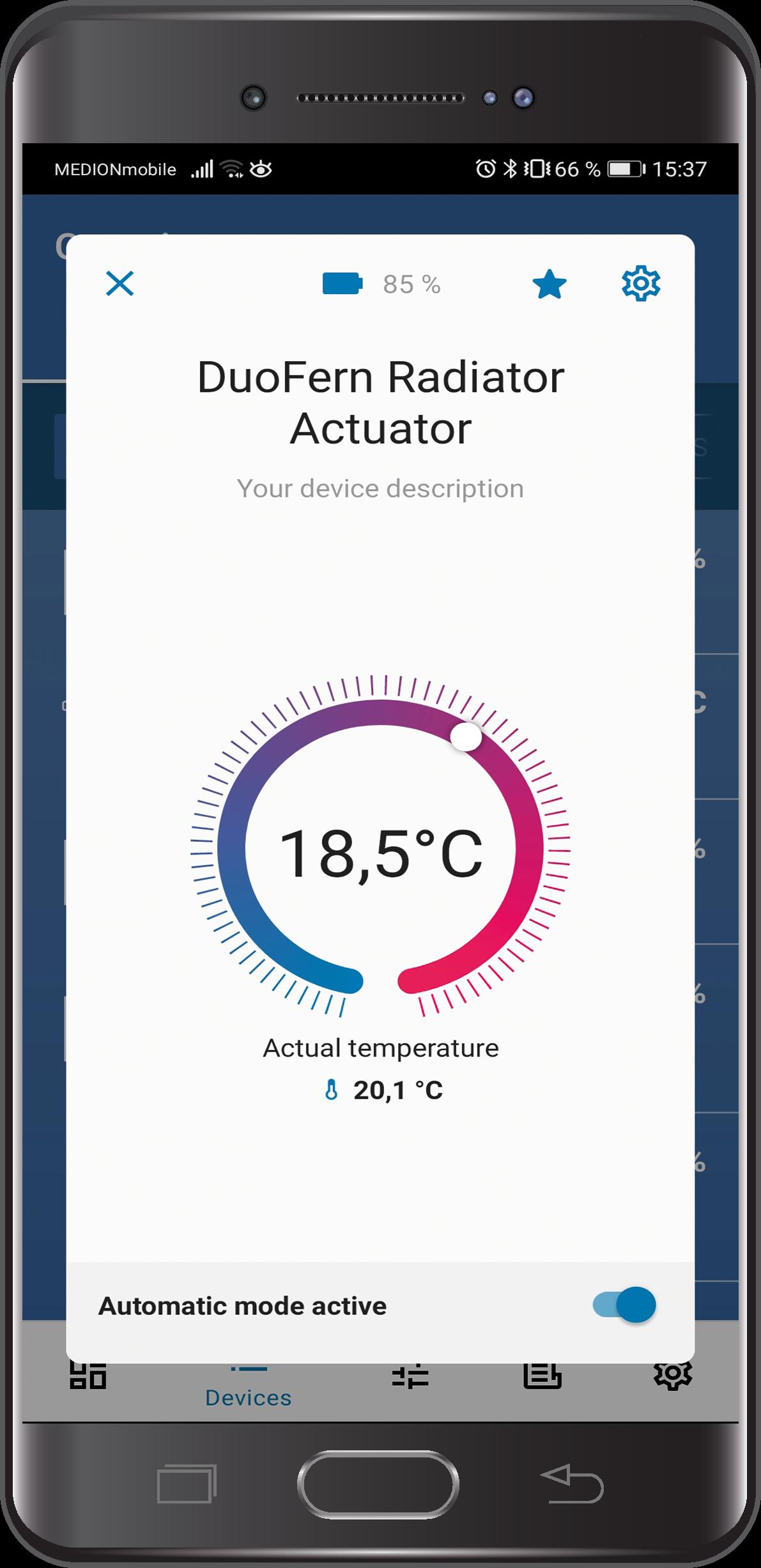
The app offers you quick and easy access to your devices and scenes. What position are the shutters in? What temperature is set on the heating thermostat? Is the light still on in the bedroom? You can keep track of things with a quick look at the app. Your home will also keep you up to date with push notifications!
You can arrange your favorite devices of the Rademacher SmartHome system clearly in the dashboard - the start page of the app - and have the most important information at a glance. This also applies to sensor data such as temperature, sun direction and wind speed, or activated and deactivated automations and status messages. In addition, the app offers user-friendly and intuitive operating elements, for example a thermostat rotary control or the roller shutter control element, which can be moved from top to bottom like the curtain.
It is also possible to carry out the complete configuration of the central unit. You can use this to register all devices, set up automations, create individual scenes and make system settings.
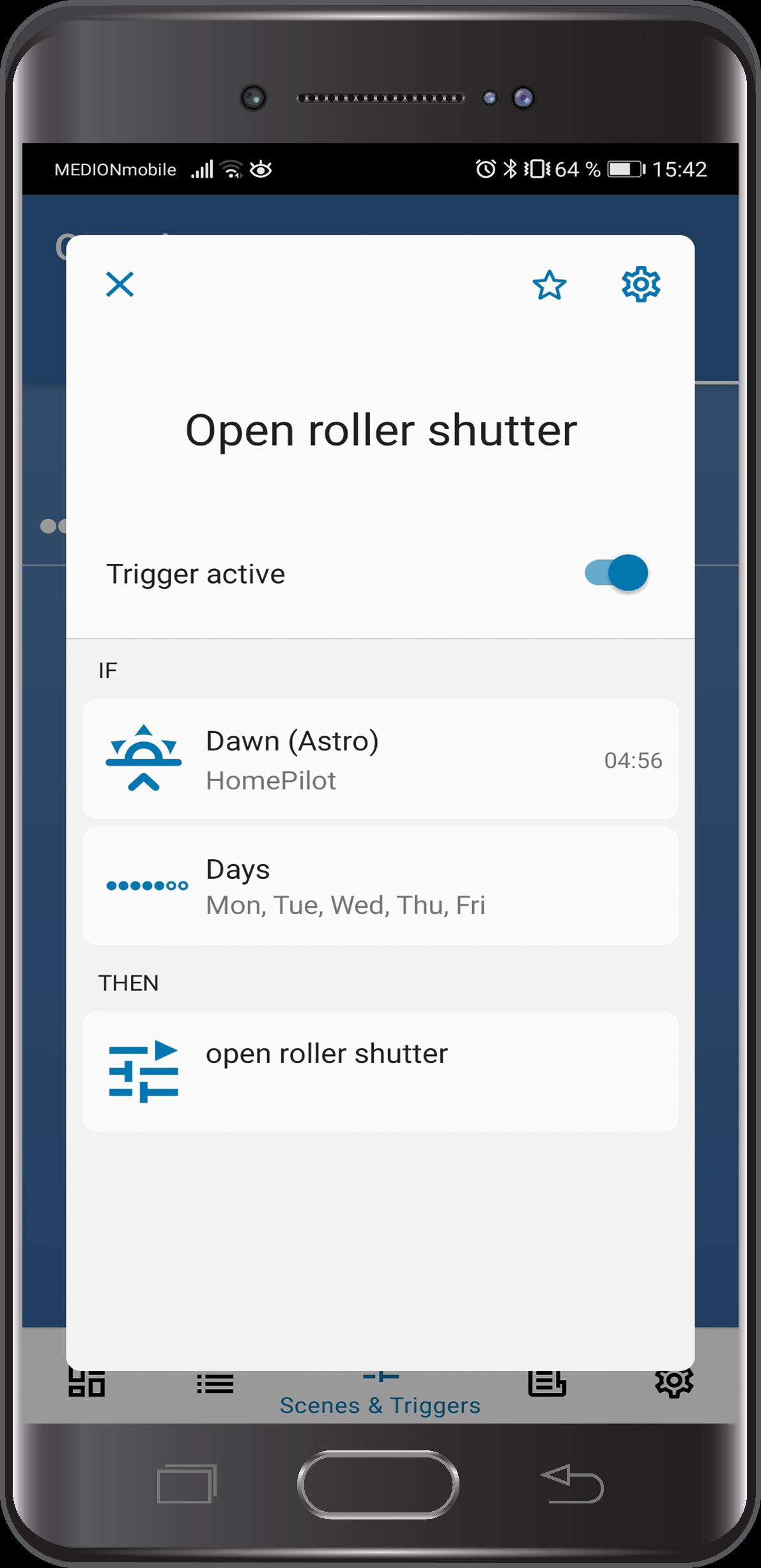
Another special feature of ours: "Triggers" can be created separately from a scene. If a previously defined trigger occurs - for example, if the temperature reaches a certain level or if the environmental sensor should respond to rain - it either activates an associated scene or just sends a push message for information without triggering an action.
For extensive information and clear explanations, visit our YouTube channel at https://www.youtube.com/user/RademacherFilme.
Preview
Tags
LifestyleInformation
Developer
Rademacher Geräte-Elektronik GmbH
Latest Version
5.7.33
Last Updated
2023-11-05
Category
Lifestyle
Available on
Google Play
Show More
How to play Rademacher with GameLoop on PC
1. Download GameLoop from the official website, then run the exe file to install GameLoop
2. Open GameLoop and search for “Rademacher” , find Rademacher in the search results and click “Install”
3. Enjoy playing Rademacher on GameLoop
Minimum requirements
OS
Windows 8.1 64-bit or Windows 10 64-bit
GPU
GTX 1050
CPU
i3-8300
Memory
8GB RAM
Storage
1GB available space
Recommended requirements
OS
Windows 8.1 64-bit or Windows 10 64-bit
GPU
GTX 1050
CPU
i3-9320
Memory
16GB RAM
Storage
1GB available space