
Azan Azkar - Prayer Times PC
A.Abdo
Download Azan Azkar - Prayer Times on PC With GameLoop Emulator
Azan Azkar - Prayer Times sa PC
Ang Azan Azkar - Prayer Times, na nagmumula sa developer na A.Abdo, ay tumatakbo sa Android systerm sa nakaraan.
Ngayon, maaari mong laruin ang Azan Azkar - Prayer Times sa PC gamit ang GameLoop nang maayos.
I-download ito sa GameLoop library o mga resulta ng paghahanap. Hindi na tumitingin sa baterya o nakakadismaya na mga tawag sa maling oras.
I-enjoy lang ang Azan Azkar - Prayer Times PC sa malaking screen nang libre!
Azan Azkar - Prayer Times Panimula
Stay on top of every prayer, build a daily dhikr habit, and find the Qibla — all in a freshly redesigned app.
Azan Azkar is your daily Islamic companion: precise prayer times, voices for the call to prayer, Hisn Al-Muslim athkar, a Qibla compass, a digital tasbih, the full Quran, and live Islamic radio.
Why you'll love it
• A brand-new design, calmer, clearer, easier on the eyes.
• Pray on time, every time: precise prayer times with automatic adjustment for travel, daylight saving, and timezone changes.
• A peaceful heart: morning, evening, sleep, and after-prayer athkar, beautifully organized.
• A daily rhythm: home-screen widgets, persistent notification, and a live countdown to the next prayer.
• Truly yours: 12 bundled athan voices, your own athan audio, a custom tasbih with the dhikr you choose.
Prayer times that travel with you
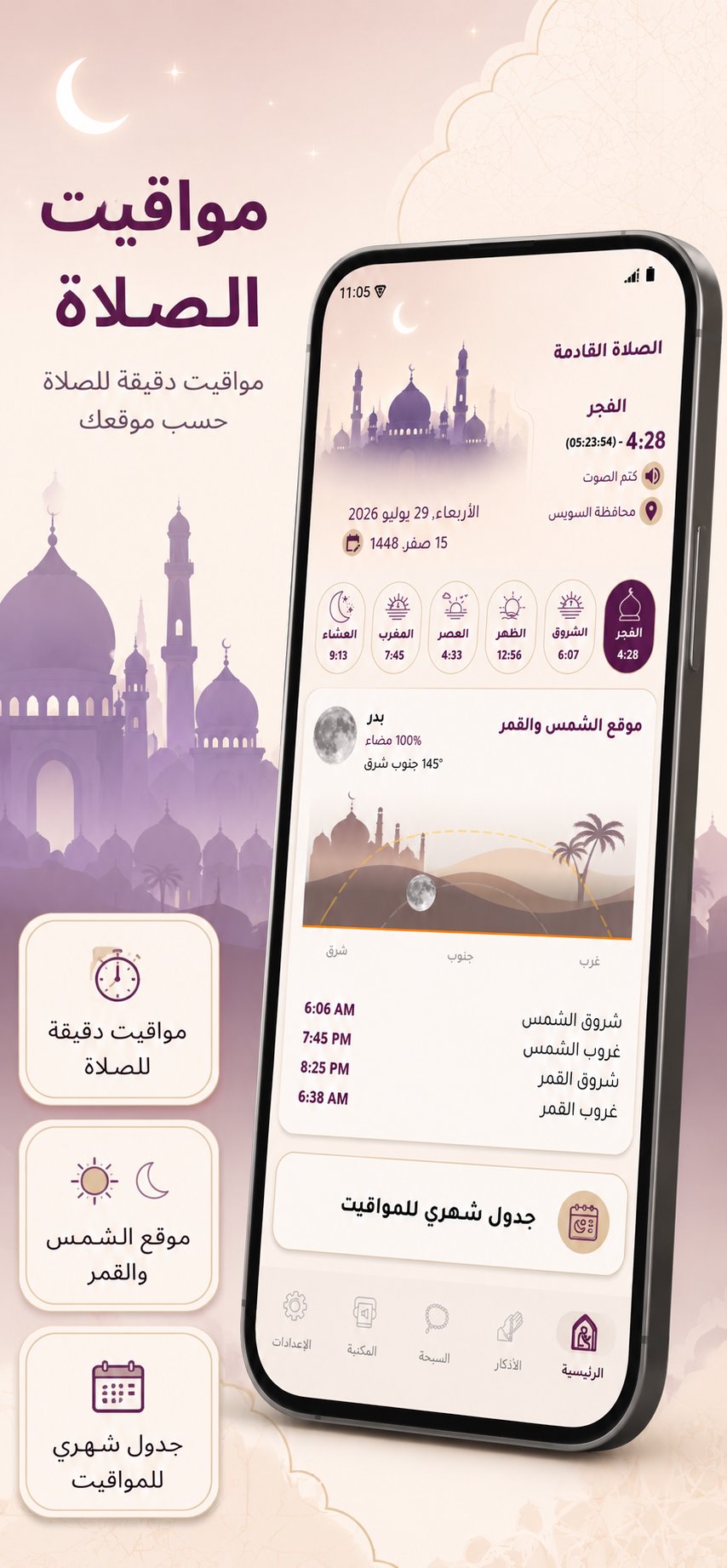
• Accurate times for the five daily prayers and Sunrise, using the method you select.
• Live countdown to the next prayer, plus a persistent notification without opening the app.
• Pre-athan reminder with a lead time you set.
• Mute or skip a specific prayer without affecting the others.
• Iqama timer after the athan.
• Full monthly prayer-times table for your city.
• Auto-activate silent mode after the athan.
The call to prayer
• 12 high-quality bundled athan voices from renowned muezzins.
• Pick your own athan audio from your device storage.
• Optional pre-athan voice and post-athan dua, both customizable.
• Calming visual effect during the athan.
The Qibla compass
• Accurate Qibla direction wherever you are.
• Built-in calibration helper for top accuracy.
• Works on any phone with a magnetic compass sensor.
Sun & Moon at a glance
• Live sun position so you always sense the time of day.
• Daily moon-phase display with a beautiful illustration.
• Follow Hijri months and the rhythm of prayer visually.
Adhkar & Tasbih
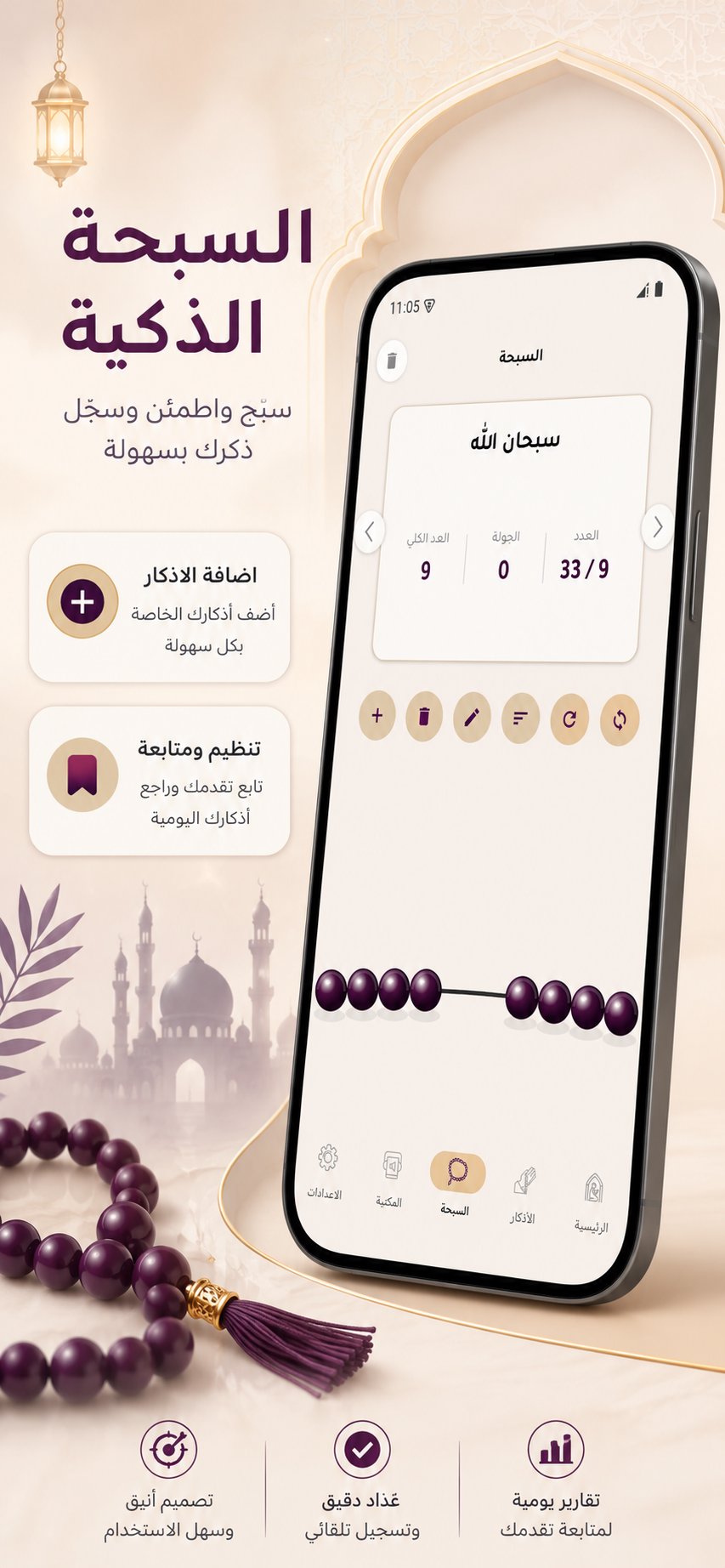
• The complete Hisn Al-Muslim library: morning, evening, sleep, waking up, mosque, and prophetic supplications.
• Copy any dhikr or share it to social apps in one tap.
• Bookmark the adhkar you love for quick access.
• Digital tasbih with a smooth counter and custom dhikr cards.
Home screen widgets
• Prayer-times widget showing the next prayer and its time.
• Countdown widget with a live timer.
• Quick-options widget to jump straight into settings.
Quran, radio & audio library
• Browse the full Quran and listen to recitations by your favorite qari.
• Live Islamic radio streams around the clock.
• Full audio library of athans, Quran, nasheeds, and lectures — stream or download.
• Share verses and recitations with friends and family.
Ramadan, the way you want it
• Full Imsakiya: Suhoor, Imtak, Fajr, Maghrib, Iftar.
• Traditional Iftar cannon (Madfa3) at Maghrib.
• Msharaty caller before Fajr with a lead time you set.
• Dedicated settings for Iftar, Suhoor, and Taraweeh notifications.
Free, focused, and always improving. Your feedback shapes what we build next — please rate the app. JazakAllahu khairan.
Preview
Tags
LifestyleInformation
Developer
A.Abdo
Latest Version
1.7.9
Last Updated
2026-09-11
Category
Lifestyle
Available on
Google Play
Show More
How to play Azan Azkar - Prayer Times with GameLoop on PC
1. Download GameLoop from the official website, then run the exe file to install GameLoop
2. Open GameLoop and search for “Azan Azkar - Prayer Times” , find Azan Azkar - Prayer Times in the search results and click “Install”
3. Enjoy playing Azan Azkar - Prayer Times on GameLoop
Minimum requirements
OS
Windows 8.1 64-bit or Windows 10 64-bit
GPU
GTX 1050
CPU
i3-8300
Memory
8GB RAM
Storage
1GB available space
Recommended requirements
OS
Windows 8.1 64-bit or Windows 10 64-bit
GPU
GTX 1050
CPU
i3-9320
Memory
16GB RAM
Storage
1GB available space