
Atmosphere Connect PC
Amway Corp.
Download Atmosphere Connect on PC With GameLoop Emulator
Atmosphere Connect sa PC
Ang Atmosphere Connect, na nagmumula sa developer na Amway Corp., ay tumatakbo sa Android systerm sa nakaraan.
Ngayon, maaari mong laruin ang Atmosphere Connect sa PC gamit ang GameLoop nang maayos.
I-download ito sa GameLoop library o mga resulta ng paghahanap. Hindi na tumitingin sa baterya o nakakadismaya na mga tawag sa maling oras.
I-enjoy lang ang Atmosphere Connect PC sa malaking screen nang libre!
Atmosphere Connect Panimula
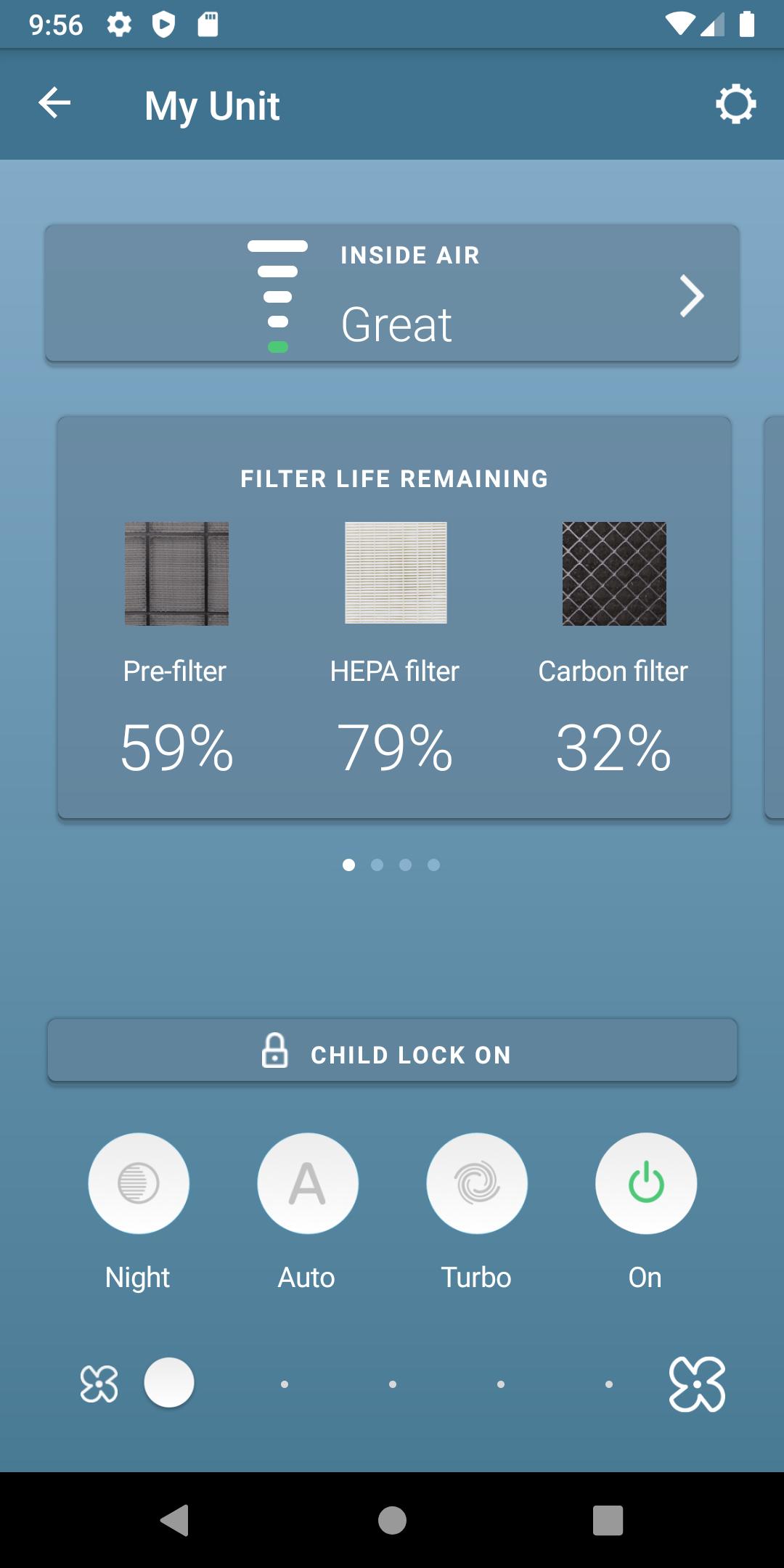
Amway is helping you create a cleaner, safer home with the new Atmosphere SKY Air Treatment system. SKY is the brand's next generation of proven performance and technology - with the Atmosphere Connect app, you now have the opportunity to control and monitor your air quality from anywhere.
REMOTE CONTROL: An easy set up process to pair your SKY unit to your mobile device via Wifi or Bluetooth allows you to adjust settings, change fan speed, and track usage.
INDOOR AIR QUALITY: Track and monitor your indoor air quality.
FILTER STATUS: Track the usage of your filters and purchase new filters directly from the Atmosphere Connect app.
OUTDOOR AIR QUALITY: Receive real-time pollution information in your area, search other areas to see the most up-to-date air quality information, and save favorites so you can quickly see the air quality of locations that matter to you.
CHILD LOCK: Lock the unit's display so your children or pets do not change the settings without your knowledge.
SCHEDULING: Set a schedule of when you want the SKY unit to go into a certain mode.
REGISTRATION: Register your unit or filters within the app with a single touch!
MONTHLY SUMMARY: A report that shows what your SKY unit did over the past month to help you live a better life through clean air, including monthly usage, average indoor air quality, fan speed run time and filter status.
Preview

Tags
LifestyleInformation
Developer
Amway Corp.
Latest Version
7.17.0
Last Updated
2022-08-05
Category
Lifestyle
Available on
Google Play
Show More
How to play Atmosphere Connect with GameLoop on PC
1. Download GameLoop from the official website, then run the exe file to install GameLoop
2. Open GameLoop and search for “Atmosphere Connect” , find Atmosphere Connect in the search results and click “Install”
3. Enjoy playing Atmosphere Connect on GameLoop
Minimum requirements
OS
Windows 8.1 64-bit or Windows 10 64-bit
GPU
GTX 1050
CPU
i3-8300
Memory
8GB RAM
Storage
1GB available space
Recommended requirements
OS
Windows 8.1 64-bit or Windows 10 64-bit
GPU
GTX 1050
CPU
i3-9320
Memory
16GB RAM
Storage
1GB available space