
PVPCApp - Precios Luz PC
TheMauSoft
Download PVPCApp - Precios Luz on PC With GameLoop Emulator
PVPCApp - Precios Luz sa PC
Ang PVPCApp - Precios Luz, na nagmumula sa developer na TheMauSoft, ay tumatakbo sa Android systerm sa nakaraan.
Ngayon, maaari mong laruin ang PVPCApp - Precios Luz sa PC gamit ang GameLoop nang maayos.
I-download ito sa GameLoop library o mga resulta ng paghahanap. Hindi na tumitingin sa baterya o nakakadismaya na mga tawag sa maling oras.
I-enjoy lang ang PVPCApp - Precios Luz PC sa malaking screen nang libre!
PVPCApp - Precios Luz Panimula
Want to save on your electricity bill? Try PVPCApp.
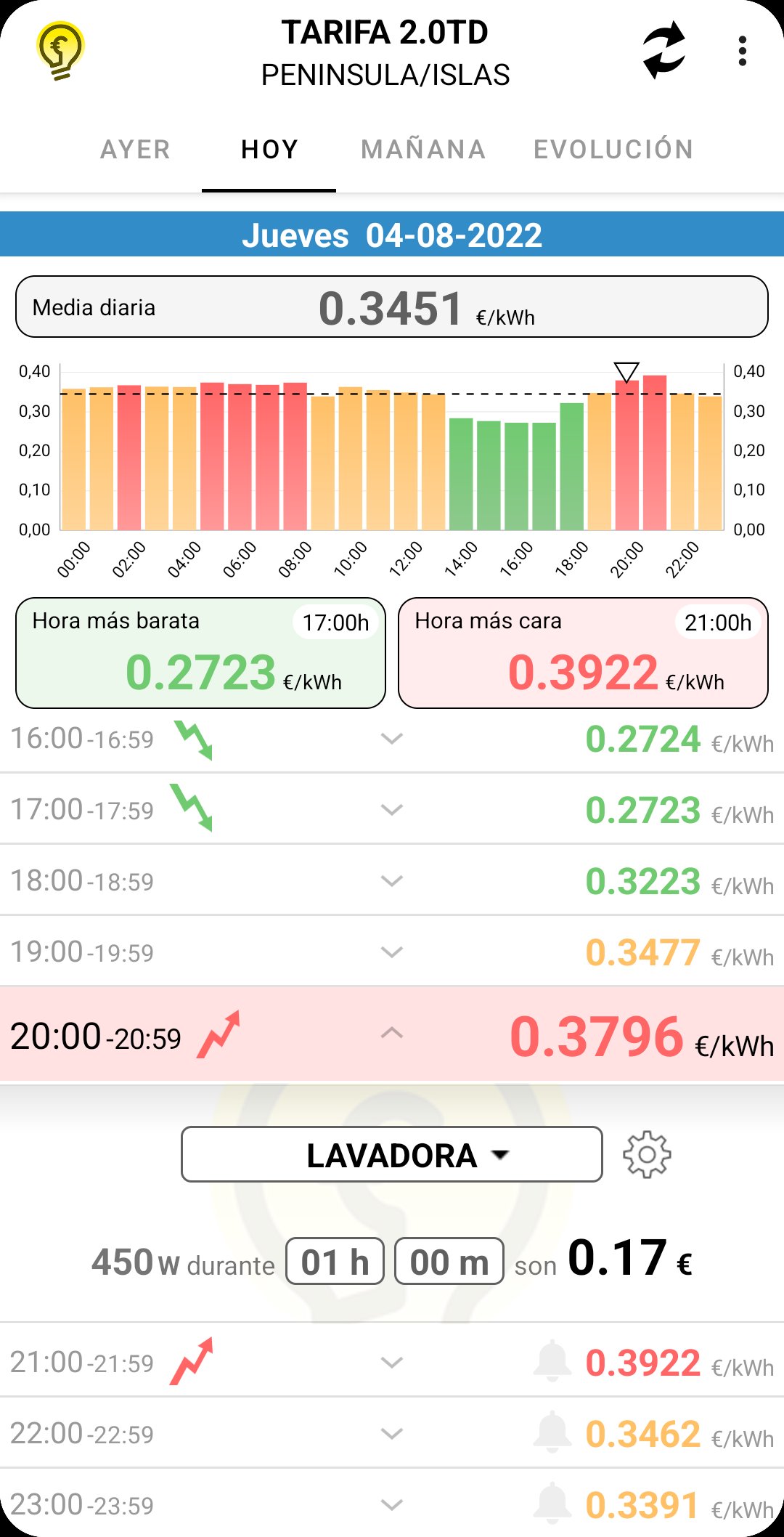
PVPCApp shows the price of electricity on the regulated market (PVPC) in real time and helps you plan your electricity consumption in advance.
It also includes a price comparison tool for electricity tariffs on the free market.
DESCRIPTION:
- The first three tabs show the prices for the current day, the previous day, and the next day; by hour, by color, and with an interactive graph for easy visualization.
Prices for each day are available, barring delays from the electricity provider, at 8:30 PM the previous day. Every day, unless disabled in the settings, the app will notify you when the next day's prices are available.
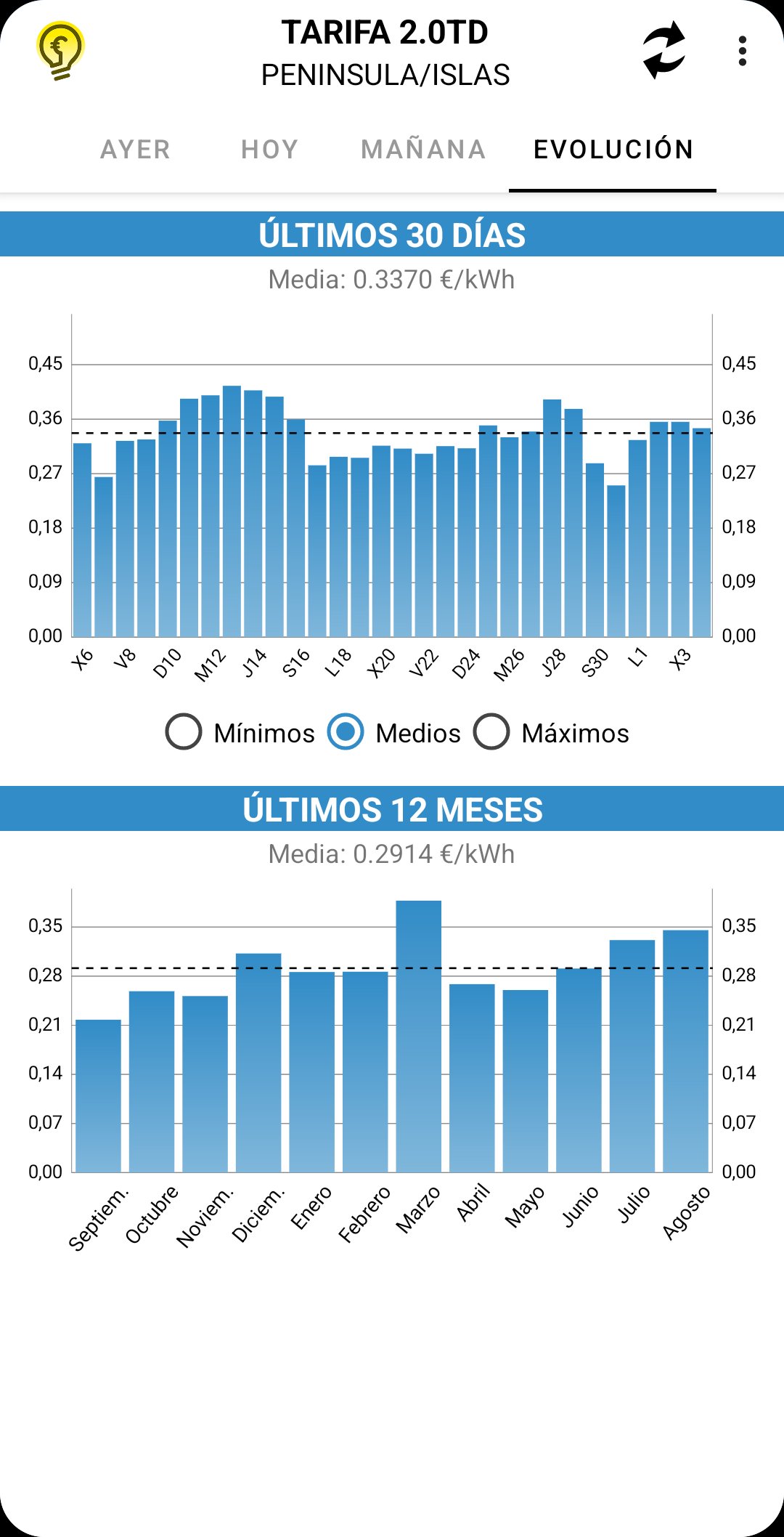
- The fourth tab (Trend) shows the minimum, average, and maximum prices for the last 30 days and the average price for the last 12 months.
- You can also see the daily energy prices for surplus self-consumption by accessing the app's settings dropdown menu.
- Finally, also through the settings dropdown menu, we have a free market tariff comparison tool. With this, we can find out if it's better to stay on the regulated market or switch to the free market. Simply enter your consumption data from your bill, and the app will calculate the price for the different tariffs. These days, unless you're a beneficiary of the social tariff, the free market is usually cheaper.
EXTRA FEATURES:
- Activate alarms that will display a notification at the selected time. It's as simple as tapping the gray bell icon in each time slot.
- Two widget sizes that you can add to your home screen to see the current energy price, the daily maximum, minimum, and average.
- Appliance cost calculator. Tapping on each time slot opens a section where you can select an appliance and the duration of its use to obtain its cost in euros. The calculation takes into account the price of the hour the appliance is switched on and subsequent hours if it operates for more than one hour.
You can customize the appliance list by adding, removing, or modifying existing appliances using the gear icon to the right of the dropdown menu.
Try scheduling your highest-consumption appliances to switch on during the cheapest hours of the day to reduce your monthly bill.
Start saving with PVPCApp!
Note: Prices correspond to tariff 2.0TD for power up to 10 kW and can be verified on the Red Eléctrica de España website:
https://www.esios.ree.es/es/pvpc
Please send any suggestions, bug reports, or comments to pvpcapp.app@gmail.com. Thank you.
Preview
Tags
House-&Information
Developer
TheMauSoft
Latest Version
1.48
Last Updated
2026-07-02
Category
House-home
Available on
Google Play
Show More
How to play PVPCApp - Precios Luz with GameLoop on PC
1. Download GameLoop from the official website, then run the exe file to install GameLoop
2. Open GameLoop and search for “PVPCApp - Precios Luz” , find PVPCApp - Precios Luz in the search results and click “Install”
3. Enjoy playing PVPCApp - Precios Luz on GameLoop
Minimum requirements
OS
Windows 8.1 64-bit or Windows 10 64-bit
GPU
GTX 1050
CPU
i3-8300
Memory
8GB RAM
Storage
1GB available space
Recommended requirements
OS
Windows 8.1 64-bit or Windows 10 64-bit
GPU
GTX 1050
CPU
i3-9320
Memory
16GB RAM
Storage
1GB available space