
Weight Tracker - WeightLog PC
despDev
Download Weight Tracker - WeightLog on PC With GameLoop Emulator
Weight Tracker - WeightLog sa PC
Ang Weight Tracker - WeightLog, na nagmumula sa developer na despDev, ay tumatakbo sa Android systerm sa nakaraan.
Ngayon, maaari mong laruin ang Weight Tracker - WeightLog sa PC gamit ang GameLoop nang maayos.
I-download ito sa GameLoop library o mga resulta ng paghahanap. Hindi na tumitingin sa baterya o nakakadismaya na mga tawag sa maling oras.
I-enjoy lang ang Weight Tracker - WeightLog PC sa malaking screen nang libre!
Weight Tracker - WeightLog Panimula
Looking for the best weight tracker app? WeightLog helps you track your weight loss journey with charts, body measurement tracking, and Health Connect sync.
Whether you want to lose weight, gain muscle, or simply monitor your health — this weight tracker gives you everything you need to see real progress and feel happy about your results.
**WEIGHT TRACKING MADE SIMPLE**
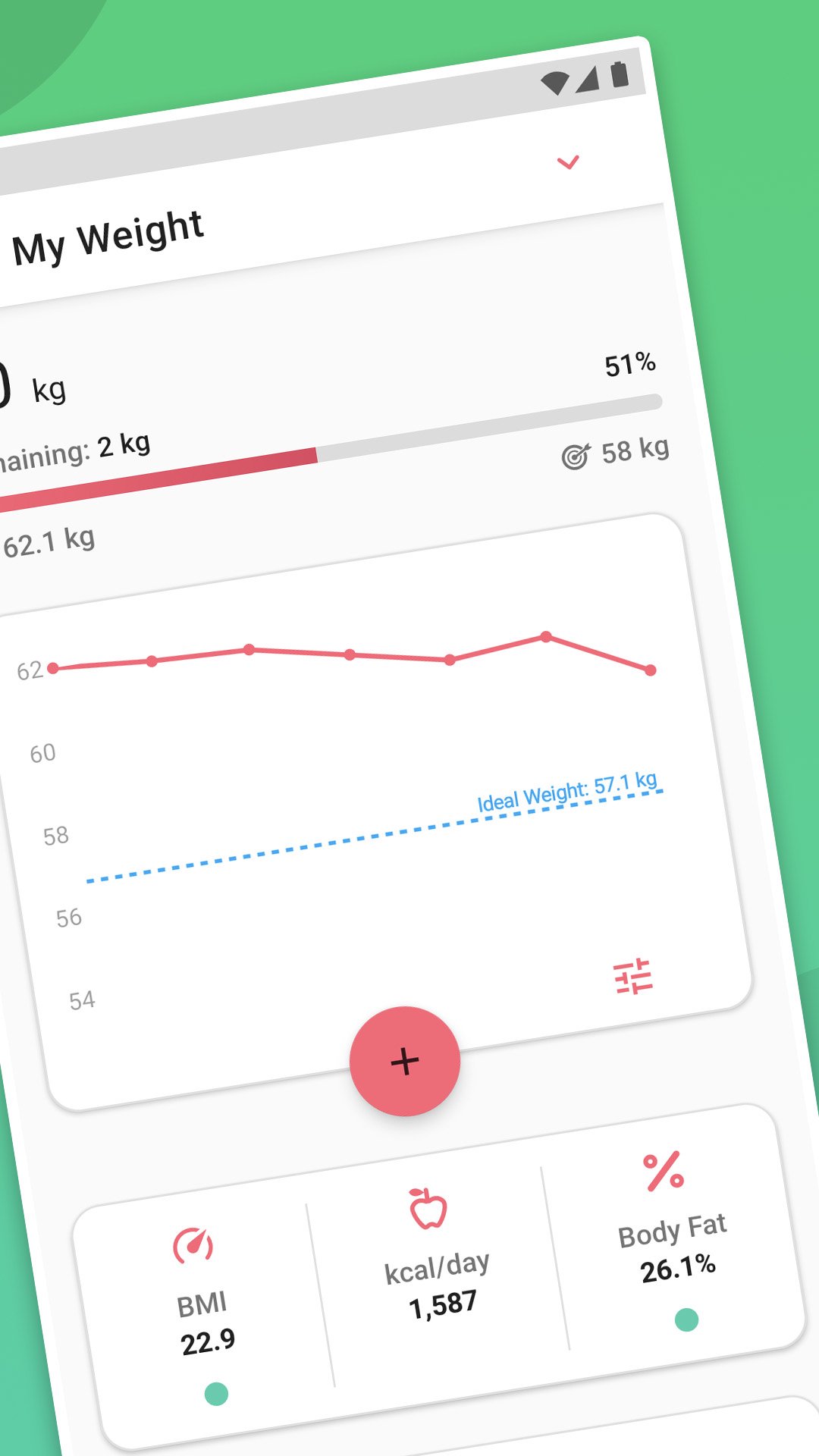
Add your weight in seconds. This weight loss tracker shows your progress with beautiful interactive charts. Set your goal and watch yourself get closer every day. Supports kg, lb, and stones — whatever works for you.
Unlike other apps, WeightLog is designed to make you happy with every step of your journey. No complicated setup. No confusing features. Just simple, effective weight tracking.
**BODY MEASUREMENT TRACKER**
Go beyond the scale. Track your waist, hips, chest, biceps, thighs, and more. The body measurement tracker shows how your body is really changing — even when the number on your scale stays the same.
This is what makes WeightLog different from a simple weight tracker. You see the full picture of your transformation.
**HEALTH CONNECT & SMART SCALE SYNC**
Seamlessly sync your weight data with Google Health Connect. Connect your smart scale and import data automatically. Export your progress to other health apps. Your health data, all in one place.
Health Connect integration means WeightLog works perfectly with your existing fitness ecosystem.
**BODY WEIGHT CALCULATORS & HEALTH TOOLS**
- BMI calculation with every weigh-in
- Body fat percentage estimation
- Daily calorie calculator based on your goals
- Calories burned calculator
- Heart rate zone calculator
- Waist-to-height ratio assessment
Use the weight calculator, body fat estimator, and other built-in tools to understand your body better — no separate apps needed.
**PROGRESS CHARTS & STATISTICS**
Visualize your weight loss journey with interactive charts. Track trends over 2 weeks, 1 month, 6 months, or a full year. See your average weight, progress percentage, and how close you are to your goal.
The weight tracker charts make it easy to spot patterns and stay motivated.
**HOME SCREEN WIDGETS**
Check your progress without opening the app. Add new weight entries directly from your home screen widget. This weight app keeps you on track effortlessly.
**PHOTO TRACKING**
Capture your transformation with before-and-after photos. Sometimes the mirror shows progress the scale can't measure. Compare photos side by side and celebrate how far you've come.
**MULTI-PROFILE SUPPORT (Premium)**
Track weight for your whole family in one app. Create separate profiles with individual goals, measurements, and progress charts. Perfect for couples, families, or fitness coaches who need a weight tracker for multiple people.
**GOOGLE DRIVE BACKUP (Premium)**
Never lose your weight loss data. Back up to Google Drive and restore anytime. Your progress is always safe and secure.
**WHY CHOOSE WEIGHTLOG?**
This weight tracker app focuses on what matters: tracking your weight and body measurements with zero friction. No calorie counting required. No meal logging. Just simple, beautiful tracking that keeps you motivated and happy.
Research shows that people who track their weight regularly achieve better results. WeightLog makes building this healthy habit easy and enjoyable.
**GET STARTED FOR FREE**
Download this weight loss tracker and take the first step toward your healthiest self. Set your goal, track your progress, and celebrate every milestone.
Your transformation starts now.
Preview
Tags
Health-&Information
Developer
despDev
Latest Version
4.8.6
Last Updated
2026-07-14
Category
Health-fitness
Available on
Google Play
Show More
How to play Weight Tracker - WeightLog with GameLoop on PC
1. Download GameLoop from the official website, then run the exe file to install GameLoop
2. Open GameLoop and search for “Weight Tracker - WeightLog” , find Weight Tracker - WeightLog in the search results and click “Install”
3. Enjoy playing Weight Tracker - WeightLog on GameLoop
Minimum requirements
OS
Windows 8.1 64-bit or Windows 10 64-bit
GPU
GTX 1050
CPU
i3-8300
Memory
8GB RAM
Storage
1GB available space
Recommended requirements
OS
Windows 8.1 64-bit or Windows 10 64-bit
GPU
GTX 1050
CPU
i3-9320
Memory
16GB RAM
Storage
1GB available space