
Rino: Safe citizens 24/7 PC
WeHelp Security
Download Rino: Safe citizens 24/7 on PC With GameLoop Emulator
Rino: Safe citizens 24/7 sa PC
Ang Rino: Safe citizens 24/7, na nagmumula sa developer na WeHelp Security, ay tumatakbo sa Android systerm sa nakaraan.
Ngayon, maaari mong laruin ang Rino: Safe citizens 24/7 sa PC gamit ang GameLoop nang maayos.
I-download ito sa GameLoop library o mga resulta ng paghahanap. Hindi na tumitingin sa baterya o nakakadismaya na mga tawag sa maling oras.
I-enjoy lang ang Rino: Safe citizens 24/7 PC sa malaking screen nang libre!
Rino: Safe citizens 24/7 Panimula
Stay safe and connected with Rino. The all-in-one safety app combines the best of Life360, ADT, and Citizen safety features to help you stay safe, connected, and informed, providing you with the highest level of protection and peace of mind.
Rino is the perfect companion for you, your home, and your family. Protect your loved ones and important stuff with comprehensive safety features for life at home, and on the go.
SOME OF OUR FEATURES:
24/7 access to Rino’s professional security team on-demand: Our security team is available 24/7 to monitor your safety, get assistance in any situation and provide the help you need in an emergency. All Rino agents are trained in first aid, emergency response, and crisis management.
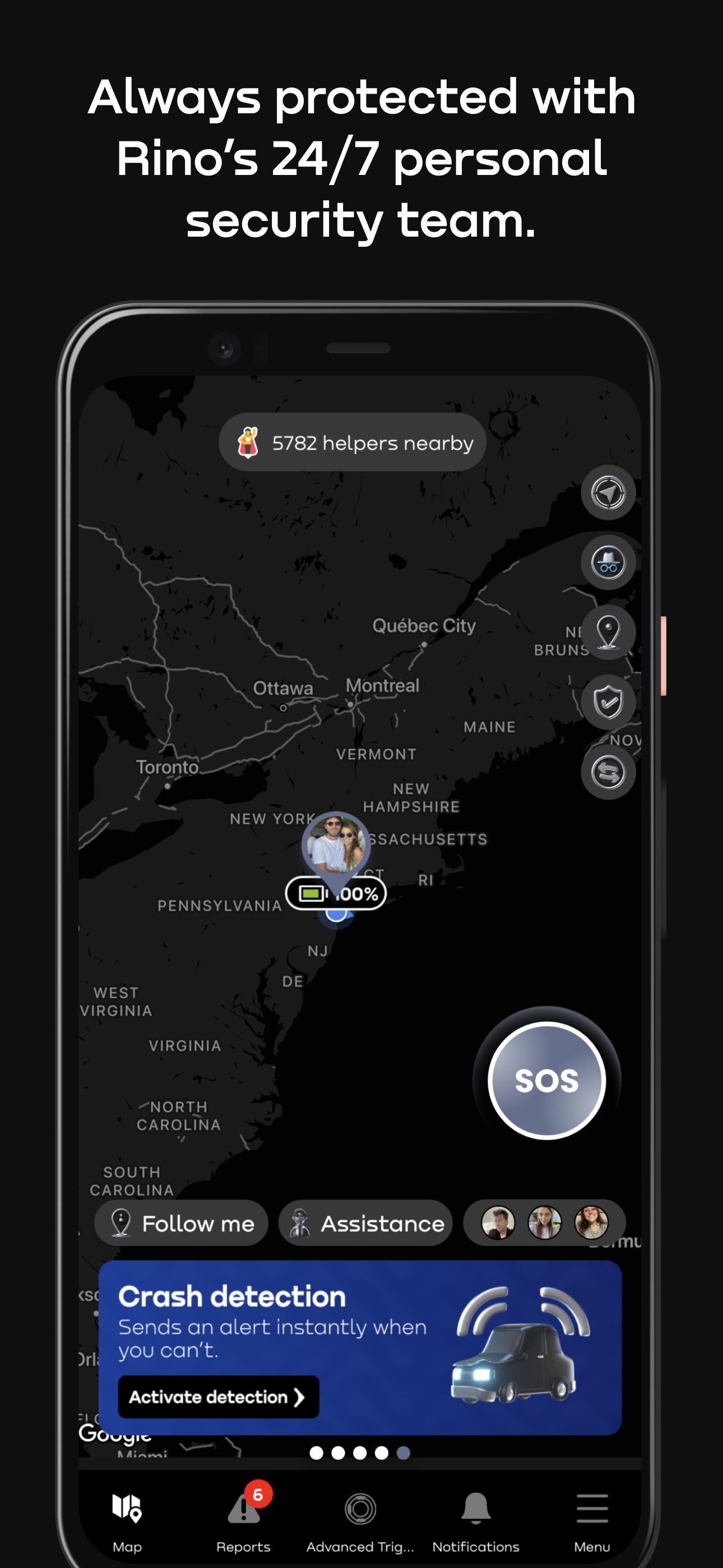
See friends & family on your private map: Know their safety status and phone battery at a glance. Rino also keeps you informed on where your family is, with location tracking and real-time alerts when they come and go from places like home, school, and work or are near danger.
Live monitoring: You can request our security team to monitor your live location, audio, and video, to make sure you are always safe and protected. In case of an emergency, they can provide immediate assistance, alert other verified helper users, call 911, and more.
SOS panic button to request help in any emergency: Press the SOS button for 3 seconds to request help. Our security team, your emergency contacts, and nearby verified helpers will be notified right away.
Smart preventive system: Our smart system can detect unusual or potentially unsafe situations and check in on you to make sure you are safe.
Nearby report alerts: Stay up to date with the latest news in your area! Receive notifications of nearby reports from other users and breaking news in your city.
Crash detection: Our detection system can detect if you've been in a collision and call for help when you can't.
Fall detection: Our detection system can detect if you've suffered a fall and call for help when you can't.
WeCare: Earn points and use them to help social causes in our WeCare program and give back to your community.
Rino = ADT + Life360 + Citizen. It offers the family and location tracking of Life360, the real-time report notifications of Citizen, but worldwide, and the robust security monitoring of ADT, all in one powerful package.
With Rino, users can enjoy comprehensive protection and peace of mind, knowing that they have the most advanced tools available to keep them and their loved ones safe.
Rino available memberships: Personal $14.99/mo and Family $44.99/mo
Download Rino and safeguard your loved ones and yourself.
Disclaimer: Continued usage of location services while the app is in the background can excessively drain battery. But not to worry, our location technology and our algorithms always keep battery usage to a minimum, even while you're on the move!
PS: Wehelp is now Rino
Preview

Tags
Health-&Information
Developer
WeHelp Security
Latest Version
5.4.3.13
Last Updated
2023-02-17
Category
Health-fitness
Available on
Google Play
Show More
How to play Rino: Safe citizens 24/7 with GameLoop on PC
1. Download GameLoop from the official website, then run the exe file to install GameLoop
2. Open GameLoop and search for “Rino: Safe citizens 24/7” , find Rino: Safe citizens 24/7 in the search results and click “Install”
3. Enjoy playing Rino: Safe citizens 24/7 on GameLoop
Minimum requirements
OS
Windows 8.1 64-bit or Windows 10 64-bit
GPU
GTX 1050
CPU
i3-8300
Memory
8GB RAM
Storage
1GB available space
Recommended requirements
OS
Windows 8.1 64-bit or Windows 10 64-bit
GPU
GTX 1050
CPU
i3-9320
Memory
16GB RAM
Storage
1GB available space