
KineStop: Car sickness aid PC
Urbandroid (Petr Nálevka)
Download KineStop: Car sickness aid on PC With GameLoop Emulator
KineStop: Car sickness aid sa PC
Ang KineStop: Car sickness aid, na nagmumula sa developer na Urbandroid (Petr Nálevka), ay tumatakbo sa Android systerm sa nakaraan.
Ngayon, maaari mong laruin ang KineStop: Car sickness aid sa PC gamit ang GameLoop nang maayos.
I-download ito sa GameLoop library o mga resulta ng paghahanap. Hindi na tumitingin sa baterya o nakakadismaya na mga tawag sa maling oras.
I-enjoy lang ang KineStop: Car sickness aid PC sa malaking screen nang libre!
KineStop: Car sickness aid Panimula
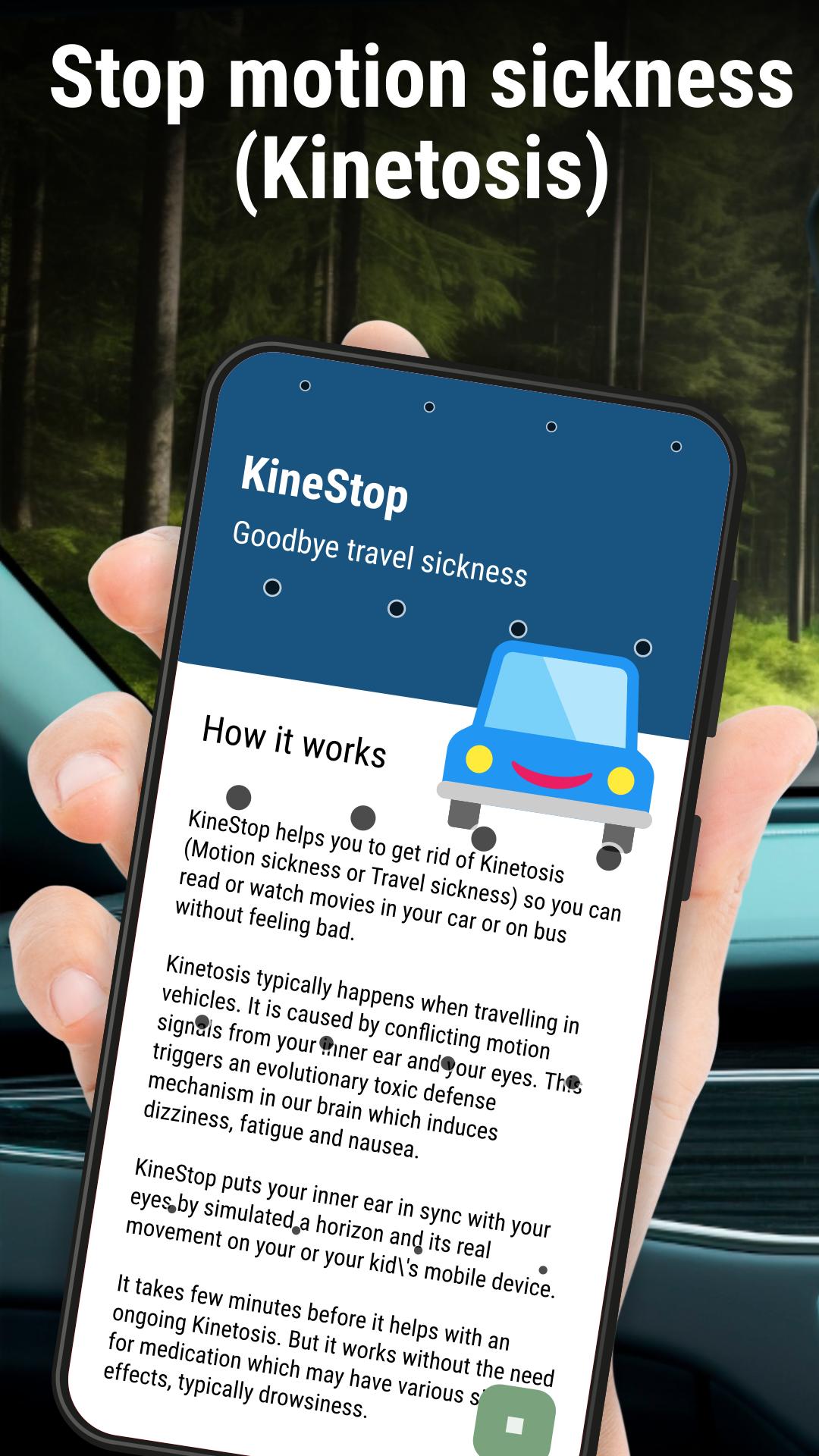
Get rid of Kinetosis (Motion sickness, or Travel sickness) - read or watch movies in your car or on the bus without feeling sick.
UPDATE: While Android users have been enjoying a motion sickness-free experience with this app for years since 2018, the same concept is just coming to Apple iOS with their Vehicle Motion Cues.
Kinetosis typically occurs when traveling in vehicles. It is caused by conflicting motion signals from your inner ear and eyes. This triggers an ancient toxic defense mechanism in our brain that causes dizziness, fatigue, and nausea.
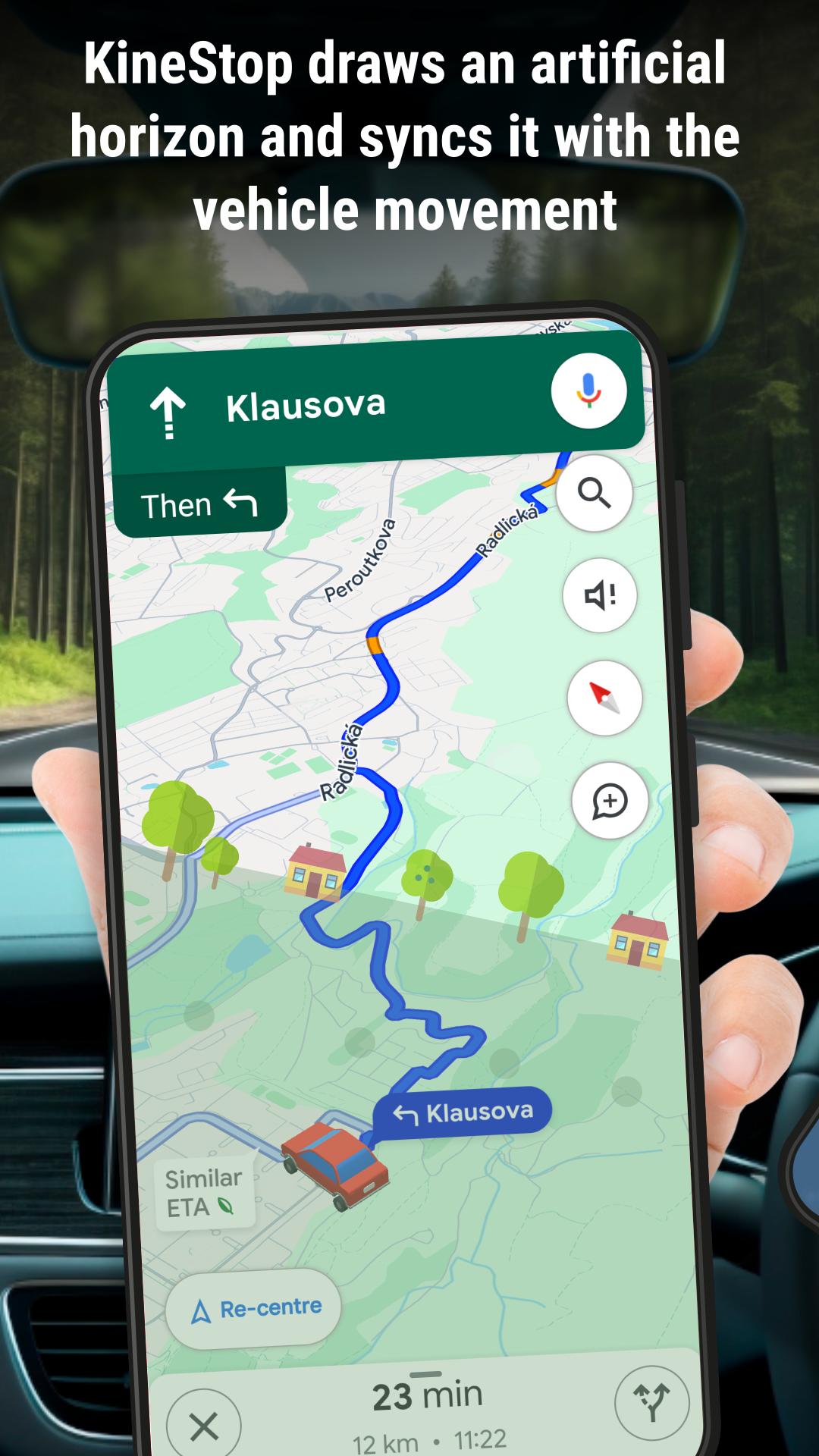
KineStop gets you back on track. It synchronizes your inner ear with your eyes by simulating a horizon on your or your children's mobile devices so you can read or watch movies without distraction.
It takes a few minutes before it helps with ongoing kinetosis. But it works without the need for medication, which can have various side effects such as drowsiness.
KineStop draws the artificial horizon on any screen so you can continue to use your favorite movie player or e-book reader.
Preview
Tags
Health-&Information
Developer
Urbandroid (Petr Nálevka)
Latest Version
4.0
Last Updated
2025-05-28
Category
Health-fitness
Available on
Google Play
Show More
How to play KineStop: Car sickness aid with GameLoop on PC
1. Download GameLoop from the official website, then run the exe file to install GameLoop
2. Open GameLoop and search for “KineStop: Car sickness aid” , find KineStop: Car sickness aid in the search results and click “Install”
3. Enjoy playing KineStop: Car sickness aid on GameLoop
Minimum requirements
OS
Windows 8.1 64-bit or Windows 10 64-bit
GPU
GTX 1050
CPU
i3-8300
Memory
8GB RAM
Storage
1GB available space
Recommended requirements
OS
Windows 8.1 64-bit or Windows 10 64-bit
GPU
GTX 1050
CPU
i3-9320
Memory
16GB RAM
Storage
1GB available space