Running & Cycling Tracker App PC
Caynax
Download Running & Cycling Tracker App on PC With GameLoop Emulator
Running & Cycling Tracker App sa PC
Ang Running & Cycling Tracker App, na nagmumula sa developer na Caynax, ay tumatakbo sa Android systerm sa nakaraan.
Ngayon, maaari mong laruin ang Running & Cycling Tracker App sa PC gamit ang GameLoop nang maayos.
I-download ito sa GameLoop library o mga resulta ng paghahanap. Hindi na tumitingin sa baterya o nakakadismaya na mga tawag sa maling oras.
I-enjoy lang ang Running & Cycling Tracker App PC sa malaking screen nang libre!
Running & Cycling Tracker App Panimula
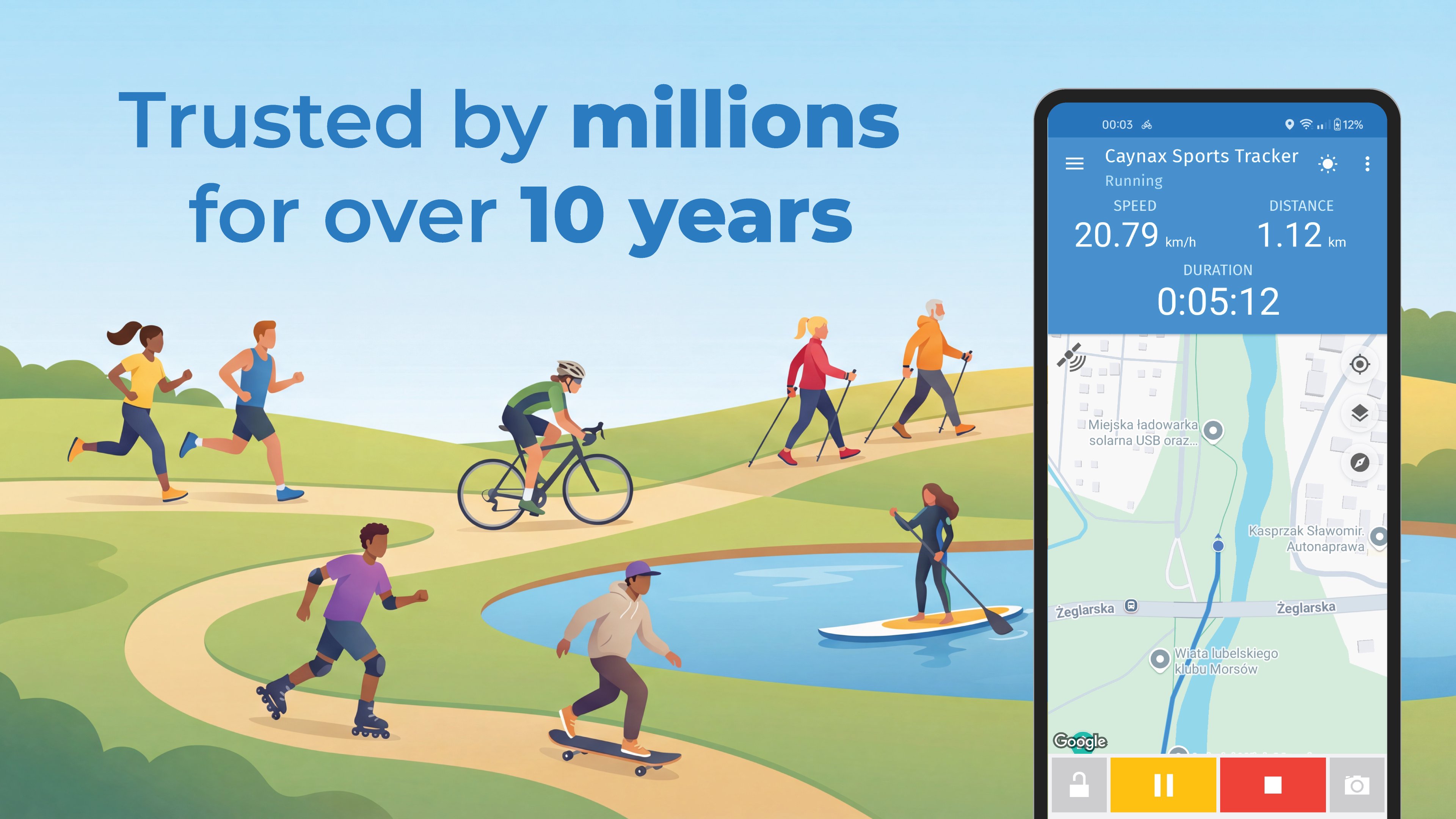
Caynax Sports Tracker helps you track walking, running, cycling, and hiking. Monitor distance, pace, and routes in real time using precise location tracking, and stay motivated by following your fitness progress over time.
Designed for beginners and experienced athletes alike, this training companion lets you analyze performance and record every workout without needing an account. Measure steps, map your walks, and improve endurance during outdoor workouts and daily training.
🏆 WHY CHOOSE CAYNAX AS YOUR FITNESS TRACKER?
• Privacy First: A no account fitness app that requires no registration. Your data stays securely on your device.
• Free & User-Friendly: Access advanced features without hidden fees or login hassles.
• Lightweight & Fast: A battery-efficient activity tracker and running tracker that saves your memory.
• Customizable View: Choose to see speed, pace, altitude, moving time, steps, or heart rate data.
🔥 SMART GPS RECORDING:
• Precise GPS Tracker: Monitor your route live using Google Maps or OpenStreetMap.
• Follow Route: Stay on track by importing GPX, TCX, or KML files to use our route tracker.
• Auto-Pause & Stop: The app pauses when you stop moving and can finish the session when you return home.
• Voice Coach (TTS): Get audio cues about distance, speed, and burn calories without looking at the screen.
📊 ANALYSIS & PERFORMANCE:
• Detailed History: Every session is saved in your training log. Review your history and build a fitness diary to track long-term progress.
• Terrain & Altitude: Check min/max altitude plus Total Elevation Gain & Loss - essential for a hiking tracker.
• Advanced Map View: See your route recording line change color based on speed or altitude.
• Charts & Splits: Analyze pace, speed, and altitude trends on clear charts using the distance tracker and pace tracker.
🏃 30+ ACTIVITIES FOR ALL OUTDOOR WORKOUTS:
• On Foot: Perfect for Walking, Hiking, Running (Jogging), Nordic Walking, and Walking upstairs.
• Cycling & Wheels: Professional cycling tracker modes cover Riding a bike, Mountain biking, or using your phone as a bike computer. Also supports Rollerskating and Skateboarding.
• Water & Winter Sports: Record Kayaking, Rowing, Swimming, or SUP. In winter, enjoy Cross country skiing or Snowboarding.
• Inclusive Fitness: Includes support for Wheelchair users and Horse riding.
⚙️ ADVANCED CONNECTIVITY:
• External Sensors: Connect Bluetooth Heart Rate monitors for accurate monitoring and calorie counter calculation.
• Data Export: Easily export your workouts to GPX and TCX formats.
• Ecosystem: Sync with Health Connect (Google Fit, Samsung Health) and use Cloud Backup on Google Drive.
• Wear OS: Full support for smartwatches to keep your running app stats on your wrist.
📈 GOALS & MOTIVATION:
• My Goals: Set weekly, monthly, or yearly targets, track steps with a pedometer, and review your achievements with recaps.
• Personal Records: Check your fastest 1 km, longest distance, or highest calorie burn in your training log.
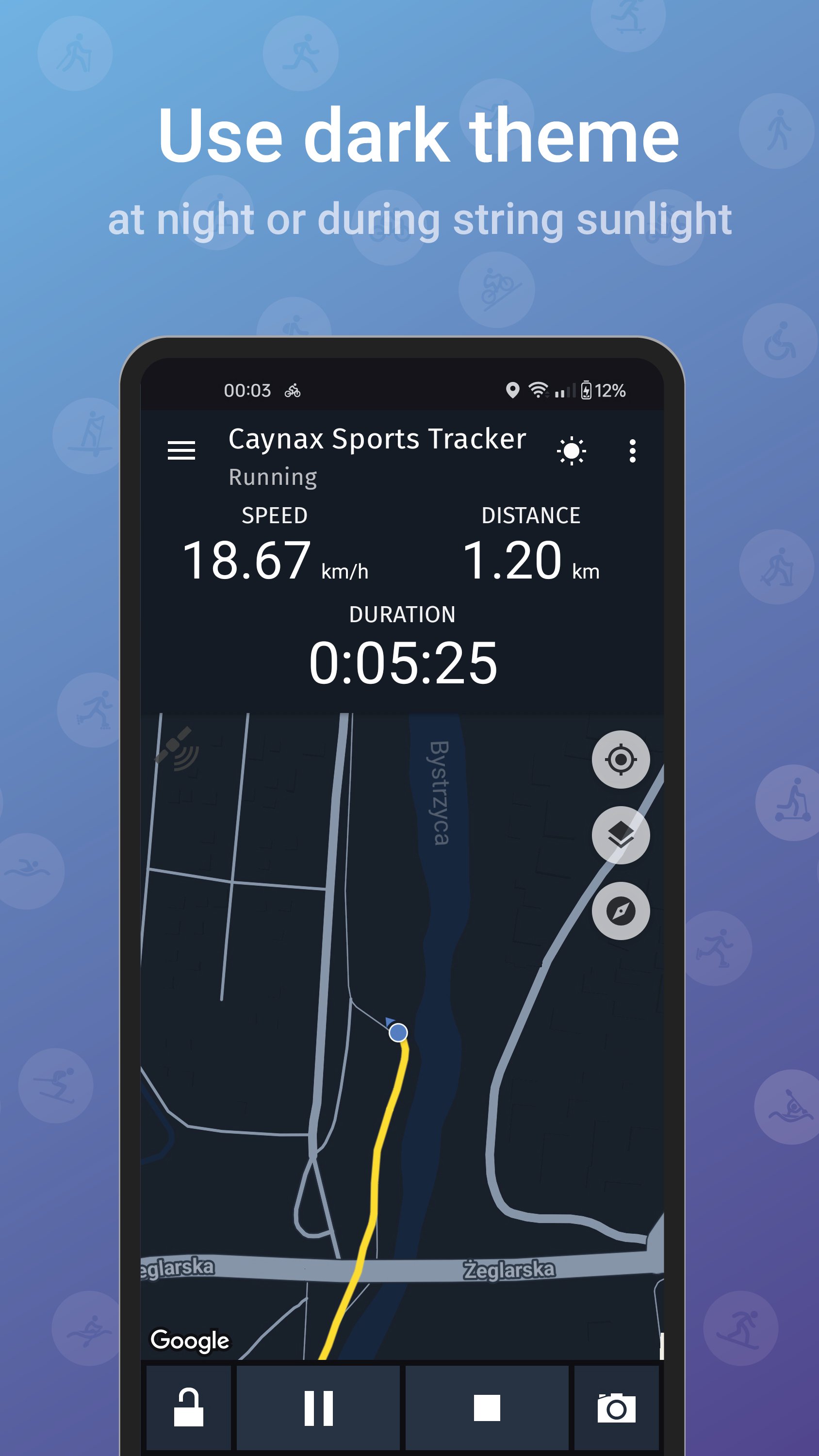
• Places & Dark Mode: Mark interesting places with photos and use Dark Mode to reduce eye strain.
• Share Success: Post your distance results, maps, and goal progress bars on Facebook or X.
Ready to transform your routine? Download Caynax Sports Tracker now and turn your phone into a powerful fitness companion for running, cycling, walking, and outdoor training. Track your progress, stay motivated, and take full control of your health with a simple, accurate, and privacy-focused app.
Preview
Tags
Health-&BoardInformation
Developer
Caynax
Latest Version
15.3.2
Last Updated
2026-06-11
Category
Health-fitness
Available on
Google Play
Show More
How to play Running & Cycling Tracker App with GameLoop on PC
1. Download GameLoop from the official website, then run the exe file to install GameLoop
2. Open GameLoop and search for “Running & Cycling Tracker App” , find Running & Cycling Tracker App in the search results and click “Install”
3. Enjoy playing Running & Cycling Tracker App on GameLoop
Minimum requirements
OS
Windows 8.1 64-bit or Windows 10 64-bit
GPU
GTX 1050
CPU
i3-8300
Memory
8GB RAM
Storage
1GB available space
Recommended requirements
OS
Windows 8.1 64-bit or Windows 10 64-bit
GPU
GTX 1050
CPU
i3-9320
Memory
16GB RAM
Storage
1GB available space