แคลอรี่ ไดอารี่: AI สแกนอาหาร PC
Dimo Company Limited
Download แคลอรี่ ไดอารี่: AI สแกนอาหาร on PC With GameLoop Emulator
แคลอรี่ ไดอารี่: AI สแกนอาหาร sa PC
Ang แคลอรี่ ไดอารี่: AI สแกนอาหาร, na nagmumula sa developer na Dimo Company Limited, ay tumatakbo sa Android systerm sa nakaraan.
Ngayon, maaari mong laruin ang แคลอรี่ ไดอารี่: AI สแกนอาหาร sa PC gamit ang GameLoop nang maayos.
I-download ito sa GameLoop library o mga resulta ng paghahanap. Hindi na tumitingin sa baterya o nakakadismaya na mga tawag sa maling oras.
I-enjoy lang ang แคลอรี่ ไดอารี่: AI สแกนอาหาร PC sa malaking screen nang libre!
แคลอรี่ ไดอารี่: AI สแกนอาหาร Panimula
Start taking care of your health, losing weight, or building muscle easier than ever with Calorie Diary, a calorie counting app featuring AI food scanning from images and AI food search. It boasts a large database of Thai and international dishes, along with comprehensive nutrition recording tools all in one app.
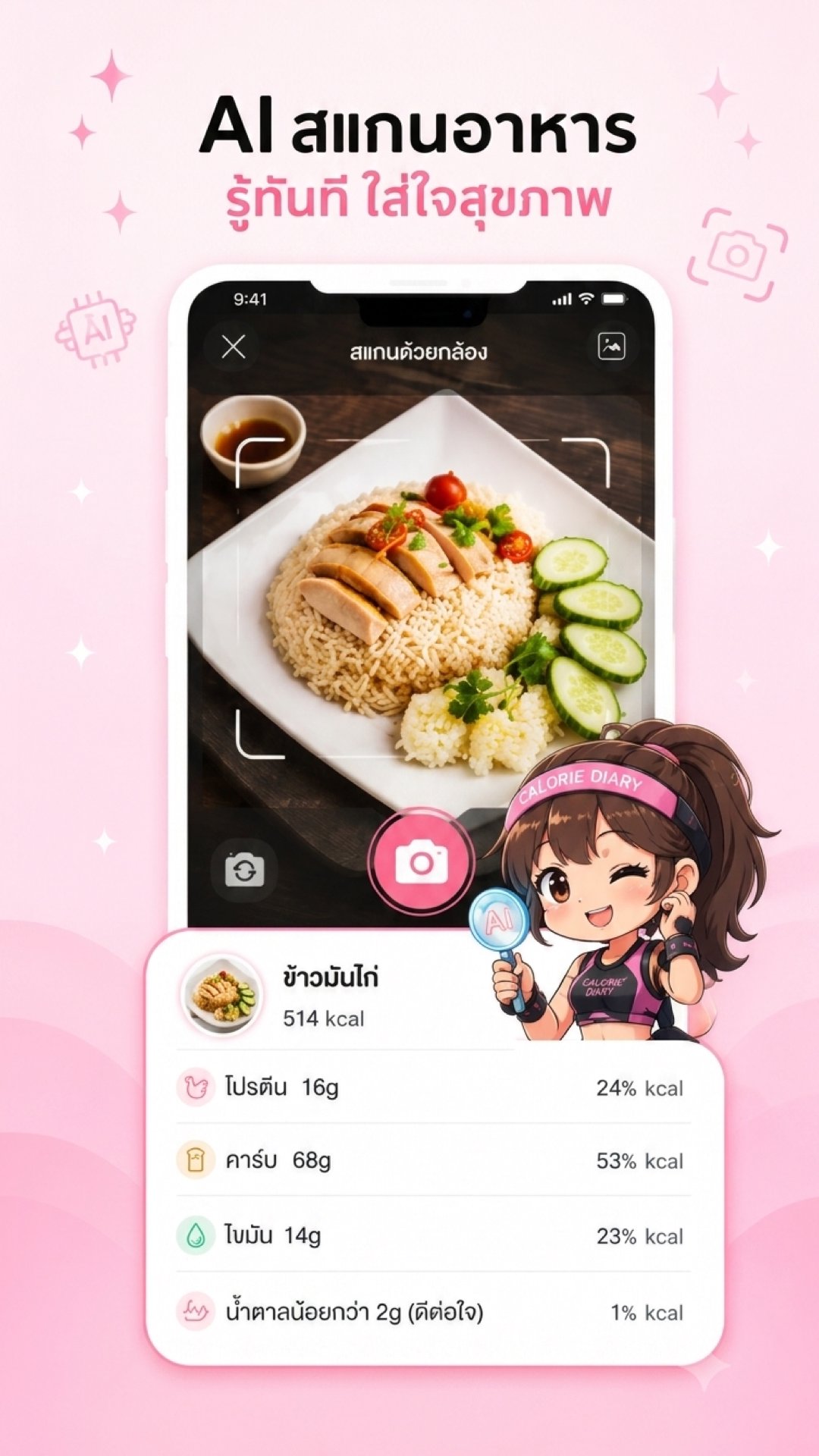
Simply take a picture of your food, and the AI will analyze the menu, estimate calories, and display nutritional information such as protein, carbohydrates, fat, sugar, and sodium. This makes calorie counting and diet control easy, whether it's Thai food, Japanese food, Korean food, Chinese food, fast food, or homemade meals.
Effective weight loss starts with eating the right foods. Calorie Diary will calculate your recommended daily calorie intake based on your body data and goals, and track your progress to help you lose weight, gain muscle, or maintain your health effectively.
New! Smart AI Features:
• AI Scan Meal: No more typing! Just open the camera and take a picture of the food on your plate. The AI will instantly analyze and record the calorie count and nutritional value. Convenient, fast, and accurate.
• AI Search: Find food and drink items easier and smarter than ever before. Break free from traditional search limitations and find the nutritional information you need in an instant.
Key Features:
• Extensive database of calories and nutrition information for Thai and international foods, including protein, fat, carbohydrates, sugar, sodium, cholesterol, and other nutrients.
• Scan barcodes of food and beverage products from convenience stores and supermarkets for instant nutritional information.
• Recommendations for appropriate daily calorie intake based on age, gender, height, weight, and goals.
• Adjust macronutrient ratios (Protein, Carbohydrate, Fat) to suit your fat loss or muscle-building goals.
• Record food and drink intake, weight, water consumption, and various body composition metrics, with BMI and BMR calculations.
• Daily weight, calorie, and progress graphs for clear visualization of results.
• Connect to Health Connect (on compatible devices) to synchronize health data such as weight, steps, and activity data.
• Step counting and walking competition with friends, allowing you to share achievements and track progress.
• A personal assistant to guide you through each day's tasks, making it easier to achieve your goals.
• Includes articles on health, weight loss, nutrition, and exercise. • Includes low-calorie menu examples and meal plans.
• Backup data via Google account, email, or Facebook for data security and easy device transfer.
• Easy to use, quick food recording, with cute characters and animations to motivate you to stay healthy.
Whether you want to count calories, control your diet, lose weight, gain muscle, AI-scan food, find nutritional information, or maintain long-term health, My Calorie Diary is here to help make every meal easier, more accurate, and more fun.
Premium Membership
Unlock additional features such as AI scanning, AI search, in-depth nutrition reports, and other exclusive features with 1-month and 1-year membership packages.
Subscriptions automatically renew at the end of the subscription period unless canceled before the renewal date. You can manage or cancel your subscription anytime through your Google Play account.
For details on the Terms of Use and Privacy Policy, please visit:
https://www.mycaloriediary.com/policy
Preview

Tags
Health-&Information
Developer
Dimo Company Limited
Latest Version
3.0.2
Last Updated
2026-07-25
Category
Health-fitness
Available on
Google Play
Show More
How to play แคลอรี่ ไดอารี่: AI สแกนอาหาร with GameLoop on PC
1. Download GameLoop from the official website, then run the exe file to install GameLoop
2. Open GameLoop and search for “แคลอรี่ ไดอารี่: AI สแกนอาหาร” , find แคลอรี่ ไดอารี่: AI สแกนอาหาร in the search results and click “Install”
3. Enjoy playing แคลอรี่ ไดอารี่: AI สแกนอาหาร on GameLoop
Minimum requirements
OS
Windows 8.1 64-bit or Windows 10 64-bit
GPU
GTX 1050
CPU
i3-8300
Memory
8GB RAM
Storage
1GB available space
Recommended requirements
OS
Windows 8.1 64-bit or Windows 10 64-bit
GPU
GTX 1050
CPU
i3-9320
Memory
16GB RAM
Storage
1GB available space