Unity Franks Box PC
gara-paranormal
Download Unity Franks Box on PC With GameLoop Emulator
Unity Franks Box sa PC
Ang Unity Franks Box, na nagmumula sa developer na gara-paranormal, ay tumatakbo sa Android systerm sa nakaraan.
Ngayon, maaari mong laruin ang Unity Franks Box sa PC gamit ang GameLoop nang maayos.
I-download ito sa GameLoop library o mga resulta ng paghahanap. Hindi na tumitingin sa baterya o nakakadismaya na mga tawag sa maling oras.
I-enjoy lang ang Unity Franks Box PC sa malaking screen nang libre!
Unity Franks Box Panimula
Welcome to Unity Franks Box.
this is based on the actual Franks Box #153 using original #153 files.
the files have been cut up into fragments which will be picked at random and played through the three engines and players.
there has been echo added which is turned on and off via the E button and the level can be controlled via the slider.
the speed is controlled via the + and - buttons.
Unity Franks Box has full sweep control so you as the researcher or hobbyist can adjust the setting
so as to get meaningful research.
but please note this intended for paranormal investigations or commutation.
in memory of Frank Stumption
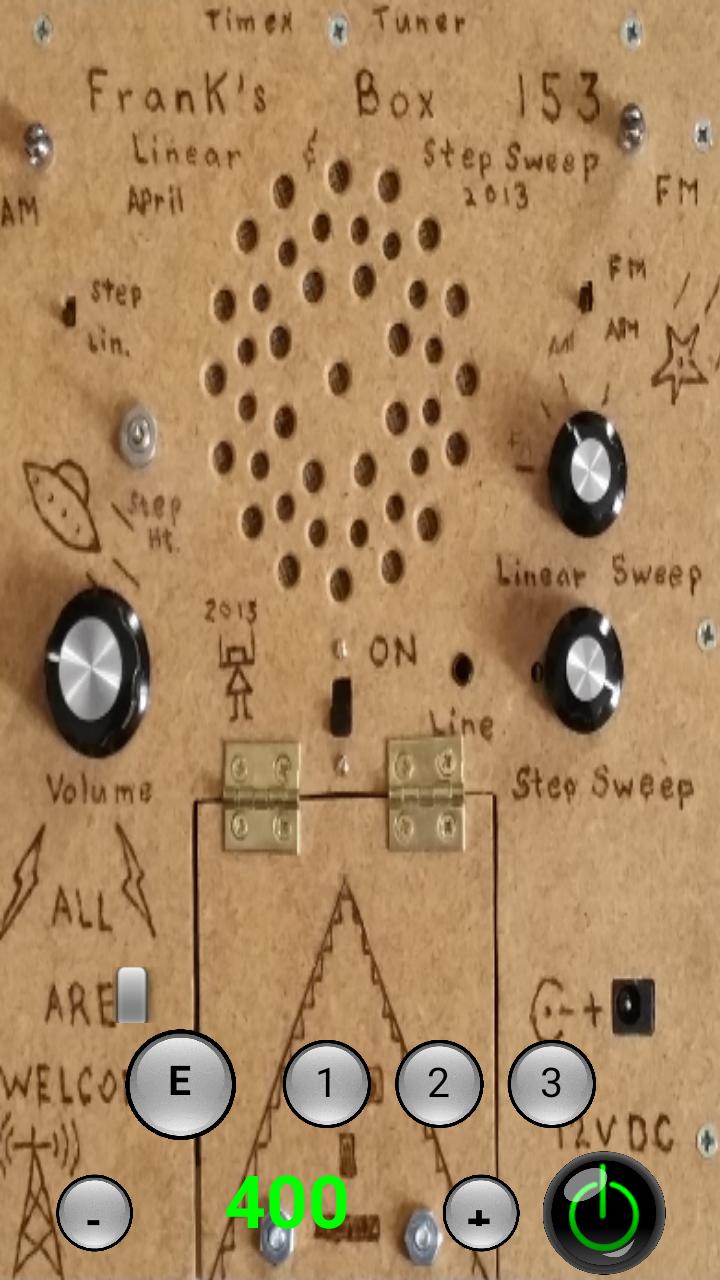
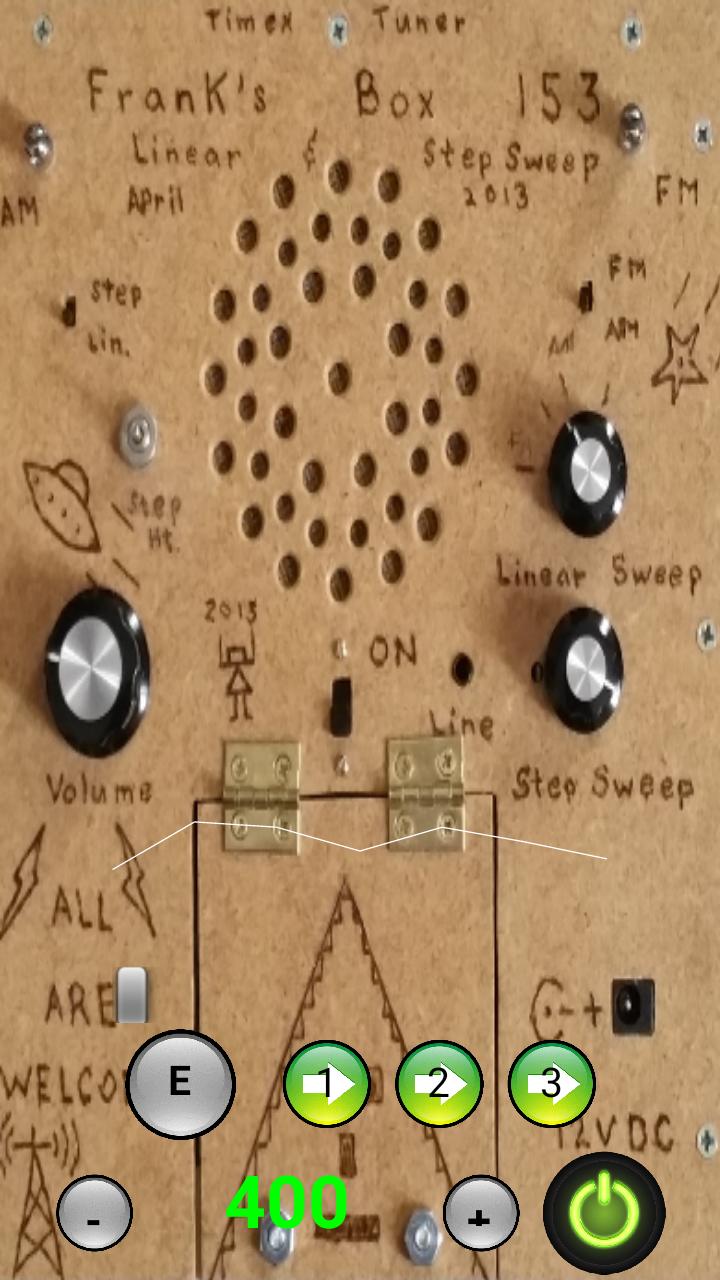
the buttons as follows:=
power is the bottom right to turn on and off
1 = turn on and off bank 1
2 = turn on and off bank 2
3 = turn on and off bank 3
E = turn on and off echo
slider above to control echo level
+ = increase audio playback and engine speed
- = decrease audio playback and engine speed
speed is shown in the number displayed between - and +
the sound wave above all shows the file fragment audio
Preview
Tags
EntertainmentInformation
Developer
gara-paranormal
Latest Version
3.5
Last Updated
2018-09-25
Category
Entertainment
Available on
Google Play
Show More
How to play Unity Franks Box with GameLoop on PC
1. Download GameLoop from the official website, then run the exe file to install GameLoop
2. Open GameLoop and search for “Unity Franks Box” , find Unity Franks Box in the search results and click “Install”
3. Enjoy playing Unity Franks Box on GameLoop
Minimum requirements
OS
Windows 8.1 64-bit or Windows 10 64-bit
GPU
GTX 1050
CPU
i3-8300
Memory
8GB RAM
Storage
1GB available space
Recommended requirements
OS
Windows 8.1 64-bit or Windows 10 64-bit
GPU
GTX 1050
CPU
i3-9320
Memory
16GB RAM
Storage
1GB available space