Download from TikTok HD No Wat PC
Goose Сompany
Download Download from TikTok HD No Wat on PC With GameLoop Emulator
Download from TikTok HD No Wat sa PC
Ang Download from TikTok HD No Wat, na nagmumula sa developer na Goose Сompany, ay tumatakbo sa Android systerm sa nakaraan.
Ngayon, maaari mong laruin ang Download from TikTok HD No Wat sa PC gamit ang GameLoop nang maayos.
I-download ito sa GameLoop library o mga resulta ng paghahanap. Hindi na tumitingin sa baterya o nakakadismaya na mga tawag sa maling oras.
I-enjoy lang ang Download from TikTok HD No Wat PC sa malaking screen nang libre!
Download from TikTok HD No Wat Panimula
Best Video Downloader for TikTok and try it now!
HD Video Downloader will be executed even for clips without the "Save Video" feature. Insert the link to a specific video and get it in original quality.
Reuse clips from this most engaging social media platform to diversify your content strategy across other platforms.
•Post as Instagram Reels & Stories
Reels are the most engaging type of content right now. So it’s the smartest way to gain an audience on IG by reusing TikTok videos. Share one or several clips tied to your niche on the IG account. You might get up to millions of views. There are many themed IG accounts that exclusively share TikTok videos and memes.
•Share TikTok in a Facebook community
If you run social networks for business, you might gather a target audience in various channels. Download TikTok videos for posting in the Facebook group. Also, share relevant downloaded TikTok in private chats with your customers or loyal audience.
•Increase the value of TikTok video download
Unite several clips and make selections of funny or niche-specific TikTok videos. You can create a unique video from various TikTok creators so that users who are interested in a particular topic can view it all at once. Post this selection on YouTube, Instagram, Facebook or other social networks.
•Save valuable clips to watch offline
TikTok is super competitive, so the users are incredibly creative and you will find lots of precious materials on this social. To have access to them offline, download the TikTok videos that you find most informative.
Is this TikTok downloader anonymous?
Yes, you can download TikTok even if you don't have a TikTok account. If a certain user blocked you or hid content from you, the downloader will download any file without logging into the application.
How much does it cost to download from TikTok?
You can download TikTok videos for free.
How does the TikTok downloader work?
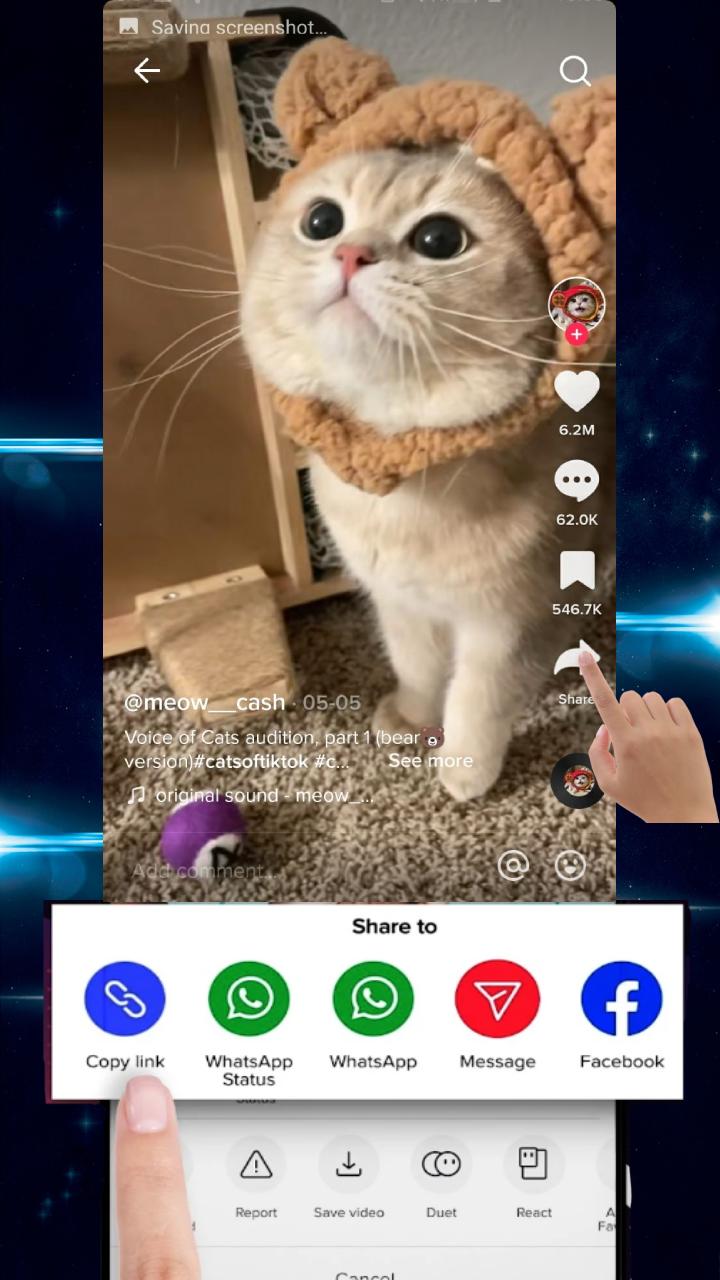
Use ‘Copy Link’
In order to download TikTok videos, even the ones that cannot be downloaded according to user settings – you just need to copy the link to the file.
- Step 1: Open the TikTok app.
- Step 2: Find the desired clip.
- Step 3: Tap on the arrow on the bottom right side of the screen.
- Step 4: Select the menu item "Copy link."
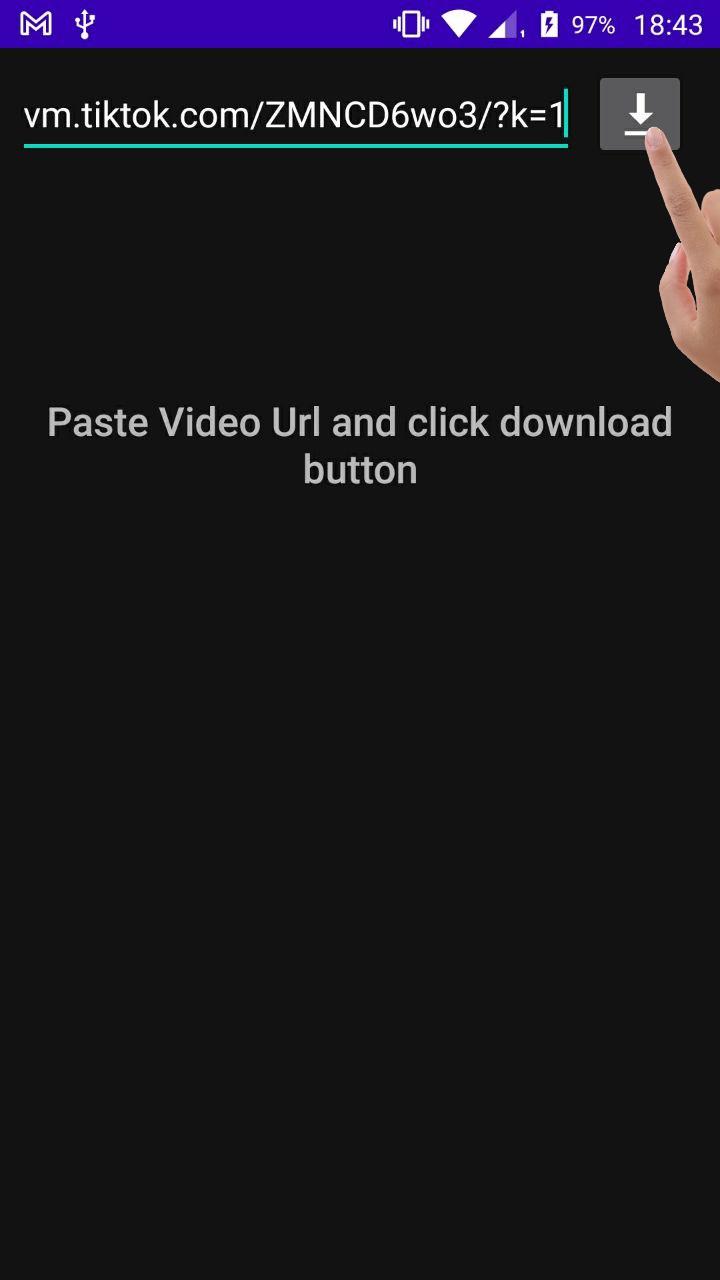
- Step 5: Paste this link into the TikTok Downloader Video URL field.
- Step 6: Click on the download button.
OR
Use ‘Share Link’
- Step 1: Open TikTok and click on the "Share Link" of the video you want to download.
- Step 2: Select TikTok Downloader video without watermark to share.
- Done! Save videos from tiktok will be downloaded automatically.
The file will appear on your phone and you can wath video or share with friends.
Where are the videos stored?
All videos will be saved in the gallery of your phone, in the “Download” folder
Features of video downloader for tiktok no watermark app:
-- No login required, 100% safe.
-- Download no watermark HD videos.
-- Easy-to-use, save tiktok video without watermark with one click.
-- Small size and lightweight.
-- Support offline viewing of downloaded videos.
-- Quickly share favorite videos to friends.
-- Unlimited times to download tiktok video no watermark.
-- Download video from tiktok in the background
- This app is only a download tool for TikTok and is not affiliated with TikTok.
Preview
Tags
EntertainmentInformation
Developer
Goose Сompany
Latest Version
1.0
Last Updated
2022-09-26
Category
Entertainment
Available on
Google Play
Show More
How to play Download from TikTok HD No Wat with GameLoop on PC
1. Download GameLoop from the official website, then run the exe file to install GameLoop
2. Open GameLoop and search for “Download from TikTok HD No Wat” , find Download from TikTok HD No Wat in the search results and click “Install”
3. Enjoy playing Download from TikTok HD No Wat on GameLoop
Minimum requirements
OS
Windows 8.1 64-bit or Windows 10 64-bit
GPU
GTX 1050
CPU
i3-8300
Memory
8GB RAM
Storage
1GB available space
Recommended requirements
OS
Windows 8.1 64-bit or Windows 10 64-bit
GPU
GTX 1050
CPU
i3-9320
Memory
16GB RAM
Storage
1GB available space