Silk TV Remote PC
Silknet JSC
Download Silk TV Remote on PC With GameLoop Emulator
Silk TV Remote sa PC
Ang Silk TV Remote, na nagmumula sa developer na Silknet JSC, ay tumatakbo sa Android systerm sa nakaraan.
Ngayon, maaari mong laruin ang Silk TV Remote sa PC gamit ang GameLoop nang maayos.
I-download ito sa GameLoop library o mga resulta ng paghahanap. Hindi na tumitingin sa baterya o nakakadismaya na mga tawag sa maling oras.
I-enjoy lang ang Silk TV Remote PC sa malaking screen nang libre!
Silk TV Remote Panimula
მართე Silk TV შენი სმარტფონით და პლანშეტით. ჩამოტვირთე პულტის აპლიკაცია უფასოდ, დაუკავშირე ტელევიზორს და Silk TV დეკოდერის (STB) სამართავად ისარგებლე შენთვის სასურველი მოწყობილობით.
ძირითადი ფუქნციები:
- არხის, გადაცემის, ფილმის დასახელებით ძებნა
- Silk TV არხების სრული ჩამონათვალი
- არხების ელექრონული TV პროგრამა (EPG)
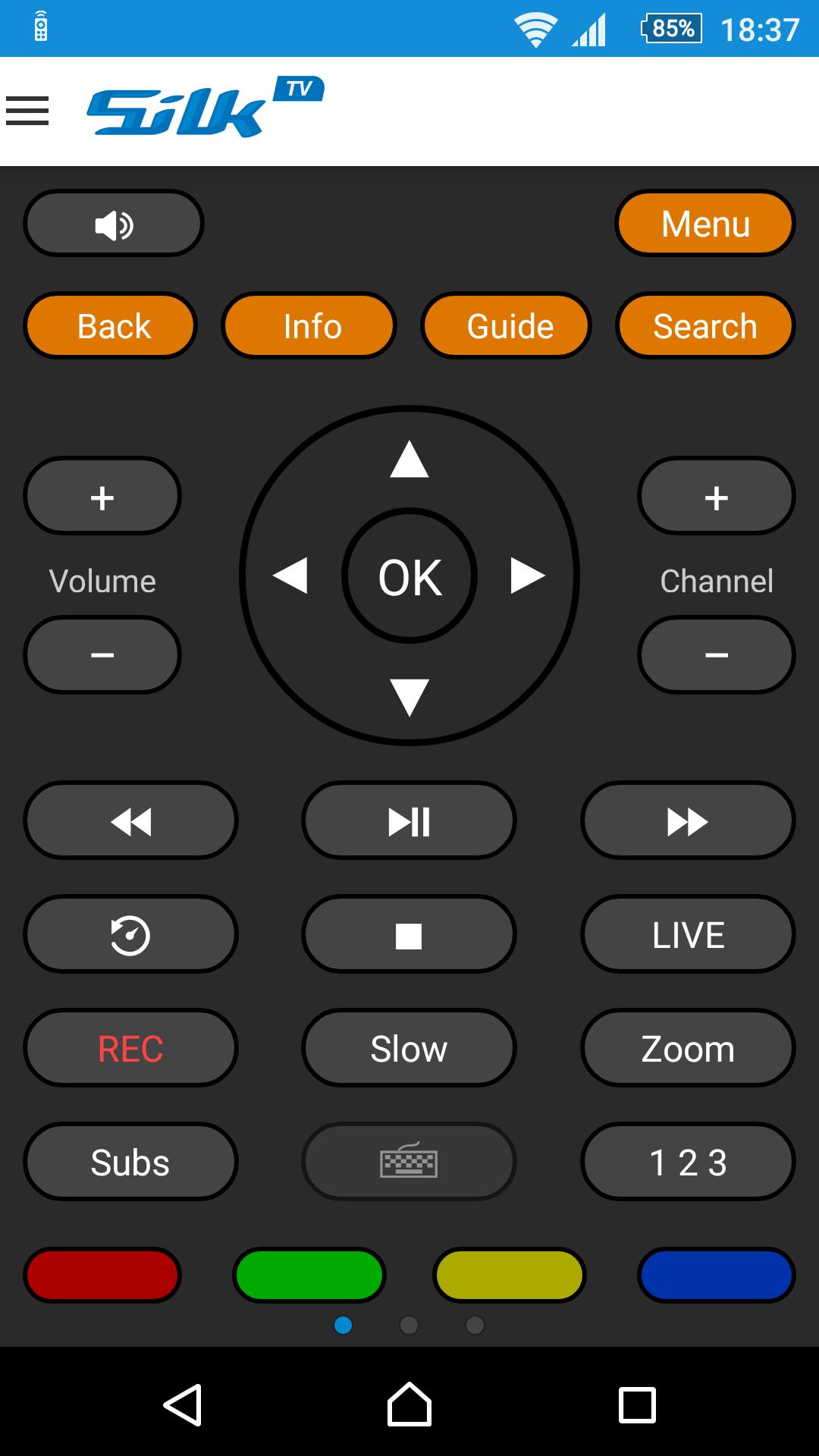
- სტანდარტული პულტის ყველა ღილაკი
- დროზე გადასვლის ინტეგრირებული ღილაკი
- მარტივი დიზაინი და ინტეგრირებული კლავიატურა
როგორ გამოვიყენო?
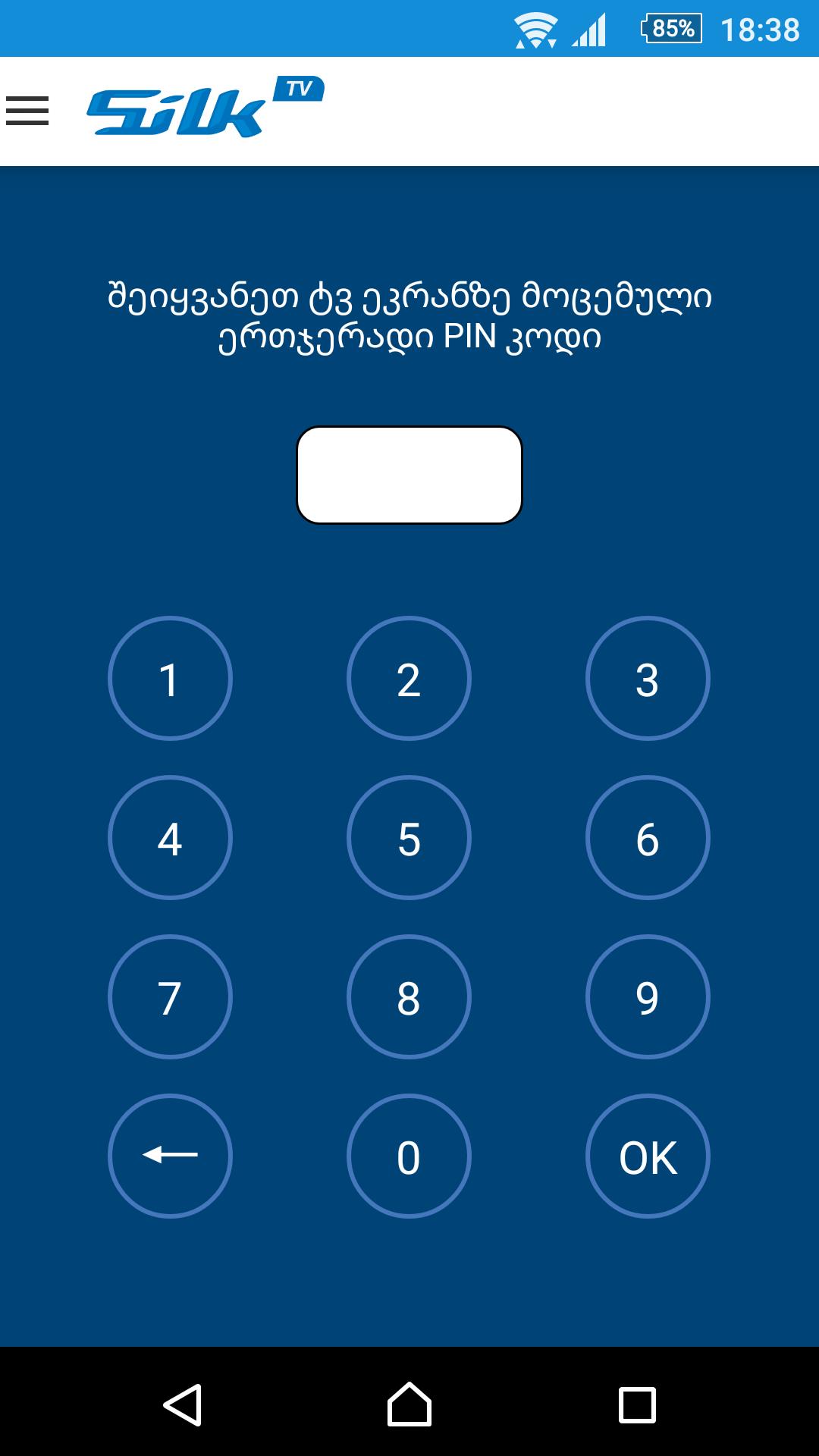
აპლიკაციით სარგებლობისთვის აუცილებელია ინტერნეტ კავშირი და აპლიკაციის Silk TV დეკოდერთან დაკავშირება. ამისთვის დაგჭირდებათ ერთჯერადი პინ კოდის შეყვანა მოწყობილობაში. პინ კოდის მიღება შესაძლებელია Silk TV მენიუდან განყოფილებაში „ჩემი Silk TV“ და ღილაკზე „პულტი“ დაჭერით. პინ კოდის შეყვანის შემდეგ ტელევიზორის ეკრანზე დაადასტურეთ აპლიკაციასთან დაკავშირება.
Silk TV პულტი ასევე ხელმისაწვდომია ვებ-გვერდზე: www.remote.silktv.ge
აპლიკაციასთან დაკავშირებით ნებისმიერი შეფერხებისას, გთხოვთ მოგვწეროთ მეილზე: info@silknet.com ან დაგვიკავშირდეთ ნომერზე (+995 32) 2100100.
ჩვენი სერვისების შესახებ დეტალური ინფორმაციისთვის ეწვიეთ ვებ-გვერდს: www.silknet.com
***
Silk TV Remote is easy-to-use App that simply turns your smartphone/tablet into a remote control for Silk TV Set Top Box.
Just download and use the App for free, pair it with your Silk TV Set Top Box and here we go!
Key Features:
- Search with channel, program title, movies name
- Channels List
- Electronic Program Guide (EPG)
- All the buttons of standard remote to control your Silk TV
- Integrated Jump-to-Time button
- Easy-to-use design with integrated keyboard
How to use:
You need an Internet connection to manage your Silk TV with this App.
In order to start using Silk TV Remote App, please enter one time PIN code for pairing it to Silk TV Set Top Box.
You can get the PIN code in the Silk TV Menu under “My Silk TV” submenu by clicking on the “Remote Control”.
Silk TV Remote is available on the web as well - www.remote.silktv.ge
In case of any trouble with the application, please Email us: info@silknet.com or call us on (+995 32) 2100100.
For detailed information about our services visit website: www.silknet.com
Preview
Tags
EntertainmentInformation
Developer
Silknet JSC
Latest Version
3.0.7
Last Updated
2025-02-19
Category
Entertainment
Available on
Google Play
Show More
How to play Silk TV Remote with GameLoop on PC
1. Download GameLoop from the official website, then run the exe file to install GameLoop
2. Open GameLoop and search for “Silk TV Remote” , find Silk TV Remote in the search results and click “Install”
3. Enjoy playing Silk TV Remote on GameLoop
Minimum requirements
OS
Windows 8.1 64-bit or Windows 10 64-bit
GPU
GTX 1050
CPU
i3-8300
Memory
8GB RAM
Storage
1GB available space
Recommended requirements
OS
Windows 8.1 64-bit or Windows 10 64-bit
GPU
GTX 1050
CPU
i3-9320
Memory
16GB RAM
Storage
1GB available space