Cars Mod for Minecraft PE PC
Esipak
Download Cars Mod for Minecraft PE on PC With GameLoop Emulator
Cars Mod for Minecraft PE sa PC
Ang Cars Mod for Minecraft PE, na nagmumula sa developer na Esipak, ay tumatakbo sa Android systerm sa nakaraan.
Ngayon, maaari mong laruin ang Cars Mod for Minecraft PE sa PC gamit ang GameLoop nang maayos.
I-download ito sa GameLoop library o mga resulta ng paghahanap. Hindi na tumitingin sa baterya o nakakadismaya na mga tawag sa maling oras.
I-enjoy lang ang Cars Mod for Minecraft PE PC sa malaking screen nang libre!
Cars Mod for Minecraft PE Panimula
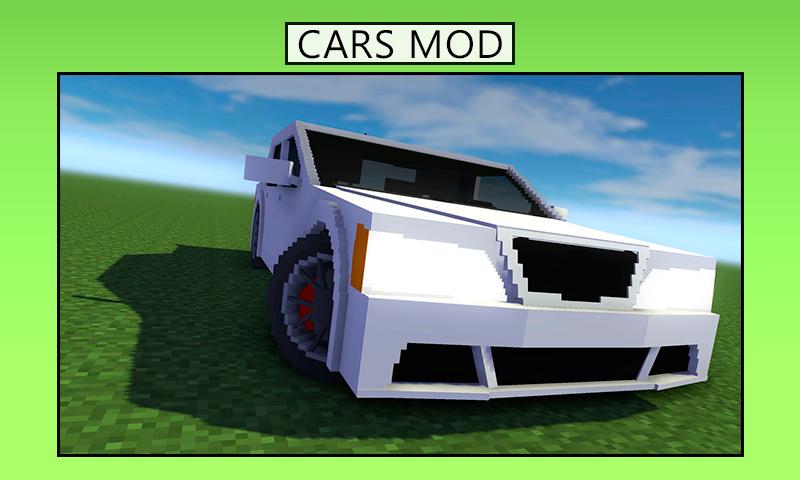
More than 100 vehicles can be added to Minecraft by installing car mods. Best Cars for Minecraft PE is a car addon for MCPE. Some premium cars are added to the game, so you can drive them!
Play games like in Minecraft. Easy installation adds cars like luxury, sports, racing, all-terrain, and several more to the game.
The minecraft car mod allows you to outfit your city by placing various cool automobiles in parking lots that are empty. Custom sports car and tractor add-ons and mods are located within, along with school bus, tram, tractor, bicycle, and motorbike add-ons and mods.
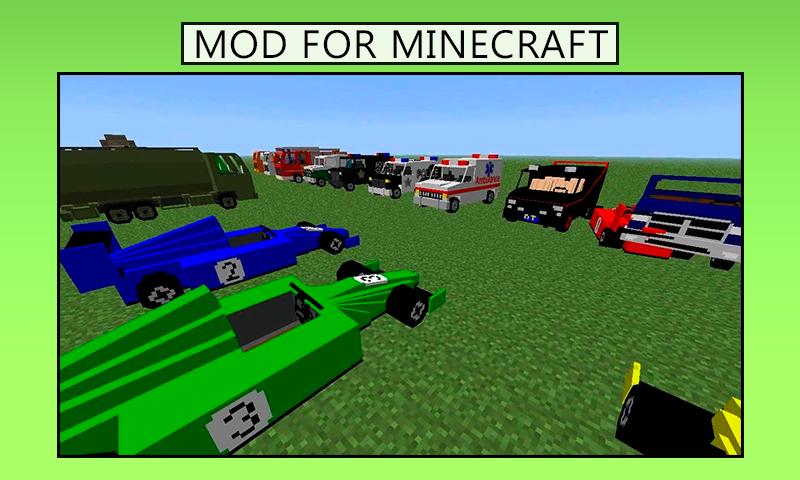
Addon Cars for Minecraft PE will diversify your world with a huge collection of various vehicles. Use them to move around the area at a higher speed. The collection includes not only modern tuned sports cars, but also powerful SUVs, traditional cars, buses, trucks, bicycles, motorcycles, as well as fire and police cars, ambulances, and even armored personnel carriers.
You should download Cars Mod for MCPE to fill the empty city parking lots with a variety of modes of transport, and also get the opportunity to move between different points of the city even faster. How about having a breath-taking race with the other contestants? Upgrade your car so that it develops an incredibly high speed and guarantees you victory in the race. Fill your garage with the most prestigious car models. Cars Mod MCPE will give you all these features.
In addition to transport, the app features a set of racer skins and a collection of unique maps containing race tracks of varying degrees of difficulty. Get behind the wheel of any car and test its power on one of the tracks presented in the addon. You can race around the city alone or join other players online. A cool option is to make your movie about super-fast cars.
Cars Mod for MCPE is not a commercial product. It is created by Minecraft fans and is not related to the company Mojang AB, the trademark or the name of Minecraft. The app is available for free and can only be used for home review. If you find any copyright infringement that goes beyond the "fair use" rules, you should let us know as soon as possible.
Preview
Tags
EntertainmentInformation
Developer
Esipak
Latest Version
6.2
Last Updated
2022-09-15
Category
Entertainment
Available on
Google Play
Show More
How to play Cars Mod for Minecraft PE with GameLoop on PC
1. Download GameLoop from the official website, then run the exe file to install GameLoop
2. Open GameLoop and search for “Cars Mod for Minecraft PE” , find Cars Mod for Minecraft PE in the search results and click “Install”
3. Enjoy playing Cars Mod for Minecraft PE on GameLoop
Minimum requirements
OS
Windows 8.1 64-bit or Windows 10 64-bit
GPU
GTX 1050
CPU
i3-8300
Memory
8GB RAM
Storage
1GB available space
Recommended requirements
OS
Windows 8.1 64-bit or Windows 10 64-bit
GPU
GTX 1050
CPU
i3-9320
Memory
16GB RAM
Storage
1GB available space