Chest Tracker for Clash Royale PC
Little Onion Studio
Download Chest Tracker for Clash Royale on PC With GameLoop Emulator
Chest Tracker for Clash Royale sa PC
Ang Chest Tracker for Clash Royale, na nagmumula sa developer na Little Onion Studio, ay tumatakbo sa Android systerm sa nakaraan.
Ngayon, maaari mong laruin ang Chest Tracker for Clash Royale sa PC gamit ang GameLoop nang maayos.
I-download ito sa GameLoop library o mga resulta ng paghahanap. Hindi na tumitingin sa baterya o nakakadismaya na mga tawag sa maling oras.
I-enjoy lang ang Chest Tracker for Clash Royale PC sa malaking screen nang libre!
Chest Tracker for Clash Royale Panimula
DISCLAIMER: This app acted as a fan-generated guidance app for the game Clash Royale by Supercell. This is unofficial and not associated by Supercell. All chests images, background, popup are belong to Supercell. For more information, see Supercell's Fan Content Policy http://supercell.com/en/fan-content-policy/
====================================================================================
First, we have to know that the chest drop in Clash Royale is not random, but follow a fixed sequence and rotation, except the Super Magical Chest, Epic Chest and Legendary Chest, which is drop randomly and depends on luck.
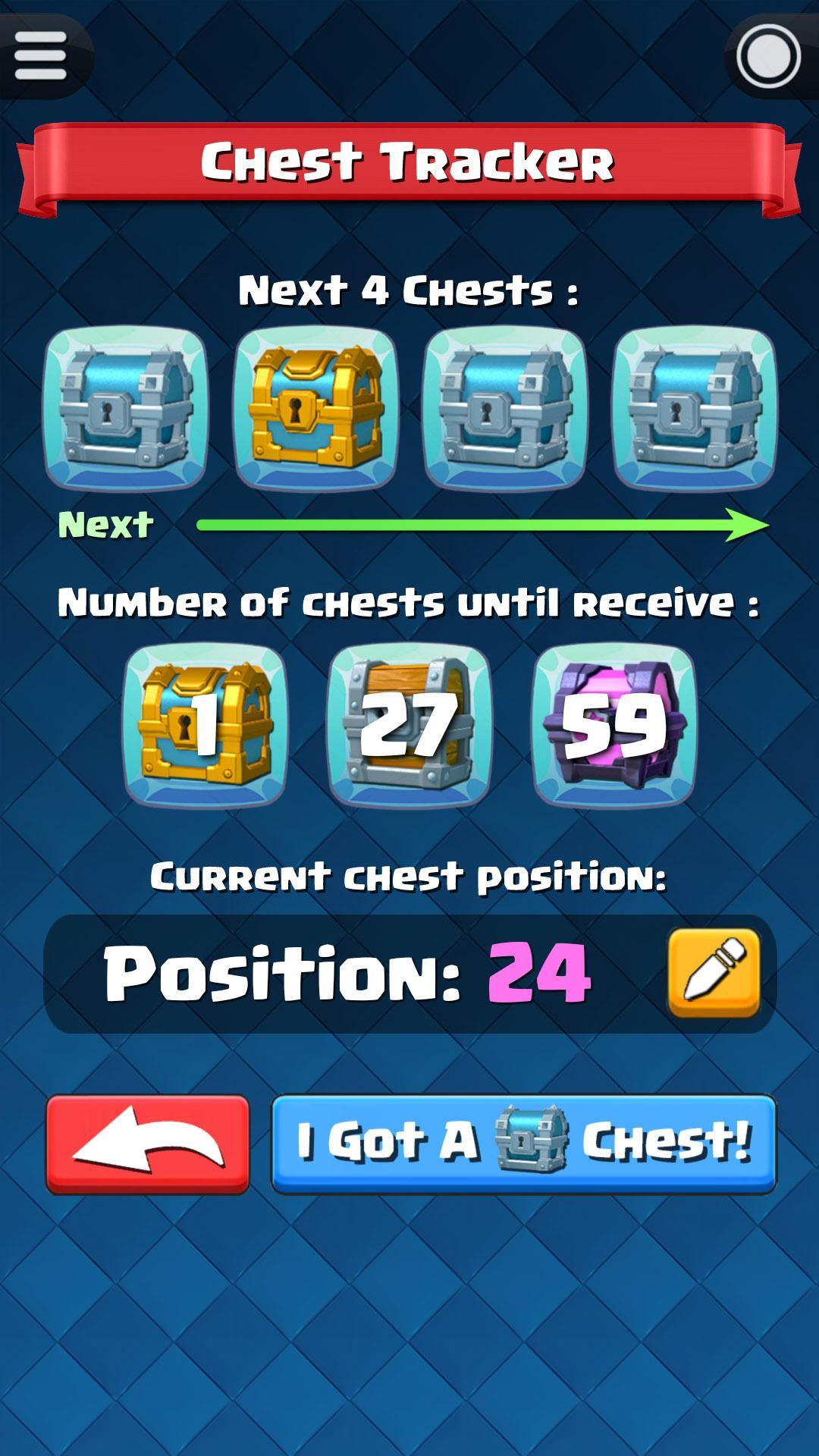
This Chest Tracker is a Clash Royale helper tool used to:
1) Tell you what is the next four chests.
2) Find out your current chest position in the Chest Cycle.
3) Tell you how many more chests until the next Golden Chest, Magical Chest and Giant Chest.
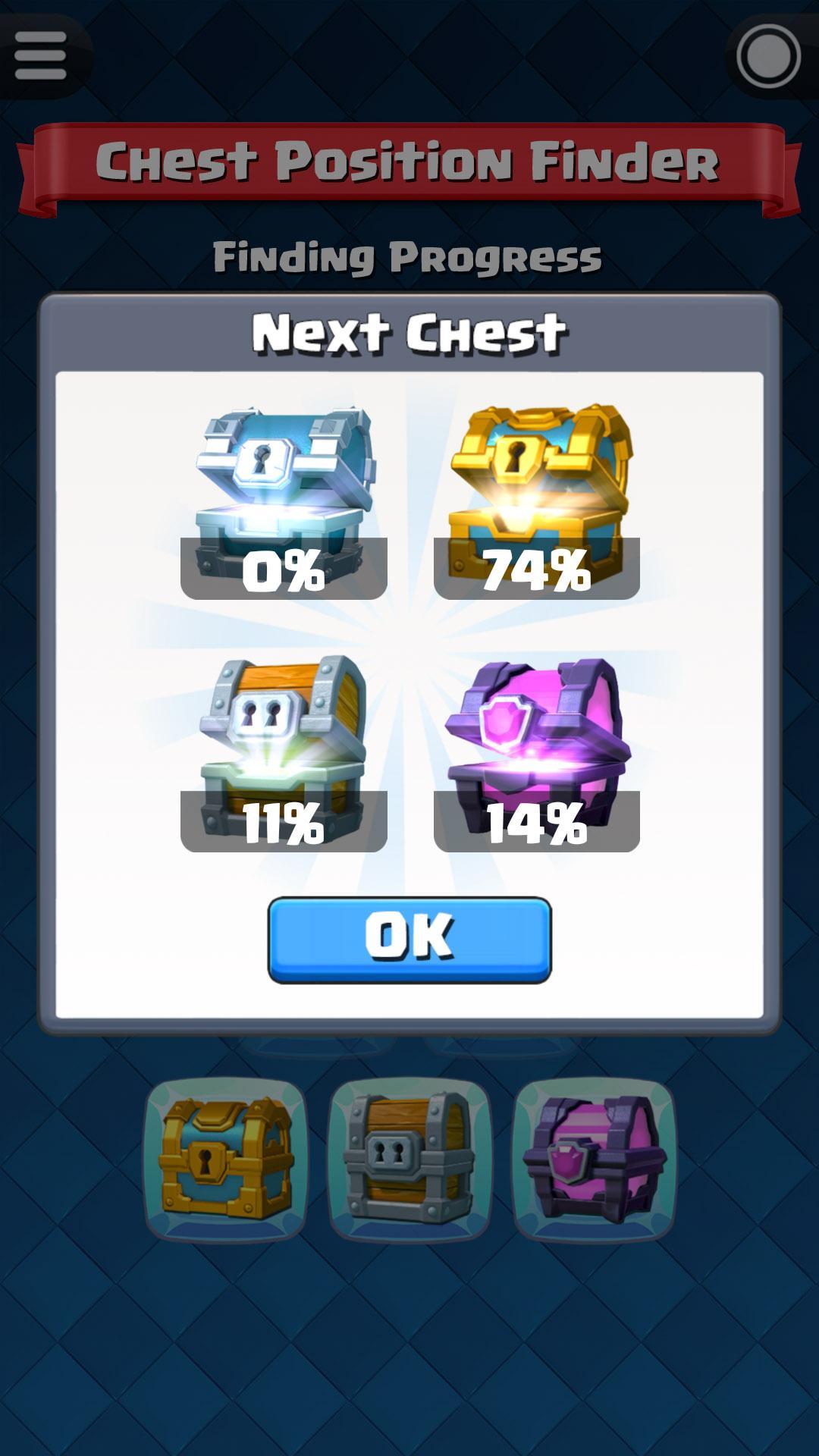
Before start using the chest tracking, you must know your current chest position in Clash Royale. I believe that most of you have already forgot how many chests you have opened so far. No worry, we have integrate a feature named "Chest Position Finder" to help you find out your current chest position in Clash Royale.
LITTLE ONION STUDIO makes apps for life. We are fans of Clash Royale and we only create useful helper apps for the games that we love. We hope you love them as much as we love making them. If you have any comments, suggestions or questions, please feel free to contact us at little.onion.studio@gmail.com. Thank you!!
Preview
Tags
EntertainmentInformation
Developer
Little Onion Studio
Latest Version
2.0.0
Last Updated
2017-11-10
Category
Entertainment
Available on
Google Play
Show More
How to play Chest Tracker for Clash Royale with GameLoop on PC
1. Download GameLoop from the official website, then run the exe file to install GameLoop
2. Open GameLoop and search for “Chest Tracker for Clash Royale” , find Chest Tracker for Clash Royale in the search results and click “Install”
3. Enjoy playing Chest Tracker for Clash Royale on GameLoop
Minimum requirements
OS
Windows 8.1 64-bit or Windows 10 64-bit
GPU
GTX 1050
CPU
i3-8300
Memory
8GB RAM
Storage
1GB available space
Recommended requirements
OS
Windows 8.1 64-bit or Windows 10 64-bit
GPU
GTX 1050
CPU
i3-9320
Memory
16GB RAM
Storage
1GB available space