
BrickScan: AI Minifig Scanner PC
BrickMonkey LLC
Download BrickScan: AI Minifig Scanner on PC With GameLoop Emulator
BrickScan: AI Minifig Scanner sa PC
Ang BrickScan: AI Minifig Scanner, na nagmumula sa developer na BrickMonkey LLC, ay tumatakbo sa Android systerm sa nakaraan.
Ngayon, maaari mong laruin ang BrickScan: AI Minifig Scanner sa PC gamit ang GameLoop nang maayos.
I-download ito sa GameLoop library o mga resulta ng paghahanap. Hindi na tumitingin sa baterya o nakakadismaya na mga tawag sa maling oras.
I-enjoy lang ang BrickScan: AI Minifig Scanner PC sa malaking screen nang libre!
BrickScan: AI Minifig Scanner Panimula
BrickMonkey has now been renamed to BrickScan!
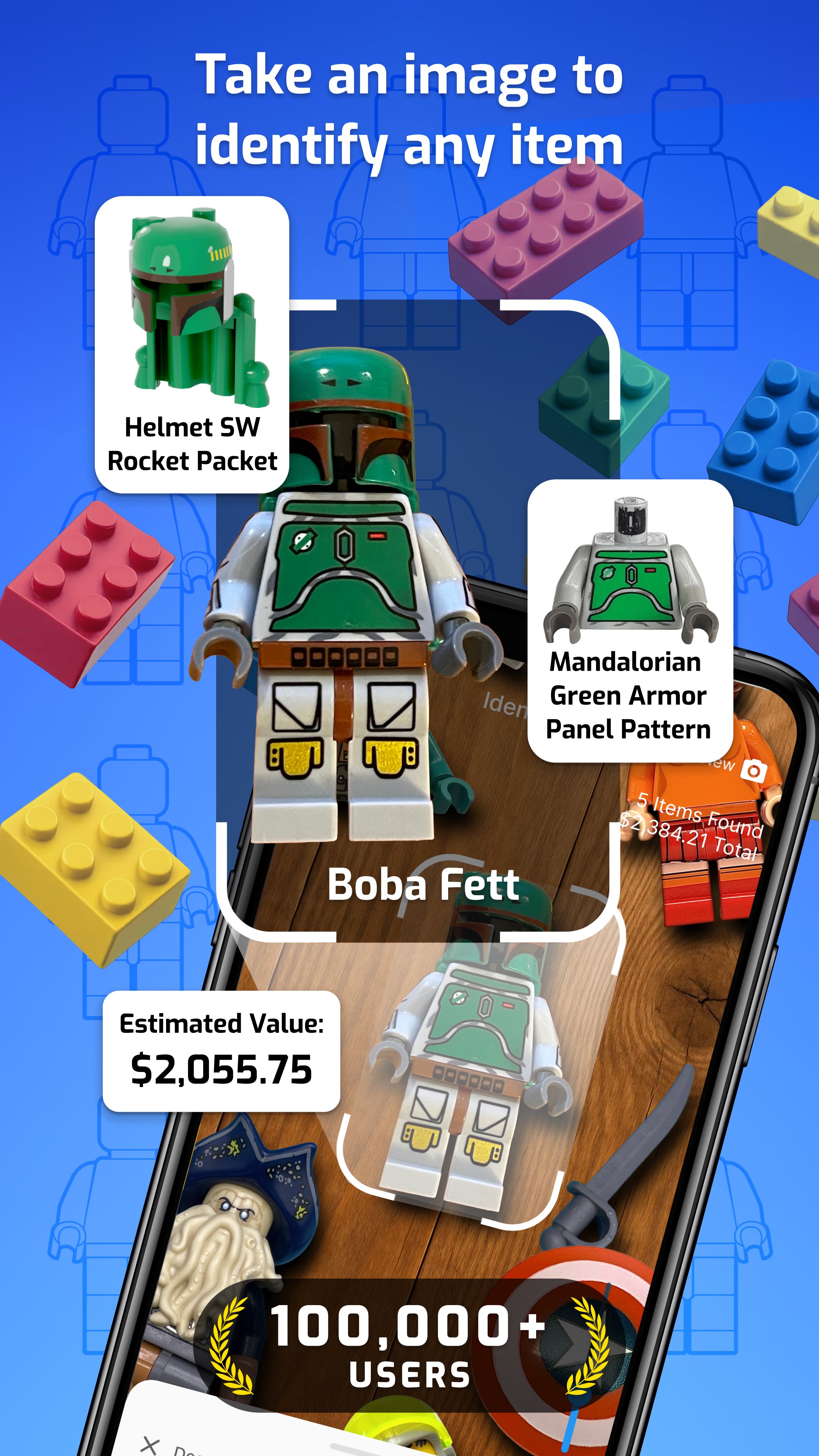
Unleash the power of instant recognition with BrickScan - Minifigure Scanner, the most advanced toy scanner designed for LEGO fans, collectors, and hobbyists! Using just your smartphone camera, you can scan and identify thousands of minifigs, LEGO bricks, and toy parts in seconds. Perfect for anyone passionate about organizing, tracking, and completing their LEGO collection, BrickScan is your go-to brick scanner tool for effortless identification and management. Try BrickScan – Mini Figure Scanner Today!
📸 Toy Figures Scanner
Take the guesswork out of toy identification. With BrickScan’s powerful image recognition technology, you can scan over 16,000+ unique minifigs and 76,000+ LEGO parts. Whether it's heads, legs, or rare accessories, this LEGO scanner ensures that every detail of your figures is correctly identified. Simply snap a photo, and let the minifig scanner do the rest. This figure finder makes identifying pieces from your LEGO sets easier than ever.
📊 Figures Collection Tracker
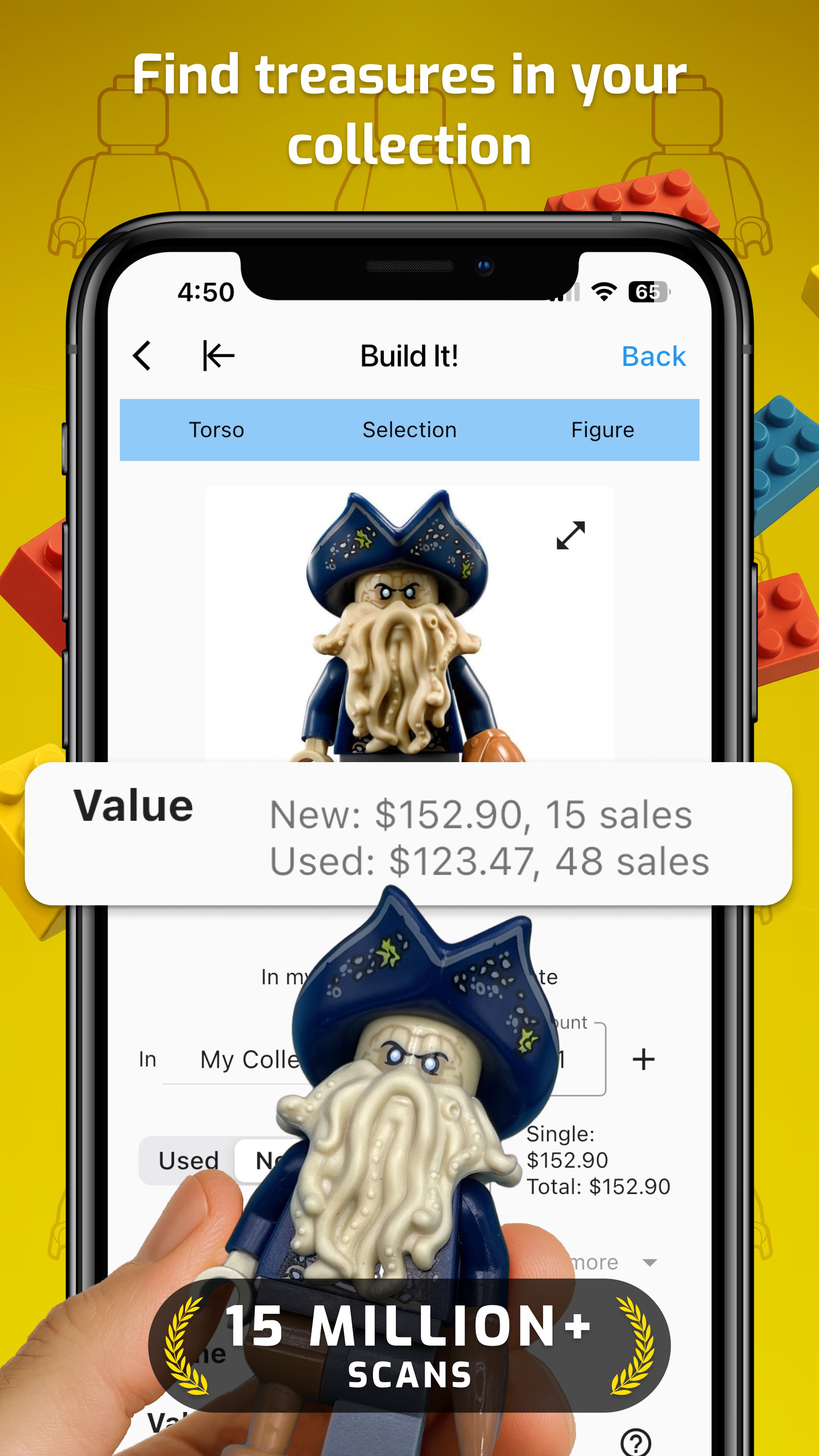
Stay on top of your LEGO collection like never before. The LEGO collection tracker allows you to manage your growing minifigs and LEGO bricks with ease. Detailed statistics and visualizations make it simple to understand and organize your LEGO checklist. Instantly check the estimated value of your items to see just how much your treasures are worth. Whether you’re a beginner or a seasoned collector, this LEGO finder and tracker transforms the way you manage your LEGO sets and minifigs.
🔍 Toy Parts Identifier
Trying to complete a half-finished LEGO minifigure or find a missing part? This toy parts identifier makes it simple to identify LEGO heads, torsos, legs, and accessories. Discover exactly what you’re missing and complete your LEGO minifigures efficiently. Save time and avoid the frustration of searching blindly for the correct parts. With this LEGO scanner and minifig scan tool, completing your LEGO figures is fast, fun, and stress-free.
💰 Find Online and Check Prices
This brick scanner takes your LEGO scanning experience to the next level. Once a figure or part is identified, you can export your scans and integrate them into store management software for seamless inventory tracking. You can also compare online prices to find the best deals and avoid overpaying. Quickly locate sellers or stores where you can purchase missing pieces to complete your LEGO collection. With this toy scanner for LEGO parts, you’ll always stay informed about the market value of your LEGO minifigs and brick sets.
💛 A Must-Have for LEGO Fans
Whether you're a lifelong LEGO figures collector, a casual hobbyist, or just starting your journey into the world of LEGO minifigs, the minifigure scanner is the ultimate tool for organizing and enhancing your collection. It’s more than just a LEGO checklist app—it’s your personal LEGO collection assistant. With its user-friendly interface, lightning-fast recognition, and powerful tracking tools, the LEGO figure finder makes managing your LEGO minifigures simple and enjoyable.
🚀 Download this Toy Scanner Today
Stop wondering and start identifying. Download BrickScan - Mini Figure Scanner now and take your LEGO collection to the next level. Manage your LEGO bricks, minifigs, and LEGO sets smarter, faster, and with more fun. It’s time to turn your passion into perfection with the LEGO minifig scanner app that fans need!
BrickScan was created by fans and is not an official LEGO® product. The LEGO Group of companies does not sponsor or support BrickScan.
Preview
Tags
EntertainmentInformation
Developer
BrickMonkey LLC
Latest Version
1.9.78
Last Updated
2026-02-03
Category
Entertainment
Available on
Google Play
Show More
How to play BrickScan: AI Minifig Scanner with GameLoop on PC
1. Download GameLoop from the official website, then run the exe file to install GameLoop
2. Open GameLoop and search for “BrickScan: AI Minifig Scanner” , find BrickScan: AI Minifig Scanner in the search results and click “Install”
3. Enjoy playing BrickScan: AI Minifig Scanner on GameLoop
Minimum requirements
OS
Windows 8.1 64-bit or Windows 10 64-bit
GPU
GTX 1050
CPU
i3-8300
Memory
8GB RAM
Storage
1GB available space
Recommended requirements
OS
Windows 8.1 64-bit or Windows 10 64-bit
GPU
GTX 1050
CPU
i3-9320
Memory
16GB RAM
Storage
1GB available space