VIIO - Natural reader PC
VIIO
Download VIIO - Natural reader on PC With GameLoop Emulator
VIIO - Natural reader sa PC
Ang VIIO - Natural reader, na nagmumula sa developer na VIIO, ay tumatakbo sa Android systerm sa nakaraan.
Ngayon, maaari mong laruin ang VIIO - Natural reader sa PC gamit ang GameLoop nang maayos.
I-download ito sa GameLoop library o mga resulta ng paghahanap. Hindi na tumitingin sa baterya o nakakadismaya na mga tawag sa maling oras.
I-enjoy lang ang VIIO - Natural reader PC sa malaking screen nang libre!
VIIO - Natural reader Panimula
MISSION
Our mission is to make it easy for everyone to assimilate knowledge.
ABOUT THIS PROJECT
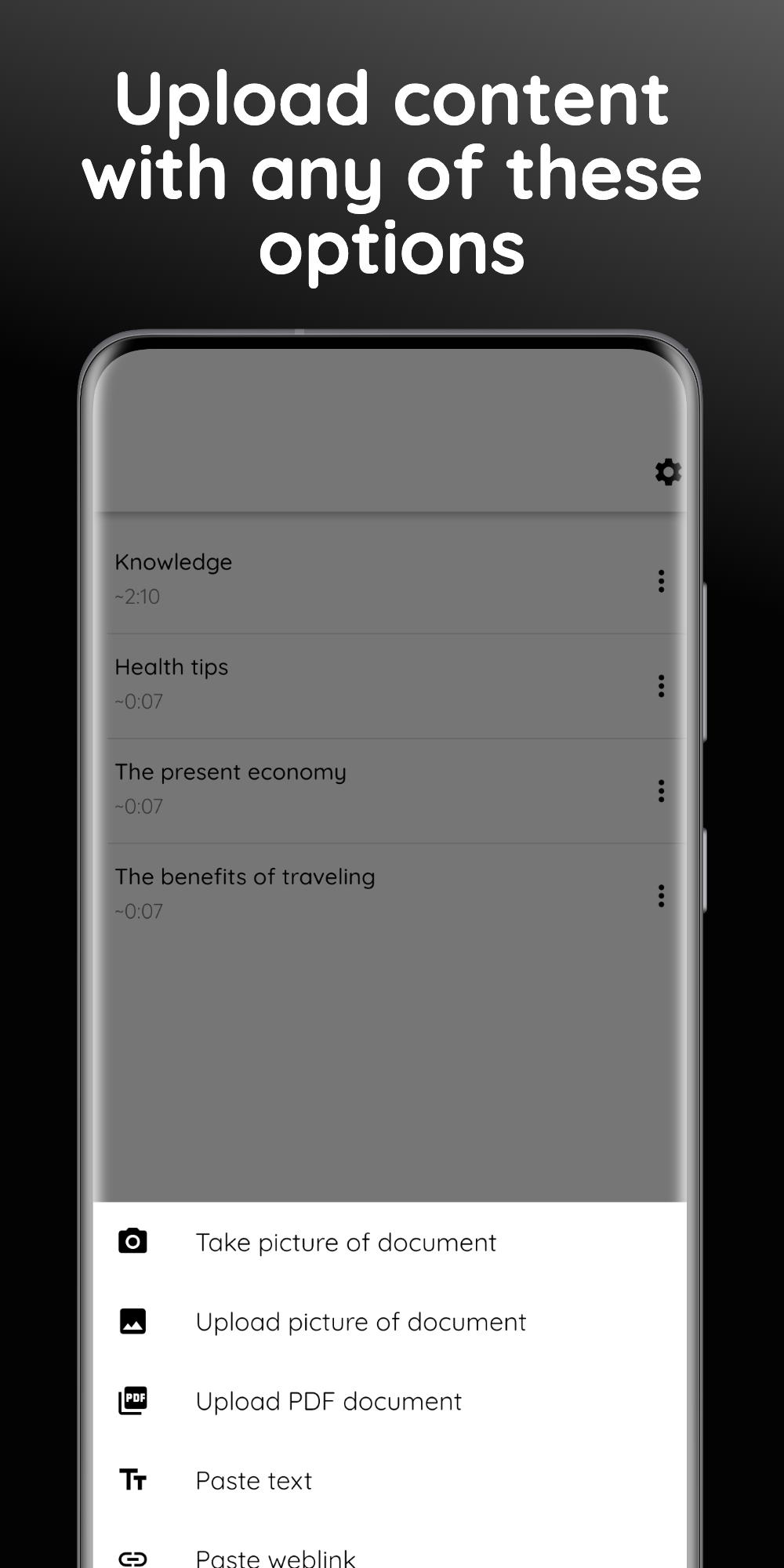
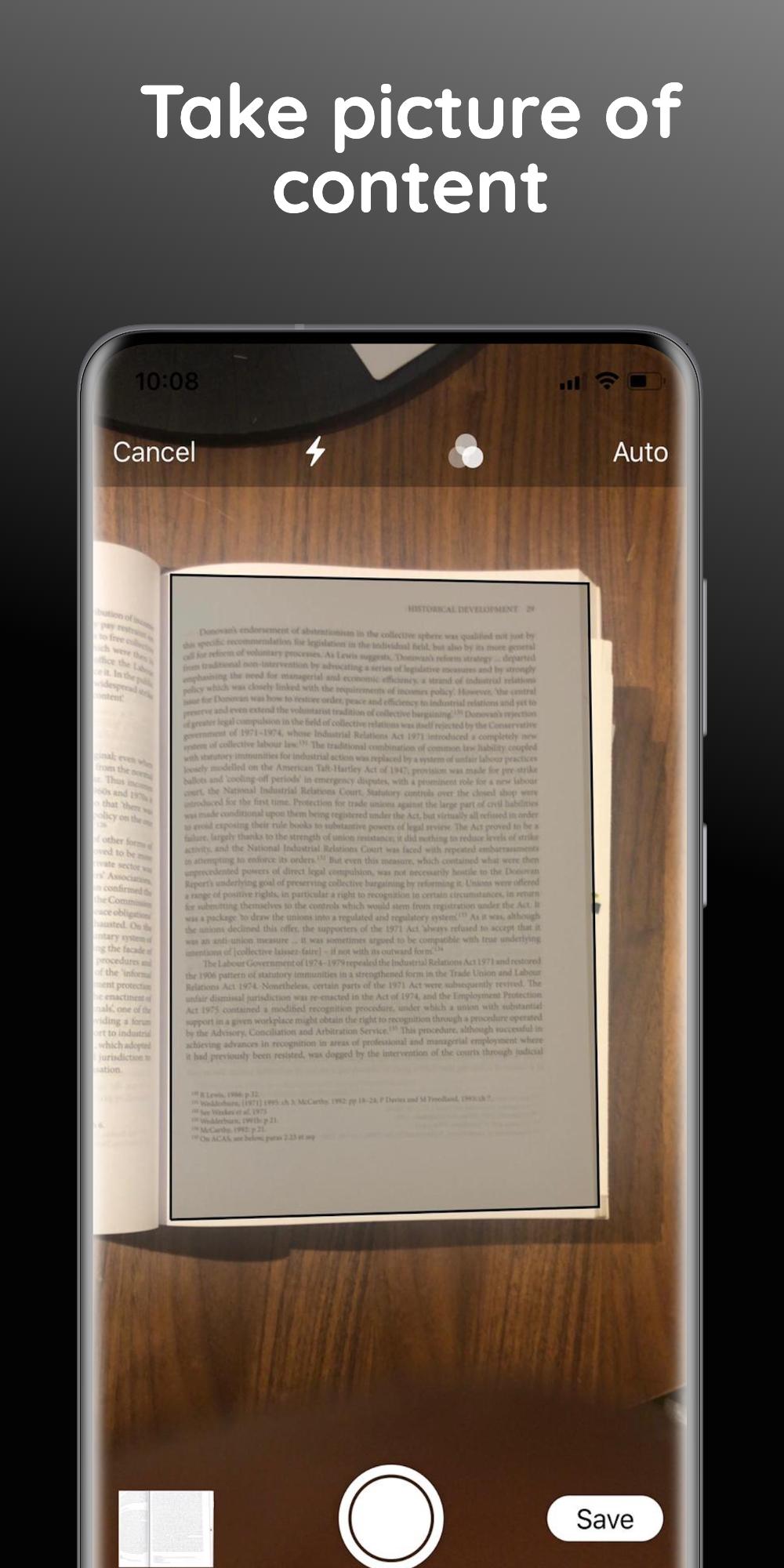
VIIO allows you to listen to any written content. Features you'll find on the app includes text-to-speech, pdf-to-speech, web content to speech and image to speech by scanning documents. It uses a narrator’s voice to dictate the content that it’s been given to read aloud.
The non-premium (free) version of VIIO makes use of a normal voice generator, while it’s premium version has a natural-reader for a better experience. We have a variety of features that help differentiate us from a normal text-to-speech (TTS) app, read-to-me app, scan to read app, speak-for-me app, book-reader app or text reader.
VIIO can be used to read text copied from other note taking apps like Evernote, Notability, goodnotes, oneNote and oneDrive. If the text can’t be copied like in the case of apps like Scribd and Goodreads, you can use a screenshot to get the text and pass it to the app.
VIIO also lets you convert any documents, PDF, web content and images of text into some sort of audiobook. It's similar to apps like NaturalReader, ReadEra and Speechnotes
VIIO is very helpful to those suffering from reading disabilities such as Dyslexia, ADHD and Anxiety
Preview
Tags
EducationInformation
Developer
VIIO
Latest Version
1.5.5
Last Updated
2023-11-25
Category
Education
Available on
Google Play
Show More
How to play VIIO - Natural reader with GameLoop on PC
1. Download GameLoop from the official website, then run the exe file to install GameLoop
2. Open GameLoop and search for “VIIO - Natural reader” , find VIIO - Natural reader in the search results and click “Install”
3. Enjoy playing VIIO - Natural reader on GameLoop
Minimum requirements
OS
Windows 8.1 64-bit or Windows 10 64-bit
GPU
GTX 1050
CPU
i3-8300
Memory
8GB RAM
Storage
1GB available space
Recommended requirements
OS
Windows 8.1 64-bit or Windows 10 64-bit
GPU
GTX 1050
CPU
i3-9320
Memory
16GB RAM
Storage
1GB available space