toPhonetics Converter PC
Mu-sonic
Download toPhonetics Converter on PC With GameLoop Emulator
toPhonetics Converter sa PC
Ang toPhonetics Converter, na nagmumula sa developer na Mu-sonic, ay tumatakbo sa Android systerm sa nakaraan.
Ngayon, maaari mong laruin ang toPhonetics Converter sa PC gamit ang GameLoop nang maayos.
I-download ito sa GameLoop library o mga resulta ng paghahanap. Hindi na tumitingin sa baterya o nakakadismaya na mga tawag sa maling oras.
I-enjoy lang ang toPhonetics Converter PC sa malaking screen nang libre!
toPhonetics Converter Panimula
Got an English text and want to see how to pronounce it? This app will turn your English text into its phonetic transcription using International Phonetic Alphabet.
Features:
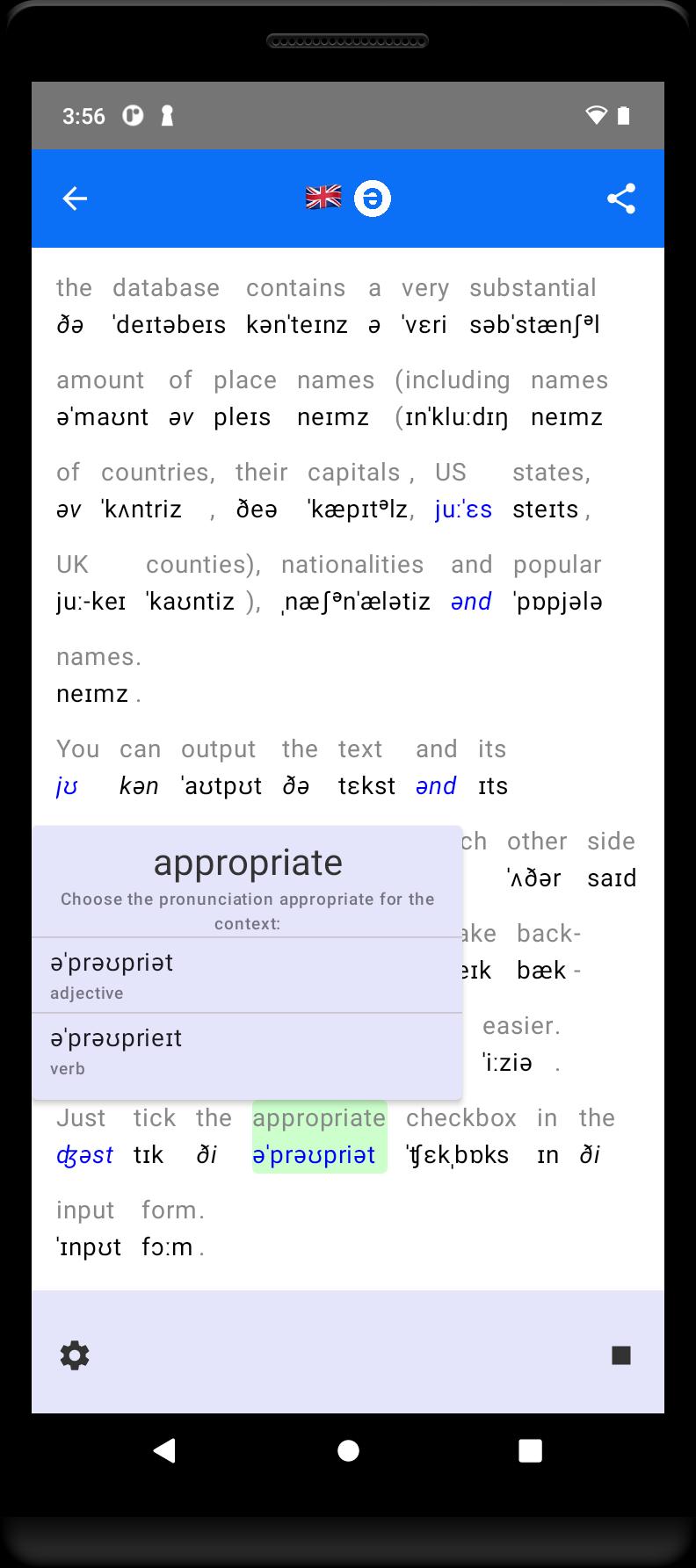
- See phonetic transcription of the whole text, not just the dictionary forms of separate words.
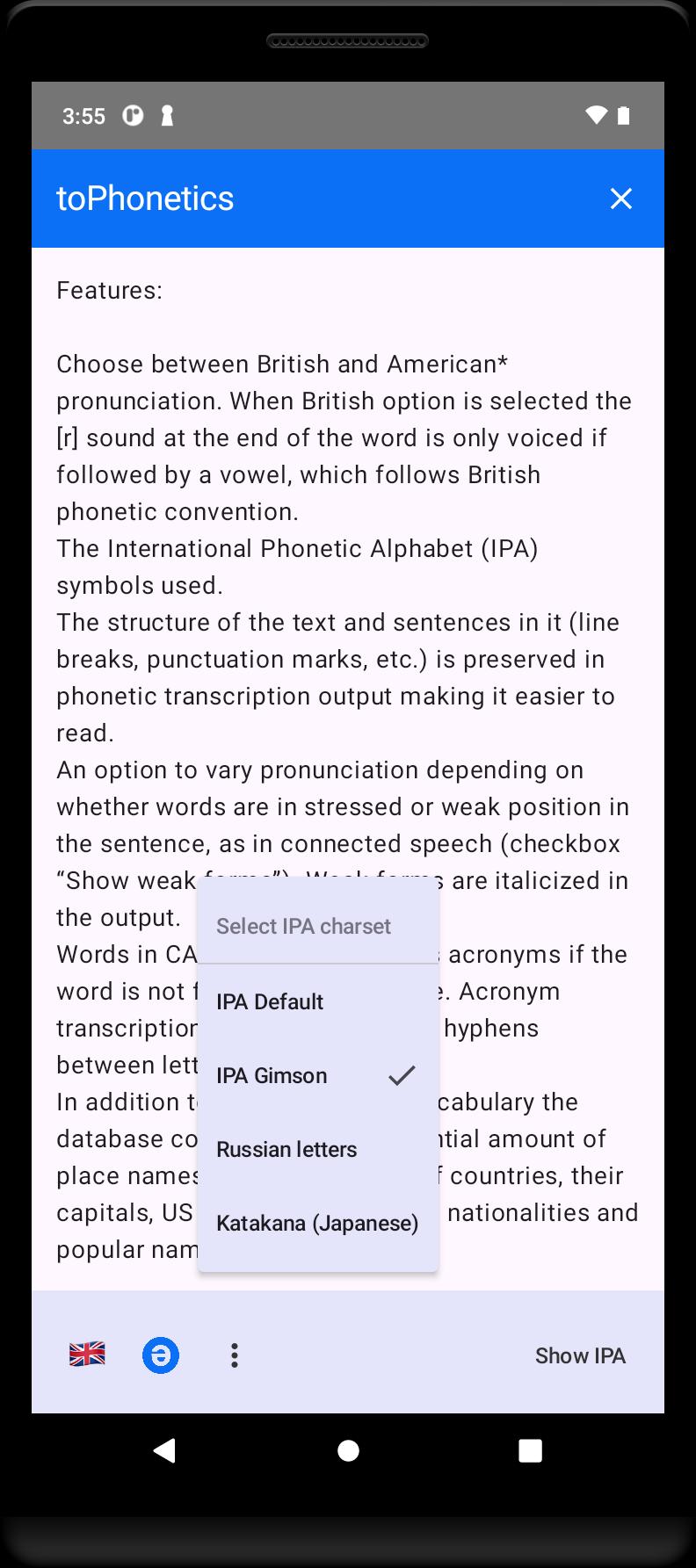
- Choose between British and American* pronunciation. When British dialect is selected the [r] sound at the end of the word is only voiced if followed by a vowel, which follows British phonetic convention.
- International Phonetic Alphabet (IPA) symbols used.
- The structure of the text and sentences in it (line breaks, punctuation marks, etc.) is preserved in phonetic transcription output making it easier to read.
- An option to vary pronunciation depending on whether words are in stressed or weak position in the sentence, as in connected speech.
- In addition to commonly used vocabulary the database contains a very substantial amount of place names (including names of countries, their capitals, US states, UK counties), nationalities and popular names.
- Where a word has a number of possible pronunciations (highlighted in blue in the output) you can select the one that agrees with the context by tapping on it.
- Print (or export to PDF) your transcription results, IPA only or along with the original.
*) American transcriptions are based on the open Carnegie Mellon University Pronouncing Dictionary.
Preview
Tags
EducationInformation
Developer
Mu-sonic
Latest Version
2.8.free
Last Updated
2025-08-11
Category
Education
Available on
Google Play
Show More
How to play toPhonetics Converter with GameLoop on PC
1. Download GameLoop from the official website, then run the exe file to install GameLoop
2. Open GameLoop and search for “toPhonetics Converter” , find toPhonetics Converter in the search results and click “Install”
3. Enjoy playing toPhonetics Converter on GameLoop
Minimum requirements
OS
Windows 8.1 64-bit or Windows 10 64-bit
GPU
GTX 1050
CPU
i3-8300
Memory
8GB RAM
Storage
1GB available space
Recommended requirements
OS
Windows 8.1 64-bit or Windows 10 64-bit
GPU
GTX 1050
CPU
i3-9320
Memory
16GB RAM
Storage
1GB available space