
Oxford English Vocab Trainer PC
Oxford University Press ELT.
Download Oxford English Vocab Trainer on PC With GameLoop Emulator
Oxford English Vocab Trainer sa PC
Ang Oxford English Vocab Trainer, na nagmumula sa developer na Oxford University Press ELT., ay tumatakbo sa Android systerm sa nakaraan.
Ngayon, maaari mong laruin ang Oxford English Vocab Trainer sa PC gamit ang GameLoop nang maayos.
I-download ito sa GameLoop library o mga resulta ng paghahanap. Hindi na tumitingin sa baterya o nakakadismaya na mga tawag sa maling oras.
I-enjoy lang ang Oxford English Vocab Trainer PC sa malaking screen nang libre!
Oxford English Vocab Trainer Panimula
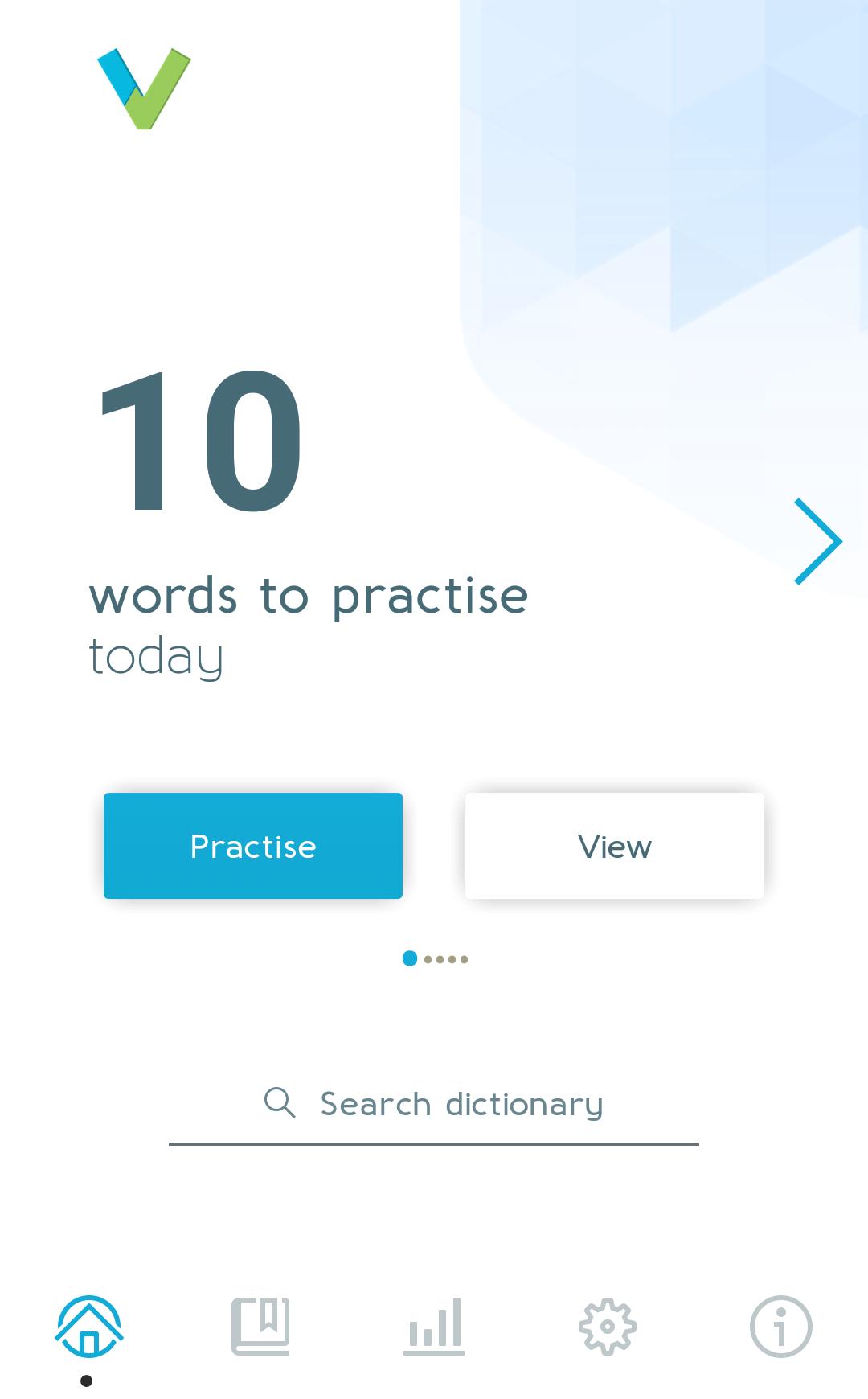
If you are learning English for work, in preparation for academic study, or you are working towards an English language exam like TOEFL or IELTS, this is a quick and easy way to expand your vocabulary – even when your English tutor is not there. You can even access popular wordlists from Oxford coursebooks to continue your studies at home.
Learning Technologies Awards 2016 – Silver Winner
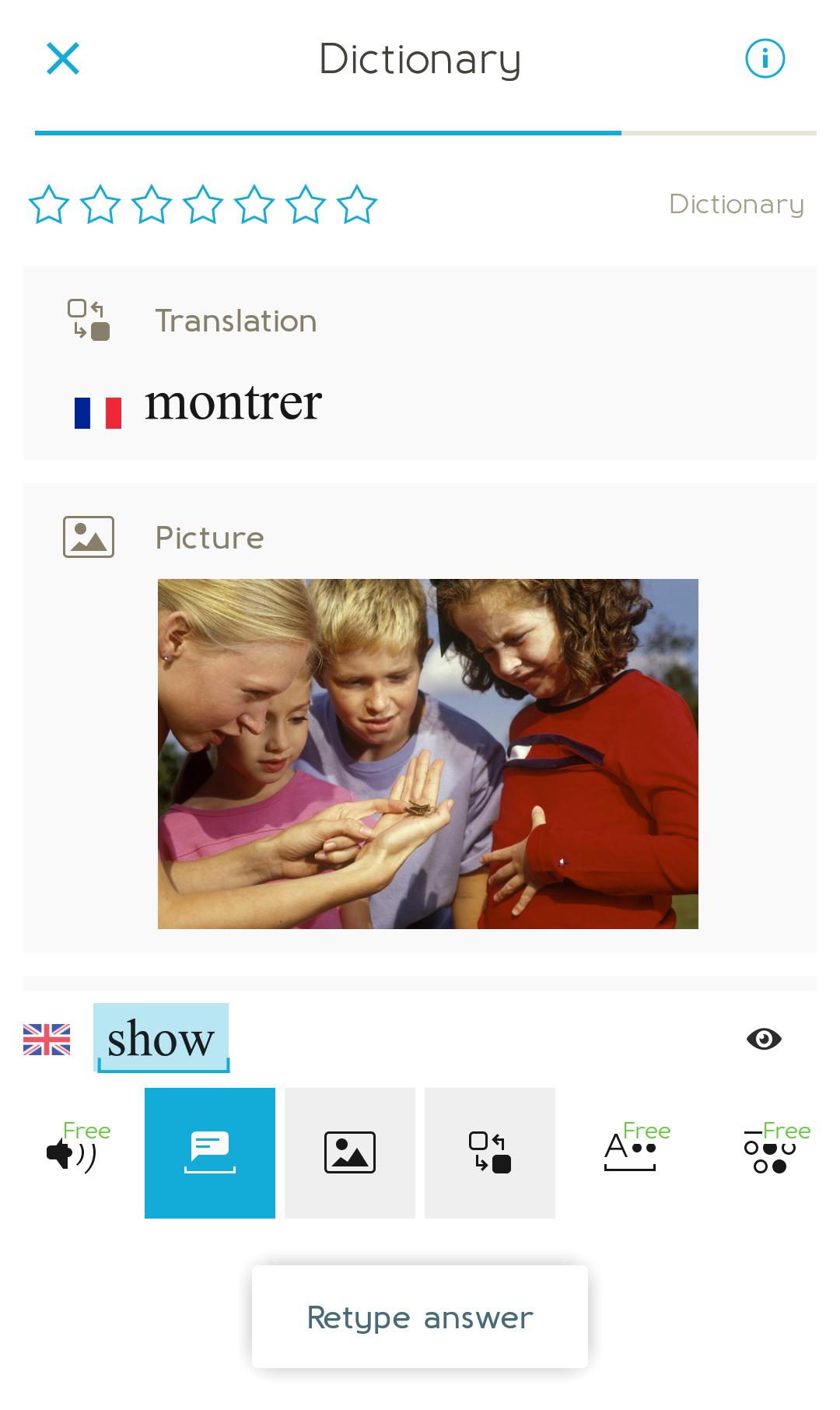
- Expand your vocabulary with daily practice: improve pronunciation by listening to audio clips; learn the definition using pictures and description; practise using each word correctly in a sentence
- Receive instant feedback when your tutor isn’t there: identify spelling, grammar, meaning and usage mistakes quickly
- Choose the words you want to learn: speed up your learning by adding words to your own personalised Oxford English Dictionary
- Track your progress and see how you’re improving: set yourself a goal and see how well you’re performing by collecting points and feedback
- Share learning progress with your teacher: ideal if you are learning English using Oxford’s textbooks
The Oxford English Vocabulary Trainer uses a learning technique called ‘spaced repetition’. This means you’ll practise each word at the point when you are most likely to forget, helping you to remember more vocabulary.
The app and dictionary contains translations for English, Arabic, Catalan, Chinese (Traditional), Chinese (Simplified), Czech, French, German, Hungarian, Italian, Japanese, Korean, Polish, Portuguese (Brazil), Portuguese (Portugal), Russian, Spanish (Latin America), Spanish (Mexico), Spanish (Spain), Swahili, Thai, Turkish, with more languages coming soon. Full access is available through in-app subscription (see details below).
*********************
In-app purchases and subscriptions:
• You can try the first unit of any wordlist for free: tap on Settings / Choose Content to find your course. Upgrade to the complete coursebook wordlist by making a one-off purchase.
• You can purchase a one year subscription to premium features and content. This subscription includes:
- Access to the Oxford Advanced Learner’s Dictionary and the Oxford English Business Dictionary.
- Word lists for vocabulary practice on a range of topics, including Academic and Business English
- Access to dictionary translations (display translations for two different languages for all words in the Basic Dictionary)
- The ability to add as many words as you like from the dictionaries to your personal practice list (you can only add up to 20 words in the free version)
• These are the pound sterling prices. You will be charged in your local currency according to the appropriate exchange rate in Google Play.
• Payment will be charged to your Google Wallet account at confirmation of purchase.
• Note: your subscription will renew automatically until cancelled. Cancelling a subscription will not refund subscription payments already made. **There is no two-hour refund window for subscriptions**
• To cancel your subscription:
1. Go to payments.google.com
2. Along the left side of your screen, select Bills and accounts.
3. Select the subscription you want to cancel > Cancel subscription.
The app has been developed by Oxford University Press in collaboration with Alphary AG
Preview
Information
Developer
Oxford University Press ELT.
Latest Version
3.2.2.2019-12-19
Last Updated
2019-12-28
Category
Education
Available on
Google Play
Show More
How to play Oxford English Vocab Trainer with GameLoop on PC
1. Download GameLoop from the official website, then run the exe file to install GameLoop
2. Open GameLoop and search for “Oxford English Vocab Trainer” , find Oxford English Vocab Trainer in the search results and click “Install”
3. Enjoy playing Oxford English Vocab Trainer on GameLoop
Minimum requirements
OS
Windows 8.1 64-bit or Windows 10 64-bit
GPU
GTX 1050
CPU
i3-8300
Memory
8GB RAM
Storage
1GB available space
Recommended requirements
OS
Windows 8.1 64-bit or Windows 10 64-bit
GPU
GTX 1050
CPU
i3-9320
Memory
16GB RAM
Storage
1GB available space