
Months & Days in 20 Languages PC
Mobilia Apps
Download Months & Days in 20 Languages on PC With GameLoop Emulator
Months & Days in 20 Languages sa PC
Ang Months & Days in 20 Languages, na nagmumula sa developer na Mobilia Apps, ay tumatakbo sa Android systerm sa nakaraan.
Ngayon, maaari mong laruin ang Months & Days in 20 Languages sa PC gamit ang GameLoop nang maayos.
I-download ito sa GameLoop library o mga resulta ng paghahanap. Hindi na tumitingin sa baterya o nakakadismaya na mga tawag sa maling oras.
I-enjoy lang ang Months & Days in 20 Languages PC sa malaking screen nang libre!
Months & Days in 20 Languages Panimula
Learn the names of months, days of the week, seasons, time of day, and colors in 20 different languages — with audio pronunciation, interactive games, and progress tracking.
Whether you're a student, traveler, parent teaching your child, or language enthusiast, this app makes learning calendar vocabulary simple and engaging. Hear native pronunciation for every word, test your knowledge with fun games, and track your progress across languages.
KEY FEATURES:
🌍 20 Languages with Audio Pronunciation
Learn in English, Spanish, French, German, Portuguese, Arabic, Urdu, Hindi, Chinese, Japanese, Korean, Russian, Turkish, Italian, Dutch, Polish, Malay, Swahili, Thai, and Vietnamese. Hear each word spoken aloud using text-to-speech.
📚 5 Learning Categories
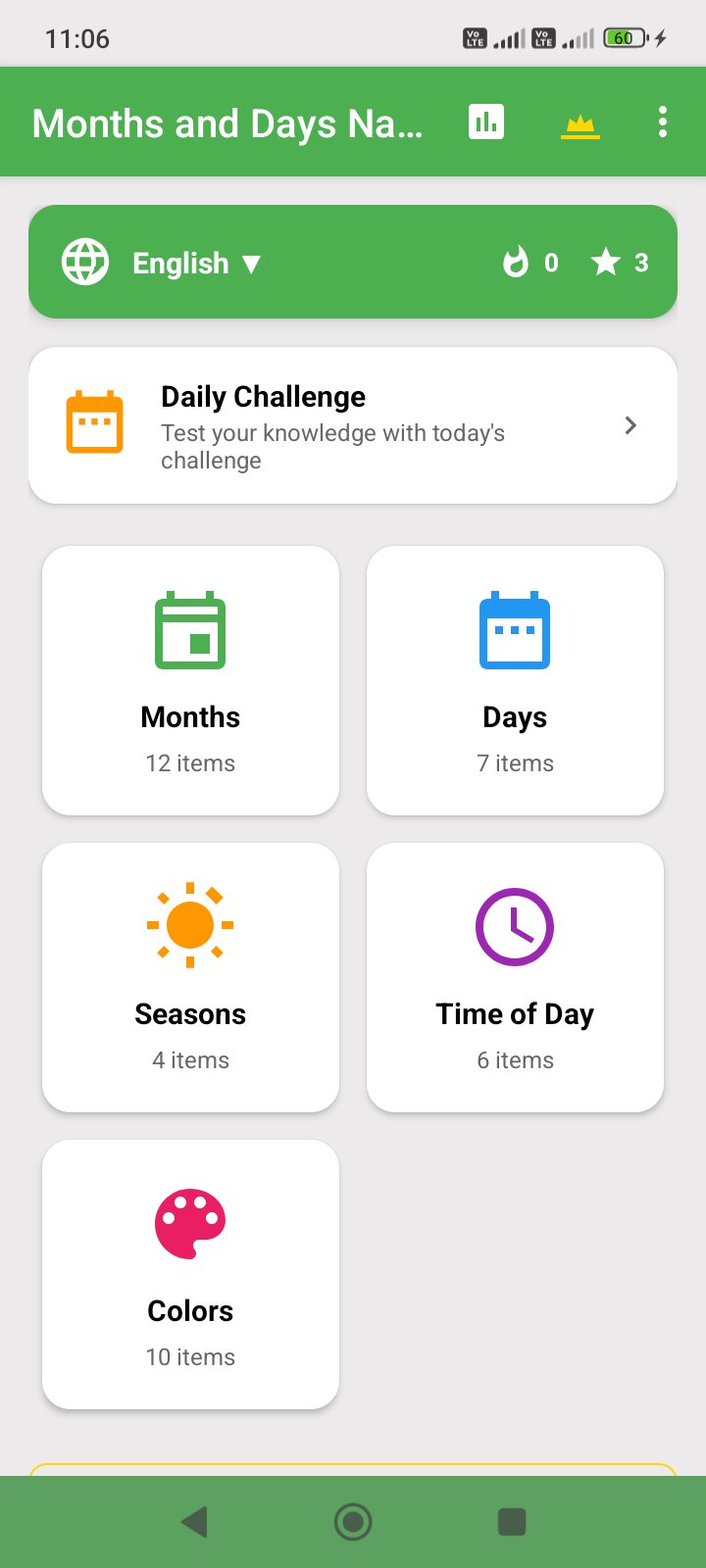
• Months — All 12 months with day counts
• Days of the Week — Monday through Sunday
• Seasons — Spring, Summer, Autumn, Winter
• Time of Day — Dawn, Morning, Noon, Afternoon, Evening, Night
• Colors — 10 colors with visual color swatches
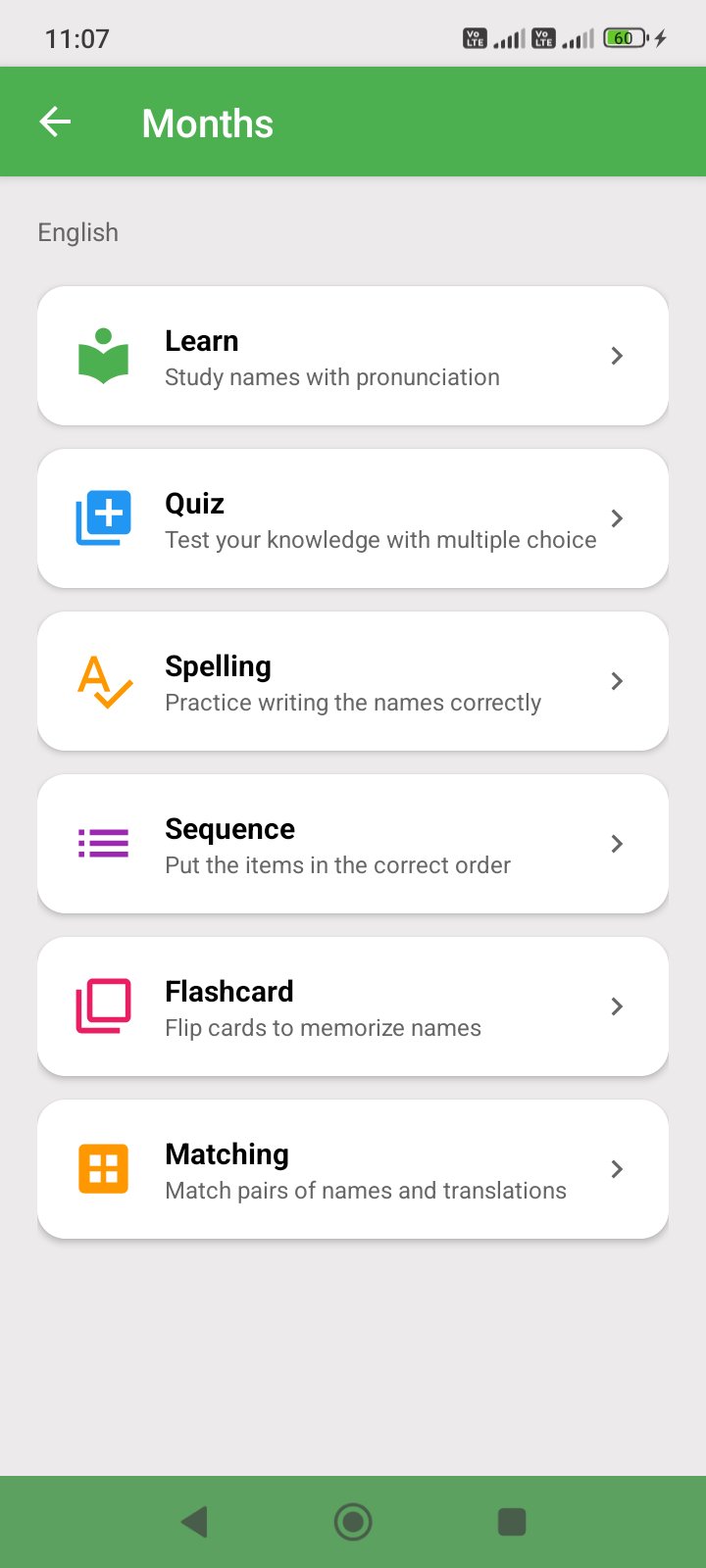
🎮 6 Interactive Game Modes
• Learn Mode — Browse items with auto-play audio and scrolling
• Quiz — Multiple choice questions to test your knowledge
• Spelling — Drag and arrange scrambled letters in the correct order
• Sequence — Put months or days in the right order by dragging
• Flashcards — Swipe through cards, tap to flip between languages
• Matching — Memory card game pairing English with translations
⭐ Progress Tracking & Badges
Earn 0-3 stars on every game based on your accuracy. Track your progress per category and language. Earn 14 achievement badges including Perfect Score, Polyglot, Speed Demon, and more.
🔥 Daily Challenge & Streaks
Complete a new challenge every day to build your streak. Random category, game mode, and language keeps it fresh and fun.
🌙 Dark Mode Support
Choose between Light, Dark, or System Default theme for comfortable learning day or night.
WHY CHOOSE MONTHS & DAYS NAMES?
• Multilingual — 20 languages with accurate translations and pronunciation
• Kid-Friendly — Simple interface with no disruptive ads, only a small banner
• Interactive — 6 game modes keep learning fun and engaging
• Offline Learning — All content available without internet
• Progress Tracking — Stars, badges, streaks, and per-category stats
• Lightweight — Small app size, works on all Android devices
PERFECT FOR:
• Students learning a new language
• Parents teaching children calendar vocabulary
• Travelers preparing for trips abroad
• Language enthusiasts expanding their vocabulary
• Kids learning months, days, and colors for the first time
• Teachers using it as a classroom learning tool
SUPPORTED LANGUAGES:
English, Spanish, French, German, Portuguese, Arabic, Urdu, Hindi, Chinese, Japanese, Korean, Russian, Turkish, Italian, Dutch, Polish, Malay, Swahili, Thai, Vietnamese
Start learning months, days, seasons, and colors in multiple languages today!
Preview
Tags
EducationInformation
Developer
Mobilia Apps
Latest Version
2.2
Last Updated
2026-09-24
Category
Education
Available on
Google Play
Show More
How to play Months & Days in 20 Languages with GameLoop on PC
1. Download GameLoop from the official website, then run the exe file to install GameLoop
2. Open GameLoop and search for “Months & Days in 20 Languages” , find Months & Days in 20 Languages in the search results and click “Install”
3. Enjoy playing Months & Days in 20 Languages on GameLoop
Minimum requirements
OS
Windows 8.1 64-bit or Windows 10 64-bit
GPU
GTX 1050
CPU
i3-8300
Memory
8GB RAM
Storage
1GB available space
Recommended requirements
OS
Windows 8.1 64-bit or Windows 10 64-bit
GPU
GTX 1050
CPU
i3-9320
Memory
16GB RAM
Storage
1GB available space