
MemoCard - Learn Languages PC
Teara GmbH
Download MemoCard - Learn Languages on PC With GameLoop Emulator
MemoCard - Learn Languages sa PC
Ang MemoCard - Learn Languages, na nagmumula sa developer na Teara GmbH, ay tumatakbo sa Android systerm sa nakaraan.
Ngayon, maaari mong laruin ang MemoCard - Learn Languages sa PC gamit ang GameLoop nang maayos.
I-download ito sa GameLoop library o mga resulta ng paghahanap. Hindi na tumitingin sa baterya o nakakadismaya na mga tawag sa maling oras.
I-enjoy lang ang MemoCard - Learn Languages PC sa malaking screen nang libre!
MemoCard - Learn Languages Panimula
Whether you're learning vocabulary for a foreign language, preparing for your theory driver's test or want to practice for school, exams or studies, with MemoCard, you're optimally prepared for every test. Practicing your learning material has never been easier than it is with MemoCard.
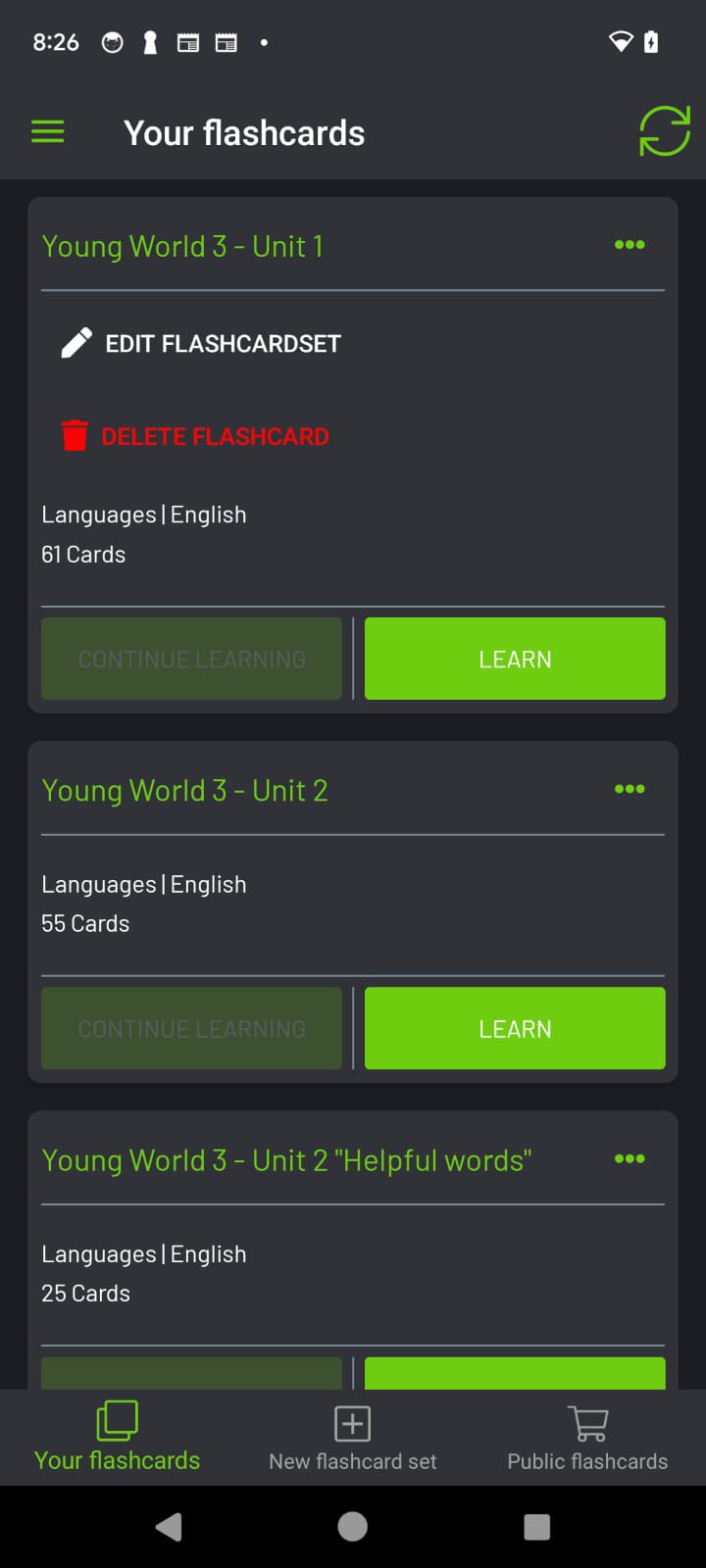
Create or study your own flashcards anywhere with the app, or browse through the learning sets created by other students. In the publisher's section, you'll also find learning sets such as those from Schatz Verlag, for instance, which you can easily add to your own learning sets.
With the flashcard and vocabulary trainer app from MemoCard, you can learn from anywhere. Whether you're at home, at school, in the office or anywhere else, the app is always at your side.
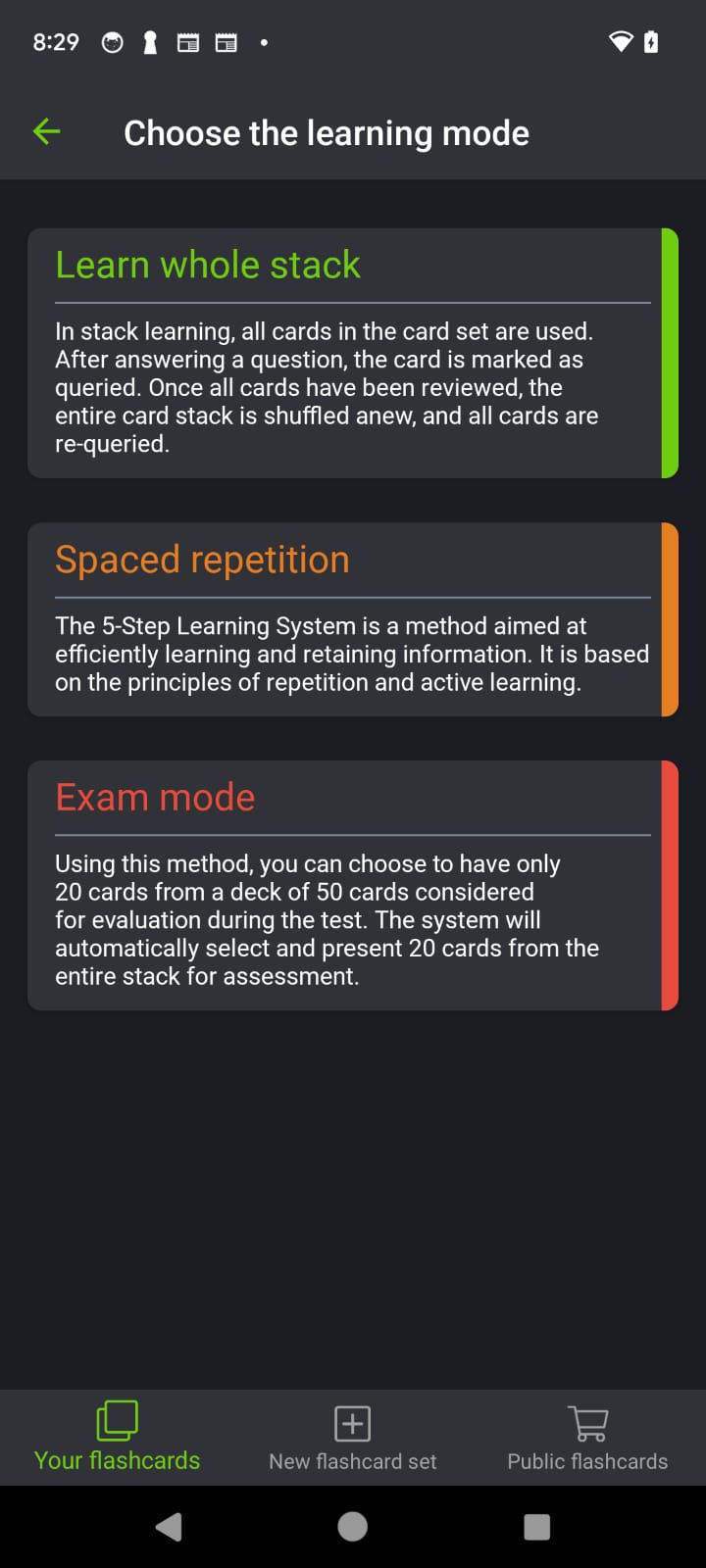
Prepare for your tests with the 4 different learning modes. MemoCard has also integrated Sebastian Leitner's well-known learning mode for systematic learning. This enables you to store the content you're learning in long-term memory.
With MemoCard, it's so much easier for you to:
- Learn English, French, Spanish, Italian and other foreign languages with flashcards
- Test your memory with the answer mode
- Share flashcards with your friends, classmates or students
- Learn all foreign languages that interest you
- Learn math, English, science, coding, history, and much more
There's nothing you can't learn with MemoCard.
MemoCard is one of the best, most user-friendly and clearly organized flashcard and vocabulary trainer apps. And it's never been easier to create your own flashcards in the app and study them straight away.
A whole set of tools for formatting your text when creating flashcards is available to you. Engage in multisensory learning by adding images or videos to your flashcards, or by saying what you want to learn aloud to yourself. Learning theory indicates that the more senses you engage simultaneously while learning, the higher the retention rate.
"And now, being perfectly honest, who hasn't written a cheat sheet before the exam at some point? And often enough, you probably realized afterwards that you didn't even need the cheat sheet.
The fact that you took the time to collect the most important facts and condense them in writing means that you dealt intensively with the material and were able to conveniently remember it right away.
Working with flashcards is based on the same principle. Just by organizing the learning content and then writing it down, you've already anchored a lot of the learning material in your long-term memory."
So, go ahead and download the app and get started right away. MemoCard wants you to have lots of fun learning.
MemoCard Enterprise for companies and schools is also available:
- Help your students or staff learn with MemoCard
- Manage your users and learning groups easily via the Admin Cockpit
- Assign different roles and permissions to students or employees
- Let MemoCard replicate the look and feel of your school or company with white labelling.
Preview
Tags
EducationInformation
Developer
Teara GmbH
Latest Version
4.0.5
Last Updated
2025-09-15
Category
Education
Available on
Google Play
Show More
How to play MemoCard - Learn Languages with GameLoop on PC
1. Download GameLoop from the official website, then run the exe file to install GameLoop
2. Open GameLoop and search for “MemoCard - Learn Languages” , find MemoCard - Learn Languages in the search results and click “Install”
3. Enjoy playing MemoCard - Learn Languages on GameLoop
Minimum requirements
OS
Windows 8.1 64-bit or Windows 10 64-bit
GPU
GTX 1050
CPU
i3-8300
Memory
8GB RAM
Storage
1GB available space
Recommended requirements
OS
Windows 8.1 64-bit or Windows 10 64-bit
GPU
GTX 1050
CPU
i3-9320
Memory
16GB RAM
Storage
1GB available space