
Math (Division) Step By Step PC
Digital D, LLC
Download Math (Division) Step By Step on PC With GameLoop Emulator
Math (Division) Step By Step sa PC
Ang Math (Division) Step By Step, na nagmumula sa developer na Digital D, LLC, ay tumatakbo sa Android systerm sa nakaraan.
Ngayon, maaari mong laruin ang Math (Division) Step By Step sa PC gamit ang GameLoop nang maayos.
I-download ito sa GameLoop library o mga resulta ng paghahanap. Hindi na tumitingin sa baterya o nakakadismaya na mga tawag sa maling oras.
I-enjoy lang ang Math (Division) Step By Step PC sa malaking screen nang libre!
Math (Division) Step By Step Panimula
💡 Stop Guessing, Start Understanding: Long Division & Arithmetic Mastery
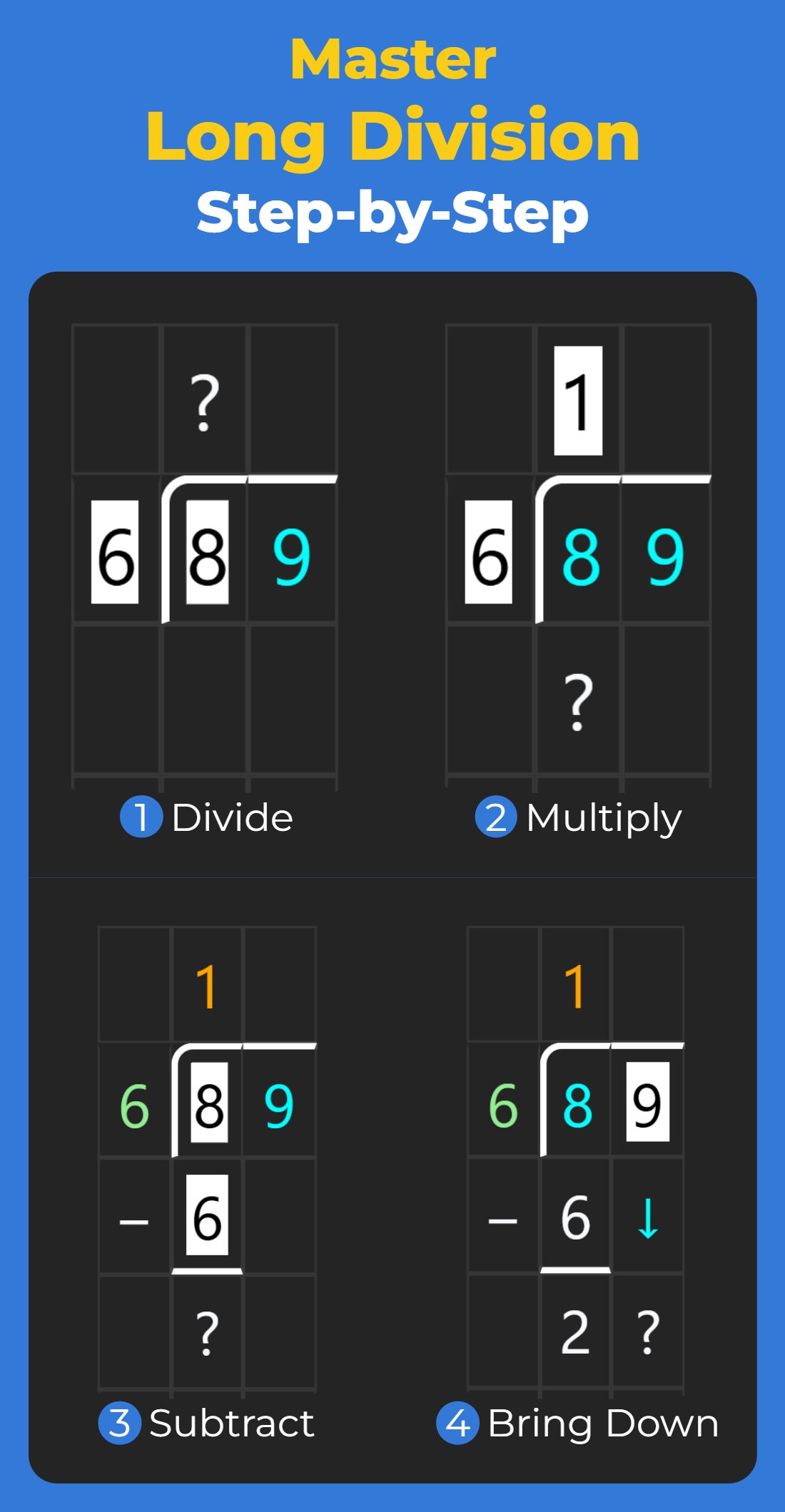
Tired of tricky long division? Math (Division) Step By Step is the ultimate learning tool designed to break down long arithmetic into clear, easy-to-follow steps. We teach students not just the answer—but the process—building confidence and true math fluency.
Perfect for students, parents, and teachers!
🎯 Key Learning Modules Included:
This app uses multiple layouts and two powerful learning modes to cover the foundational arithmetic skills:
Long Division
Long Multiplication
Addition
Subtraction
✍️ Process-Focused Step-by-Step Walkthroughs
See exactly how each digit is processed with our core features:
Guided Practice: Our Learning Mode prompts students to pick the correct result at each stage, reinforcing the correct procedure.
Full Solution Review: Use Navigation Mode to move through the solution step-by-step, or jump straight to the beginning or end.
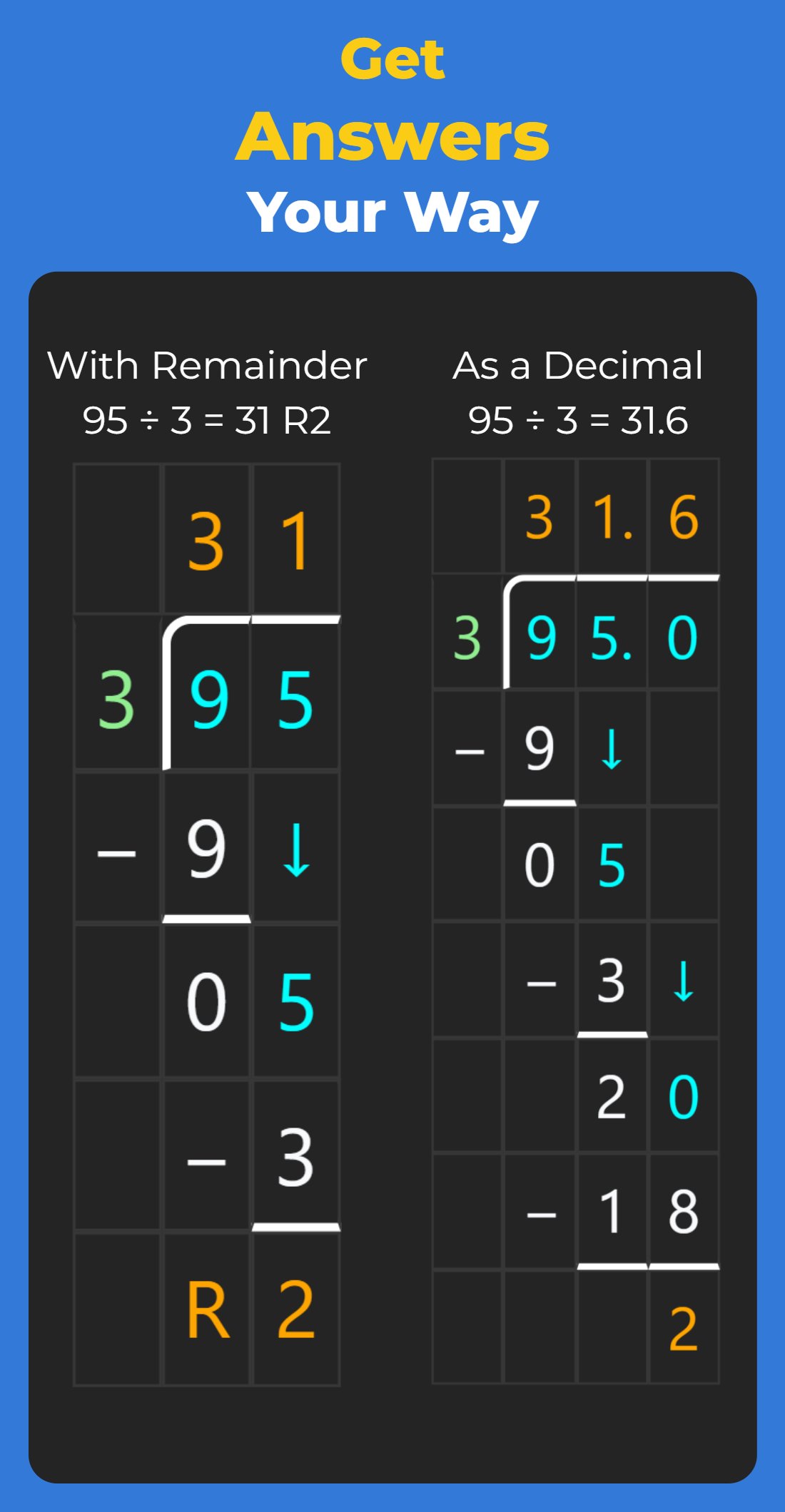
Remainder or Decimal Answers: Choose the calculation method that perfectly matches your student's curriculum or classroom expectations.
📐 Match Your Curriculum: Flexible Layouts
This is where your app truly shines! Emphasize the unique flexibility:
3 Long Division Layouts:
Divisor left / Dividend right (Standard U.S.)
Divisor right / Dividend left (Standard U.K./European)
Single-line layout (Answer on one line)
Long Multiplication Layouts:
Classic/Standard Vertical Layout
Grid Multiplication (Box Method)
✨ Designed for Seamless Learning
We built this app to remove distractions and simplify the process:
Zero Distraction UX: Clear visuals, simple language, and a friendly design reduce cognitive load.
Dark and Light Themes: Comfortable reading and learning, day or night.
Works 100% Offline: Great for classrooms, travel, commuting, or areas with limited internet access.
Focuses on Process: Builds lasting confidence and true arithmetic fluency.
⭐ Why Parents and Teachers Choose Us
"Focuses on process, not just answers—a true confidence builder." "The flexible layouts finally match my teacher's method!"
Get Started in Seconds: Open the app, pick your topic (division, multiplication, addition, subtraction), choose your layout and learning mode, and begin mastering arithmetic step-by-step today!
Preview
Tags
EducationInformation
Developer
Digital D, LLC
Latest Version
4.0.50
Last Updated
2026-09-08
Category
Education
Available on
Google Play
Show More
How to play Math (Division) Step By Step with GameLoop on PC
1. Download GameLoop from the official website, then run the exe file to install GameLoop
2. Open GameLoop and search for “Math (Division) Step By Step” , find Math (Division) Step By Step in the search results and click “Install”
3. Enjoy playing Math (Division) Step By Step on GameLoop
Minimum requirements
OS
Windows 8.1 64-bit or Windows 10 64-bit
GPU
GTX 1050
CPU
i3-8300
Memory
8GB RAM
Storage
1GB available space
Recommended requirements
OS
Windows 8.1 64-bit or Windows 10 64-bit
GPU
GTX 1050
CPU
i3-9320
Memory
16GB RAM
Storage
1GB available space