
LYNX Whiteboard PC
Clevertouch
Download LYNX Whiteboard on PC With GameLoop Emulator
LYNX Whiteboard sa PC
Ang LYNX Whiteboard, na nagmumula sa developer na Clevertouch, ay tumatakbo sa Android systerm sa nakaraan.
Ngayon, maaari mong laruin ang LYNX Whiteboard sa PC gamit ang GameLoop nang maayos.
I-download ito sa GameLoop library o mga resulta ng paghahanap. Hindi na tumitingin sa baterya o nakakadismaya na mga tawag sa maling oras.
I-enjoy lang ang LYNX Whiteboard PC sa malaking screen nang libre!
LYNX Whiteboard Panimula
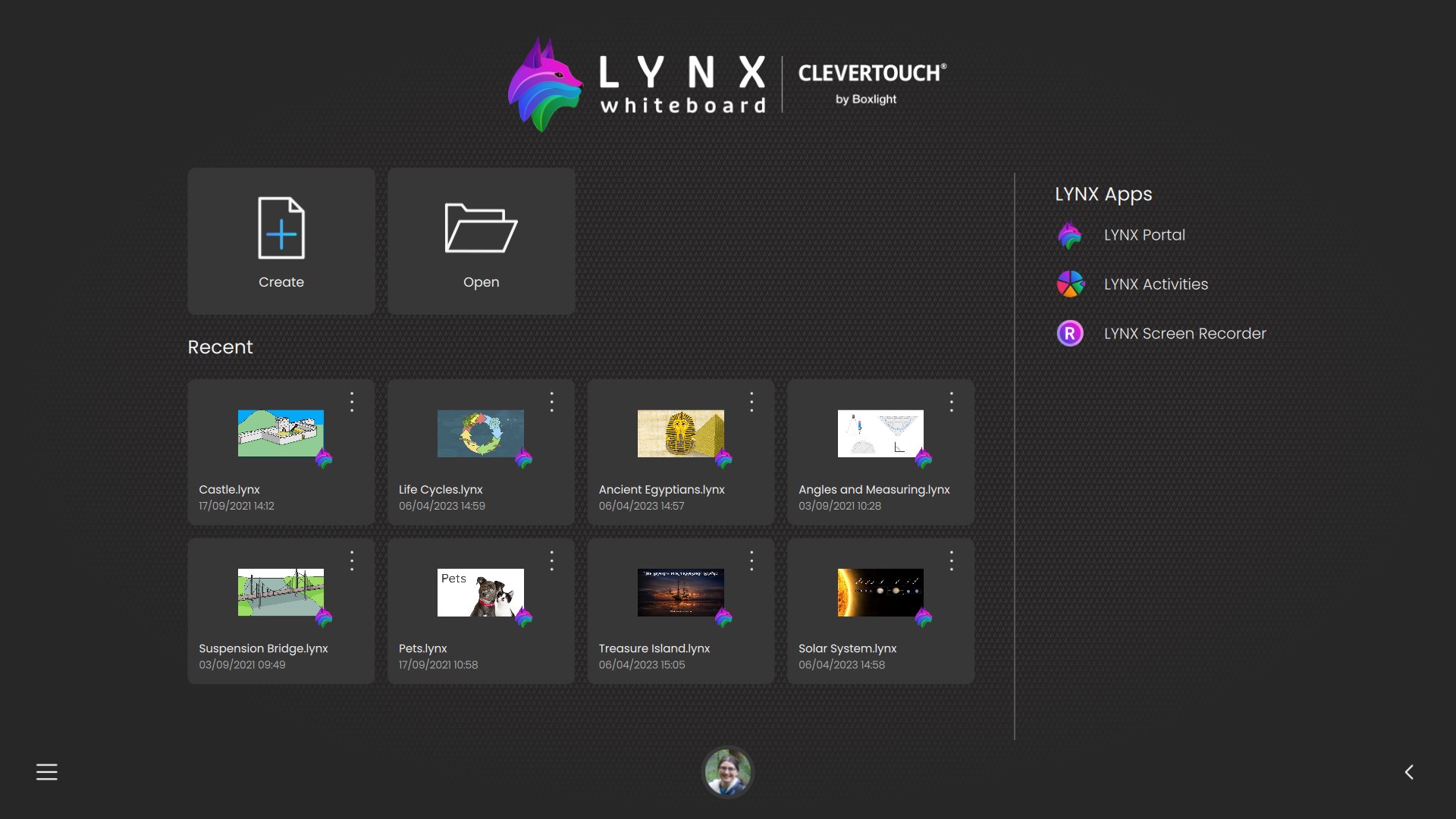
LYNX Whiteboard isn’t just a drawing canvas—it’s a full-featured cloud ready file manager with built-in whiteboarding tools, designed to help you organize, annotate, and share your documents across all your devices, including USB and external storage.
Why You’ll Love LYNX Whiteboard
- Centralized File Management
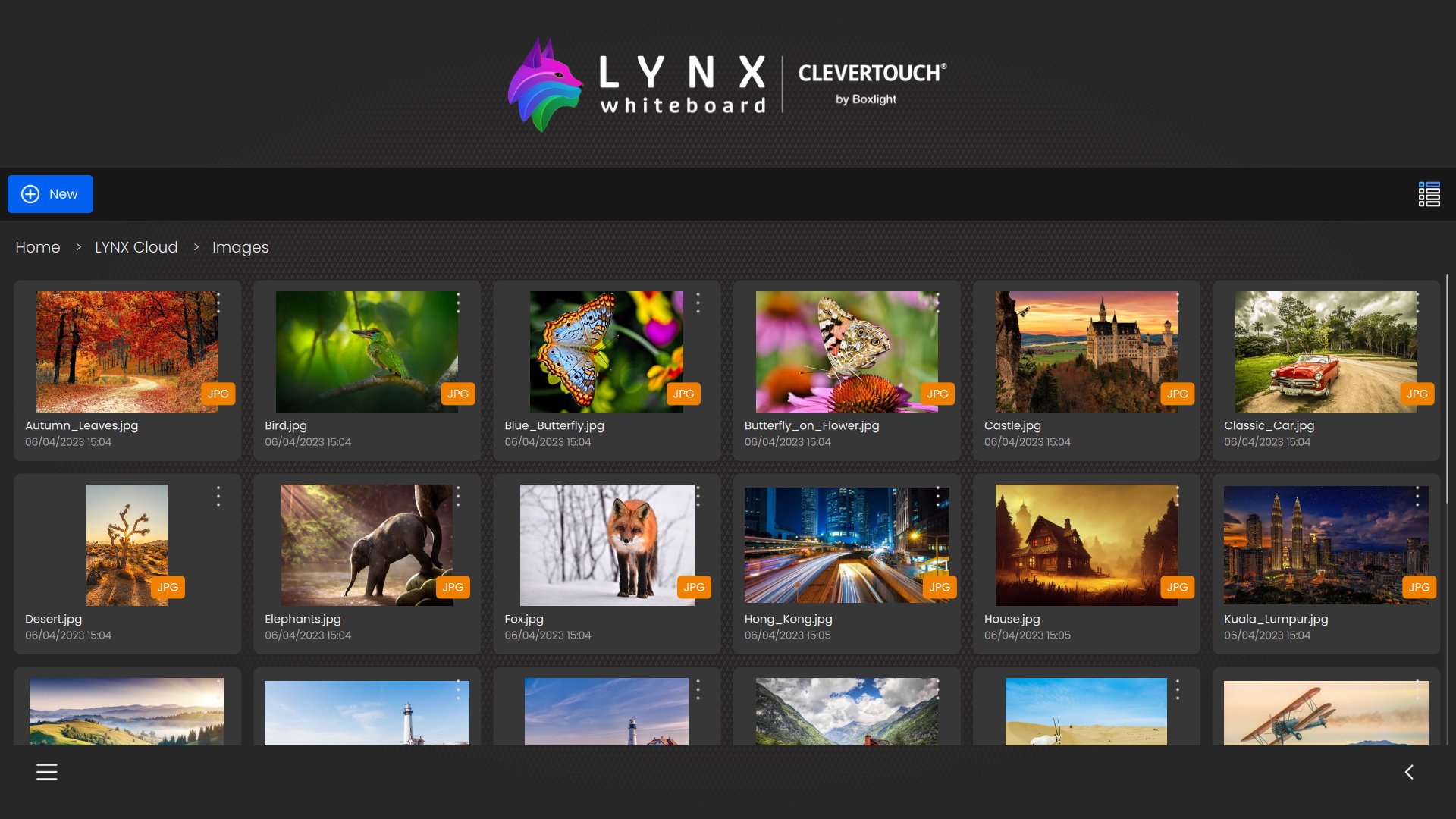
Browse, organize, and preview PowerPoint, Word, PDF, SMART Notebook, image and video files from your device’s internal storage, SD cards, USB drives, and OTG devices—all from one intuitive interface.
- Rich Media Integration
Drag and drop images and video clips from your device’s gallery, USB drives, or other external storage into any whiteboard or document for richer presentations and notes.
- Seamless Local + Cloud Sync
Access the same workspace on your phone, tablet, or PC. Work on files stored locally, on external storage, or in LYNX Cloud (or connected cloud services), and pick up right where you left off. Easy move files between local and cloud storage in both directions.
- Integrated Annotation & Sketching
Open any document and instantly mark it up—draw, highlight, or write notes directly on your files with a variety of pens, highlighters, and erasers.
- Smart Handwriting Recognition
Convert your sketches and notes into editable text instantly, making it easier to search, copy, and share your work.
- Ad-Free, Distraction-Free
Focus on your work without interruptions—LYNX Whiteboard is completely free of ads.
Preview
Tags
EducationProductivityInformation
Developer
Clevertouch
Latest Version
8.6.5.0
Last Updated
2026-03-26
Category
Education
Available on
Google Play
Show More
How to play LYNX Whiteboard with GameLoop on PC
1. Download GameLoop from the official website, then run the exe file to install GameLoop
2. Open GameLoop and search for “LYNX Whiteboard” , find LYNX Whiteboard in the search results and click “Install”
3. Enjoy playing LYNX Whiteboard on GameLoop
Minimum requirements
OS
Windows 8.1 64-bit or Windows 10 64-bit
GPU
GTX 1050
CPU
i3-8300
Memory
8GB RAM
Storage
1GB available space
Recommended requirements
OS
Windows 8.1 64-bit or Windows 10 64-bit
GPU
GTX 1050
CPU
i3-9320
Memory
16GB RAM
Storage
1GB available space