
Codynn - Learn, Code & Compete PC
Dinga vinga
Download Codynn - Learn, Code & Compete on PC With GameLoop Emulator
Codynn - Learn, Code & Compete sa PC
Ang Codynn - Learn, Code & Compete, na nagmumula sa developer na Dinga vinga, ay tumatakbo sa Android systerm sa nakaraan.
Ngayon, maaari mong laruin ang Codynn - Learn, Code & Compete sa PC gamit ang GameLoop nang maayos.
I-download ito sa GameLoop library o mga resulta ng paghahanap. Hindi na tumitingin sa baterya o nakakadismaya na mga tawag sa maling oras.
I-enjoy lang ang Codynn - Learn, Code & Compete PC sa malaking screen nang libre!
Codynn - Learn, Code & Compete Panimula
Codynn – Your Ultimate Coding Learning Platform
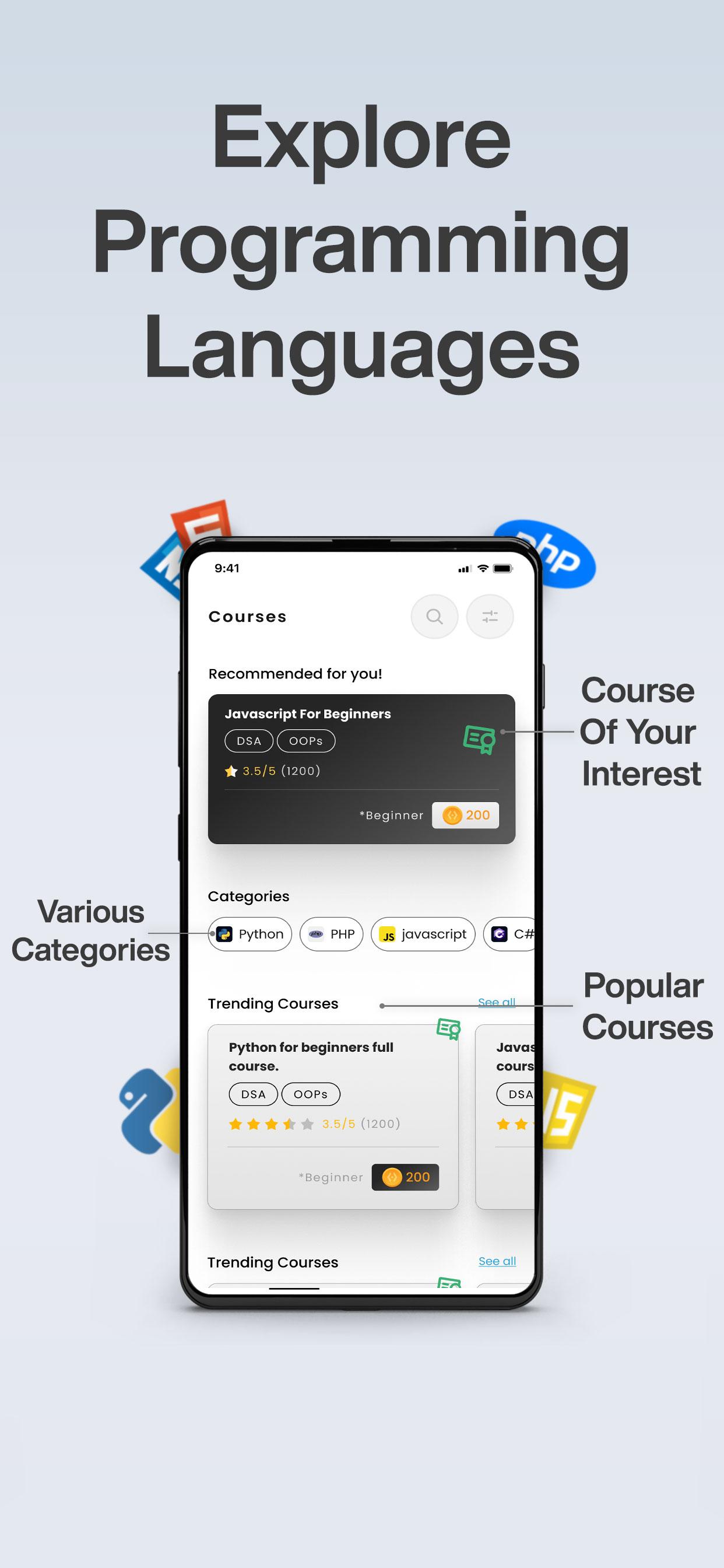
Unlock the world of programming with Codynn, a complete platform designed to enhance your coding skills through interactive challenges, courses, real-time progress tracking, and community engagement. Whether you're a beginner or an experienced developer, Codynn has everything you need to grow. Supporting over 20 programming languages, offering certifications, and a dynamic leaderboard, Codynn makes coding fun, engaging, and rewarding.
1. Interactive Coding Challenges
Codynn offers a variety of coding challenges across multiple languages. These challenges help improve your problem-solving skills and prepare you for real-world scenarios, from simple algorithms to complex projects.
2. Interactive Courses
Codynn features interactive courses for all levels. Learn coding principles, complete quizzes, and practice coding exercises.
3. Online Compiler
Write, test, and execute code directly on Codynn with our online compiler. With support for over 20 languages like HTML, CSS, Python, and C++, you can practice coding anytime without installing additional tools.
4. Blogs Section
Share knowledge, tutorials, and experiences with Codynn’s blog feature. Whether writing about challenges you've solved, tips, or programming trends, the blog section fosters a collaborative learning environment.
5. Certifications & Leaderboard
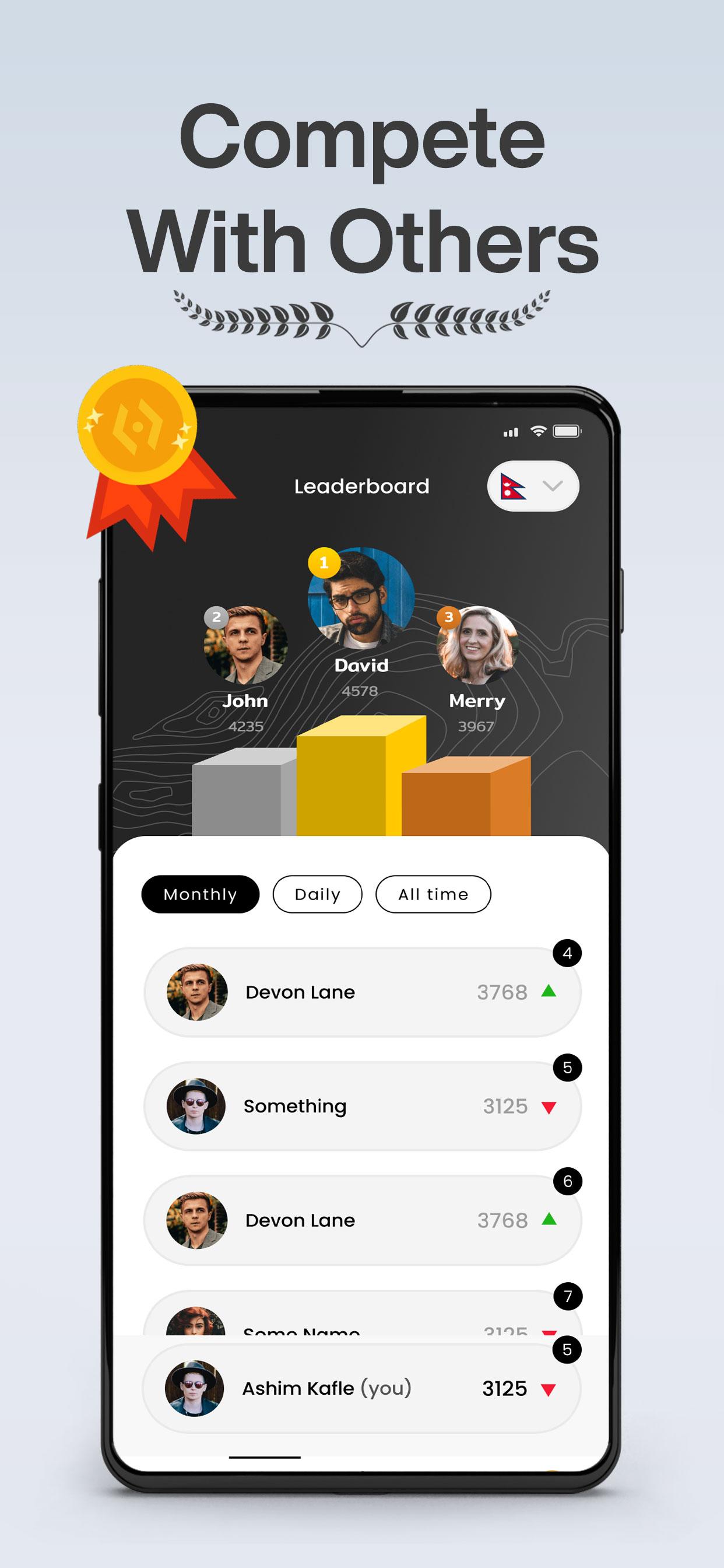
Earn globally recognized certifications after completing courses and challenges. Boost your profile for job opportunities. Compete with other learners and track your progress on the leaderboard, gaining points and rewards.
6. Codynn Coins & Rewards
As you complete tasks, you’ll earn Codynn Coins—our virtual currency. Use them to unlock premium content and exclusive coding tools. Learning is rewarding with Codynn's built-in gamification system.
7. Multi-Language Support
Codynn supports over 20 programming languages, including Python, JavaScript, C++, Dart, Java, PHP, Rust, Zig, and many more. Whether you want to learn front-end development, back-end systems, or advanced algorithms, Codynn covers it all.
Programming language we support are: C#
Zig
Mojo
Haskell
Dart
Elixir
Clojure
Lua
Erlang
Rust
Ruby
Scala
R
Golang
C++
C
Java
QBasic
8. Real-Time Progress Tracking
Stay motivated with real-time progress tracking. Our dashboard shows your performance, completed challenges, and earned certifications. Compete with others and see where you stand globally.
9. Seamless GitHub & Google Integration
Sign in with GitHub or Google for seamless access. Sync your coding progress with GitHub, share projects directly, and make contributions to your portfolio.
10. Resource Hub
Access Codynn’s Resource Hub for documentation, GitHub repositories, interview questions, and more. Stay current with regularly updated content designed to support your learning.
Preview
Tags
EducationInformation
Developer
Dinga vinga
Latest Version
1.1.10
Last Updated
2025-09-27
Category
Education
Available on
Google Play
Show More
How to play Codynn - Learn, Code & Compete with GameLoop on PC
1. Download GameLoop from the official website, then run the exe file to install GameLoop
2. Open GameLoop and search for “Codynn - Learn, Code & Compete” , find Codynn - Learn, Code & Compete in the search results and click “Install”
3. Enjoy playing Codynn - Learn, Code & Compete on GameLoop
Minimum requirements
OS
Windows 8.1 64-bit or Windows 10 64-bit
GPU
GTX 1050
CPU
i3-8300
Memory
8GB RAM
Storage
1GB available space
Recommended requirements
OS
Windows 8.1 64-bit or Windows 10 64-bit
GPU
GTX 1050
CPU
i3-9320
Memory
16GB RAM
Storage
1GB available space