
Educartable - Enseignants PC
EDUMOOV
Download Educartable - Enseignants on PC With GameLoop Emulator
Educartable - Enseignants sa PC
Ang Educartable - Enseignants, na nagmumula sa developer na EDUMOOV, ay tumatakbo sa Android systerm sa nakaraan.
Ngayon, maaari mong laruin ang Educartable - Enseignants sa PC gamit ang GameLoop nang maayos.
I-download ito sa GameLoop library o mga resulta ng paghahanap. Hindi na tumitingin sa baterya o nakakadismaya na mga tawag sa maling oras.
I-enjoy lang ang Educartable - Enseignants PC sa malaking screen nang libre!
Educartable - Enseignants Panimula
1. An intuitive interface, designed for teachers
* Simply navigate between the text book, the liaison book and the life book.
* At a glance, view the homework you have scheduled, the events you have shared and the messages exchanged with parents.
* Create, modify, delete information in a few clicks. Customize your preferences to tailor the tool to your class.
2. Effectively manage the homework schedule
* Create in a few clicks a new lesson by determining the date, the discipline, the title, the title, the recipients.
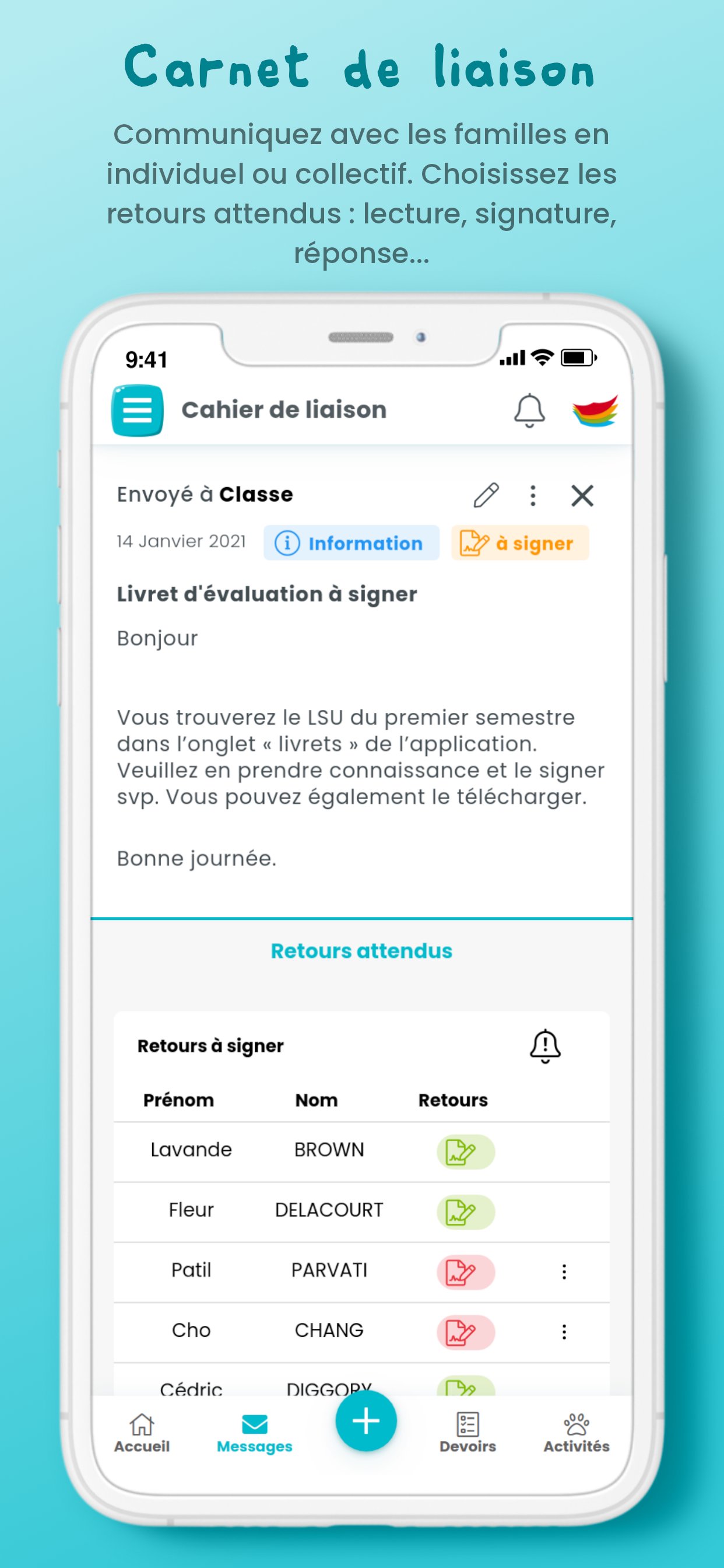
* You can choose the type of feedback expected from families (read receipt, signature, etc.) and authorize responses.
* Save time by preparing assignments in advance and making them visible when the time comes.
* Attach documents, media and interactive exercises for your students.
3. Facilitate exchanges with families
* Communicate collectively or individually: information, incident, event, request for an appointment, document to sign.
* No need to send your email address to parents, they can write you a private message via the Educartable application - family portal and send you documents.
* On the teacher side as well as on the family side, you are notified of the arrival of a new message thanks to email and push notifications.
4. Save valuable working time
* For even faster creation, use, customize and create post templates and bookmarks.
* Duplicate your publications in your own class and in that of your colleagues.
* Follow the exchanges with families as closely as possible thanks to the student follow-up page and send reminder notifications in one click.
* Customize all your preferences in advance: days, content, notifications, etc., by class and by teacher.
5. Highlight the life of your class
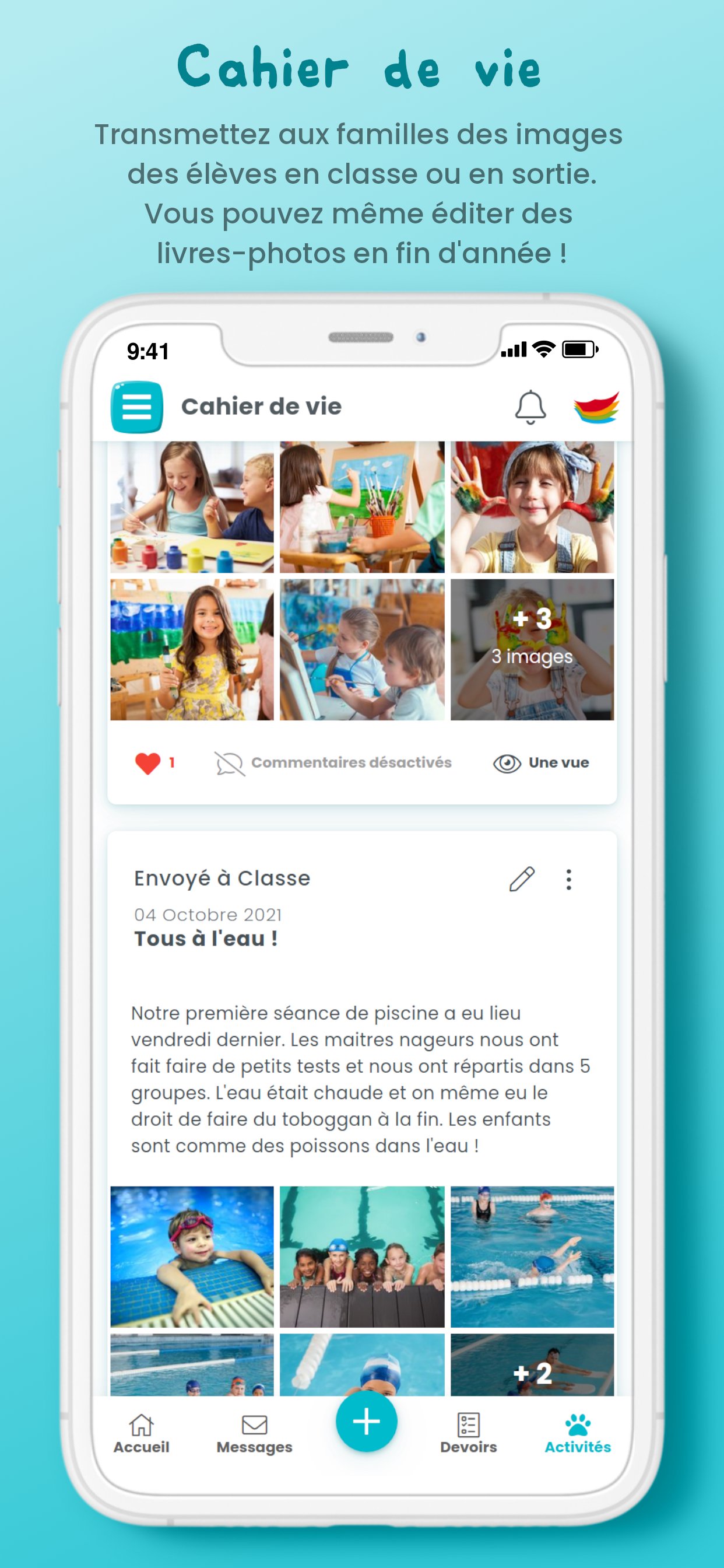
* Create and customize your classroom life activities with just a few clicks.
* Share with your students' families photographs of class life or your outings.
* Promote engagement and interactions by allowing likes and comments.
* At the end of the year, edit and order souvenir photo books from your life book. The digital life book is free and requires no user license!
Security, respect for privacy and the protection of your data are our priority. The app is GDPR compliant.
More info: https://www.edumoov.com/legal/
The app for families, Educartable Portail Familles (https://play.google.com/store/apps/details?id=com.educartable.app) is completely free.
Preview
Tags
EducationInformation
Developer
EDUMOOV
Latest Version
2025.10.07
Last Updated
2025-10-29
Category
Education
Available on
Google Play
Show More
How to play Educartable - Enseignants with GameLoop on PC
1. Download GameLoop from the official website, then run the exe file to install GameLoop
2. Open GameLoop and search for “Educartable - Enseignants” , find Educartable - Enseignants in the search results and click “Install”
3. Enjoy playing Educartable - Enseignants on GameLoop
Minimum requirements
OS
Windows 8.1 64-bit or Windows 10 64-bit
GPU
GTX 1050
CPU
i3-8300
Memory
8GB RAM
Storage
1GB available space
Recommended requirements
OS
Windows 8.1 64-bit or Windows 10 64-bit
GPU
GTX 1050
CPU
i3-9320
Memory
16GB RAM
Storage
1GB available space