
Edu+ PC
SWA Sistemas
Download Edu+ on PC With GameLoop Emulator
Edu+ sa PC
Ang Edu+, na nagmumula sa developer na SWA Sistemas, ay tumatakbo sa Android systerm sa nakaraan.
Ngayon, maaari mong laruin ang Edu+ sa PC gamit ang GameLoop nang maayos.
I-download ito sa GameLoop library o mga resulta ng paghahanap. Hindi na tumitingin sa baterya o nakakadismaya na mga tawag sa maling oras.
I-enjoy lang ang Edu+ PC sa malaking screen nang libre!
Edu+ Panimula
Edu+ – Everything you need for your academic life in a single app
Edu+ is a comprehensive school app, designed to connect students, parents, and educational institutions in a practical and secure way. With an intuitive and modern interface, it centralizes important information and facilitates daily academic life.
Edu+'s main features:
📚 Notices and announcements – Receive notifications and stay up-to-date on the institution's latest developments.
🗓 Schedules and academic calendar – Quickly check your class schedules and events.
📝 Assignments and documents – Submit activities and submit your documents conveniently through the app.
🧾 Protocol requests – Open requests and track progress without bureaucracy.
🎓 Grades and academic progress – Track your performance and progress throughout the course.
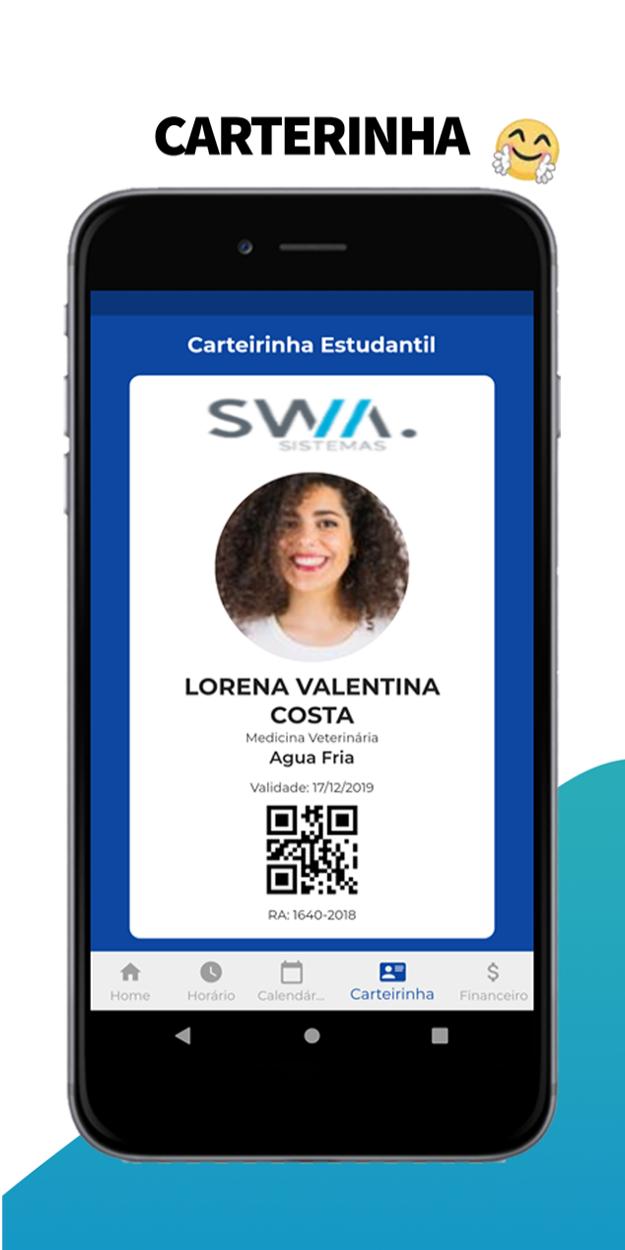
🪪 Digital student ID – Keep your academic ID handy.
💰 Complete financial information – View tuition fees, bills, and financial history right in the app.
With Edu+, you get practicality, transparency, and agility in your daily academic life. Download now and simplify your educational journey!
Preview

Tags
EducationInformation
Developer
SWA Sistemas
Latest Version
1.8.12
Last Updated
2025-09-24
Category
Education
Available on
Google Play
Show More
How to play Edu+ with GameLoop on PC
1. Download GameLoop from the official website, then run the exe file to install GameLoop
2. Open GameLoop and search for “Edu+” , find Edu+ in the search results and click “Install”
3. Enjoy playing Edu+ on GameLoop
Minimum requirements
OS
Windows 8.1 64-bit or Windows 10 64-bit
GPU
GTX 1050
CPU
i3-8300
Memory
8GB RAM
Storage
1GB available space
Recommended requirements
OS
Windows 8.1 64-bit or Windows 10 64-bit
GPU
GTX 1050
CPU
i3-9320
Memory
16GB RAM
Storage
1GB available space