
Aprovado - Study Timer PC
Sand Robot
Download Aprovado - Study Timer on PC With GameLoop Emulator
Aprovado - Study Timer sa PC
Ang Aprovado - Study Timer, na nagmumula sa developer na Sand Robot, ay tumatakbo sa Android systerm sa nakaraan.
Ngayon, maaari mong laruin ang Aprovado - Study Timer sa PC gamit ang GameLoop nang maayos.
I-download ito sa GameLoop library o mga resulta ng paghahanap. Hindi na tumitingin sa baterya o nakakadismaya na mga tawag sa maling oras.
I-enjoy lang ang Aprovado - Study Timer PC sa malaking screen nang libre!
Aprovado - Study Timer Panimula
Aprovado: Your Ultimate Study Companion!
Since 2012, Aprovado has been helping students prepare and succeed in public exams, university entrance tests, High School Exams, Bar Exams, and various certifications. With Aprovado, you can effortlessly track your study progress, analyze your performance, and stay in control of your exam preparation—all in one app!
Key Features:
● Track Your Study Time:
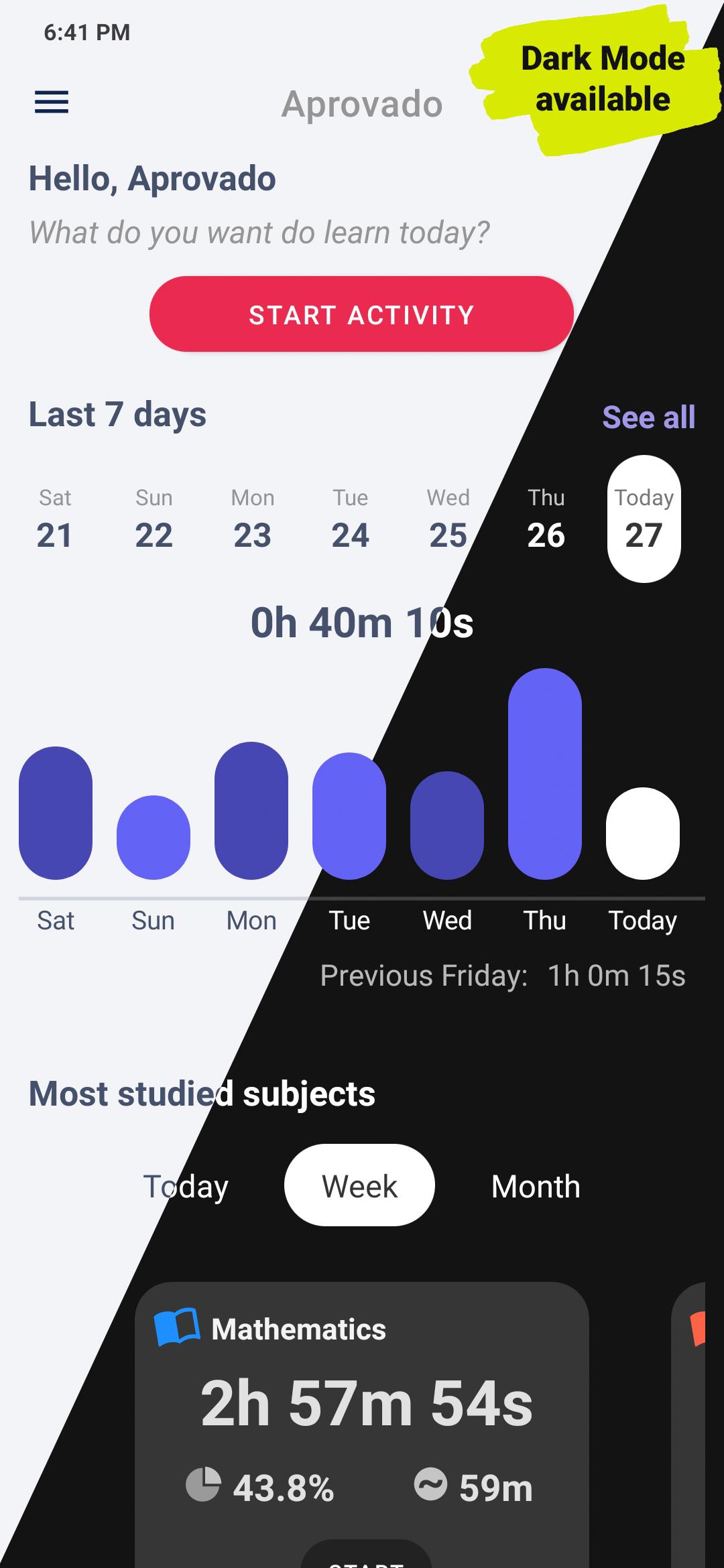
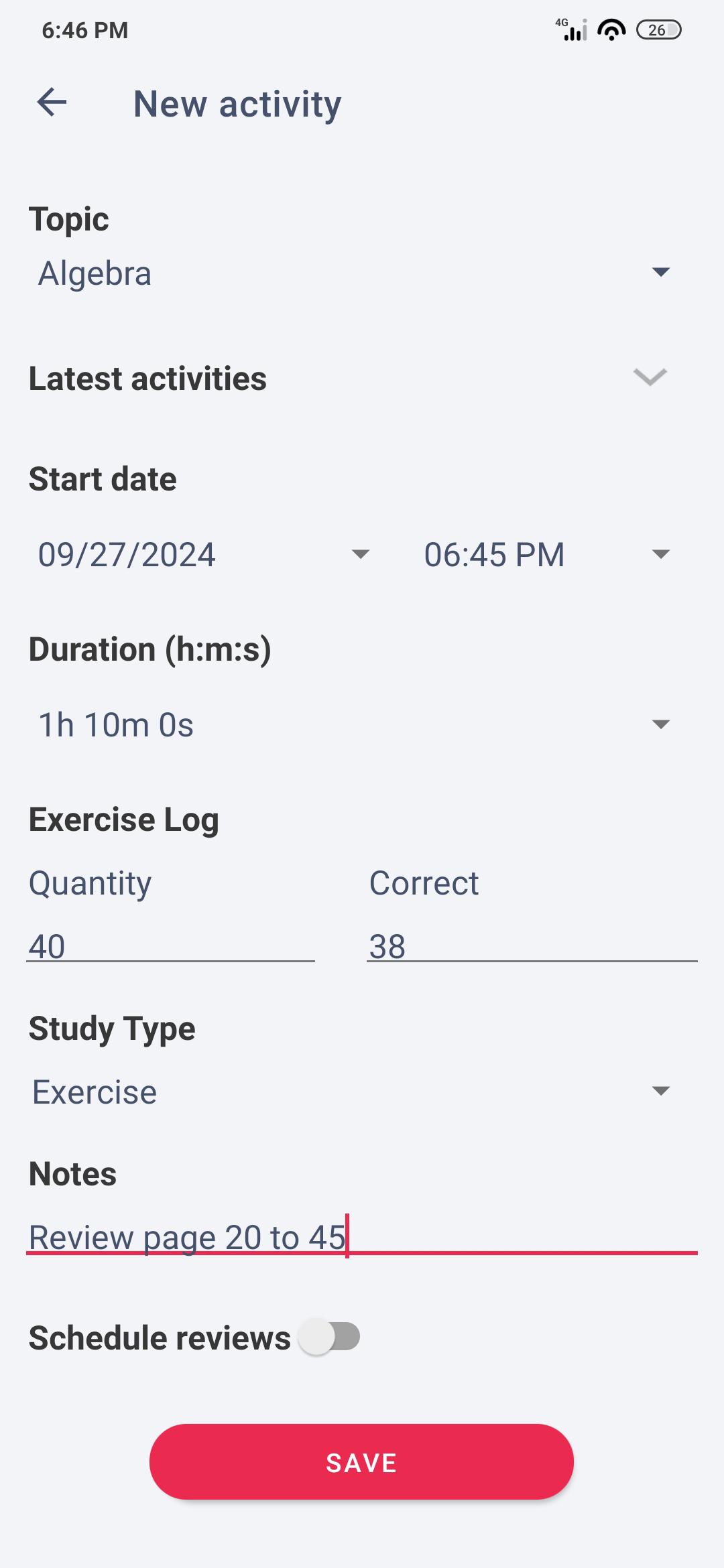
Easily log your study time, automatically with a timer or manually after each session. Stay on top of how many hours you’ve invested toward passing your exam—whether it's SAT, Bar, or any other tests.
● Set Study Alarms:
Need help managing your time? Set an alarm to remind you when it's time to wrap up your study session.
● Detailed Graphs & Reports:
Visualize your progress with in-depth graphs and reports, pinpoint the subjects where you need improvement, and refine your study strategy to ace your exams.
● Share Your Progress:
Keep your friends and family in the loop! Share your daily performance and study history on any social network with just a tap.
● Sync Across Devices:
Study anytime, anywhere! Sync your data across your phone, tablet, or computer—whether you're online or offline.
● Automatic Backup:
Never lose your progress! With your data synced, your study history is automatically backed up, so you can switch devices with ease.
Dive Deeper with Premium Features:
Want to take your studies to the next level? Aprovado offers three optional feature packages:
● Study Planning + Study Cycle:
Plan your weekly/monthly goals, set a study cycle, and track your goals over time.
● Study Review:
Automate your review schedule. Choose specific days or set custom intervals (e.g., every Friday or every 30 days) to ensure consistent review sessions.
● Exercise Log + Study Type:
Log your exercises, track your study methods, and see performance graphs based on correct answers.
No subscriptions, just one-time purchases for lifetime access to the extra features!
Aprovado has everything you need to organize your study routine and crush your exams. Perfect for anyone aiming to excel in mock exams and secure their place in public exams, Bar exams, or High School exams. Download now and start your path to success!
-------
For more info: https://aprovadoapp.com/help
Questions or feedback? Contact us at https://aprovadoapp.com/contact — we’d love to help! 😊
Preview
Tags
EducationInformation
Developer
Sand Robot
Latest Version
2.7.9
Last Updated
2025-09-02
Category
Education
Available on
Google Play
Show More
How to play Aprovado - Study Timer with GameLoop on PC
1. Download GameLoop from the official website, then run the exe file to install GameLoop
2. Open GameLoop and search for “Aprovado - Study Timer” , find Aprovado - Study Timer in the search results and click “Install”
3. Enjoy playing Aprovado - Study Timer on GameLoop
Minimum requirements
OS
Windows 8.1 64-bit or Windows 10 64-bit
GPU
GTX 1050
CPU
i3-8300
Memory
8GB RAM
Storage
1GB available space
Recommended requirements
OS
Windows 8.1 64-bit or Windows 10 64-bit
GPU
GTX 1050
CPU
i3-9320
Memory
16GB RAM
Storage
1GB available space