Apptive Practice PC
Ratna Sagar
Download Apptive Practice on PC With GameLoop Emulator
Apptive Practice sa PC
Ang Apptive Practice, na nagmumula sa developer na Ratna Sagar, ay tumatakbo sa Android systerm sa nakaraan.
Ngayon, maaari mong laruin ang Apptive Practice sa PC gamit ang GameLoop nang maayos.
I-download ito sa GameLoop library o mga resulta ng paghahanap. Hindi na tumitingin sa baterya o nakakadismaya na mga tawag sa maling oras.
I-enjoy lang ang Apptive Practice PC sa malaking screen nang libre!
Apptive Practice Panimula
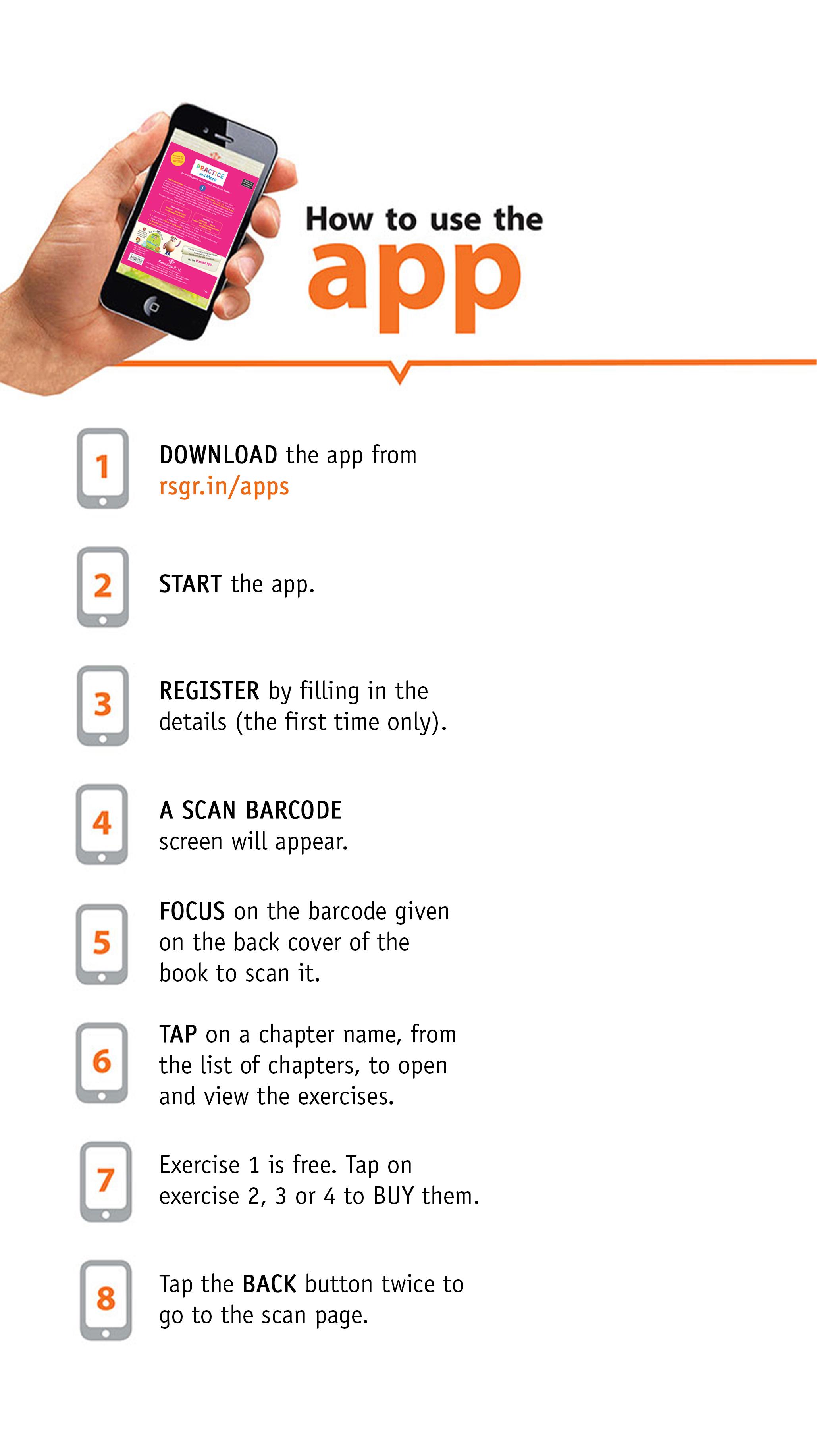
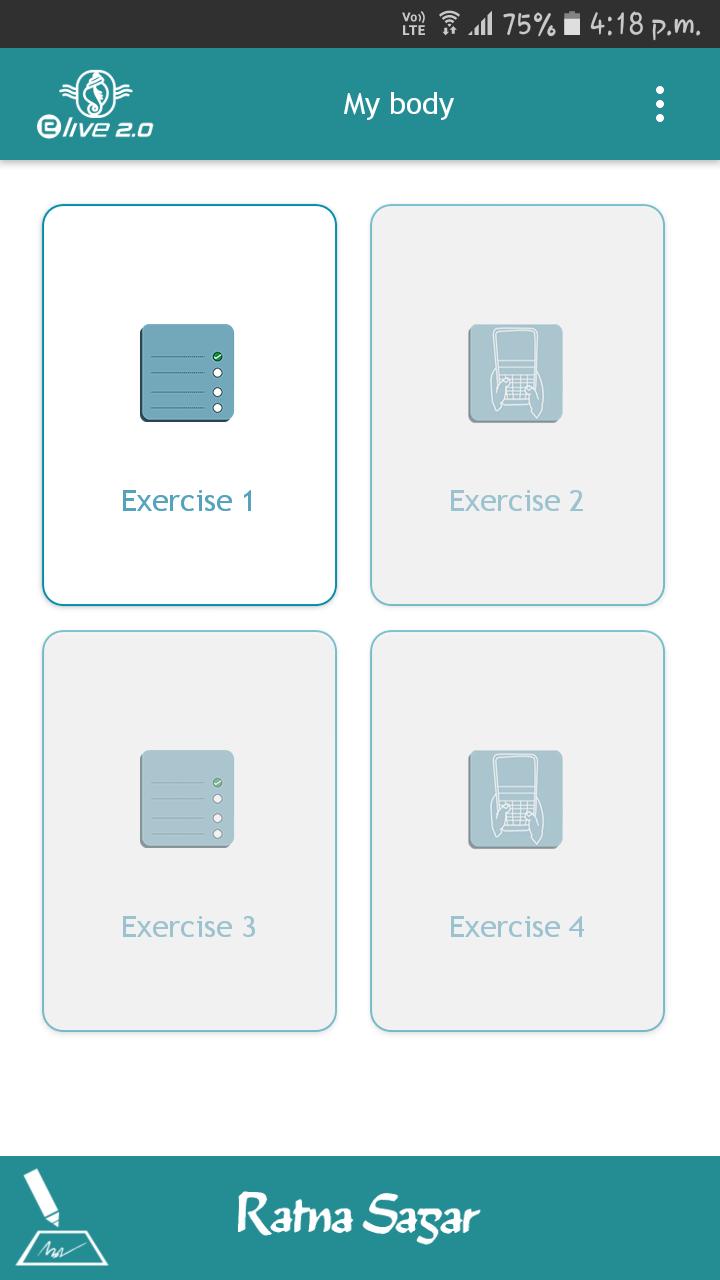
Ratna Sagar’s Practice App comprises a set of four exercises for each chapter. Each exercise consists of questions covering all the topics of the chapter. There are two types of Exercises: Click and choose and Typing. Exercises 1 and 3 are ‘click and choose’ exercises and Exercises 2 and 4 are ‘typing’ exercises. The first exercise is free of cost and accessible to all. However, Exercises 2, 3 and 4 are purchasable and include one ‘click and choose’ and two ‘typing’ exercises.
You get a feedback on attempting each question in Exercises 1 and 3. At the end of each exercise, you get to know your score as well as the correct and incorrect answers. On completion of the Exercises 2 and 4, you can view a list of correct and incorrect answers. This helps you assess your performance and know which chapters to focus on while revising.
Exercises include questions based on concepts taught in the book as well as composition and comprehension-based questions. In order to strengthen the concepts, you can attempt the exercises as many times as you please.
Use Ratna Sagar’s Apptive Practice App for an engaging and enriching experience.
List of series in the Practice App:
1. A Happy World (Grades 1-2)
2. New Grammar & More (Grades 1-8)
3. GK Magic (Grades 1-8)
4. Grammar Plus (Grades 1-8)
5. Around the World (Grades 6-8)
6. Living Science (According to the ICSE curriculum) – Physics, Chemistry, Biology (Grades 6-8)
7. Integrated Social Science – History, Geography, Social and Political Life (Grades 6-8)
8. Past and Present (Grades 6-8)
9. Right Click (Grades 1-8)
10. Rivers (Grades 1-5)
11. Splash (Grades 1-5)
12. Revised Social Science – History, Geography, Social and Political Life (Grades 6-8)
13. Yes We Can (Grades 1-8)
14. Rapid Fire (Grades 1-8)
15. Practice and More (Grades 1-5)
16. My Book of Integrated Learning (Grades 1-8)
Here is the link to help you see what the app has in store for you-
https://youtu.be/MNyd_0uMSPE
Preview
Tags
EducationInformation
Developer
Ratna Sagar
Latest Version
3.1
Last Updated
2023-07-27
Category
Education
Available on
Google Play
Show More
How to play Apptive Practice with GameLoop on PC
1. Download GameLoop from the official website, then run the exe file to install GameLoop
2. Open GameLoop and search for “Apptive Practice” , find Apptive Practice in the search results and click “Install”
3. Enjoy playing Apptive Practice on GameLoop
Minimum requirements
OS
Windows 8.1 64-bit or Windows 10 64-bit
GPU
GTX 1050
CPU
i3-8300
Memory
8GB RAM
Storage
1GB available space
Recommended requirements
OS
Windows 8.1 64-bit or Windows 10 64-bit
GPU
GTX 1050
CPU
i3-9320
Memory
16GB RAM
Storage
1GB available space