
120 secondes PC
Christophe Auclair
Download 120 secondes on PC With GameLoop Emulator
120 secondes sa PC
Ang 120 secondes, na nagmumula sa developer na Christophe Auclair, ay tumatakbo sa Android systerm sa nakaraan.
Ngayon, maaari mong laruin ang 120 secondes sa PC gamit ang GameLoop nang maayos.
I-download ito sa GameLoop library o mga resulta ng paghahanap. Hindi na tumitingin sa baterya o nakakadismaya na mga tawag sa maling oras.
I-enjoy lang ang 120 secondes PC sa malaking screen nang libre!
120 secondes Panimula
120 seconds is published by the Academy of Dijon.
Type: Exerciser
Cycle concerned: cycle 3
Base area: 4
Targeted Competency: Calculate - Practice mental arithmetic and automated calculus
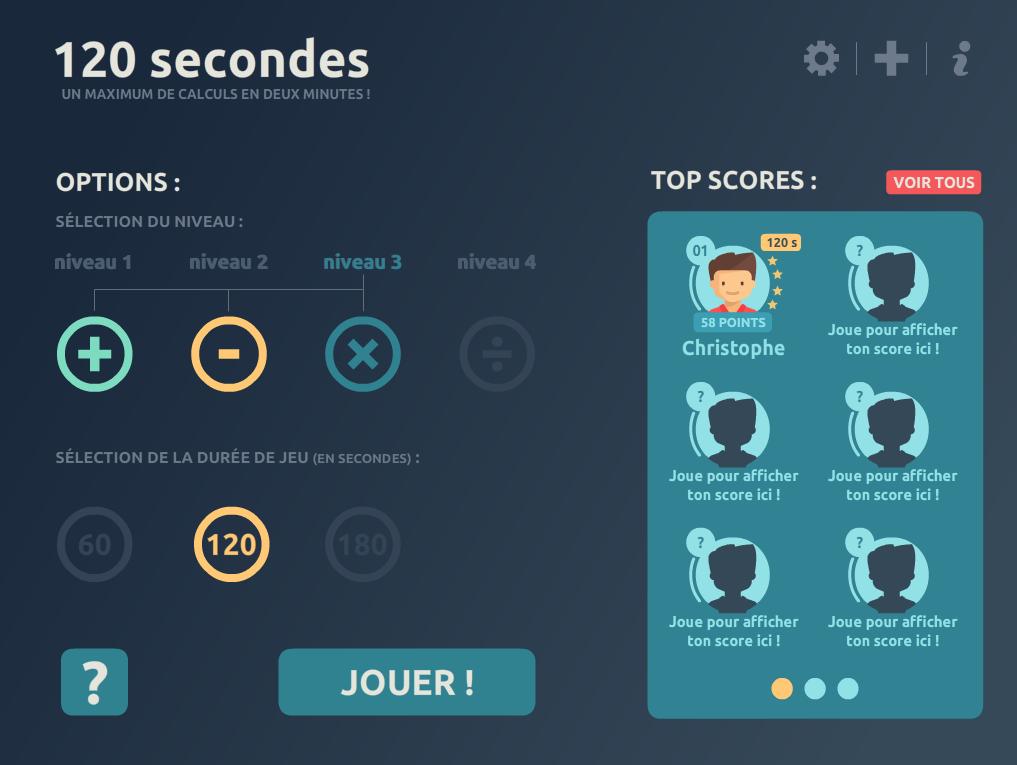
Description: 120 s is an exerciser for the 4 operations. The goal of the game is to correctly answer a maximum of calculations in a given time (120 seconds by default).
Four levels of difficulty are available:
- Level 1: additions;
- Level 2: additions, subtractions;
- Level 3: additions, subtractions, multiplications;
- Level 4: the four operations.
Three game times are possible:
- 60 seconds;
- 120 seconds;
- 180 seconds.
Each time the score goes to the top ten, the level increases and the calculations are a little more complicated!
It is possible to record his score (by choosing a nickname and an avatar). A "Top Scores" and the complete list of completed games are available.
POSSIBLE USES:
120s can be used during a class as a training tool.
120s can also be used in Personal Accompaniment in different ways:
- As a training tool, to reinforce / reinforce learning;
- As a "competition" tool to measure against other students in the class.
Preview

Tags
EducationInformation
Developer
Christophe Auclair
Latest Version
2.0.3
Last Updated
2023-09-07
Category
Education
Available on
Google Play
Show More
How to play 120 secondes with GameLoop on PC
1. Download GameLoop from the official website, then run the exe file to install GameLoop
2. Open GameLoop and search for “120 secondes” , find 120 secondes in the search results and click “Install”
3. Enjoy playing 120 secondes on GameLoop
Minimum requirements
OS
Windows 8.1 64-bit or Windows 10 64-bit
GPU
GTX 1050
CPU
i3-8300
Memory
8GB RAM
Storage
1GB available space
Recommended requirements
OS
Windows 8.1 64-bit or Windows 10 64-bit
GPU
GTX 1050
CPU
i3-9320
Memory
16GB RAM
Storage
1GB available space