
11+ Vocabulary Builder PC
Webrich Software
Download 11+ Vocabulary Builder on PC With GameLoop Emulator
11+ Vocabulary Builder sa PC
Ang 11+ Vocabulary Builder, na nagmumula sa developer na Webrich Software, ay tumatakbo sa Android systerm sa nakaraan.
Ngayon, maaari mong laruin ang 11+ Vocabulary Builder sa PC gamit ang GameLoop nang maayos.
I-download ito sa GameLoop library o mga resulta ng paghahanap. Hindi na tumitingin sa baterya o nakakadismaya na mga tawag sa maling oras.
I-enjoy lang ang 11+ Vocabulary Builder PC sa malaking screen nang libre!
11+ Vocabulary Builder Panimula
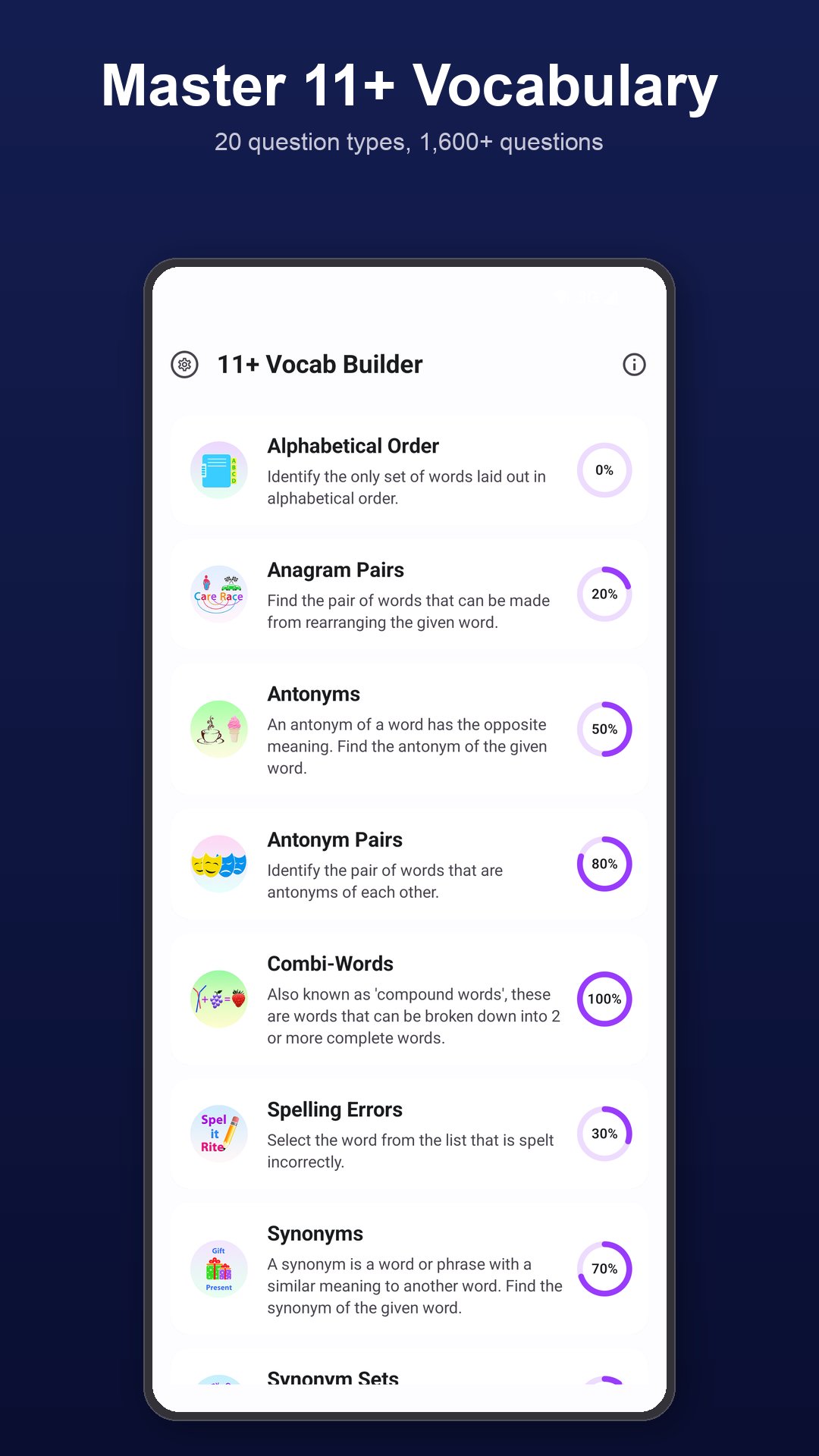
Build the wide, precise vocabulary that decides 11+ Verbal Reasoning, English and Reading Comprehension papers. 11+ Vocabulary Builder is a complete vocabulary workout for children sitting Grammar School and Independent School entrance exams — CEM, GL Assessment, NFER, ISEB — with 1,600+ multiple-choice questions across 20 question types.
20 QUESTION TYPES
• Alphabetical Order
• Anagram Pairs
• Antonyms & Antonym Pairs
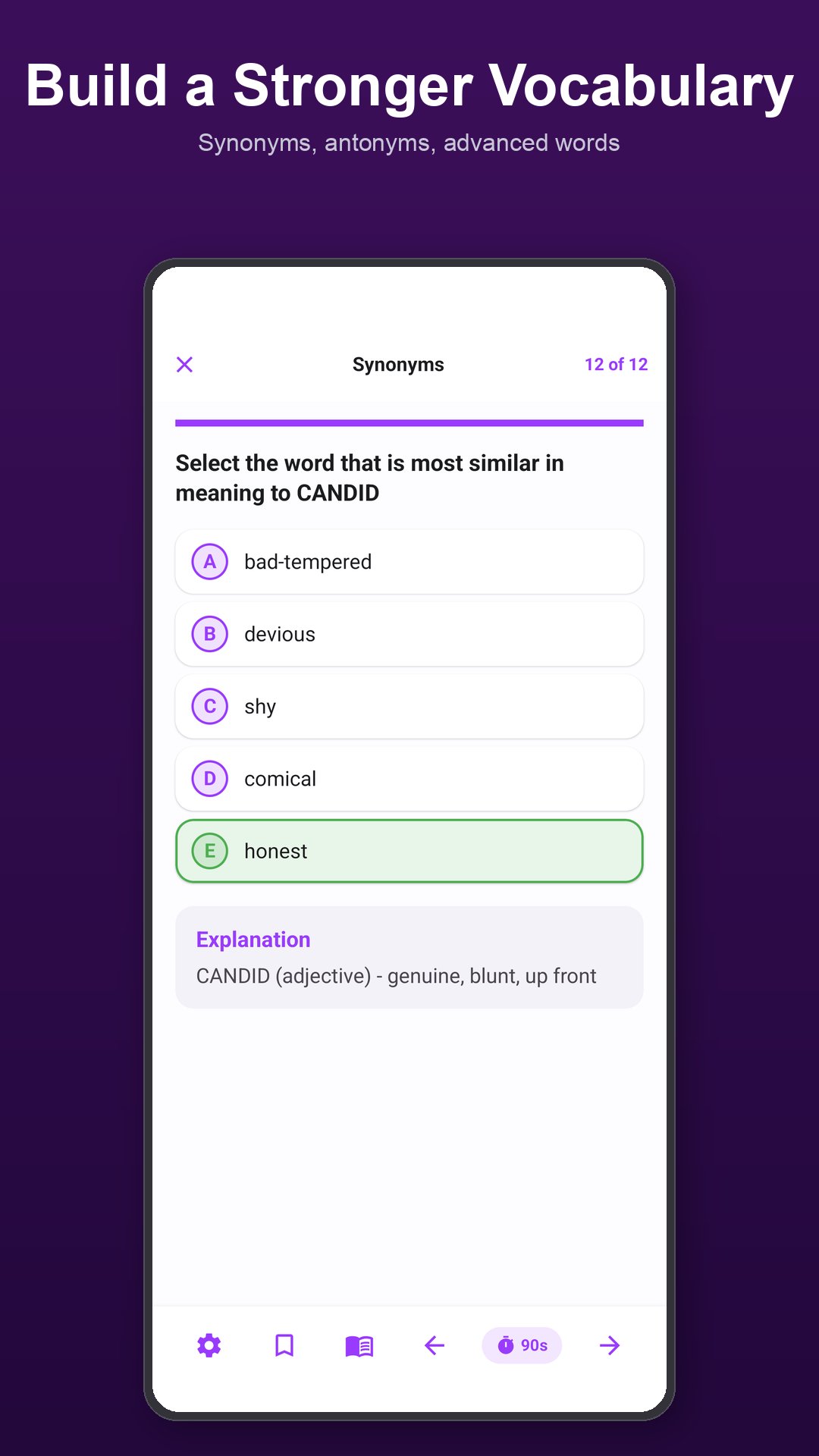
• Synonyms & Synonym Sets
• Compound Words
• Spelling Errors
• Word Out (missing letters)
• Word Meanings & Contextual Meaning
• Fill the Gap
• Homophones & Homonyms
• Odd One Out
• Word Connections (analogies)
• Prefixes & Suffixes
• Collocations
• Word Forms
• Idioms & Phrases
• Shades of Meaning
STUDY NOTES & LESSONS
Every topic comes with built-in study notes — definitions, the knowledge required, how to answer, worked examples and tips. Tap Study before any quiz to learn the technique in plain English.
VOICE-OVER PRONUNCIATION
Tap to hear every word, question and answer pronounced aloud. Helps with spelling, listening and confident reading — especially for tricky homophones and unfamiliar words.
DETAILED RESULTS
After each test see correct, incorrect and skipped questions with the time taken on each. Review every question with a clear explanation of the answer.
PROGRESS METER
An interactive pie chart tracks progress for each topic. Tap any segment to re-attempt only the questions you got wrong, never tried, or want to revise.
MOCK TESTS
50-question mixed Mock Tests draw randomly from every topic. Past mock-test scores are charted so you can track progress over time. Take as many as you like.
CUSTOMISABLE
• Choose any number of questions per quiz
• Toggle instant feedback on or off
• Toggle sound effects
• Reset progress at any time
WHY VOCABULARY?
There are 164 grammar schools in England. Most use Verbal Reasoning in selection, and 50–75% of Verbal Reasoning questions test vocabulary directly. A wider vocabulary also lifts Reading Comprehension and Creative Writing marks.
Preview
Tags
EducationInformation
Developer
Webrich Software
Latest Version
08-Oct-2026
Last Updated
2026-10-08
Category
Education
Available on
Google Play
Show More
How to play 11+ Vocabulary Builder with GameLoop on PC
1. Download GameLoop from the official website, then run the exe file to install GameLoop
2. Open GameLoop and search for “11+ Vocabulary Builder” , find 11+ Vocabulary Builder in the search results and click “Install”
3. Enjoy playing 11+ Vocabulary Builder on GameLoop
Minimum requirements
OS
Windows 8.1 64-bit or Windows 10 64-bit
GPU
GTX 1050
CPU
i3-8300
Memory
8GB RAM
Storage
1GB available space
Recommended requirements
OS
Windows 8.1 64-bit or Windows 10 64-bit
GPU
GTX 1050
CPU
i3-9320
Memory
16GB RAM
Storage
1GB available space